As the year winds down, many business leaders are reviewing revenue, staffing, budgets, and growth plans. Technology deserves the same attention.
A business can appear to be operating normally while carrying avoidable IT risks: an old server that is no longer under warranty, an employee account that was never disabled, a backup that has never been tested, or a critical application that depends on one person’s undocumented knowledge.
This year-end checkup is designed for small and midsize businesses across Chicago’s Western Suburbs, including professional-services firms, healthcare practices, manufacturers, distributors, retailers, and growing multi-location organizations. Use it to identify what needs attention before 2027.
1. Do you have a current inventory of every device and system?
You should be able to identify the computers, servers, phones, tablets, network devices, cloud applications, and other technology your business relies on.
An accurate inventory helps you answer basic but important questions:
- Which devices are still in use?
- Which systems are approaching replacement age?
- Which equipment is under warranty?
- Which applications contain sensitive information?
- Which devices are missing security updates?
If your list is spread across email threads and spreadsheets, it may be time to centralize it. CMIT Solutions of Chicago West describes IT documentation and asset lifecycle tracking as part of its managed-services approach.
2. Are security patches being applied consistently?
Software and operating-system updates often include security fixes. Delayed patching can leave known vulnerabilities exposed to attackers.
Ask whether updates are being monitored across laptops, desktops, servers, mobile devices, network equipment, and business applications. Also ask what happens when a patch fails or a device is offline.
A reliable process should include monitoring, scheduled maintenance, exception reporting, and a way to confirm that high-priority updates were completed.
3. Can you explain how your business would respond to ransomware?
Ransomware planning should go beyond the question, “Do we have antivirus?”
Your response plan should identify:
- Who is authorized to declare an incident?
- Who contacts employees, customers, insurers, and legal advisers?
- Which systems must be isolated first?
- Which business processes are most urgent to restore?
- Where are clean backups located?
- How will you communicate if email is unavailable?
The goal is not to predict every detail. The goal is to reduce confusion during a high-pressure event.

4. Have your backups actually been tested?
A backup job that reports “successful” is not the same as a recovery plan that has been proven.
At least periodically, test whether you can restore representative files, applications, and systems. Record how long recovery takes and whether the restored data is complete and usable.
CMIT’s backup guidance emphasizes backup reporting, continuous monitoring, monthly testing, and recovery planning rather than simply creating copies of files.
5. Are your backups protected from the same threats as your production systems?
If backups are always connected, always accessible, or protected by the same compromised credentials as the primary environment, an attacker may be able to affect both.
Review encryption, access controls, version history, storage locations, retention, and administrative permissions. A business may benefit from a combination of local and cloud-based recovery options, depending on its systems and recovery needs.
6. Are former employees and unused accounts fully removed?
Review employees, contractors, vendors, shared mailboxes, cloud applications, remote-access tools, and administrator accounts.
Offboarding should include disabling accounts, recovering company devices, removing access to shared files, rotating credentials where necessary, and documenting completion. It should also cover employees who change roles and no longer need the same permissions.
7. Is multifactor authentication enabled where it matters most?
Multifactor authentication adds another verification step beyond a password. Prioritize email, remote access, administrative accounts, cloud services, financial systems, and other platforms that could expose sensitive information or enable fraud.
Also confirm that backup methods are secure. A strong control can be weakened if recovery codes or alternate authentication methods are stored carelessly.
8. Do employees know how to report a suspicious message?
Employees do not need to become cybersecurity experts, but they should know what to do when something feels wrong.
Make the reporting process simple. Tell employees where to forward suspicious messages, whom to contact by phone, and what information to preserve. Reinforce that early reporting is more valuable than embarrassment or silence.
9. Is your network secure and performing as expected?
Slow Wi-Fi and recurring connectivity problems can be sympt
oms of capacity, configuration, coverage, equipment, or security issues.
Review:
- Wireless coverage in work areas and conference rooms
- Guest-network separation
- Network equipment age and support status
- Administrative access to network devices
- Remote-access controls
- Monitoring and alerting
- Connectivity at branch or satellite locations
This is especially important for businesses with offices in multiple Western Suburbs communities or teams that rely on cloud applications throughout the day.
10. Do you know which technology needs to be replaced in 2027?
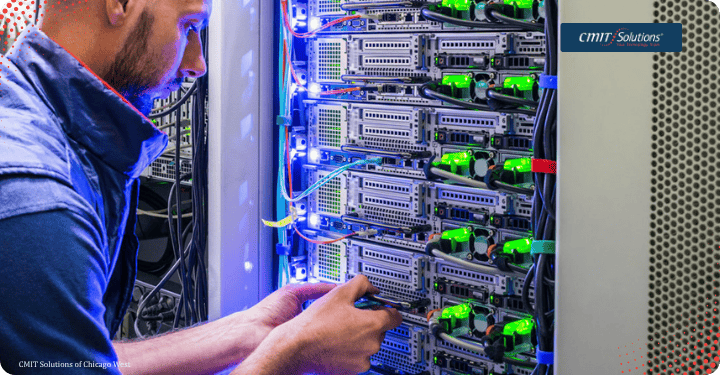
Create a replacement list before a failure forces an emergency purchase. Include laptops, desktops, servers, firewalls, switches, wireless equipment, printers, phones, and specialty systems.
For each item, record its age, warranty status, operating system, business owner, replacement cost, and dependency on other systems. A planned refresh is usually easier to budget and schedule than an unexpected outage.
11. Are your vendors and technology partners documented?
Your business should know who supports internet connectivity, phones, software, line-of-business systems, security tools, backup, hardware, and building access.
Document contract terms, renewal dates, escalation contacts, account ownership, and what each vendor is responsible for. This prevents delays when a problem crosses multiple providers.
12. Does your 2027 technology plan support business goals?
IT planning should connect to the business. Are you hiring? Opening a new location? Adding remote employees? Replacing a major application? Pursuing a new compliance requirement? Integrating an acquisition?
Write down the technology projects that support those goals, then rank them by business impact, risk, cost, dependencies, and timing.
A simple way to use this checkup
Rate each question as green, yellow, or red:
- Green: The process is documented, monitored, and tested.
- Yellow: The process exists but is inconsistent, incomplete, or dependent on one person.
- Red: The process is missing, unknown, or has failed a recent test.
Start with the red items that could cause extended downtime, data loss, unauthorized access, or financial damage. Then turn the yellow items into a 90-day improvement plan.

Get a clearer view of your IT risk before year-end
A year-end IT checkup does not need to become a complicated project. It starts with knowing what you have, what is exposed, what is working, and what would happen if a critical system failed.
CMIT Solutions of Chicago West helps businesses combine proactive monitoring, cybersecurity, backup, support, documentation, and strategic IT guidance. Contact the local team to discuss an IT assessment for your business and build a practical plan for 2027.