Cybersecurity is not only a technology issue. It is also a day-to-day business process.
Employees approve invoices, open email attachments, share documents, access cloud applications, use mobile devices, and communicate with customers. A single rushed decision can create an opportunity for fraud, data loss, or unauthorized access.
That does not mean employees are the problem. It means they need clear guidance, simple reporting procedures, and security controls that make the safe choice easier.
This practical checklist is for small and midsize businesses across Chicago’s Western Suburbs. It can help professional-services firms, healthcare practices, manufacturers, retailers, logistics companies, and other organizations start a useful cybersecurity conversation with their teams.
1. Pause before clicking.
Phishing messages are designed to create urgency. They may claim that a payment is overdue, an account will be closed, a document needs review, or a manager needs immediate help.
Before clicking a link or opening an attachment, employees should pause and ask:
- Was I expecting this message?
- Is the sender’s address spelled correctly?
- Does the request make sense for this person or company?
- Is the message pressuring me to bypass normal procedures?
- Would I be comfortable confirming the request through another channel?
A familiar logo or a name that looks correct is not proof that a message is legitimate.
2. Verify payment and sensitive requests out of band.
Business email compromise often involves a request to change payment instructions, purchase gift cards, send confidential information, or transfer money quickly.
Create a rule that employees must verify unusual financial or sensitive requests using a trusted phone number or a known communication channel. Do not use the phone number or link included in the suspicious message.
This simple pause can help protect finance teams, owners, and employees who regularly handle vendor or customer information.
3.Use multi-factor authentication.
Multi-factor authentication, or MFA, requires more than a password to verify a user’s identity. It can use an authenticator application, security key, biometric check, or another approved method.
Prioritize MFA for:
- Email and productivity platforms
- Remote-access tools
- Cloud applications
- Financial and payroll systems
- Administrator accounts
- Backup and security platforms
MFA does not replace other security controls, but it can reduce the damage caused by a stolen password.
4. Use a password manager and never reuse passwords.
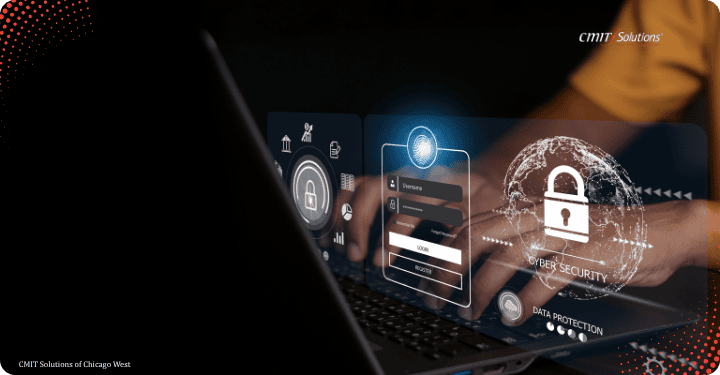
Reusing a password creates a chain reaction. If one website is compromised, attackers may try the same password against business email, cloud storage, banking, and other services.
A business-approved password manager can help employees create and store unique passwords without memorizing every credential. Administrators should also document how shared accounts, service accounts, and emergency access are controlled.
5. Keep devices updated.
Employees should not repeatedly postpone operating-system, browser, application, or security updates. Updates often include fixes for known vulnerabilities.
Businesses should support this expectation with centralized monitoring and patch management. Employees cannot reliably manage every update on their own, especially across laptops, servers, mobile devices, and specialized systems.
CMIT Solutions of Chicago West describes proactive monitoring, maintenance, automated patching, antivirus, and device inventory as parts of its managed IT approach.
6. Protect devices when working remotely.
Remote and hybrid employees should:
- Use company-approved devices when possible
- Avoid sensitive work on shared or public computers
- Lock screens when stepping away
- Use secure, approved access tools
- Keep home routers and devices updated
- Report lost or stolen equipment immediately
- Avoid unknown USB drives and removable media
Employees should know that a lost device is a security event to report quickly, not something to hide until the next workday.
7. Be careful with file sharing and cloud applications.
Cloud tools make collaboration easier, but a link can be shared with the wrong person just as easily as the right one.
Before sharing a file, confirm the recipient, permission level, expiration options, and sensitivity of the information. Review shared folders periodically and remove access that is no longer needed.
Ask IT to review high-risk applications and connect them to the organization’s identity, security, backup, and offboarding processes.
8. Know how to report a problem.
The first few minutes after a suspicious click or unusual login can matter. Employees should know exactly how to report:
- A suspicious email or text
- A clicked link or opened attachment
- An unexpected MFA prompt
- A lost or stolen device
- A strange pop-up or locked file
- A suspected payment-fraud request
- A message asking for sensitive information
Provide one primary reporting method and a backup method in case email is unavailable. A phone number or help-desk channel should be easy to find.
Most importantly, avoid creating a culture in which employees are afraid to report mistakes. Early reporting gives the business more options to contain a problem.
9. Treat unexpected MFA prompts as a warning.
If an employee receives an MFA prompt they did not initiate, they should deny it and report it. Repeated prompts can indicate that someone has a password and is trying to gain access.
Employees should never approve an unexpected prompt just to make it stop. They should also avoid sharing authentication codes with anyone by phone, email, or chat.
10. Keep personal and business accounts separate.
Using personal email, consumer file-sharing accounts, or unapproved messaging tools for business information makes it harder to secure, monitor, back up, and remove access to that information.
Create a short list of approved tools and explain why they are required. Employees are more likely to follow the policy when the approved alternative is convenient and supported.
11. Secure the physical workspace.
Cybersecurity includes physical security. Employees should protect laptops, phones, printed documents, badges, and removable drives.
Do not leave an unlocked device unattended in a vehicle, conference room, shared workspace, or public location. Sensitive papers should not be left on printers or meeting-room tables.\
12. Practice the process.
A once-a-year reminder is not enough. Use short, recurring training moments:
- Share one realistic phishing example.
- Practice verifying a payment-change request.
- Remind employees how to report a lost device.
- Review a recent business email compromise pattern.
- Test whether employees can find the help-desk contact.
- Recognize employees who report suspicious activity quickly.
Training should be brief, relevant to the employee’s role, and reinforced by technology controls.
What business leaders should provide.
Employees need more than warnings. Business leaders should provide:
- Clear policies for email, devices, passwords, cloud applications, remote work, and incident reporting.
- Security controls such as MFA, patching, endpoint protection, backups, access management, and monitoring.
- Simple reporting through a visible help-desk address or phone number.
- Role-based training for finance, executives, IT administrators, customer-facing teams, and remote workers.
- A supportive response culture that rewards quick reporting instead of punishing honest mistakes.
CMIT’s local office emphasizes cybersecurity as part of its broader managed-services approach rather than as an add-on. Its service pages also connect cybersecurity with monitoring, patching, backup, cloud, network management, and IT support.

A five-minute employee reminder.
Share this with your team:
Stop when a message creates unusual urgency. Verify requests involving money, passwords, access, or sensitive information. Use MFA and unique passwords. Keep devices updated and locked. Report suspicious activity, unexpected MFA prompts, lost devices, and accidental clicks immediately.
Build awareness into everyday operations.
Cybersecurity awareness works best when it is practical, repeated, and backed by the right controls. Employees should know what a suspicious request looks like, how to verify it, and whom to contact without delay.
CMIT Solutions of Chicago West helps small and midsize businesses strengthen cybersecurity through proactive managed IT, monitoring, support, backup, and strategic guidance. Contact the local team to discuss a security assessment and an employee-awareness plan for your organization.