The holiday season brings plenty of opportunities for businesses, but it also creates new cybersecurity challenges. As companies prepare for year-end deadlines, holiday promotions, increased online activity, and employee vacations, cybercriminals look for opportunities to take advantage of busy teams and less closely monitored systems.
For small and midsized businesses, even one successful cyberattack can lead to financial losses, operational disruptions, compromised customer information, and reputational damage.
Whether your business operates in Downers Grove or elsewhere in Chicago’s Western Suburbs, taking time to review your cybersecurity practices before the holiday season can help prevent avoidable problems.
Here are seven important security checks your business should complete before the year ends.
1. Review Your Passwords and Account Security
Weak or reused passwords remain a common entry point for cybercriminals. Employees who use the same passwords across multiple platforms can put several business accounts at risk if one set of credentials becomes compromised.
Before the holidays, review your company’s password policies and make sure employees follow secure login practices.
What to check:
- Require strong, unique passwords for business accounts.
- Enable multi-factor authentication (MFA) wherever available.
- Remove inactive accounts and outdated user permissions.
- Review administrator accounts and limit unnecessary access.
- Consider using a business password manager.
Strengthening account security makes it harder for unauthorized users to access sensitive company information.
2. Update Software, Operating Systems, and Devices
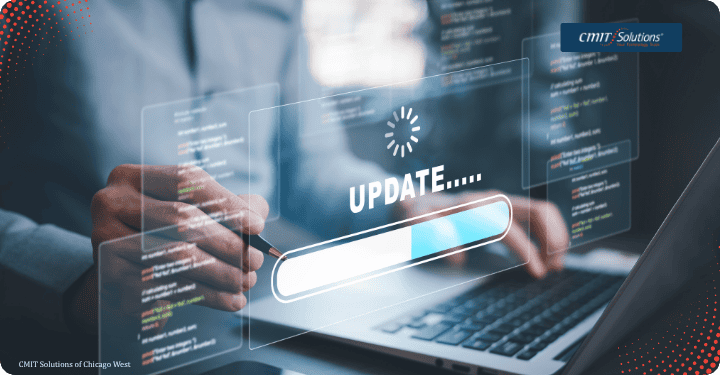
Outdated software can contain security vulnerabilities that attackers exploit to gain access to business networks and systems.
Before year-end, check whether your computers, servers, applications, routers, and other connected devices are running supported and updated software.
What to check:
- Install available security patches and software updates.
- Update operating systems and business applications.
- Check firmware updates for network equipment.
- Replace or upgrade devices that no longer receive security updates.
- Confirm that automatic updates are configured where appropriate.
Keeping technology updated helps close known security gaps and reduces unnecessary exposure to cyber threats.
3. Verify Your Data Backup and Recovery Systems
Imagine arriving after the holidays only to discover that important business files have been encrypted by ransomware or accidentally deleted. Without reliable backups, recovering those files could be difficult, expensive, or even impossible.
A dependable backup strategy helps businesses restore important information following cyberattacks, hardware failures, or unexpected disruptions.
What to check:
- Confirm that critical business data is backed up regularly.
- Maintain secure backups that are isolated from your primary network.
- Verify that backup systems are functioning properly.
- Test data restoration to ensure files can be recovered.
- Review backup schedules and retention policies.
Remember, having a backup is not enough. Your business should also know how quickly it can restore its systems and resume normal operations.
4. Watch Out for Holiday Phishing and Email Scams
Cybercriminals often take advantage of the holiday rush by sending convincing emails disguised as shipping notifications, invoices, payment requests, promotional offers, or messages from company executives.
These messages may contain malicious links, dangerous attachments, or requests for sensitive information.
What to check:
- Remind employees to verify unexpected emails before responding.
- Be cautious of urgent payment requests and unfamiliar attachments.
- Check sender addresses for suspicious variations.
- Avoid clicking links from unverified messages.
- Establish a clear process for reporting suspicious emails.
Even experienced employees can fall for sophisticated phishing attempts. Regular security awareness training helps everyone recognize warning signs before an attack succeeds.
5. Review Employee Access and Remote Work Security
The holiday season often means changing schedules, employees working remotely, and temporary adjustments to business operations. These changes can create security gaps if user access and remote connections are not properly managed.
Businesses should make sure employees can access the systems they need without exposing unnecessary information or resources.
What to check:
- Remove access for former employees and inactive users.
- Review permissions for employees changing roles.
- Require secure connections for remote access.
- Ensure company devices have appropriate security protection.
- Establish clear procedures for reporting lost or stolen devices.
Limiting access based on job responsibilities helps protect sensitive information and reduces the potential impact of compromised accounts.
6. Check Your Network and Endpoint Security
Your business network connects computers, servers, printers, mobile devices, and other technology. If one device becomes compromised, attackers may attempt to move through the network and access additional resources.
A security review can help identify weaknesses before they become bigger problems.
What to check:
- Confirm that firewalls are properly configured.
- Review network access and connected devices.
- Ensure endpoint protection is installed and updated.
- Monitor unusual network activity.
- Secure business Wi-Fi with strong encryption and passwords.
- Separate guest Wi-Fi from internal business systems.
Regular network monitoring and endpoint protection help businesses identify suspicious activity and respond before it causes widespread disruption.
7. Review Your Incident Response Plan
Even with strong cybersecurity measures, no business is completely immune to cyberattacks. Having a clear response plan can make a significant difference in how quickly your company recovers.
Before employees leave for the holidays, make sure everyone understands what to do if a security incident occurs.
What to check:
- Identify the people responsible for handling security incidents.
- Establish a clear process for reporting suspected attacks.
- Keep emergency IT support contact information accessible.
- Document procedures for isolating affected devices.
- Review communication and recovery procedures.
- Make sure employees know how to respond to suspected data breaches.
A documented incident response plan helps reduce confusion, limit damage, and support a more organized recovery.

Protect Your Business Before the Holiday Rush
The end of the year is an excellent time to evaluate your company’s cybersecurity practices and address weaknesses before they become costly problems.
From reviewing passwords and updating software to testing backups and strengthening employee awareness, these seven security checks can help your business prepare for a safer holiday season.
For businesses in Downers Grove and Chicago’s Western Suburbs, working with an experienced IT partner can make it easier to identify security gaps, maintain reliable systems, and keep technology running smoothly.
Give Your Business Greater Peace of Mind This Holiday Season
Don’t wait until a cyberattack disrupts your operations. CMIT Solutions of Chicago West provides managed IT and cybersecurity services to help businesses protect their technology, data, and day-to-day operations.
Contact CMIT Solutions of Chicago West to discuss your cybersecurity needs and prepare your business for the year ahead.