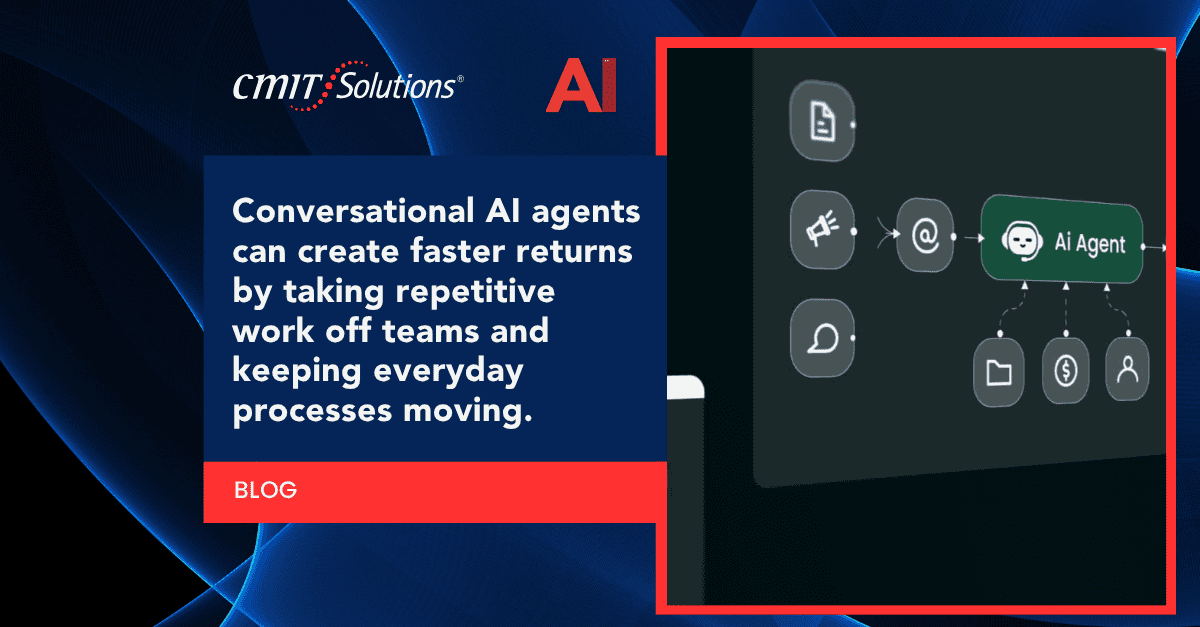
Conversational AI agents have moved far beyond simple chatbots that answer basic questions. Today’s AI agents can handle scheduling, troubleshoot technical issues, qualify sales leads, monitor security alerts, and manage entire workflows without constant human oversight. For small and mid-sized businesses across the region, this shift represents one of the fastest paths to measurable return on investment.
CMIT Solutions of Cincinnati East works with local businesses that want to adopt practical, secure technology without the guesswork. Whether a company is exploring its first managed IT services partnership or already has infrastructure in place, conversational AI agents can be layered into daily operations to save time, cut costs, and reduce errors. This guide walks through twelve real-world use cases, explains why each one drives faster ROI, and answers the most common questions business owners ask before rolling out AI agents.
If your organization is still deciding where to start, a Cincinnati IT solutions provider can help map out which processes are the best candidates for automation based on your current systems and goals.
What Is a Conversational AI Agent?
A conversational AI agent is a software program that uses natural language processing to understand requests, hold a dialogue, and complete tasks with minimal human input. Unlike older rule-based chatbots that only follow scripted paths, modern AI agents can:
- Interpret intent even when phrasing varies
- Pull data from multiple systems in real time
- Escalate complex issues to a human when needed
- Learn from past interactions to improve accuracy
- Complete multi-step tasks such as booking, billing, or ticket resolution
Before deploying any AI agent, most organizations benefit from a structured AI readiness assessment to understand which systems can support automation and where security gaps might exist.
Customer Support and Help Desk Automation
Customer support is often the first place businesses see AI agents pay for themselves. Instead of waiting on hold or emailing a support inbox, customers can get instant answers to common questions such as order status, account details, or troubleshooting steps.
Benefits typically include:
- Reduced average response time from hours to seconds
- Lower staffing costs during peak support hours
- Consistent answers across every customer interaction
- Fewer repetitive tickets reaching human agents
Companies that already rely on reliable IT support often find that adding a conversational agent on top of their existing help desk software shortens resolution times without requiring a full system overhaul. Pairing this with strong cybersecurity protection services also ensures customer data shared during these chats stays protected.
Internal IT Helpdesk and Employee Support
Employees lose significant time each week waiting on internal IT support for routine issues like password resets, software access requests, or printer troubleshooting. A conversational AI agent trained on internal IT documentation can resolve many of these requests instantly, freeing technicians to focus on higher-value projects.
This is closely tied to broader strategic IT guidance, since automating first-tier support requires a clear map of internal systems, permissions, and escalation paths. Many firms are already exploring how automation is reshaping internal support models, a trend explored further in coverage of AI changing IT support for professional service organizations.
Employee Onboarding and HR Assistance
New hire onboarding involves dozens of repetitive questions: benefits enrollment, software setup, policy explanations, and scheduling. A conversational AI agent can walk new employees through each step, answer FAQs, and route exceptions to HR staff only when necessary.
Common onboarding tasks an AI agent can handle:
- Explaining company policies and benefits options
- Scheduling orientation sessions and training modules
- Directing employees to the correct productivity application tools
- Setting up access to unified communications systems
This reduces the administrative burden on HR teams while giving new employees a faster, more consistent onboarding experience from day one.
Cybersecurity Threat Detection and Response Support
While AI agents are not a replacement for a full security team, they can act as a first line of monitoring and communication during a security event. Conversational AI tools can alert staff to suspicious activity, walk employees through reporting a phishing attempt, or guide IT teams through initial incident response steps.
Given how often human error contributes to breaches, many organizations are avoiding the most common cybersecurity mistakes by using automated prompts that remind employees of safe practices in real time. Businesses moving toward stricter access controls are also increasingly adopting a zero trust security model, which pairs well with AI-driven monitoring agents that flag unusual login behavior instantly.
Compliance Monitoring and Reporting
Regulated industries such as healthcare, finance, and legal services face constant pressure to document compliance activity. Conversational AI agents can be trained to walk staff through compliance checklists, flag missing documentation, and generate reports automatically.
This is particularly valuable for organizations working with compliance support services that need to track regulatory requirements across multiple frameworks. Healthcare providers, for example, are increasingly looking at ways to reduce healthcare cyber risk without adding significant overhead, and AI-assisted compliance tracking is one practical way to do that.
Cloud Service Management and Support
As more businesses move workloads to the cloud, managing multiple platforms becomes a daily challenge. AI agents can help staff request cloud resources, troubleshoot access issues, and monitor usage patterns without needing to open a support ticket for every small request.
Organizations relying on cloud services solutions can use conversational agents to answer routine questions about storage limits, permissions, or application access. This is especially useful for companies trying to avoid the cloud migration mistakes that often come from rushed transitions without proper planning or documentation.
Network Monitoring and Alerting
Network issues rarely happen at convenient times. Conversational AI agents integrated with network monitoring tools can immediately notify IT staff of outages, unusual traffic, or hardware failures, and in some cases can walk technicians through initial diagnostic steps before a human even joins the call.
Businesses that still rely on aging infrastructure often face repeated slowdowns and outages. A closer look at the outdated network costs associated with legacy systems shows why pairing AI monitoring with modern network management solutions tends to deliver a much faster return than manual monitoring alone.
Data Backup and Disaster Recovery Assistance
When systems fail, speed matters. Conversational AI agents can guide staff through initial recovery steps, confirm which backups are current, and even trigger automated recovery workflows without waiting for a technician to log in manually.
This use case pairs directly with dependable data backup solutions, since an AI agent is only as effective as the backup infrastructure behind it. Given how frequently smaller organizations are targeted, understanding current small business cyber threats reinforces why fast, automated recovery processes are no longer optional.

IT Procurement and Vendor Coordination
Purchasing new hardware, software licenses, or vendor services often involves back-and-forth communication that slows down projects. AI agents can manage much of this by checking budgets, comparing vendor options, and routing approval requests automatically.
Businesses using structured IT procurement services can integrate an AI agent to track order status and flag delays before they impact a project timeline. For companies unsure which service tier fits their needs, reviewing available IT service packages alongside an AI-assisted procurement process can shorten decision cycles significantly.
Sales and Lead Qualification
Sales teams spend a large percentage of their time on unqualified leads. A conversational AI agent placed on a website or landing page can ask qualifying questions, capture contact details, and route only serious prospects to a human sales representative.
This approach works particularly well for service-based businesses that want a trusted IT partner reputation built on responsiveness. As more industries adapt to automation, business leaders are paying closer attention to how competitors using AI are shortening their sales cycles and improving lead response times.
Professional Services Client Intake
Law firms, accounting practices, and consulting businesses often lose potential clients simply because intake is slow. Conversational AI agents can collect case details, schedule consultations, and answer basic questions before a human staff member ever gets involved.
Firms focused on legal practice security need to be especially careful that intake tools handle sensitive information properly. Newer businesses building processes from scratch can also benefit from reviewing how a solid startup IT foundation supports secure automation from the very beginning.
Healthcare Patient Scheduling and Support
Medical practices deal with high call volumes for appointment scheduling, prescription refill requests, and basic patient questions. AI agents can manage much of this workload, reducing wait times and freeing front-desk staff to focus on in-person patient needs.
Because patient data is highly sensitive, practices should combine AI scheduling tools with strong healthcare cybersecurity practices. Staff should also stay alert to new attack methods, including the rise of QR code phishing, which increasingly targets front-office staff through fake scheduling or payment links.
Why These Use Cases Deliver Faster ROI
Conversational AI agents produce measurable results quickly because they reduce two of the most expensive costs in any business: time and repeated manual labor. A few patterns show up consistently across industries:
- Response times drop from hours to seconds for routine requests
- Staff can focus on higher-value, revenue-generating work
- Errors from manual data entry decrease significantly
- Customer and employee satisfaction scores improve
- Operational costs shrink as ticket and call volumes drop
CMIT Solutions of Cincinnati East helps local businesses evaluate which of these use cases fits their current environment best. Many organizations start with a simple IT self assessment to identify gaps before layering in automation, and working alongside local IT experts ensures the rollout stays secure and properly documented from the start.

Getting Started Without Overcomplicating It
Businesses do not need to automate everything at once. A phased approach tends to work best:
- Identify the highest-volume, most repetitive task in your business
- Choose one conversational AI use case to pilot
- Measure time saved and error reduction over 60 to 90 days
- Expand to a second use case once the first is stable
- Reassess security and compliance requirements at each stage
This measured approach keeps risk low while still delivering visible ROI within the first quarter of implementation for most businesses.
Ready to Explore Conversational AI for Your Business?
Conversational AI agents are no longer experimental technology reserved for large enterprises. With the right planning, security, and infrastructure in place, businesses of nearly any size can start seeing measurable time and cost savings within months. CMIT Solutions of Cincinnati East works directly with local organizations to identify practical automation opportunities that fit existing systems and budgets.
If your team is ready to explore which use case makes sense first, schedule a consultation to walk through your current infrastructure and map out a realistic rollout plan.
Frequently Asked Questions