“How much should I be paying for IT support?”
It’s the #1 question we get from Las Vegas business owners. And for good reason – most businesses have no idea what IT should actually cost, which means they’re either drastically overpaying or dangerously underinvesting.
Here’s the uncomfortable truth: Most businesses overpay for IT by 40-60% because they don’t understand the pricing models, hidden costs, or what “good” IT support actually includes.
In this comprehensive guide, I’ll break down exactly what IT support costs in Las Vegas in 2026, compare different pricing models, reveal hidden costs most businesses miss, and show you how to calculate your actual return on investment.
📊 Download Our Free IT Cost Calculator
Get our comprehensive Excel spreadsheet to calculate your true IT costs, compare pricing models, and determine ROI.
What Does IT Support Actually Cost in Las Vegas? (The Quick Answer)
Let’s start with what you actually want to know: the numbers.
In Las Vegas in 2026, here’s what small businesses typically pay for IT support:
| Business Size | Break-Fix IT | Managed IT Services | In-House IT |
|---|---|---|---|
| 5-10 employees | $500-1,500/month (variable) | $1,000-2,000/month | $6,000-8,000/month |
| 11-25 employees | $1,500-3,500/month (variable) | $2,500-5,000/month | $8,000-12,000/month |
| 26-50 employees | $3,500-7,500/month (variable) | $5,000-10,000/month | $12,000-18,000/month |
| 51-100 employees | Not practical at this scale | $8,000-15,000/month | $15,000-25,000/month |
Per-User Breakdown:
- Managed IT Services: $100-200 per user per month (most common model)
- Break-Fix IT: $125-175 per hour in Las Vegas (highly variable monthly costs)
- In-House IT: $80,000-120,000 per year per person (plus 30% benefits)
💡 Las Vegas Specific Note: IT costs in Las Vegas are about 8-12% lower than major tech hubs like San Francisco or Seattle, but 5-10% higher than the national average due to our 24/7 business environment (hospitality, gaming, entertainment sectors) and growing tech presence.
Three IT Support Models Compared: Break-Fix vs Managed IT vs In-House
Before we dive deeper into costs, you need to understand the three primary ways businesses handle IT support:
Model 1: Break-Fix IT (Also Called “Time and Materials”)
How it works: You call a technician only when something breaks. They charge by the hour to fix it.
Las Vegas Hourly Rates in 2026:
- Standard rate: $125-175/hour
- After-hours/emergency rate: $175-250/hour
- Minimum charge: Usually 1-2 hours
- Travel time: Often billed at full rate
Real Example: Your server crashes on a Friday afternoon. You call a break-fix technician:
- Emergency rate: $200/hour
- Diagnosis and repair: 4 hours
- Parts: $500
- Total bill: $1,300 (surprise!)
When it makes sense:
- 5 or fewer employees
- Minimal technology dependence
- You can afford significant downtime
- Very stable, simple IT environment
Pros:
- No monthly commitment
- Only pay when you need help
- Flexibility to try different providers
Cons:
- Completely unpredictable costs
- No proactive maintenance
- Longer wait times during emergencies
- Provider has no incentive to prevent problems
- No relationship or knowledge of your systems
⚠️ Warning: Break-fix IT almost always costs MORE than managed IT when you factor in downtime, emergency rates, and lost productivity. Most businesses spend 2-3x more on break-fix than they realize.
Model 2: Managed IT Services (MSP)
How it works: You pay a flat monthly fee for comprehensive IT support, monitoring, and management. Learn more in our complete guide to managed IT services.
Las Vegas Pricing in 2026:
- Small businesses (5-25 users): $100-200 per user/month
- Mid-size businesses (25-100 users): $80-150 per user/month
- Enterprise (100+ users): $60-120 per user/month
Example for 20-Person Business:
- 20 users × $125/month = $2,500/month or $30,000/year
- Includes: 24/7 monitoring, help desk, updates, basic cybersecurity, backups, remote support
- Predictable, budgetable costs
When it makes sense:
- 5-100 employees (sweet spot: 10-50)
- Technology is critical to your business
- You can’t afford significant downtime
- You want predictable IT costs
- You need cybersecurity protection
- Compliance requirements (HIPAA, PCI-DSS, etc.)
Pros:
- Predictable monthly costs
- Proactive problem prevention
- 24/7 monitoring and support
- Team of specialists (not just one person)
- Strategic IT planning included
- Typically cheaper than break-fix over time
Cons:
- Monthly expense (even if you don’t need help)
- Contract commitment (usually 12 months)
- Must trust external team with your systems
Model 3: In-House IT Team
How it works: You hire full-time IT staff as employees.
Las Vegas IT Salaries in 2026:
- IT Manager/Director: $80,000-120,000/year
- Network Administrator: $60,000-85,000/year
- IT Technician/Help Desk: $45,000-65,000/year
- Cybersecurity Specialist: $90,000-130,000/year
- Benefits (health, retirement, etc.): Add 30% to all salaries
Example: Minimal In-House IT Team
| Position | Salary | Benefits (30%) | Total |
|---|---|---|---|
| IT Manager | $95,000 | $28,500 | $123,500 |
| IT Technician | $55,000 | $16,500 | $71,500 |
| TOTAL ANNUAL COST | $195,000 | ||
| MONTHLY COST | $16,250 | ||
Additional costs not shown above:
- Recruiting and hiring costs
- Training and certifications
- Software and tools
- Office space and equipment
- Backup coverage when they’re sick/on vacation
- Turnover and replacement costs
When it makes sense:
- 100+ employees typically
- Highly specialized or proprietary systems
- 24/7 operations requiring on-site presence
- Strong desire for complete control
- Budget over $200K/year for IT
Pros:
- Dedicated to only your business
- On-site and immediately available
- Deep knowledge of your specific systems
- Complete control over IT
Cons:
- Very expensive (even for small teams)
- Limited expertise (generalists, not specialists)
- No coverage when sick, on vacation, or quit
- Recruitment and retention challenges
- Benefits, HR management, etc.
Side-by-Side Comparison: 20-Employee Las Vegas Business
| Factor | Break-Fix | Managed IT | In-House |
|---|---|---|---|
| Monthly Cost | $1,500-4,000 (unpredictable) | $2,500 (flat rate) | $16,250 (2 people) |
| Annual Cost | $18,000-48,000 | $30,000 | $195,000 |
| Coverage | When you call | 24/7 | 40 hrs/week |
| Response Time | Same day to 2-3 days | Under 15 min | Immediate |
| Proactive? | No | Yes | Yes |
| Expertise Level | Varies | Team of specialists | Generalists |
| Best For | Under 5 employees | 5-100 employees | 100+ employees |
Winner for most small businesses: Managed IT provides the best balance of cost, coverage, and expertise.
🤔 Not Sure Which Model Is Right for You?
Get a free IT assessment and custom pricing proposal for your specific business needs.
Call: (702) 725-2877
What Should Your IT Support Cost Include?
Here’s where businesses get burned: they sign up for “IT support” without understanding what’s actually included versus what costs extra.
Standard Inclusions (Should be in base price):
- 24/7 Network Monitoring – Automated systems watching your infrastructure
- Help Desk Support – Phone, email, or chat support for user issues
- Software Updates – Patches, updates, and maintenance
- Backup Management – Daily backups configured and monitored
- Basic Cybersecurity – Antivirus, firewall management, spam filtering
- Remote Support – Screen sharing and remote problem resolution
- User Management – Onboarding new employees, removing departing ones
- Reporting – Monthly reports on system health and issues
Common Add-Ons (Usually cost extra):
- On-Site Support – Physical visits ($50-150 per trip or unlimited for higher tier)
- Advanced Cybersecurity – EDR, dark web monitoring, penetration testing
- Compliance Services – HIPAA, PCI-DSS, SOC 2 assistance ($500-2,000/month extra)
- Strategic Planning (vCIO) – Quarterly business reviews, technology roadmap
- Hardware Procurement – Buying and managing equipment
- Project Work – Office moves, major upgrades, new deployments
- After-Hours Emergency Support – Immediate response outside business hours
⚠️ Beware of “Unlimited Support”
Many providers advertise “unlimited support” but have limits buried in the fine print:
- Excludes on-site visits
- Caps on tickets per month
- Doesn’t include project work
- Excludes certain software or systems
- Limited to business hours only
Always read the Service Level Agreement (SLA) carefully.
7 Hidden IT Costs That Kill Your Budget
The number on your invoice isn’t your actual IT cost. Here are the hidden expenses most businesses completely miss:
1. Downtime Costs ($5,600 Per Minute)
According to recent studies, the average cost of IT downtime for small businesses is $5,600 per minute. That’s $336,000 per hour.
Real Example: Your server goes down for 4 hours during business hours:
- 20 employees unable to work: 80 hours lost
- Average hourly rate: $30/hour
- Lost productivity: $2,400
- Plus: Lost sales, customer frustration, rushed recovery work
- True cost: $5,000-10,000 (not counting the repair bill)
2. Lost Productivity (Death by a Thousand Cuts)
How many hours per week do your employees spend:
- Waiting for IT problems to be fixed?
- Dealing with slow systems?
- Working around broken technology?
- Calling for help and explaining issues?
Average: 2-4 hours per employee per week
Cost for 20-person business: 40-80 hours/week × $30/hour = $1,200-2,400/week = $62,400-124,800/year
3. Security Breaches (Business-Ending Events)
The average cost of a data breach in 2026: $4.5 million
For small businesses, the costs include:
- Ransom payments: $10,000-500,000
- System recovery: $20,000-200,000
- Legal fees: $50,000-500,000
- Regulatory fines: $50,000-1,000,000+
- Lost business: Immeasurable
- Reputation damage: Potentially fatal
60% of small businesses close within 6 months of a major breach.
4. Software Licensing Surprises
Software licensing is often NOT included in IT support costs:
- Microsoft 365: $12-35/user/month
- Antivirus: $5-15/user/month
- Backup solutions: $10-30/user/month
- Industry-specific software: Varies widely
For 20 users: $540-1,600/month in licensing alone
5. Hardware Replacement Cycles
Technology doesn’t last forever:
- Computers: Replace every 3-5 years ($800-1,500 each)
- Servers: Replace every 5-7 years ($5,000-20,000 each)
- Network equipment: Replace every 5-7 years
- Phones: Replace every 2-3 years
Average: $500-1,000/employee every 3 years
6. Compliance Penalties
Nevada and federal compliance violations are expensive:
- HIPAA violations: $100-50,000 per violation
- PCI-DSS non-compliance: $5,000-100,000 per month
- Data breach notifications: $200-500 per affected customer
7. Your Time (The Most Expensive Resource)
How many hours per month do you (the owner/manager) spend:
- Dealing with IT vendors?
- Troubleshooting problems?
- Making technology decisions?
- Managing IT disasters?
If you value your time at $100-200/hour and spend 5-10 hours/month on IT:
Hidden cost: $6,000-24,000/year
✅ The Real Cost of IT:
Most businesses think they spend $X/month on IT. The actual cost when you include downtime, productivity loss, your time, and hidden costs is typically 3-5x higher than the invoice amount.
Why IT Costs Vary in Las Vegas
Las Vegas isn’t like other cities. Our unique business environment affects IT pricing:
24/7 Business Environment
Casinos, hospitality, and entertainment operate around the clock. This means:
- Higher demand for 24/7 IT support
- Premium pricing for off-hours availability
- More urgent response time requirements
Tourism-Driven Economy
Seasonal fluctuations affect IT needs:
- Convention season = higher support needs
- Retail spikes during major events
- Hospitality tech demands vary dramatically
Growing Tech Sector
Las Vegas tech growth is driving competitive pricing:
- More IT providers = better rates
- Competition keeping prices reasonable
- But also: Talent shortage = higher salaries
Data Center Proximity
Switch, Supernap, and other major data centers in Las Vegas mean:
- Lower cloud connectivity costs
- Better bandwidth pricing
- More colocation options
Nevada Tax Environment
No state income tax benefits businesses:
- Lower overall labor costs
- More attractive for IT companies to operate here
- Competitive advantage over California neighbors
Geographic Comparison:
| City | Managed IT (per user/month) | vs Las Vegas |
|---|---|---|
| San Francisco | $150-250 | +40-50% higher |
| Los Angeles | $120-200 | +15-20% higher |
| Las Vegas | $100-180 | Baseline |
| Phoenix | $90-160 | -10-15% lower |
| National Average | $95-170 | -5-8% lower |
IT Support Costs by Industry
Your industry significantly affects IT costs due to compliance, specialized software, and unique needs:
Healthcare & Medical Practices
Average Cost: $150-200/user/month
What drives up costs:
- HIPAA compliance requirements
- Electronic Health Records (EHR/EMR) support
- Patient data protection
- Practice management software integration
- Imaging systems (PACS)
- Telehealth infrastructure
Must-have services:
- HIPAA compliance audits
- Business Associate Agreement (BAA)
- Encrypted communications
- Regular security assessments
Legal & Law Firms
Average Cost: $125-175/user/month
What drives up costs:
- Client confidentiality requirements
- Document management systems
- Case management software
- eDiscovery capabilities
- Secure client portals
- Nevada State Bar technology requirements
Accounting & Finance
Average Cost: $140-190/user/month
What drives up costs:
- SOC 2 compliance
- PCI-DSS for payment processing
- Tax software support
- Financial data encryption
- Seasonal support demands (tax season)
Retail & Hospitality
Average Cost: $100-150/user/month
What drives up costs:
- Point-of-sale (POS) systems
- Inventory management
- Payment processing security
- Multiple location support
- Customer Wi-Fi management
General Office & Professional Services
Average Cost: $100-140/user/month
Most cost-effective because:
- Standard business applications
- No special compliance requirements
- Microsoft 365 or Google Workspace
- Straightforward technology needs
Calculate Your True IT ROI
Let’s determine if managed IT services would actually save you money. Use this simple calculator:
Step 1: Calculate Your Current Annual IT Costs
| Cost Category | Your Numbers |
|---|---|
| Current IT vendor costs (monthly × 12) | $_________ |
| Downtime costs (hours × $5,600/hour) | $_________ |
| Lost productivity (emp hrs × avg rate) | $_________ |
| Your time on IT issues (hrs × your rate) | $_________ |
| Software licensing | $_________ |
| Hardware replacements (annual average) | $_________ |
| TOTAL CURRENT ANNUAL COST | $_________ |
Step 2: Calculate Managed IT Annual Cost
| Number of users | _____ users |
| Cost per user per month | $_____ (typically $125) |
| Monthly managed IT cost | $_____ |
| ANNUAL MANAGED IT COST | $_____ (monthly × 12) |
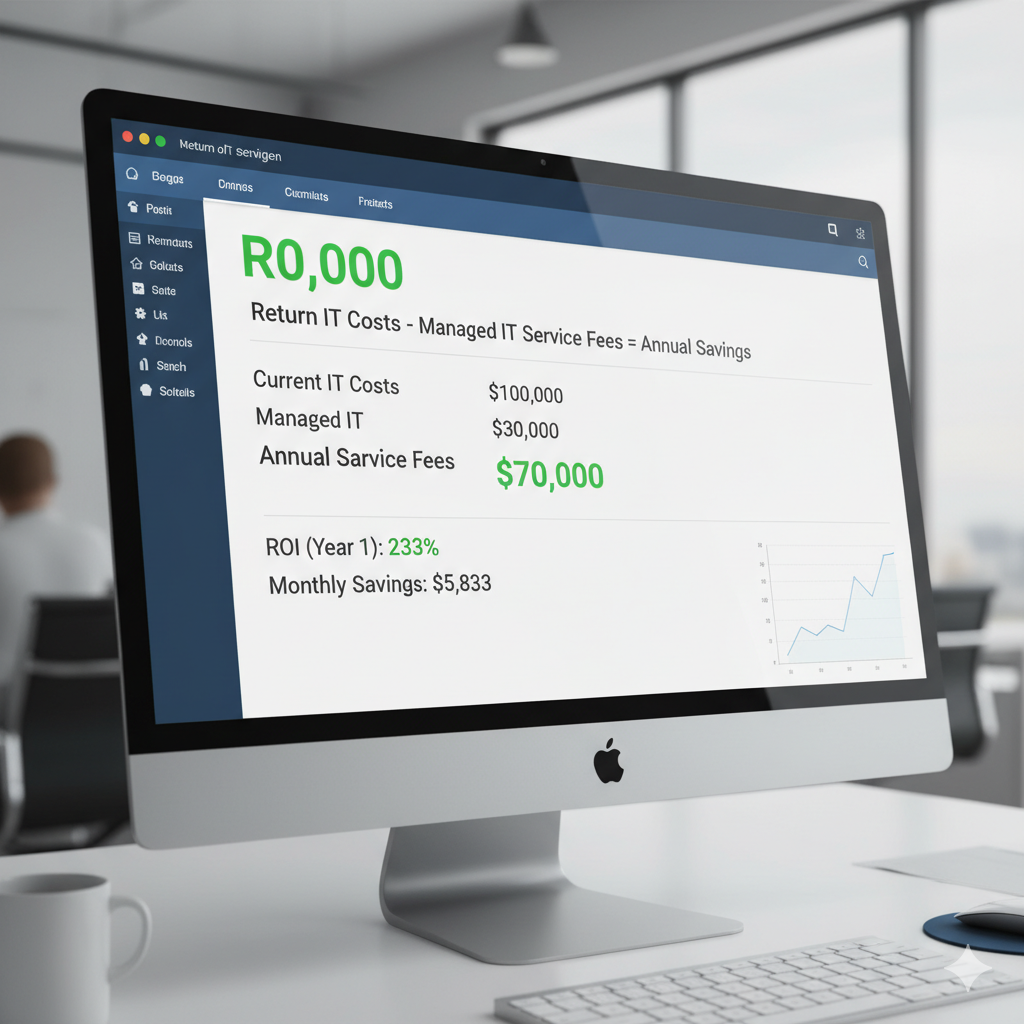
Step 3: Calculate Your Savings
Your Annual Savings
(Total Current Cost – Managed IT Cost = Your Savings)
ROI Percentage: (Savings ÷ Managed IT Cost) × 100 = ____%
Real Example: 20-Person Las Vegas Business
| Item | Current Situation | With Managed IT |
|---|---|---|
| IT vendor costs | $36,000/year (break-fix) | $30,000/year (flat rate) |
| Downtime (8 hrs/year) | $45,000 | $4,500 (90% reduction) |
| Lost productivity | $62,400/year | $15,600 (75% reduction) |
| Owner time | $12,000/year | $2,400 (80% reduction) |
| TOTAL | $155,400 | $52,500 |
| ANNUAL SAVINGS | $102,900 | |
ROI: 343% – For every dollar spent on managed IT, this business saves $3.43.
📊 Download Our ROI Calculator Spreadsheet
Get our Excel template with formulas already built in. Just plug in your numbers and see your potential savings.
How to Choose the Right IT Support Pricing Model for Your Business
Use this simple decision tree:
Choose Break-Fix IT If You:
- Have fewer than 5 employees
- Use very minimal technology
- Can afford 2-3 days of downtime
- Have stable, simple systems that rarely break
- Don’t handle sensitive data
- Budget under $500/month for IT
Choose Managed IT Services If You:
- Have 5-100 employees
- Technology is critical to your operations
- Can’t afford significant downtime
- Need predictable IT budgeting
- Want proactive problem prevention
- Need cybersecurity protection
- Have compliance requirements (HIPAA, PCI-DSS, etc.)
- Want strategic IT planning
Choose In-House IT If You:
- Have 100+ employees
- Run highly specialized or proprietary systems
- Operate 24/7 with on-site requirements
- Need complete control over IT
- Have budget over $200,000/year for IT
- Can manage HR, hiring, and retention
Consider Hybrid (Managed IT + In-House) If You:
- Have 50-200 employees
- Need on-site presence but also want expertise
- Want best of both worlds
- Have complex but manageable IT needs
10 Questions to Ask Before Signing Any IT Support Contract
Protect yourself by getting clear answers to these questions:
- What exactly is included in the base price? Get a detailed list.
- What costs extra? On-site visits? After-hours? Projects?
- What’s your response time guarantee? Get it in writing in the SLA.
- Are there setup or onboarding fees? Many charge $2,000-10,000 to start.
- What’s your contract length? 12 months is standard; avoid 3-5 year locks.
- What are the cancellation terms? 30-60 days notice is reasonable.
- How do you handle hardware costs? Is procurement included? At what markup?
- Are software licenses included? Usually not – budget separately.
- What’s your escalation process? Who do I call if there’s a problem?
- Can I see a sample monthly invoice? Transparency is key.
🚩 Red Flags – Walk Away If:
- They won’t answer pricing questions clearly
- Pressure you to sign immediately
- Price is 40%+ cheaper than competitors (too good to be true)
- Won’t provide references
- Can’t show you their SLA before signing
- Vague about what’s included vs excluded
- Long contract with harsh cancellation penalties
7 Ways to Reduce IT Costs Without Sacrificing Quality
1. Migrate to the Cloud
Eliminate on-premise server costs:
- No hardware to buy or maintain
- Pay only for what you use
- Reduce cooling and power costs
- Typical savings: $5,000-20,000/year
2. Invest in Preventive Maintenance
Proactive beats reactive every time:
- Regular updates prevent major failures
- Monitoring catches issues early
- Planned maintenance costs less than emergency fixes
- Typical savings: 60-80% reduction in break-fix costs
3. Prioritize Cybersecurity
Prevention is exponentially cheaper than recovery:
- One ransomware attack = $100,000-500,000
- Good security = $2,000-5,000/month
- ROI: Paying for itself many times over
4. Train Your Employees
Educated users = fewer support tickets:
- Monthly security awareness training
- Proper software usage training
- Self-service resources
- Typical reduction: 30-40% fewer help desk tickets
5. Right-Size Your Solutions
Don’t overbuy:
- Audit software licenses (you’re probably paying for unused seats)
- Scale cloud resources to actual usage
- Don’t buy enterprise features you’ll never use
- Typical savings: 20-30% on software costs
6. Negotiate Multi-Year Contracts
Commitment = discounts:
- 2-year contracts: 5-10% discount
- 3-year contracts: 10-15% discount
- But: Make sure you trust the provider first!
7. Bundle Services
Package deals save money:
- IT + Cybersecurity together
- Monitoring + Support + vCIO
- Multi-location discounts
- Typical savings: 10-20% vs à la carte
What NOT to Cut (Too Risky):
- ❌ Cybersecurity (one breach = bankruptcy)
- ❌ Backup and disaster recovery (data loss = business loss)
- ❌ Support availability (downtime costs more than support)
- ❌ Compliance requirements (penalties are severe)
Working with Las Vegas IT Support Companies
Las Vegas has unique advantages for IT support:
Local Providers
Advantages:
- Same-day on-site support in the valley
- Understanding of local business environment
- Knowledge of Nevada-specific compliance
- Relationship-based service
- Support local economy
Potential drawbacks:
- Smaller teams (less specialization)
- May lack enterprise resources
- Limited multi-state capabilities
National Providers with Las Vegas Presence
Advantages:
- Large teams with deep expertise
- Standardized processes and pricing
- Multi-location support capabilities
- Enterprise-grade resources
Potential drawbacks:
- May lack local touch
- Call center mentality
- Less flexible
Hybrid Model: Best of Both Worlds
Some providers (like CMIT Solutions) offer:
- Local Las Vegas headquarters and team
- National resources and best practices
- Relationship-based service with enterprise capabilities
- Same-day local support + 24/7 nationwide coverage
Conclusion: What Should YOU Pay for IT Support in Las Vegas?
Here’s your quick reference guide:
If you have 5-10 employees: Budget $1,000-2,000/month for managed IT
If you have 11-25 employees: Budget $2,500-5,000/month for managed IT
If you have 26-50 employees: Budget $5,000-10,000/month for managed IT
If you have 51-100 employees: Budget $8,000-15,000/month for managed IT
Add extra for:
- Compliance requirements: +$500-2,000/month
- Advanced cybersecurity: +$50-100/user/month
- Strategic planning (vCIO): Usually included in premium tiers
Key Takeaways:
- Your “IT cost” is much more than your invoice – include downtime and productivity losses
- Managed IT typically costs less than break-fix when you calculate total cost of ownership
- In-house IT is only cost-effective at 100+ employees
- Las Vegas pricing is 8-12% lower than major tech hubs
- Industry compliance requirements significantly affect costs
- Most businesses see positive ROI within 6-12 months
Get Your Custom IT Cost Analysis
Every business is different. Get a free assessment and see exactly what IT support should cost for YOUR specific situation.
📍
Visit Us
3111 S. Valley View Blvd
Suite A205
Las Vegas, NV 89102
Transparent pricing. No pressure. No obligation. Just honest advice about what your business actually needs.
About CMIT Solutions Las Vegas: Headquartered in Las Vegas with nationwide service capabilities, we provide comprehensive managed IT services, cybersecurity, and 24/7 IT support for businesses throughout Nevada and across the country. Since 2000, we’ve helped thousands of businesses optimize their IT investments while maintaining security and productivity.