Eastern Idaho businesses know that winter weather can change the day’s plans quickly. A heavy snowstorm can close roads, interrupt deliveries, and keep employees away from the office. Ice and high winds can damage power lines. A longer outage can affect internet access, phones, heating, security systems, and the technology your team relies on to serve customers.
The disruption does not have to come from weather. Hardware failure, accidental deletion, malware, or a cyberattack can also take important systems offline. A disaster recovery plan helps your business respond in a calm, organized way instead of making critical decisions in the middle of an emergency.
What disaster recovery means for a small or midsize business.
Disaster recovery is the documented process for restoring technology, data, and essential operations after an incident. It is one part of a broader business continuity plan, which also addresses employees, facilities, communications, vendors, and customer service.
A useful plan answers four basic questions:
- Which people, systems, and data are most important?
- How long can each critical function be unavailable?
- What steps will the team follow during an interruption?
- Who has the authority and responsibility to make decisions?
Ready.gov recommends that business preparedness include communications, IT support and recovery, continuity planning, training, and exercises. Not just a list of emergency supplies.
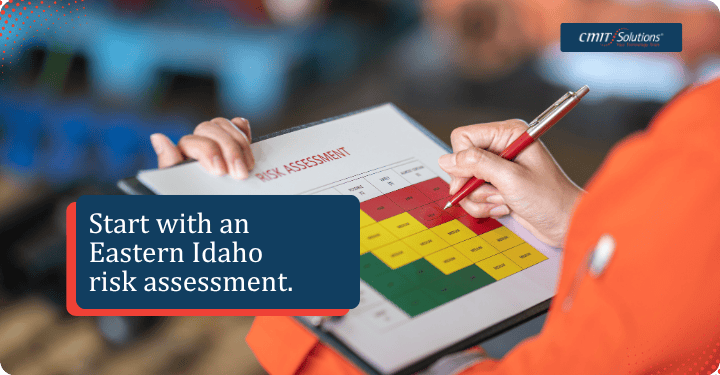
Start with an Eastern Idaho risk assessment.
Every business has a different exposure. A medical practice may need to protect patient records and keep scheduling available. A manufacturer may depend on production systems, vendor communications, and access to facility controls. A professional-services firm may need secure access to cloud applications and client files even when employees are working from home.
Begin by listing the events most likely to affect your location and operations. For Eastern Idaho, that may include heavy snow, freezing temperatures, ice, high winds, road closures, and power or communications outages. Add technology-related risks such as server failure, a compromised account, ransomware, or a failed software update.
Then identify your critical business functions. For each one, document the people, applications, devices, vendors, and data it requires. This inventory makes it easier to prioritize recovery instead of trying to restore everything at once.
Set recovery priorities before an emergency.
Two measurements make a recovery plan more actionable:
- Recovery time objective (RTO): How quickly a system or function needs to be available.
- Recovery point objective (RPO): How much recent data the business can afford to lose, measured in time.
For example, a business may decide that email and customer records must be restored within four hours, while an internal archive can wait longer. Another business may need near-current financial data but can operate temporarily with manual processes for some other functions.
These priorities affect the right mix of backups, redundancy, cloud services, alternate work arrangements, and IT support. They also help set realistic expectations with employees, customers, and vendors.
Protect data with backups you can actually restore.
A backup is a separate, secure copy of business data that can be used after a system failure, cyber incident, accidental deletion, or natural disaster. CISA recommends identifying critical information, following the 3-2-1 backup rule, securing and testing backups, and training the people responsible for recovery.
The 3-2-1 approach means keeping:
- Three copies of important data.
- Two different storage types or locations.
- One copy off-site, away from the business location.
Backups should cover more than documents. Review customer and employee records, financial and payroll information, email, website content, operational databases, configuration files, and software settings. Protect backup systems with strong access controls, encryption where appropriate, and offline or otherwise isolated copies that cannot be changed by an attacker.
Most importantly, test restoration. A successful backup job does not prove that the business can recover. Schedule both file-level restores and larger recovery exercises. Confirm that the recovered data is complete, that the right people know how to access it, and that the process still works if the primary office or internet connection is unavailable.

Plan for power and connectivity outages.
A winter outage can affect more than computers. Idaho emergency-management guidance highlights snow, ice, extreme cold, high winds, and power outages as winter risks that can disrupt roads, power lines, and communications. Those conditions may also interrupt phones, Wi-Fi, door access, cameras, heating controls, payment systems, and equipment that needs a clean power supply.
Review the technology that must remain available and protect it with appropriate battery backup and surge protection. If the business uses a generator, follow the manufacturer’s safety instructions and applicable local requirements. Keep a written shutdown and restart procedure so employees do not guess which equipment to turn off or bring online first.
Plan a temporary way to communicate if normal systems are down. Keep current contact information for employees, leadership, building management, internet and utility providers, critical vendors, and emergency services. Decide in advance how the company will notify staff about closures, delayed openings, remote work, or changes in customer service.
A remote-work plan should also be tested before a storm. Verify that employees can securely access the applications and files they need, use multifactor authentication, and receive support when working from home or another location.
Give people clear roles and simple instructions.
A recovery plan is only useful if the team can follow it under pressure. Assign an incident lead and backups for key responsibilities such as employee safety, communications, facilities, technology recovery, vendor coordination, and customer updates.
Store the plan in more than one place. Keep a secure digital copy that is available when the office network is down, along with a printed emergency contact list and essential procedures. Avoid putting passwords in an unprotected document; use an approved password manager or another secure access method.
Train employees on what to do first. They should know how to report an incident, recognize suspicious messages, protect company equipment, and avoid making unapproved changes during recovery. Run a short tabletop exercise before winter: present a snowstorm and extended outage scenario, then walk through who makes decisions, how the team communicates, and how critical systems are restored.

Review the plan before the next storm.
Business systems and dependencies change constantly. New software, vendors, employees, offices, and cloud services can make an old recovery plan incomplete. Review the plan at least annually and after major technology or operational changes.
A practical review should confirm that:
- Critical systems and data are still correctly identified.
- Backup jobs are completing and restoration tests are documented.
- Recovery priorities match current business needs.
- Employee and vendor contact information is current.
- Remote access and multifactor authentication work as expected.
- Leadership and staff understand their roles.
Disaster recovery planning is not about predicting exactly what will happen. It is about reducing uncertainty when snowstorms, outages, or data loss interrupt normal operations. With clear priorities, resilient backups, tested procedures, and a local support partner, an Eastern Idaho business can recover more deliberately and keep serving customers.
CMIT Solutions serves Eastern Idaho businesses with local IT support and access to broader technology and security resources. If your current disaster recovery plan is incomplete or exists only in someone’s head. Contact CMIT Solutions to discuss the systems, data, and recovery priorities your business needs to protect.