
Student data needs extra care
FERPA and Massachusetts student privacy agreements mean grades, records and family communications need real protection.

CMIT Solutions of Boston supports K-12 districts, charter schools and independent schools with managed IT, CIPA-compliant content filtering and security built around FERPA and student privacy.
 Local office in NewtonServing Boston, Newton, Waltham and nearby towns
 24/7 monitoring and supportNights, weekends and holidays included
 900+ CMIT IT professionalsA national network behind your local team
Managed IT for a school covers network and Wi-Fi management for every building, CIPA-compliant content filtering on and off campus, provisioning and repair for 1:1 devices, a help desk for staff, cybersecurity, and tested backups of student records. Work is planned around the school calendar, with major upgrades scheduled for summer.
Classrooms, student records and a short summer window put unusual pressure on school technology.
FERPA and Massachusetts student privacy agreements mean grades, records and family communications need real protection.
Schools that receive E-Rate discounts must filter internet access and have an internet safety policy in place.
Every Chromebook or iPad is a device to enroll, filter, repair and collect again in June.
Upgrades have to fit a ten-week gap, then hold steady through a full year of classes.
Built for the school year, from the first day of classes to end-of-year device collection.
Proactive monitoring and patching across every building, classroom and office, at a flat annual cost.

Protection against the phishing and ransomware that target district finance and HR staff.

Content filtering and mobile device management that meets E-Rate rules on campus and at home.
Fast help when a projector or SIS login fails five minutes before class.

Set up and secure the education platforms your teachers and students use every day.

Student records, grades and staff files backed up, with restores tested before you need them.
Wireless that covers every classroom and holds up when a whole building tests online at once.
Approved AI tools and clear guidelines for staff and students, instead of an unofficial free-for-all.
Every managed IT plan includes these protections, so the basics are covered from day one.
 EDREndpoint detection and response on every device
 Email securityFiltering for phishing, malware and impersonation
 DNS filteringBlocks malicious and unwanted websites
 Access managementControlled accounts, permissions and directories
 Backup validationBackups checked so restores actually work
 Disaster recovery planA written plan to get you running again
We map each requirement to a control and keep evidence ready for your board, an auditor or an E-Rate review.
| Standard | What it asks of you | What we put in place |
|---|---|---|
| CIPA | Internet filtering on devices that access the internet, plus an internet safety policy, to keep E-Rate funding. | Filtering on and off campus, reporting and policy support. |
| FERPA | Protecting the privacy of student education records. | Role-based access, encryption and access reviews. |
| MA Student Data Privacy Agreement | Written data-sharing terms with edtech vendors that handle student data. | Vendor inventory and review of which apps touch student data. |
| COPPA | Protecting personal data of children under 13 in online services. | App vetting and account controls for younger students. |
| M.G.L. c. 93H | Breach notification for personal information of staff and families. | Incident response plan and logging. |
Which rules apply depends on your organization. We support your compliance program with technical controls and documentation; we don't provide legal advice.
School technology has to work for teachers, students, families and funders at the same time. Here is how we approach the decisions that come up most often.

A network that feels fine on a quiet Tuesday can fail when every student in a building logs in for online testing. Plan wireless capacity per classroom, separate staff, student and guest traffic, and monitor bandwidth so problems appear on a dashboard before they appear in a classroom. Our network management team sizes access points and switching to your enrollment and device count, and schedules upgrades for summer.
CIPA requires filtering and an internet safety policy, but the harder work is keeping them aligned as devices go home and new apps arrive. Review filter categories with administrators each year, log exceptions, and make sure take-home devices are filtered the same way as campus devices. We document these settings so E-Rate reviews and board questions have clear answers, backed by our compliance support.
Most student data now lives in edtech platforms rather than on school servers. Keep an inventory of which apps hold student information, confirm data privacy agreements are signed, and remove access when a tool is retired. Pair that with strong cybersecurity for staff accounts, since finance and HR staff are frequent targets of phishing aimed at payroll and vendor payments.
Google Workspace and Microsoft 365 are reliable, but they don't protect you from accidental deletion, a compromised account or ransomware that syncs into shared drives. Independent data backup of those platforms, tested monthly, closes that gap. Districts that also run government services or partner with local nonprofits benefit from the same recovery planning.
Ask how the provider plans work around the school calendar, how they handle a failed device during a lesson, and what reporting they provide for E-Rate and board meetings. Ask whether they back up Google Workspace or Microsoft 365 independently, and how they vet edtech vendors that receive student data. Clear, written answers to those questions tell you more than a feature list. Our IT support desk prioritizes classroom issues, and our IT guidance reviews each semester keep technology plans tied to your budget and enrollment.
Provisioning, filtering and repair for a 1:1 program need to be right before rollout day, not fixed while students are already carrying devices.
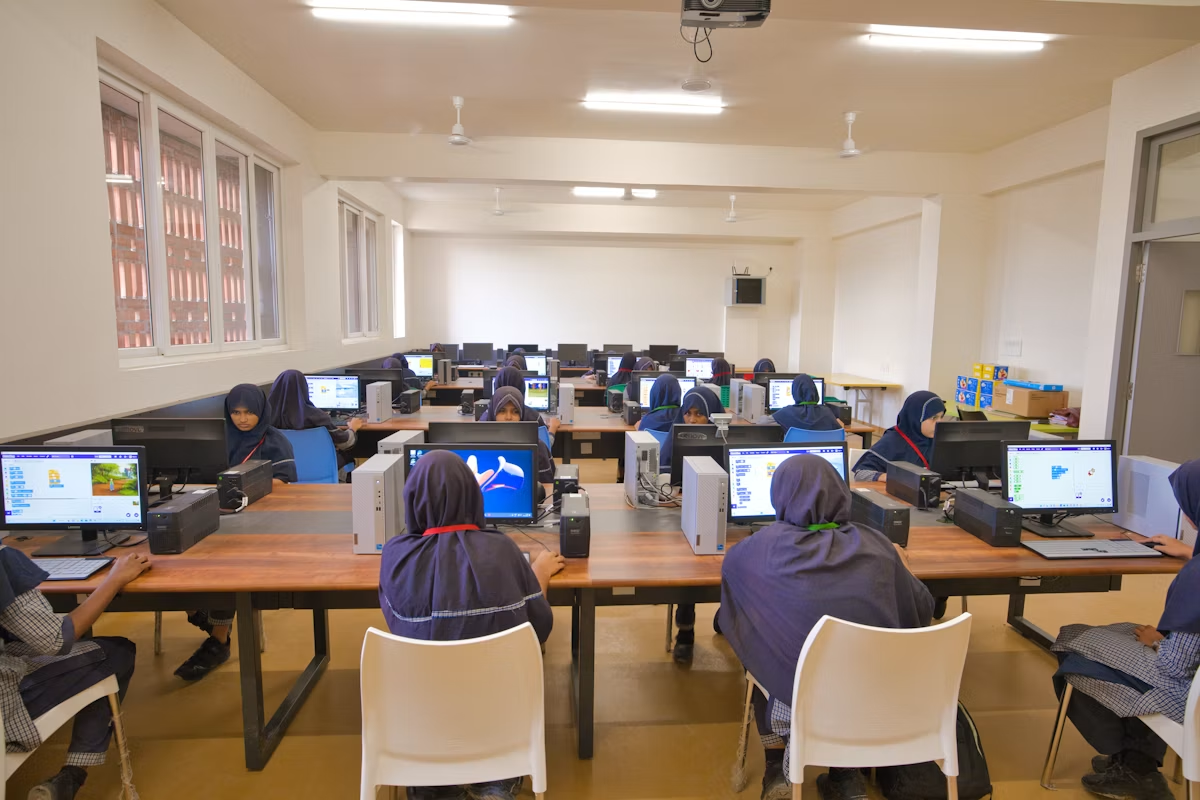

Locally owned and operated in Newton, MA
We know your buildings, your SIS and your summer window. When a lesson depends on the network, that is the call we answer first.
You get a named local team that learns your people and systems, backed by more than 900 CMIT IT professionals nationwide. We serve Boston, Newton, Waltham, Allston, Brighton, Brookline, Weston, Watertown, Needham, Wellesley and Burlington.
Assessment and planning happen during the year; changes land over breaks.
Network, filtering, backup and security review ranked by risk to students and staff.
A fixed-scope plan sequenced for the next school break.
Upgrades, migrations and device refreshes while buildings are quiet.
Monitoring, help desk and a planning review each semester.
Yes. We support independent schools, charter schools and public districts across Greater Boston. The plan is sized to your number of buildings, staff and devices, so a single-campus school and a multi-building district each pay for what they actually use.
Yes. We deploy content filtering that meets CIPA requirements on campus and on take-home devices, and provide the usage reporting and documentation schools need for E-Rate applications and reviews. We also help keep your internet safety policy current.
We set up role-based access, encryption and regular access reviews for systems that hold education records, and help you inventory which vendors receive student data. Those controls are documented so you can answer questions from parents, your board or an auditor.
Yes, that is how we plan by default. Assessments and planning happen during the year, while migrations, device refreshes and network changes are scheduled for summer or school breaks so classrooms are not disrupted.
Yes. We handle bulk enrollment, MDM policy setup, filtering, loaner pools and repair turnaround, plus end-of-year collection and re-imaging so devices are ready for the next class. Asset tracking links each device to a student.
Issues affecting a class in progress or a school-wide system go to the front of the queue ahead of routine requests. Our local team handles on-site visits, and the wider CMIT network adds capacity for large projects.
Managed IT is a flat monthly or annual rate, typically per device or per staff member, agreed in writing after the assessment. That makes the cost easy to budget and avoids surprise charges in the middle of the school year.
We review your network, devices, backups, Microsoft 365 or Google Workspace setup and security controls, then give you a written summary of risks ranked by business impact and a clear list of what to fix first. There is no cost and no obligation, and for schools and school districts we include the compliance requirements that usually apply to you.
Yes. Many clients keep an internal IT person and use us to extend their team. We can take on monitoring, security, backups, after-hours coverage or specific projects, so your internal staff can focus on the work that needs someone on site every day.
Yes. Systems are monitored 24/7, and you can reach our support desk at any time of day, including nights, weekends and holidays. Urgent issues are handled immediately, and our local team comes on site when a problem needs hands-on work.
Our office is at 275 Grove Street in Newton. We support organizations in Boston, Newton, Waltham, Allston, Brighton, Brookline, Weston, Watertown, Needham, Wellesley and Burlington, plus surrounding communities. Remote support covers every location, and on-site visits are scheduled when hardware or a site survey requires it.
Book a no-obligation IT and security assessment and get a written summary of risks and what to fix first.
Prefer to talk?(617) 657-1075
Visit us275 Grove Street, Ste 2-400, Newton, MA 02466