
For most small and midsize businesses, the cloud question is no longer “Should we move to the cloud?”
It is “What should actually move, where should it live, and how much control do we need?”
That distinction matters.
A 30-person professional services firm in Anaheim does not have the same infrastructure requirements as a healthcare practice handling sensitive patient information, a manufacturer running business-critical systems, or a property management company with employees accessing applications from multiple locations.
Choosing between public cloud vs private cloud vs hybrid cloud therefore should not begin with which platform is most popular. It should begin with your workloads, security requirements, compliance obligations, budget, internal IT capabilities, and tolerance for downtime.
According to NIST, cloud environments can be deployed through several models, including public, private, and hybrid cloud. A public cloud makes infrastructure available for broad use, a private cloud is provisioned exclusively for one organization, and a hybrid cloud connects two or more distinct cloud environments so applications and data can move between them.
For Orange County SMBs evaluating their cloud infrastructure in 2026, here is how those choices compare.
Quick Answer: Which Cloud Model Is Best for an SMB?
There is no single best cloud deployment model for every small business.
Public cloud is generally the strongest fit when: your business wants scalability, lower infrastructure overhead, remote accessibility, and does not need dedicated infrastructure for most workloads.
Private cloud may make more sense when: your organization has stricter security, compliance, performance, customization, or data-control requirements that justify dedicated infrastructure.
Hybrid cloud is typically worth considering when: some workloads can benefit from public cloud flexibility while other applications, systems, or sensitive data need tighter control.
For many growing SMBs, the decision is not necessarily “pick one.” The better question is which environment should each workload use?
Public Cloud vs Private Cloud vs Hybrid Cloud at a Glance
| Factor | Public Cloud | Private Cloud | Hybrid Cloud |
|---|---|---|---|
| Infrastructure | Shared provider infrastructure | Dedicated to one organization | Combination of environments |
| Upfront infrastructure cost | Usually lower | Usually higher | Varies |
| Scalability | High | Depends on available capacity | High when designed correctly |
| Management complexity | Lower for many SMBs | Higher | Higher |
| Customization | Moderate to high depending on service | High | High |
| Control | Less infrastructure control | Greater control | Selective control |
| Best suited for | Standard business workloads, collaboration, SaaS, scalable applications | Specialized, regulated, sensitive, or performance-specific workloads | Businesses with mixed requirements |
| Internal expertise required | Moderate | Higher | Higher unless managed externally |
The right choice depends less on company size alone and more on the applications, data, users, compliance requirements, and business processes involved.
What Is a Public Cloud?
A public cloud uses computing infrastructure operated by a third-party cloud provider and shared across customers through logically separated environments.
Instead of purchasing and maintaining all the physical servers required to run applications, businesses consume computing resources as needed.
Common public cloud use cases for SMBs include:
- File storage and collaboration
- Email and productivity applications
- Cloud backups
- Web applications
- Development environments
- Customer-facing applications
- Data analytics
- Virtual machines
- Disaster recovery infrastructure
For an Orange County SMB with employees working from an Anaheim office, customer locations, home offices, or while traveling, public cloud services can make applications and data accessible without requiring every workload to remain on a server inside the office.
Advantages of Public Cloud for SMBs
The biggest advantage is flexibility.
Businesses can add resources without purchasing additional physical infrastructure every time requirements increase. Public cloud platforms can also reduce the burden of maintaining underlying hardware.
That does not mean cloud spending automatically stays low.
Flexera’s 2025 State of the Cloud research found that organizations expected cloud spending to increase by 28%, while cloud budgets were already exceeding planned spending by 17%. Respondents estimated that 27% of cloud spending was being wasted.
For SMBs, that highlights an important distinction:
Moving to the public cloud can reduce infrastructure ownership, but unmanaged cloud usage can still become expensive.
Resources, licenses, storage, backups, data transfer, unused instances, and poorly configured services all need ongoing oversight.
What Is a Private Cloud?
A private cloud provides cloud infrastructure for the exclusive use of one organization. NIST notes that it can be owned and managed by the organization itself, a third party, or a combination of both, and it can exist either on or off premises.
The primary difference is exclusivity.
Instead of using infrastructure designed to serve multiple organizations, the environment is dedicated to one organization.
When Does Private Cloud Make Sense?
Private cloud services may be appropriate when a business has requirements such as:
- Strict regulatory or contractual obligations
- Sensitive or proprietary information
- Specialized legacy applications
- Greater infrastructure customization
- Specific performance requirements
- Greater control over configurations
- Data residency or governance requirements
For example, an Orange County business operating in healthcare, financial services, legal services, advanced manufacturing, or another data-sensitive industry may have requirements that make dedicated infrastructure worth evaluating.
But private cloud is not automatically the “secure option.”
A dedicated environment still needs to be configured, patched, monitored, backed up, protected with identity controls, and actively managed.
Ownership does not create security by itself.
What Is a Hybrid Cloud?
A hybrid cloud combines distinct cloud environments and connects them so data or applications can operate across them.
For an SMB, that could mean keeping certain sensitive or specialized workloads in a private environment while using public cloud services for collaboration, scalable computing, backups, customer applications, or other workloads.
Consider an Orange County manufacturer.
Its ERP or production-related system may have dependencies that make an immediate full public-cloud migration impractical. At the same time, Microsoft 365, cloud backup, collaboration tools, customer applications, and other workloads may work effectively in public cloud environments.
The business does not necessarily need to force everything into one environment.
That is where a hybrid cloud for small business can become useful.
Why Are Businesses Choosing More Than One Environment?
Cloud infrastructure has become increasingly distributed.
Flexera’s 2025 research found that more than half of enterprise and SMB workloads were already running in public clouds. The report also found continued use of multi-cloud and hybrid strategies rather than a universal shift toward one infrastructure model.
The reason is practical.
Different workloads have different requirements.
Your accounting application, customer database, backups, file storage, production system, website, and employee collaboration tools do not necessarily need identical infrastructure.
The goal should be to place each workload in an environment that provides the right balance of:
Security + performance + availability + compliance + manageability + cost.
Public Cloud vs Private Cloud for SMBs: Is One More Secure?
Not automatically.
A common misconception is:
- Private cloud = secure
- Public cloud = less secure
Cloud security is more complicated than that.
Security depends on how the environment is architected and managed, including identity and access controls, multifactor authentication, encryption, endpoint protection, configuration management, monitoring, backups, vulnerability management, and incident response.
A poorly configured private environment can be less secure than a properly managed public cloud environment.
Similarly, placing workloads across several environments can introduce additional complexity.
IBM’s 2025 Cost of a Data Breach research found that breaches involving data distributed across multiple environments averaged $5.05 million, compared with $4.01 million for breaches involving on-premises data. IBM specifically points to the additional complexity associated with protecting data spread across environments.
The lesson for SMBs is not to avoid hybrid environments.
It is to avoid unmanaged complexity.
What Should Orange County SMBs Choose in 2026?
The easiest way to answer this is by business scenario.
Scenario 1: A 25-Person Professional Services Firm
The company primarily uses:
- Microsoft 365
- CRM software
- Cloud accounting
- File sharing
- Standard business applications
- Remote access
Likely direction: Public cloud
Maintaining dedicated private cloud infrastructure may add unnecessary cost and administrative complexity when most workloads can operate effectively through established cloud services.
Scenario 2: A Healthcare Practice Handling Sensitive Patient Information
The practice needs secure access to sensitive information and must account for regulatory requirements, vendor agreements, backups, access control, and business continuity.
Likely direction: Public or hybrid, depending on applications and compliance requirements
The decision should be based on the specific systems being used, vendor responsibilities, data flows, and security architecture rather than assuming that private infrastructure automatically provides better protection.
Scenario 3: An Orange County Manufacturer With Legacy Systems
The company has an older ERP or operational application that cannot easily be migrated but wants cloud-based collaboration, backups, disaster recovery, and newer business applications.
Likely direction: Hybrid cloud
Moving suitable workloads to the public cloud while retaining systems that require existing infrastructure can reduce the risk and disruption of a forced all-at-once migration.
Scenario 4: A Growing Multi-Location Business
Employees need reliable access to applications and files across Anaheim and other locations, while the company expects headcount and data requirements to grow.
Likely direction: Public cloud or hybrid cloud
Scalable infrastructure and centralized access can make expansion easier, but legacy applications or sensitive workloads may still justify a hybrid architecture.
Get a Free Cloud Readiness Assessment
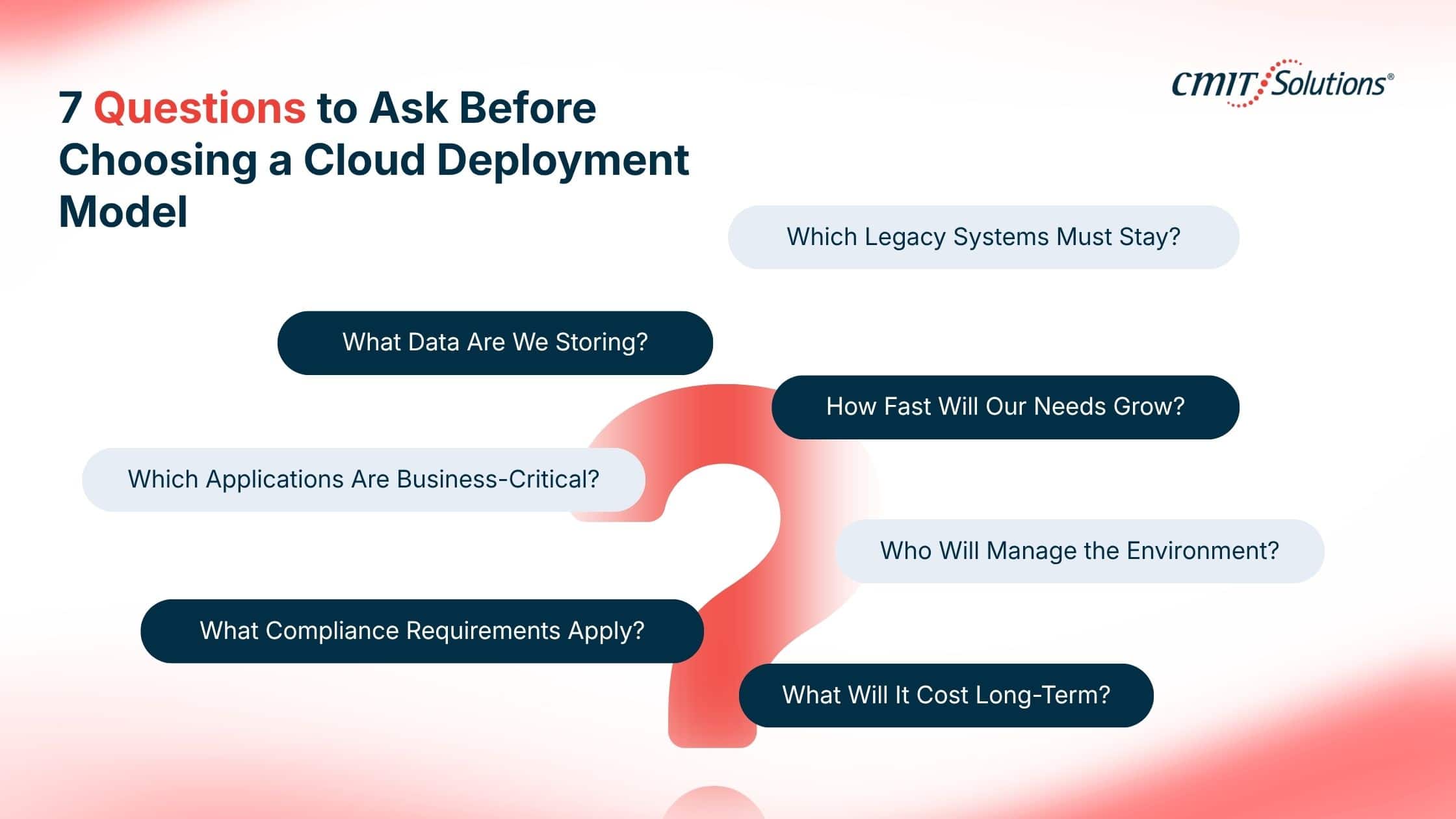
7 Questions to Ask Before Choosing a Cloud Deployment Model
Before comparing cloud providers, determine what your business actually needs.
1. What data are we storing?
Identify financial information, customer data, employee records, intellectual property, regulated information, and other sensitive data.
2. Which applications are business-critical?
If an application goes offline for four hours, what happens?
That answer should influence redundancy, backup, disaster recovery, and infrastructure decisions.
3. Do we have regulatory or contractual requirements?
Healthcare, finance, government contractors, legal services, and other industries may have specific security or data-handling obligations.
4. Which legacy systems cannot easily move?
Not every application is cloud-ready.
A migration assessment should identify dependencies before infrastructure is changed.
5. How quickly are our storage and computing needs changing?
Rapidly growing businesses may benefit significantly from infrastructure that can scale without repeated hardware purchases.
6. Who will manage the environment?
This question is frequently overlooked.
Provisioning cloud resources is relatively easy. Securing, monitoring, optimizing, backing up, documenting, and maintaining them over time requires expertise.
7. What will the environment actually cost over three to five years?
Compare more than monthly hosting fees.
Include:
- Migration
- Licensing
- Storage
- Backup
- Data transfer
- Security
- Monitoring
- Support
- Internal IT time
- Hardware refresh cycles
- Downtime risk
That creates a much more useful cloud service provider comparison than simply comparing monthly prices.
The Hidden Problem: Cloud Sprawl
Many SMBs do not intentionally design a cloud strategy.
They accumulate one.
One department adds cloud storage. Another adopts a SaaS platform. Employees start using AI tools. An old server remains in the office. Backups go somewhere else. A previous IT provider created cloud resources nobody has reviewed recently.
Eventually, the business has a cloud environment without having a cloud architecture.
This can create:
- Duplicate applications
- Unnecessary licenses
- Unused cloud resources
- Inconsistent access permissions
- Poor visibility into data
- Backup gaps
- Security blind spots
- Unexpected monthly costs
This is one reason managed cloud services are becoming more common. Flexera reported that 48% of SMBs used managed service providers for at least some public cloud management in its 2025 survey, up 12 percentage points from the previous year.
Cloud Migration Should Start With an Assessment, Not a Purchase
Before moving servers, applications, or data, an SMB should understand its existing environment.
A proper cloud assessment should map:
Users → Devices → Applications → Data → Dependencies → Security requirements → Recovery requirements → Cloud destination
From there, workloads can usually be categorized into four groups:
Move: Suitable for cloud migration.
Modernize: Can move, but should be updated or redesigned first.
Keep: Better suited to the existing environment for now.
Retire: No longer provides enough business value to maintain.
This prevents businesses from paying to migrate outdated systems and unnecessary data simply because they already exist.
How CMIT Solutions Anaheim West Helps Orange County Businesses Plan Cloud Infrastructure
Choosing between public cloud vs private cloud vs hybrid cloud is only one part of the decision.
The harder part is determining which applications belong where and then building the security, backup, identity, networking, monitoring, and support around them.
CMIT Solutions Anaheim West helps businesses evaluate their current IT environment before recommending a cloud architecture.
That can include:
- Cloud readiness assessments
- Cloud migration planning
- Microsoft cloud environments
- Backup and disaster recovery
- Identity and access management
- Cybersecurity
- Infrastructure monitoring
- Cloud cost and license optimization
- Ongoing managed IT support
For businesses comparing cloud services for SMBs in Orange County, the objective should not be moving everything to the cloud.
It should be creating an IT environment that is secure, manageable, scalable, and appropriate for how the business actually operates.
The Bottom Line
For most SMBs in 2026, the answer is not that public cloud is universally better than private cloud or that hybrid cloud is automatically the most sophisticated option.
The right architecture depends on the workload.
Choose public cloud when flexibility, scalability, accessibility, and reduced hardware management are the priorities.
Choose private cloud when dedicated infrastructure and greater environmental control are justified by specific business, performance, or compliance requirements.
Choose hybrid cloud when different workloads have different requirements and keeping everything in one environment would create unnecessary compromises.
And if your business cannot confidently answer where its critical applications and data should live, that is a sign to assess the environment before migrating anything.
For Orange County businesses, CMIT Solutions Anaheim West can evaluate existing infrastructure, identify cloud-ready workloads, assess security and continuity requirements, and build a cloud roadmap around the business rather than forcing the business around the technology.
Frequently Asked Questions
What is the difference between public cloud, private cloud, and hybrid cloud?
Public cloud uses cloud infrastructure operated by a third-party provider for broad customer use. Private cloud infrastructure is dedicated to a single organization. Hybrid cloud connects multiple distinct environments, allowing organizations to place workloads according to different security, performance, compliance, or scalability requirements.
Which cloud option is best for small and midsize businesses in Orange County?
For many SMBs, public cloud works well for standard applications, collaboration, storage, backups, and scalable workloads. Businesses with specialized applications, sensitive data, legacy infrastructure, or stricter requirements may benefit from private or hybrid cloud environments. The best choice should be determined workload by workload.
Is public cloud more affordable than private cloud for SMBs?
Public cloud usually requires less upfront infrastructure investment because businesses do not need to purchase and maintain all underlying hardware. However, long-term costs depend on usage, storage, licenses, data transfer, configuration, and management. Poorly managed public cloud environments can become expensive.
What are the benefits of a hybrid cloud for small businesses?
Hybrid cloud allows an SMB to use public cloud scalability where it makes sense while retaining certain applications or data in private or existing environments. It can be especially useful for businesses modernizing gradually, operating legacy applications, or managing workloads with different requirements.
Is private cloud more secure than public cloud?
Not inherently. Private cloud provides greater infrastructure exclusivity and control, but security depends on configuration, access management, encryption, monitoring, patching, backups, and other controls. Both public and private cloud environments can be secure when properly designed and managed.
How do I know if my Orange County business needs a hybrid cloud solution?
A hybrid environment may be worth considering if some applications are suitable for public cloud but other workloads need to remain on existing or dedicated infrastructure because of legacy dependencies, performance requirements, compliance considerations, or data sensitivity.
Can an SMB move its existing applications and data to the cloud?
Usually, many applications and datasets can be migrated, but not everything should automatically be moved. Businesses should assess application compatibility, integrations, dependencies, security requirements, bandwidth, licensing, and recovery requirements before migration.
How much does cloud migration cost for a small business?
There is no universal price because migration cost depends on the number of users, applications, servers, data volume, complexity, security requirements, downtime constraints, and whether applications need to be redesigned. A cloud readiness assessment should come before an accurate migration estimate.
What security risks should Orange County businesses consider when choosing a cloud environment?
Key risks include weak access controls, stolen credentials, cloud misconfiguration, excessive permissions, insecure integrations, insufficient backups, unmanaged devices, poor monitoring, and data spread across environments without centralized governance. Businesses should evaluate security architecture alongside cloud architecture.
Do small businesses need managed cloud services?
Not every SMB needs fully outsourced cloud management, but businesses without dedicated cloud expertise can benefit from managed services for security, monitoring, backups, cost optimization, configuration, and ongoing support. Flexera’s 2025 research found that 48% of SMB respondents were already using MSPs to manage at least some public cloud environments.