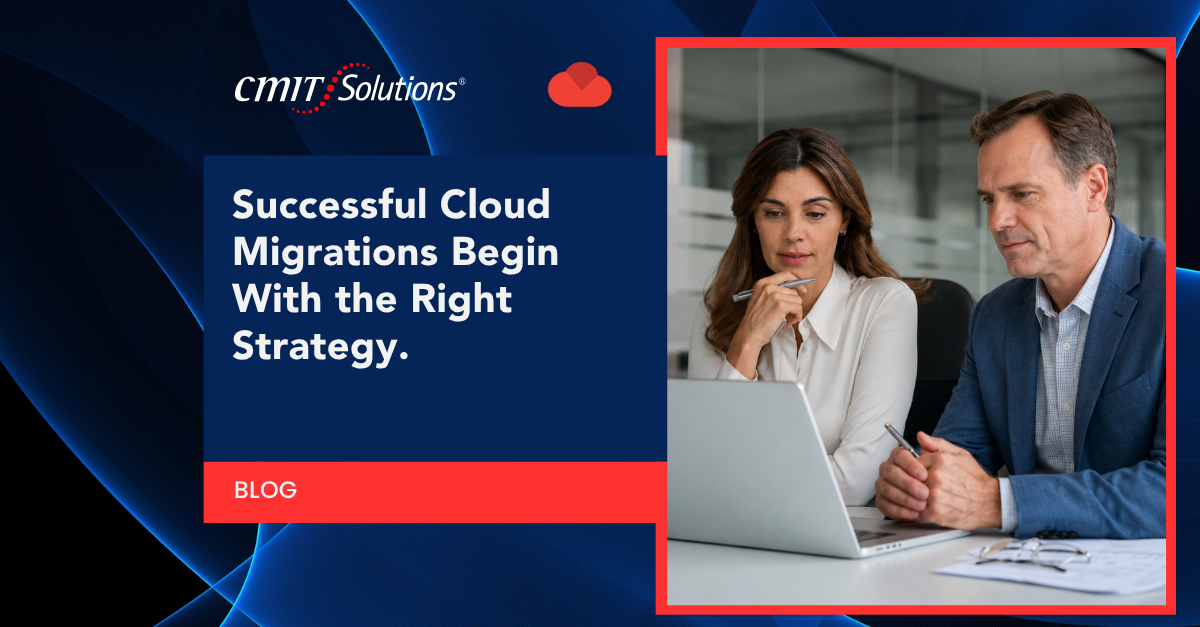
Cloud migration sounds simple on paper. Move your files, move your applications, flip a switch, and everything works better. In reality, the process is far more layered, and plenty of local companies learn that the hard way. Servers go down mid transition. Employees lose access to tools they need every day. Sensitive data ends up exposed because nobody thought through the security implications before hitting go.
CMIT Solutions of Cincinnati East has watched businesses across the region attempt cloud migrations with good intentions and shaky planning. The mistakes tend to repeat themselves across industries, from law firms to accounting practices to manufacturing shops. This guide walks through the most common missteps, why they happen, and what a smarter approach looks like.
What makes cloud migration particularly tricky is that most of the damage from a poorly executed move doesn’t show up immediately. A company might celebrate a successful cutover, only to discover weeks later that backups were never properly configured, that a compliance gap went unnoticed, or that a handful of employees never adopted the new system and quietly kept working around it. These delayed consequences are often more expensive to fix than the original migration would have cost to do correctly. Understanding the patterns behind these failures is the first step toward avoiding them.
Why Cloud Migration Still Trips Up Local Companies
Cincinnati’s business community has grown more comfortable with cloud tools over the past several years, but comfort with the concept doesn’t always translate into a smooth execution. Many companies still treat migration like a one time IT project rather than an ongoing operational shift. They underestimate how many systems are interconnected, how much bandwidth is required, or how many employees will need retraining.
Small and mid sized businesses are especially vulnerable because they often lack a dedicated IT department to manage the transition. Instead, migration gets handed to whoever is “good with computers,” or it gets rushed because a vendor promised a quick turnaround. The result is downtime, data loss, frustrated staff, and sometimes a security incident that could have been avoided with proper planning through a managed IT solutions partner.
Cincinnati’s mix of established manufacturing companies, growing professional service firms, and newer startups means there’s no single migration playbook that fits everyone. A provider supporting the broader Cincinnati IT services community understands that a twenty person accounting office has very different needs than a hundred person engineering firm, and treats each migration accordingly rather than applying a generic checklist.
Mistake 1: Jumping In Without a Migration Roadmap
The single biggest mistake businesses make is starting a cloud migration before they’ve mapped out what needs to move, in what order, and why. A roadmap should account for:
- Which applications and data sets are mission critical
- Dependencies between systems that must move together
- A realistic timeline that accounts for testing
- Rollback plans in case something breaks mid migration
Without this groundwork, companies often discover mid project that two systems they assumed were independent are actually tightly linked, causing outages that ripple across departments. A rushed migration can also leave gaps where data temporarily lives in two places at once, creating confusion about which version is accurate.
Working with a team that offers strategic IT guidance from the start helps businesses avoid this scramble. A proper plan identifies risks before they become expensive problems, and it gives leadership a clear picture of what to expect at each stage.
Mistake 2: Treating Security as an Afterthought
Migration is one of the most vulnerable windows in a company’s technology lifecycle. Data is in transit, permissions are being reconfigured, and new access points are being created. Businesses that treat security as something to “handle later” often expose themselves during exactly the moment they’re least protected.
Common security oversights during migration include:
- Failing to encrypt data during transfer
- Leaving old on premises systems accessible after the new cloud environment is live
- Misconfiguring user permissions, granting broader access than necessary
- Skipping multi factor authentication setup on new cloud accounts
Just as employees are increasingly bringing outside tools into the workplace without oversight, as covered in this piece on AI usage risks, migration projects can quietly introduce similar blind spots if security isn’t baked into every step. Businesses should insist on a security review before, during, and after migration, not just at the finish line. A partner offering cybersecurity protection services can audit the new environment before it goes live.
Mistake 3: Underestimating Backup and Recovery Needs
Some businesses assume that once data lives in the cloud, backups become unnecessary. That assumption is dangerous. Cloud providers are responsible for the infrastructure, but businesses remain responsible for their own data protection, a concept often called the shared responsibility model.
Without a dedicated backup strategy, a company could lose critical files to accidental deletion, a ransomware attack, or a misconfigured sync process. Recovery time also matters. If a backup exists but takes three days to restore, that’s three days of lost productivity.
A solid data backup planning strategy for cloud environments should include:
- Automated, frequent backups separate from the primary cloud environment
- Clear recovery time objectives for different types of data
- Regular testing of restore procedures, not just backup creation
- Redundancy across multiple locations or providers
This becomes even more urgent given how often ransomware incidents affect businesses that assumed their systems were safe, a pattern explored in this discussion of ransomware management impact.
Mistake 4: Picking the Wrong Cloud Model for Your Business
Not every business needs the same cloud setup. Some need a fully public cloud environment. Others benefit from a hybrid approach that keeps certain systems on premises while shifting others off site. Choosing a model based on what a competitor uses, rather than what actually fits the business, is a recurring mistake.
Questions worth answering before choosing a model:
- How sensitive is the data being stored, and does it require specific hosting controls
- What’s the company’s internet reliability and bandwidth capacity
- Are there legacy applications that don’t play well with public cloud environments
- What’s the budget for ongoing subscription costs versus one time infrastructure spend
Businesses exploring their options often benefit from a broader look at cloud services expertise before committing to a specific vendor or architecture. Picking the wrong model early can mean an expensive do over a year or two later.
Mistake 5: Overlooking Industry Compliance Requirements
Regulated industries face a unique risk during cloud migration. Healthcare practices, law firms, financial services, and accounting firms all have specific rules about where data can live, who can access it, and how it must be protected. Migrating to a cloud platform that doesn’t meet these standards can trigger fines, legal exposure, or loss of client trust.
Accounting firms in particular are frequent targets, a reality laid out in this look at accounting firm security. Law firms carry similar risk given the sensitive client information they hold, which is why legal practice security has become such an important topic for firms modernizing their systems.
Before migrating, businesses in regulated industries should confirm:
- Whether the cloud provider offers the specific compliance certifications required
- How data residency requirements apply to their industry
- Whether audit logging and access tracking meet regulatory standards
- Who is responsible for ongoing compliance monitoring after the move
A compliance management support partner can help verify these requirements are met before, not after, the migration is complete.

Mistake 6: Weak Network Infrastructure Before the Move
Cloud applications depend on a stable, fast internet connection. Businesses that migrate without evaluating their existing network infrastructure often end up with sluggish applications, dropped connections, and frustrated employees who blame the new cloud tools when the real problem is the network underneath them.
Signs a network isn’t ready for migration include:
- Frequent Wi-Fi dead zones throughout the office
- Bandwidth that hasn’t been upgraded despite adding new cloud tools
- No redundancy if the primary internet connection goes down
- Outdated routers or switches that can’t handle increased traffic
Engineering firms, which often run bandwidth heavy design software, face this challenge acutely, a topic addressed in this piece on engineering firm infrastructure. Investing in network management solutions before migration, rather than after employees start complaining, saves both time and frustration.
Mistake 7: Forgetting to Train Employees on New Systems
Technology only delivers value when people actually use it correctly. A flawless migration can still fail if employees don’t understand how to navigate the new environment. Businesses frequently underestimate how much of a learning curve exists, even for tools that seem intuitive to IT staff.
Training gaps show up in a few predictable ways:
- Employees reverting to old workarounds because they don’t trust the new system
- Support tickets flooding in during the first few weeks after go live
- Data being saved in the wrong locations, undermining backup strategies
- Security shortcuts, like sharing passwords, because new login processes feel inconvenient
A short training period built into the migration timeline, paired with accessible productivity tools setup support, prevents most of these issues. Employees who feel confident in the new system are far less likely to create security or workflow problems down the line.
Mistake 8: Skipping a Pilot Phase
Migrating an entire company at once, without testing the process on a smaller scale first, is a common recipe for chaos. A pilot phase, where a single department or a small group of users moves first, surfaces problems while the stakes are still low.
Benefits of a pilot approach include:
- Identifying compatibility issues before they affect the whole organization
- Gathering real feedback from actual users, not just IT assumptions
- Refining the training materials based on what confused the pilot group
- Building confidence among leadership before a full rollout
Skipping this step often means the entire company experiences the same bugs and confusion simultaneously, which multiplies the disruption instead of containing it.
Mistake 9: Ignoring the True Cost of Cloud Ownership
Cloud migration is frequently sold as a cost saving move, and it can be, but only when businesses account for the full financial picture. Subscription costs, data transfer fees, storage tiers, and support contracts all add up. Businesses that only compare the sticker price of cloud services to their old hardware costs are often surprised later.
A more complete cost analysis should include:
- Ongoing licensing fees for every user and application
- Costs tied to scaling up storage or compute as the business grows
- Support and maintenance contracts for the new environment
- Potential costs of downtime during the transition itself
Tools like a IT cost calculator can help businesses model these expenses before committing, rather than discovering the real cost after the migration is already underway.
Mistake 10: Trying to Migrate Without Experienced Support
Perhaps the most avoidable mistake is attempting a complex migration without outside expertise. Internal staff may be talented, but cloud migration touches security, compliance, networking, and application architecture all at once. Few internal teams have deep experience across all of those areas simultaneously.
Working with an experienced partner offers advantages that are difficult to replicate internally:
- Familiarity with common migration pitfalls specific to different industries
- Established relationships with cloud providers for faster issue resolution
- A structured process refined across many prior migrations
- Ongoing support after the migration, not just a one time handoff
CMIT Solutions of Cincinnati East works with businesses to build a migration plan around their specific needs, rather than applying a generic template. A free IT assessment is often the starting point, giving leadership a clear picture of readiness before any files start moving.
How Cincinnati Businesses Can Get Cloud Migration Right
Avoiding the mistakes above comes down to preparation, the right partner, and realistic expectations. A few practices consistently separate smooth migrations from painful ones:
- Start with an honest inventory of current systems, applications, and data
- Build a phased timeline with a pilot group before a full rollout
- Bake security and compliance checks into every stage, not just the end
- Confirm backup and recovery plans are tested, not just assumed to work
- Train employees before go live, not after problems start piling up
- Review total costs, including subscriptions and support, not just upfront pricing
- Choose a cloud model that fits actual business needs, not industry trends
Businesses that follow this approach tend to experience far less downtime, fewer security gaps, and a faster return to normal productivity after the move.
Industry Specific Cloud Migration Pitfalls Worth Watching
Different industries face different pressure points during migration. A few examples worth highlighting:
Legal practices handle enormous amounts of confidential client data, making access control and audit trails especially important during any system change. Firms exploring modernization often start by reviewing how responsive IT support can back up both security and day to day case management, while also drawing on certified technology partners with proven experience in regulated industries.
Accounting firms manage sensitive financial records that make them attractive targets for cybercriminals, particularly during the vulnerable window of a system migration. This is closely tied to broader concerns raised in coverage of phishing threat awareness, since phishing attempts often spike around periods of organizational change.
Engineering and design firms rely on large files and specialized software that can strain network resources if the underlying infrastructure isn’t upgraded before migration.
Any business handling client trust should also be paying attention to shifting authentication standards, including the move away from traditional passwords discussed in this overview of passwordless authentication trends, and the broader shift toward zero trust adoption as a security framework for cloud environments.
Even after migration is complete, ongoing vigilance matters. Many businesses that experience a security incident report they would still consider paying a ransom if attacked again, according to findings referenced in this analysis of ransomware payment risks, underscoring why prevention during and after migration matters so much.

Building a Long Term Cloud Strategy, Not Just a One Time Move
Migration shouldn’t be viewed as a finish line. Once systems are in the cloud, ongoing management becomes just as important as the initial move. This includes monitoring performance, adjusting storage and compute resources as the business grows, and revisiting security configurations regularly rather than assuming the initial setup will remain sufficient indefinitely.
Businesses should also think about how cloud infrastructure supports future initiatives, including unified communications platform upgrades, streamlined IT procurement services, and readiness for emerging technology. An AI readiness evaluation can help determine whether the cloud environment being built today will support tomorrow’s tools without another disruptive overhaul.
For businesses weighing their options, reviewing available IT service packages alongside a look at why local businesses choose a trusted technology partner can clarify what ongoing support should look like after the initial migration wraps up.
Learning From Businesses That Have Already Made the Move
One of the most reassuring things a Cincinnati business owner can do before starting a cloud migration is look at how similar companies handled the process. Real world outcomes tend to be far more useful than marketing promises, since they show what actually happened when the migration hit an unexpected snag or when a training rollout succeeded ahead of schedule.
A collection of client success stories can offer a clearer sense of realistic timelines, common obstacles, and the kind of support that made a difference for businesses in similar industries. These accounts often highlight details that generic guides miss, like how a particular firm handled a legacy accounting system during a cutover, or how a manufacturing company kept production running during a network upgrade.
For teams that prefer a more guided format, ongoing educational IT webinars cover topics ranging from cybersecurity fundamentals to cloud strategy, giving leadership teams a chance to ask questions in real time rather than piecing together information from scattered sources. Businesses that want to stay current on broader technology trends can also check a running library of IT resource library materials covering everything from compliance updates to emerging threats.
Company announcements and industry recognition, tracked through company news updates, can also offer a sense of how actively a provider is engaged with the local business community, which matters when choosing a long term technology partner rather than a one time vendor.
What a Well Run Migration Timeline Actually Looks Like
Businesses often ask what a realistic migration schedule should include. While every project differs based on size and complexity, a well structured timeline generally follows a similar shape:
- Weeks one and two: Full inventory of systems, applications, and data, paired with a security and compliance review
- Weeks three and four: Network readiness testing and infrastructure upgrades where needed
- Weeks five and six: Pilot migration with a small department, followed by feedback collection and adjustments
- Weeks seven through ten: Phased rollout across remaining departments, with training sessions built into each phase
- Weeks eleven and twelve: Final validation, backup testing, and decommissioning of old systems
Larger organizations with more complex application environments should expect this timeline to stretch further, while smaller businesses with fewer systems may move through these phases more quickly. What matters most is that each phase includes time for testing and adjustment rather than treating the schedule as a rigid deadline that can’t flex when problems surface.
Measuring Whether a Migration Actually Succeeded
Many businesses declare a migration finished the moment employees can log into the new system, but that’s an incomplete measure of success. A handful of indicators offer a more accurate picture of whether the transition actually delivered value:
- Downtime versus projected downtime: Did outages stay within the window that was planned for, or did they run longer than expected
- Support ticket volume after go live: A short spike is normal, but tickets that remain elevated weeks later often signal training gaps or unresolved technical issues
- Backup restore testing: A successful migration includes at least one verified test restore, confirming that data protection actually works in the new environment
- Employee adoption rates: Are staff using the new tools as intended, or reverting to old habits and workarounds
- Cost against projections: Are actual monthly cloud costs tracking close to what was estimated, or climbing beyond the original budget
Businesses that check in on these markers thirty, sixty, and ninety days after migration tend to catch small issues before they become larger operational problems. Treating migration as a process with a defined follow up period, rather than a single event, leads to far better long term outcomes.
Final Thoughts
Cloud migration offers real advantages for Cincinnati businesses, including flexibility, scalability, and often lower long term costs. But those benefits only materialize when the process is handled with care. The mistakes outlined above, rushing the timeline, ignoring security, skipping training, underestimating costs, all stem from treating migration as a quick technical task rather than a strategic business decision.
CMIT Solutions of Cincinnati East has spent years helping local businesses navigate exactly this kind of transition, drawing on lessons learned across local IT experts supporting companies throughout the region. Every business is different, and a migration plan should reflect that rather than following a one size fits all checklist.
If your business is considering a move to the cloud, or worried that a past migration wasn’t handled correctly, now is a good time to get a second opinion before small issues turn into larger ones.
Frequently Asked Questions