Law firms hold some of the most sensitive information that exists outside of a hospital or a bank vault. Settlement details, merger documents, custody records, trade secrets, and privileged client communications all sit inside firm networks every single day. For years, firms protected that information with a fairly standard approach: a strong firewall, antivirus software, and the assumption that anything inside the network perimeter could be trusted.
That assumption no longer holds up. Attackers have gotten better at slipping past perimeter defenses, and once they are inside, traditional IT protection tends to trust them by default. This is exactly the gap that zero trust security was built to close, and it is why more law firms are rethinking their entire approach to technology protection.
CMIT Solutions of Cincinnati East works with legal practices across the region who are making this shift, moving away from outdated perimeter-only thinking and toward a model built around continuous verification. This article breaks down why that shift matters, how zero trust differs from traditional protection, and what it looks like in practice for a law firm.
The Problem With Traditional IT Protection
Traditional IT security follows what is often called the “castle and moat” model. Build a strong perimeter, keep attackers out, and trust everything inside once it gets past the gate. For decades, this worked reasonably well because most work happened inside a physical office, on a company-owned network, using company-owned devices.
That environment barely exists anymore.
- Attorneys work from home, courtrooms, and client sites
- Paralegals access case files from personal laptops and phones
- Cloud-based practice management tools store documents outside the firm’s physical walls
- Outside counsel, expert witnesses, and co-counsel need temporary access to shared files
Every one of these scenarios punches a hole in the old castle wall. Once an attacker gets a single set of valid credentials, whether through a phishing email or a weak password, traditional systems often treat that attacker exactly like a trusted employee.
Why This Matters More for Law Firms Specifically
Law firms are attractive targets precisely because of what they hold. A single breach can expose:
- Confidential settlement terms before they are finalized
- Merger and acquisition details worth millions in insider value
- Personal information tied to family law or estate cases
- Privileged communications protected by attorney-client privilege
A breach at a law firm does not just cost money. It can trigger malpractice exposure, bar association scrutiny, and permanent damage to client trust. This is one of the reasons the legal industry has become such a frequent target, a pattern discussed further in the piece on law firm security standards and what managed IT changes for legal practices.
What Zero Trust Actually Means
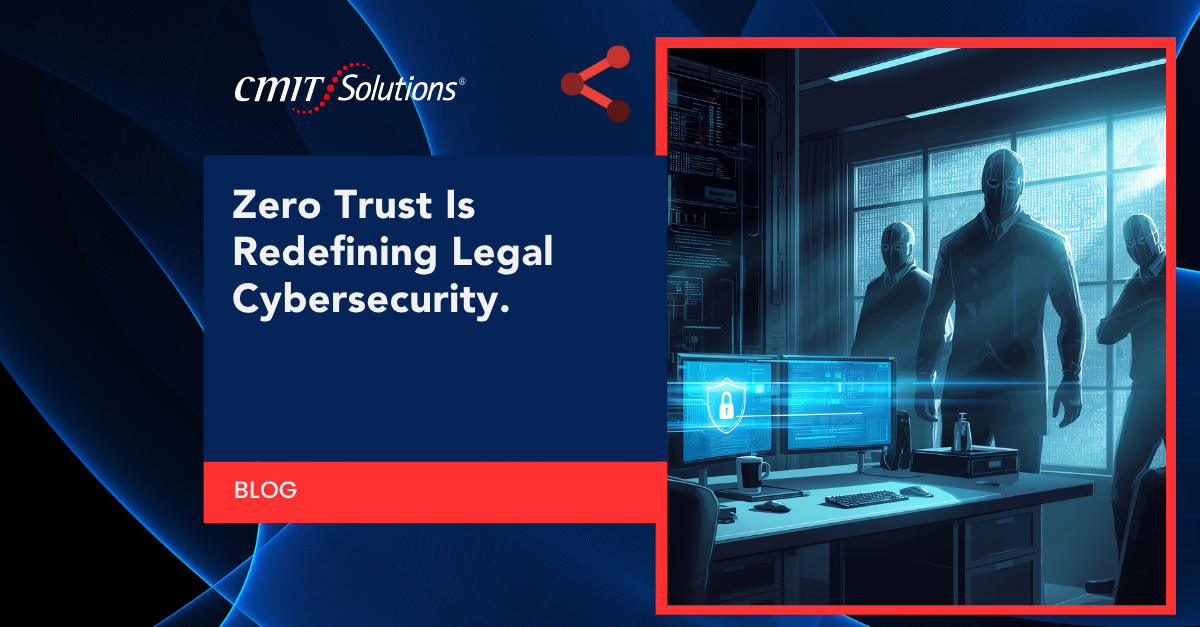
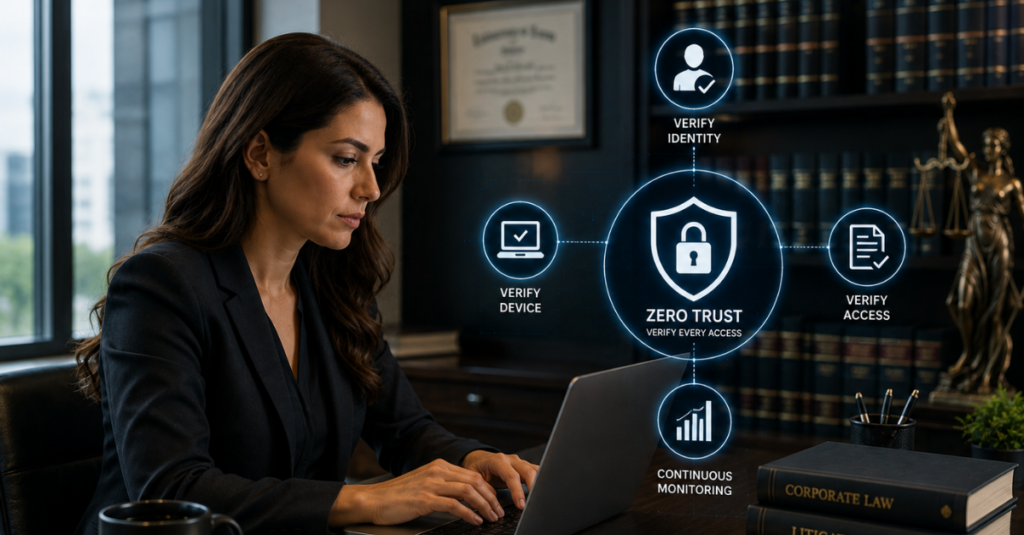
Zero trust is not a single product. It is a security philosophy built on one core principle: never trust, always verify. Instead of assuming anything inside the network is safe, zero trust checks identity and permissions continuously, no matter where the request is coming from.
In practice, this means:
- Identity verification at every step, not just at initial login
- Least privilege access, where users only get access to exactly what their role requires, nothing more
- Micro-segmentation, which limits how far an attacker can move even if one account is compromised
- Continuous monitoring, flagging unusual behavior in real time rather than relying on a one-time perimeter check
A full breakdown of how this framework operates and why adoption has accelerated across industries is covered in the article on the zero trust framework explained for growing businesses.
Traditional IT vs. Zero Trust: A Side-by-Side Look
Traditional IT Protection
- Trusts anything already inside the network
- Relies heavily on a single perimeter firewall
- Grants broad access once a user logs in
- Struggles with remote work and cloud-based tools
- Detects breaches after significant damage has occurred
Zero Trust Security
- Verifies every user and device continuously
- Limits access strictly to what each role requires
- Segments the network so a breach cannot spread easily
- Works naturally with remote and hybrid legal teams
- Flags suspicious activity in near real time
For a firm still relying on the traditional model, the gap between these two approaches represents real, measurable risk.
Where Traditional Protection Fails Law Firms Today
Remote and Hybrid Work
Attorneys frequently review documents from home, courthouses, or while traveling for depositions. Traditional systems built around a fixed office network were never designed for this level of flexibility, leaving gaps that zero trust closes through identity-based access rather than location-based trust.
Cloud-Based Practice Management
Most firms have shifted at least part of their document storage and case management to secure cloud solutions that live outside the traditional office perimeter entirely. A perimeter-based firewall provides little protection for data that never touches the physical office network in the first place.
Third-Party and Co-Counsel Access
Litigation often requires temporary access for expert witnesses, court reporters, or co-counsel. Traditional systems tend to grant broad access for convenience, while zero trust allows firms to set tightly scoped, time-limited permissions instead.
Weak Password Practices
Reused or weak passwords remain one of the easiest ways into a firm’s systems. Many firms are now exploring stronger authentication methods, a shift explored in the article on passwordless authentication trends and how firms are moving beyond passwords altogether.
Phishing: The Front Door Attackers Prefer
Attackers rarely need to break through a firewall when they can simply trick a person into handing over credentials. Law firms are frequent phishing targets because a single compromised paralegal or assistant account can open the door to an entire case file system.
Newer phishing tactics have made detection harder, including scams hidden inside scanned documents and QR codes, a growing threat detailed in the piece on QR code scams that traditional email filters often miss entirely.
Financial and accounting staff inside firms face similar risk, a pattern also seen across other industries and detailed in the article on the hacker target list that attackers consistently return to.
Ransomware Risk for Legal Practices
Law firms are increasingly common ransomware targets because they cannot afford extended downtime. Court deadlines do not pause for a system outage, which makes firms more likely to consider paying a ransom quickly.
Key considerations for firms:
- Ransomware often enters through a single compromised login
- Recovery without a tested backup plan can take days or weeks
- Paying a ransom does not guarantee full file recovery
- Firms that pay once are frequently targeted again
A closer look at this pattern is available in the article on ransomware payment risks and why repeat attacks are so common. A broader look at how ransomware disrupts business operations more generally is covered in the piece on ransomware attack prevention strategies.
Building Zero Trust Into a Law Firm’s Technology Stack
Shifting to zero trust does not mean ripping out every existing system overnight. Most firms build the model in layers.
Step 1: Strengthen Identity Verification
Multi-factor authentication becomes the baseline for every login, not just a recommended add-on. This alone closes one of the most common gaps traditional systems leave open.
Step 2: Apply Least Privilege Access
Reviewing who has access to which case files, servers, and applications is essential. Most firms find that access has expanded over time without ever being scaled back, a common issue uncovered during a network access review process.
Step 3: Segment the Network
Separating billing systems, case management tools, and general office applications limits how far an attacker can move if one area is compromised.
Step 4: Monitor Continuously
Rather than checking security once a year, firms benefit from ongoing oversight through structured managed IT solutions that watch for unusual activity around the clock.
Step 5: Protect Backups Independently
Backups need their own protection layer so that a ransomware attack cannot encrypt both live systems and recovery copies simultaneously. This is where a properly tested data backup strategy becomes critical.
Compliance Pressure Is Pushing Firms Toward Zero Trust
Many law firms now face security questionnaires from corporate clients before they are even awarded work. Insurance companies, banks, and large corporations increasingly require proof of strong security practices from any outside counsel handling their matters.
This has turned cybersecurity from a background IT concern into a business development issue. Firms unable to demonstrate strong controls risk losing high-value clients to competitors who can. Structured compliance management services help firms stay ready for these reviews instead of scrambling each time a new client request arrives.
AI Tools Are Already in the Office
Attorneys and staff are increasingly using AI tools to draft documents, summarize depositions, or research case law faster. Without clear policy, this creates a serious risk of confidential client information ending up inside a public AI tool.
This concern is explored in more depth in the article on employee AI usage and the exposure it creates when left unmanaged. Firms looking to get ahead of this issue can start with an AI readiness check to understand where these tools are already being used internally.
What a Zero Trust Environment Looks Like Day to Day
For attorneys and staff, a properly implemented zero trust model should feel mostly invisible during normal work, while still tightening protection significantly. In practice, this includes:
- A quick identity check when logging in from a new device
- Automatic restrictions on file access outside a person’s assigned cases
- Alerts sent to IT if a login attempt looks unusual, such as an odd location or time
- Clear, documented procedures for granting and removing temporary access for co-counsel
None of this should slow down legitimate work. It simply removes the blind trust that made older systems easy targets.
Supporting Systems Firms Often Overlook
Zero trust works best as part of a broader technology strategy, not a standalone fix. A few supporting areas worth reviewing:
- Communication tools: Moving away from outdated phone systems toward unified communication platforms improves both efficiency and security logging.
- Document and productivity software: Keeping business productivity tools licensed and updated closes vulnerabilities tied to outdated versions.
- New equipment purchases: Structured IT procurement services ensure new devices meet firm security standards before deployment.
- Day-to-day troubleshooting: Reliable responsive IT support keeps small issues from turning into larger security gaps.

Measuring the Value of the Shift
Firm leadership often wants to understand the return on investment before committing budget to a zero trust overhaul. A few ways to frame the conversation:
- Compare the cost of implementation against the average cost of a single data breach, including legal exposure and client loss
- Factor in potential new business tied to meeting corporate client security requirements
- Consider reduced cyber insurance premiums that often follow demonstrated security improvements
- Account for reduced downtime from proactive monitoring instead of reactive incident response
Firms can use an IT cost calculator to compare current spending against the cost of a modern, layered security approach.
Choosing the Right Technology Partner
Not every IT provider understands the specific demands of legal practices, including confidentiality requirements, court deadlines, and the sensitivity of case data. When evaluating a partner, firms should look for:
- Direct experience with legal clients, reflected in real client success stories
- Scalable service packages that fit firms of different sizes without unnecessary overhead
- Verified industry certifications partners that back up their security claims
- Ongoing education resources, including educational IT webinars that keep staff current on emerging threats
CMIT Solutions of Cincinnati East has worked closely with legal practices across the region to build zero trust environments that fit the realities of courtroom deadlines and client confidentiality. More detail on the company’s background is available on the local IT experts page, along with a broader look at trusted technology partner credentials.
Firms wanting to explore this topic further can also browse a library of helpful IT resources covering everything from compliance basics to emerging security threats, or start with a free IT assessment to see exactly where current gaps exist.
Final Thoughts
Traditional IT protection was built for a world where work happened inside a single office, on a single network, using company-owned devices. That world does not exist for most law firms anymore. Attorneys work from anywhere, case files live in the cloud, and outside parties frequently need temporary access to sensitive systems.
Zero trust security was built for exactly this reality. Rather than trusting anything already inside the network, it verifies every request continuously, limits access to exactly what each role needs, and contains a breach before it can spread across the entire firm.
Firms that make this shift are not just closing security gaps. They are meeting the expectations of corporate clients, insurance carriers, and bar associations that increasingly demand proof of strong data protection before handing over sensitive work.
If your firm is still relying on a traditional, perimeter-only approach to security, now is a good time to change that. Schedule a consultation to get a clear, practical plan for building zero trust protection around your firm’s specific needs.
Frequently Asked Questions