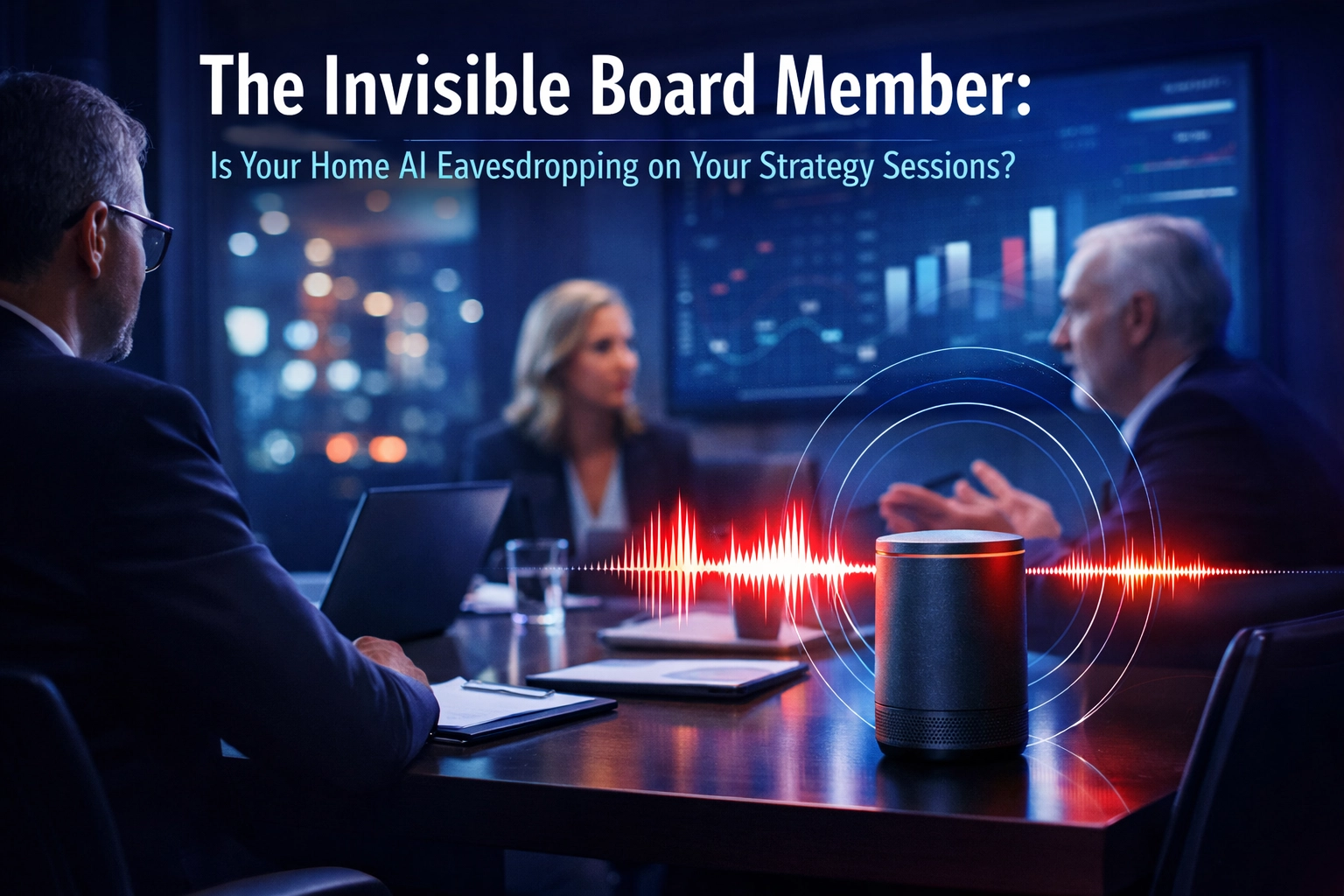
You closed the door to your home office. The house is quiet. Your CFO is on a secure video call. You’re discussing the acquisition details no one else knows about.
But someone is listening.
It’s sitting on your desk. Or mounted on your wall. Or tucked in the corner of your kitchen, just within earshot.
Your AI assistant. Alexa. Siri. Google Home.
Most executives in Des Moines and Overland Park have moved seamlessly between the corner office downtown and the home office upstairs. The commute is shorter. The coffee is better. The privacy feels absolute.
That last part is an illusion.
The Blind Spot in Your Home Office Security
Here’s the uncomfortable truth. Your company likely invested in firewalls, endpoint protection, encrypted communications, and secure cloud infrastructure. Your IT team locked down the laptop. Your network has monitoring.
But no one audited the smart speaker three feet from your desk.
These devices are designed to listen. That’s their job. They wait for a wake word, but research has shown they activate far more often than users realize. Sometimes it’s a false positive. Sometimes it’s by design.

The problem isn’t that these devices are malicious. The problem is that they’re ambient. Always on. Always collecting. And the data they capture doesn’t stay in your house.
It goes to servers. It gets processed. It may be reviewed by humans for “quality improvement.” And in some cases, it can be subpoenaed.
Your strategy session just became evidence.
Why This Matters More Than You Think
Let’s talk about what’s actually at stake.
When you’re discussing an acquisition, a personnel decision, a legal strategy, or a financial restructuring, you’re handling information that has real value. Competitors would pay for it. Adversaries could exploit it. Opposing counsel could use it against you.
Eleven U.S. states, including California, require all parties to consent before any recording occurs. California’s Invasion of Privacy Act prohibits not just recording but “reading, attempting to read, or learning” the contents of communications without consent from all parties.
Now consider this. Your AI assistant doesn’t ask for consent. It doesn’t disclose its presence to the person on the other end of your call. It simply listens.
If your company has operations in a two-party consent state, or if the person you’re speaking with is located in one, you may already be exposed to legal liability you didn’t know existed.
And that’s before we talk about the cybersecurity angle.
The AI Threat You Didn’t Budget For
AI-driven attacks are accelerating. Threat actors are no longer just targeting your email inbox or your network perimeter. They’re targeting the data streams that flow through everyday consumer devices.
Smart speakers. Video doorbells. Home automation systems. These are entry points.
A compromised smart device in your home could:
- Capture voice data during sensitive conversations
- Provide network access to more secure devices on the same Wi-Fi
- Serve as a staging point for credential theft or lateral movement
- Feed data to AI models that synthesize your voice for deepfake attacks

The last point is particularly relevant. Voice cloning technology has advanced to the point where a few minutes of captured audio can generate a convincing synthetic voice. Imagine a deepfake call to your CFO, in your voice, authorizing a wire transfer.
This is not theoretical. It’s happening.
What Executives Should Be Asking
If you’re a CEO, founder, or business leader working from home even part of the time, these are the questions you should be asking right now.
About your devices:
- What AI-enabled devices are in or near my home office?
- Are any of them always listening?
- Where does the data go, and who has access to it?
- Have I reviewed the privacy policies for each device?
About your conversations:
- Am I disclosing the presence of listening devices to people I speak with?
- Am I compliant with recording consent laws in every relevant jurisdiction?
- Are privileged communications at risk of losing their legal protection?
About your network:
- Is my home network segmented to isolate smart devices from work devices?
- Do I have visibility into what data is leaving my home network?
- Has anyone ever audited my home environment for cybersecurity risk?
For most executives, the answer to that last question is no.
The Office Had IT. Your Home Has You.
When you worked from the downtown Des Moines office, there was a team managing the security of your environment. Access control. Network monitoring. Device management. Physical security.
Your home office has none of that. Not unless you build it.
This is where the concept of an executive cyber concierge becomes relevant.
An executive cyber concierge doesn’t just manage your laptop. They manage your environment. They audit your home office for listening devices. They segment your network. They ensure your communications are protected from interception. They help you understand what’s compliant and what’s not.
This isn’t about paranoia. It’s about recognizing that the most important decisions in your business aren’t made in the boardroom anymore. They’re made on a video call from your kitchen table, with a smart speaker listening in the background.
The executives who understand this are taking action. They’re bringing the same level of security to their home office that they expect at company headquarters.
Practical Steps You Can Take Today
You don’t need to rip every smart device out of your house. But you do need to be intentional.
1. Create a secure zone for sensitive work.
Designate a room or area where no always-on listening devices are present. Use this space for strategy calls, legal discussions, and confidential conversations.
2. Mute or disable voice assistants during work hours.
Most devices have a physical mute button. Use it. Or unplug them entirely when you’re working.
3. Segment your home network.
Keep smart home devices on a separate network from your work devices. This limits lateral movement if one device is compromised.
4. Review your AI assistant settings.
Turn off features that store voice recordings. Disable “improve this service” options that send data for review.
5. Disclose and document.
If you’re recording or if a device might be recording, disclose it. Especially in two-party consent jurisdictions. Protect yourself legally.
6. Get a professional audit.
Have someone who understands both cybersecurity and executive risk review your home environment. This is where business IT support services make a measurable difference.
Where CMIT Solutions Fits
This is the kind of work we do at CMIT Solutions of Des Moines and Overland Park. We work with business leaders who understand that cybersecurity isn’t just an IT issue. It’s a business continuity issue. A legal issue. A reputation issue.
Our approach to executive cyber concierge services is built around one principle: we protect the environment where your most important decisions are made.
That includes your office. Your laptop. Your network. And yes, your home.
If you want to understand what’s actually listening in your environment and what to do about it, start with a conversation.
This is worth addressing before it becomes urgent.