
Adding new devices to the office sounds simple, but there’s more to it than just picking up a box and plugging things in. Without a plan, even a small equipment upgrade can slow work down instead of speeding it up. That’s where having help with IT procurement services makes a big difference. It’s not just about buying gadgets, it’s about making sure the tools we bring in actually help people do their jobs better.
The end-of-year season is one of the most common times we see businesses in Fort Myers upgrading their hardware. Teams are prepping for new hires, closing out yearly projects, or getting ready for a fresh start in January. New laptops, printers, and monitors often show up around this time, and the right setup now helps everything run cleaner when the new year kicks off.
Choosing the Right Devices for the Job
Getting the right tools starts with knowing how each staff member works. A receptionist doesn’t need the same computer as someone working with larger design files all day. Picking out tech based on how it’s going to be used is one of the best ways to avoid slowdowns or mismatched gear.
We also think about how long the new devices will last. It’s not just about how they work today, but whether they’ll still be strong enough a year or two from now. A little planning here helps avoid replacing things too soon. And when we choose gear that works well with systems the office already uses, we cut down on tech headaches.
When we think ahead, we can get devices that grow with the business, not ones that hold us back. That means focusing on both performance now and how things might change in the future.
Getting Help with Setup and Configuration
Setting up a new device might seem fast and easy, but taking a shortcut now can cause problems down the line. We’ve seen new tech get rushed into use without the right updates or security steps, and that can lead to slower speeds, strange bugs, or even lost files later.
With the right support during setup, we make sure everything connects the way it should. That includes installing updates, getting Wi-Fi and printers working, and double-checking that users have access to the right tools. A smooth rollout saves time and stress in the days that follow.
When things are installed right the first time, we don’t lose work time fixing problems later. It means we start strong from day one without having to backtrack.
Avoiding Mistakes with Device Compatibility
Not every device plays nicely with older systems. That printer bought on sale might not connect to the existing network, or a new laptop might run into issues syncing shared files. These kinds of problems often show up after everything’s been unboxed, when it’s harder to fix quickly.
Before making changes, we check that new gear works with everything already in place. That includes looking at hardware, Wi-Fi, apps, and any special tools different departments rely on. Getting that alignment right from the beginning can save days of frustration later.
• Some apps only work with certain operating systems
• Network settings may need updates to connect with newer machines
• Shared workflows can get disrupted by small software mismatches
Running these checks early lets us solve small problems before they turn into big ones.
Keeping Everything Secure from the Start
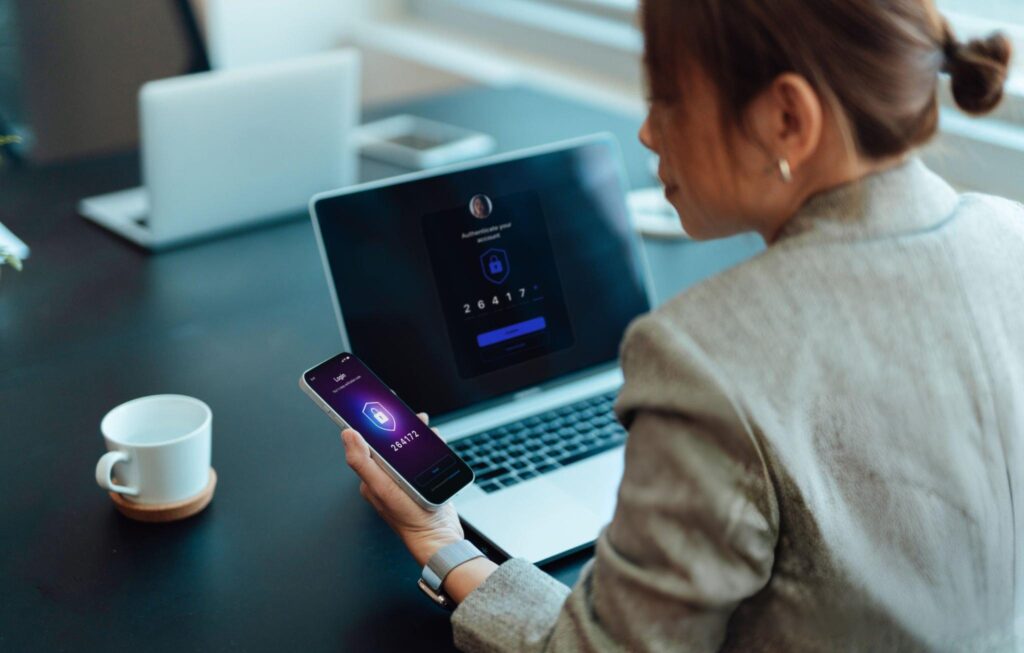
New tech can open doors we don’t want left open. Fresh out of the box, devices often have generic logins, open ports, or settings that haven’t been adjusted for office use. If those things aren’t handled right away, they become easy targets for unwanted access.
Part of smart planning is setting up firewalls, user permissions, and password protections during the install process. We make sure everything is locked down properly from the beginning. That way, we’re not trying to recover from issues later that could have been prevented.
IT procurement services include security because safety from day one is better than damage control in month three. We’re protecting files, client info, and daily work processes by double-checking how everything connects and who can use it.
CMIT Solutions offers expert IT procurement guidance as part of our managed IT services, handling device sourcing, installation, and ongoing management for small and mid-sized businesses. From hardware to software, we streamline solutions that fit each business’s workflow and budget.
Why Support Doesn’t Stop After Delivery
Getting the tech in the building is just the start. After things are up and running, devices still need updates, bug fixes, and regular maintenance. Without someone watching how systems are performing week to week, issues can build up quietly in the background.
Having one point of contact for these updates and repairs makes it easier to stay ahead of slowdowns. Whether it’s a broken mouse or a software update that didn’t go through, it helps to know who to call. That way, we fix things before they impact busy workdays.
Support over time means we don’t just get tech that works today. We get tools that stay dependable because they’re never left to fall behind.
Our ongoing support covers more than just hardware. We address licensing, user training, device integration, and lifecycle management, all under one service plan.
Finish Strong with a Confident Tech Setup
The end of the year is a great time to review what’s working and make smart updates. New devices, when handled the right way, bring the fresh start many teams are looking for. But the key is setting them up to actually save time, not cause extra stress.
We don’t have to figure it all out last minute. With some planning and help, we can bring in new devices and know they’ll work the way we need them to. That kind of confidence helps everyone hit the ground running when the calendar flips to January.
Upgrading your office technology in Fort Myers is easier when you have expert guidance from day one. We take the time to understand your team’s workflow, ensuring every device recommendation aligns seamlessly with your daily operations. From selecting the right equipment to prioritizing security, our support covers the entire process. When you’re ready for smart upgrades, our IT procurement services can guide you every step of the way. Contact CMIT Solutions to get started.