Day by day, cybercriminals are targeting businesses of every size, a threat becoming more common. As a result, you face the risk of severe financial loss, lasting reputational damage, and the theft of critical company data. If cybersecurity services advice has started to feel dense, outdated, or disconnected from what you actually face, this guide takes a different approach. It lays out a clear, practical path to cybersecurity for small business owners in Roanoke and beyond.
Five practices form the foundation – multi-factor authentication, reliable data backups, timely software updates, employee awareness, and network security. Each builds on the last.
1. Strengthen Your Logins with Multi-Factor Authentication
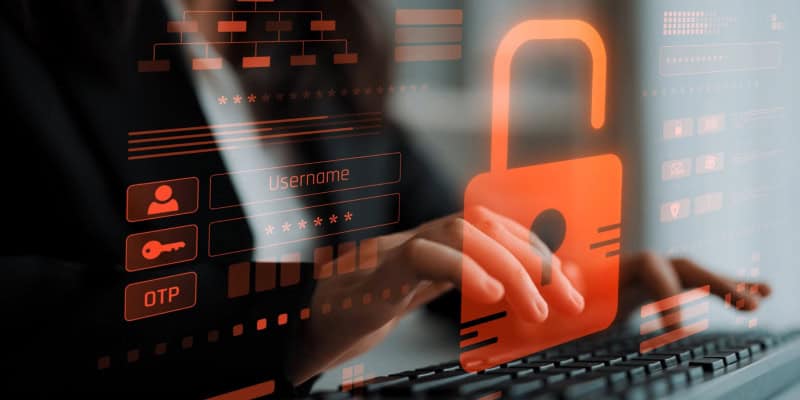
Multi-factor authentication (MFA) is a layered approach to securing your online accounts. This security process works together with a password; therefore, using strong passwords and passphrases is still a vital step. A strong password should be long and difficult to guess. Your password can be stolen in a phishing attack – hence, MFA provides an additional layer of protection for your accounts. Enable MFA for all of your key systems, especially for email, financial accounts, and system administrator accounts. So, what does this look like in practice?
- An authenticator app common method that involves using a time-sensitive code on your smartphone.
- Another is inserting a hardware token, like a USB device, into your computer.
- Finally, you might receive a unique passcode sent to your email or phone.
Enabling MFA is a single configuration change with an outsized security return – arguably the highest-leverage step available for cybersecurity in small business environments. Login protection, however, only addresses one entry point. The data sitting behind those logins needs its own safeguard.
2. Protect Your Data with Reliable Backups
In a ransomware attack, cybercriminals hold your files hostage and demand money or cryptocurrency to unlock them. This can lead to significant business interruption and financial loss because you cannot access your essential data.
You can restore your files and resume operations by implementing a reliable data backup plan. It can help you avoid paying a ransom – making it a cornerstone of cybersecurity for small businesses. Your critical data includes
- Financial documents
- Customer information
- Human resources files
- Important electronic spreadsheets.
Automate your backups if possible and store backup copies in a separate, secure location. This approach can help if your main network is compromised.
After an attack, some businesses find out that their backups are incomplete or damaged, rendering them useless. Perform test backup restores regularly. Not only does this process confirm your data is recoverable, but it also shows how long restoration will take to help you plan for downtime. Plus, this is a critical step for cyber insurance readiness.
While a tested data backup plan provides an important layer of protection, the next practice involves keeping the systems you rely on up to date.
Also Read: Critical Signs Your Business Needs Cybersecurity Managed Services
3. Keep Your Software and Systems Updated
Cybercriminals and other attackers are constantly searching for outdated software because these unpatched systems can have known security vulnerabilities. Vendors regularly release software and operating system updates to provide new features and, more importantly, deliver critical security fixes and patches that address newly discovered vulnerabilities.
Therefore, keeping your systems patched is one of the most cost-effective cybersecurity practices for small businesses. Turn on automatic updates wherever possible. This includes several critical areas that require regular updates to maintain your security:
- Operating systems, such as Windows and macOS
- Web browsers
- Security software, such as antivirus programs
- Key business applications, such as accounting or point-of-sale software
This urgency is highlighted by CISA’s Known Exploited Vulnerabilities (KEV) Catalog, which lists specific security flaws that attackers are actively using in real-world attacks. For an added layer of security, set your antivirus security software to run a scan automatically after each update.
Keeping your software updated helps address known vulnerabilities, but your employees also play an important role in protecting your business.
4. Strengthen Employee Security
Effective cybersecurity is about building a proactive culture of security. This shift in mindset is vital because employees can mistakenly open fraudulent emails, a tactic known as phishing. Creating this protective environment starts when you train employees regularly on security principles.
Your training should establish a clear cybersecurity policy and focus on these critical areas:
- Explaining how to spot phishing attempts by checking for urgent requests, suspicious links, and poor grammar
- Reinforcing the importance of using strong passwords and passphrases and protecting company data
- Establishing clear procedures for reporting any suspicious activity immediately
Additionally, it’s vital to remind your team to maintain these security practices when working from home or traveling, as lost or stolen equipment can create a significant vulnerability. To ensure this training is effective, consider running phishing simulations to test how your staff responds and reinforce what they’ve learned.
With your employees trained to recognize common threats, the next practice is securing the networks they use to connect.
5. Secure Your Business Networks
Your business network is an important connection point to your data – so leaving it unsecured can create opportunities for cybercriminals. For your in-office Wi-Fi, the first step in securing wireless networks is securing your router.
Immediately change the router’s default administrator password and username. You should also use strong Wi-Fi security to help protect your network. If you have guest Wi-Fi, use a separate network to keep it isolated from your business systems.
As remote work grows, securing connections for employees at remote work locations is just as important. Use secure remote access when connecting to company systems, particularly when employees are working from locations where public Wi-Fi may be insecure. Instruct your employees to follow these rules when working from remote locations:
- Use a secure home Wi-Fi network with a strong password
- Lock devices when you step away and avoid mixing personal and work activities on company hardware
- Change smartphone settings to prevent automatically connecting to unknown public Wi-Fi networks
With these five practices in place, you can build a more consistent approach to protecting your business.
Making These Cybersecurity Practices Part of Your Business
The core of a smart business security plan starts with making daily cybersecurity habits. To build this foundation, use multi-factor authentication, back up data, keep software updated, train employees, and secure your networks. Consistently applying these practices will allow you to build a resilient culture of security, where every team member helps manage risk.
Starting with even one of these steps is progress. CMIT Solutions of Roanoke stands ready to help you take that step further. Comprehensive protection, the kind that holds up under real-world pressure, usually calls for an experienced partner. Reach out today to get started with IT consulting services tailored for small businesses.