
Managed IT infrastructure prevents downtime by using continuous monitoring, proactive maintenance, automated patching, and SLA-backed response systems to detect and resolve issues before they disrupt business operations.
- Downtime is expensive and often preventable
- Reactive (break-fix) IT creates repeated failures
- Proactive monitoring catches issues early
- Patch management prevents most security-related outages
- Strong SLAs ensure fast response and accountability
- Managed IT turns unpredictable outages into stable operations
Key Takeaways
- Small businesses with 20-100 employees face downtime costs exceeding $100,000 per hour in many cases, per ITIC and Calyptix 2025 research
- Human error accounts for 66-80% of all downtime incidents, making monitoring and process more effective than hardware upgrades alone
- Unpatched vulnerabilities cause 60% of breaches globally, per ConnectWise research; proactive patch management directly protects uptime
- Managed IT infrastructure providers monitor systems around the clock, catching hardware degradation and software conflicts before they cascade into outages
- Top of Virginia and Eastern Panhandle of WV businesses near federal contracting hubs face elevated cybersecurity risks that make proactive managed services a compliance necessity
- SLA standards for managed Top of Virginia and Eastern Panhandle of WV technology support should include response times under 1 hour for critical issues and 99.9% uptime commitments for managed infrastructure
What Downtime Is Actually Costing Your Business
Most business owners don’t calculate downtime costs until they’re already losing money. The ITIC 2025 Hourly Cost of Downtime Survey found that a single hour of downtime exceeds $100,000 for businesses with 20-100 employees when you count lost productivity, missed revenue, and recovery labor.
That figure doesn’t include the hidden multipliers. When a server goes down, employees don’t simply stop working; they shift to workarounds that introduce errors, consume time, and erode client trust. A law firm in the Shenandoah Valley with 30 staff losing four hours of system access during a contract deadline can’t recover those hours by working late.
Creates specific pressure points that amplify these costs. Healthcare practices must meet HIPAA uptime obligations. Government contractors serving the Top of Virginia and Eastern Panhandle of WV federal corridor face SLA penalties written into their contracts. Accounting firms can’t miss tax filing windows because a patch wasn’t applied and a server crashed.
The cost breakdown for a four-hour outage at a 40-person firm typically looks like this:
- Lost employee productivity: 40 employees at average loaded cost of $65/hr for 4 hours = $10,400
- Missed billable work or contract delivery: varies by business type, often $5,000-$25,000
- IT technician emergency response: $250-$500/hr for break-fix calls, average 4-8 hours = $2,000
- Client relationship damage and potential contract penalties: $0 to significant
Managed IT infrastructure businesses rely on shifts these costs from unpredictable spikes to a fixed monthly investment. Math favors prevention.
Is Your Top of Virginia and Eastern Panhandle of WV Business Paying Too Much for Downtime?
Find out what proactive IT infrastructure management could save your business every year.
Why Reactive IT Support Keeps Costing Businesses
Reactive IT support has a structural flaw: it only responds after failure occurs. By the time a technician arrives, the damage to your operations is already underway. The reactive model isn’t a safety net; it’s a delayed reaction to a preventable problem.
Hardware failure is more predictable than most business owners realize. Hard drives fail at a 15% annual rate, according to Backblaze’s 2025 Drive Stats Report. A managed provider watching S.M.A.R.T. data can identify a degrading drive weeks before it fails. A break-fix provider finds out when the drive stops spinning and you call them.
Reactive IT cycle: A problem occurs, you notice it, you call support, a technician diagnoses, parts are sourced, repair happens. Each step takes time. Network Installers 2026 data suggests businesses on reactive support models average 2-3 unplanned outages per year, each lasting 4-8 hours.
A Top of Virginia and Eastern Panhandle of WV government contractor with 45 employees switched from break-fix to managed services in 2024 and reduced unplanned outages from 8 per year to 1, saving an estimated $47,000 in downtime costs annually. That’s not an exceptional outcome; it’s a representative one.
The reactive cycle traps businesses in a pattern where they’re always catching up. Proactive IT management providers break that cycle by treating infrastructure health as a continuous process, not an emergency response.
Read More About: What Virginia Companies Must Do in 2026
What Does Proactive IT Infrastructure Monitoring Catch?
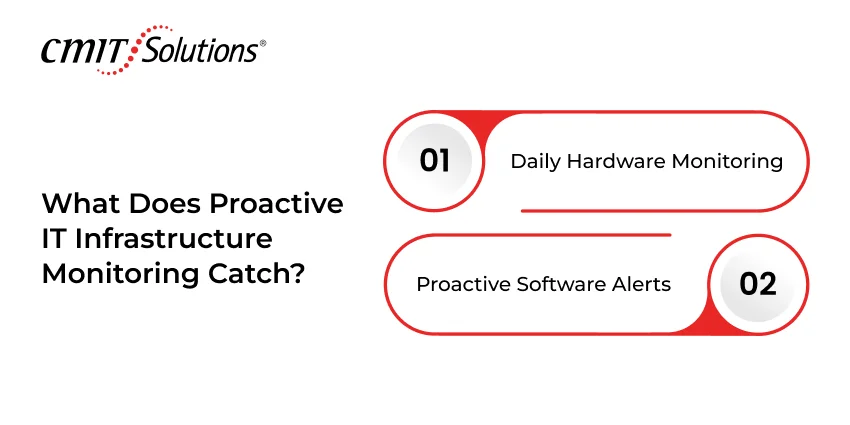
Proactive monitoring works by collecting infrastructure signals continuously and acting on them before they escalate. The question isn’t whether something will fail; it’s whether you’ll know about it in time to prevent the outage.
Hardware Signals Your Managed IT Provider Watches Daily
S.M.A.R.T. (Self-Monitoring, Analysis, and Reporting Technology) data from hard drives gives early warning of mechanical stress and sector failures. UPS (uninterruptible power supply) battery health degrades silently over months; a monitoring platform catches capacity drops before a power event leaves you without backup power. Memory error rates, CPU thermal readings, and RAID array health all generate signals that go unread without active monitoring tools in place.
Proactive server monitoring: Continuous collection of hardware health signals, including drive SMART data, UPS battery capacity, memory error rates, and CPU thermals, enabling technicians to replace components before failure occurs rather than after. This approach prevents outages rather than responding to them.
Software Signals That Prevent Outages Before They Happen
Patch lag is one of the most overlooked outage triggers. An operating system update sitting unapplied for 60 days isn’t just a security risk; it’s often the root cause when a software conflict brings down a production system. Backup job failures that go unnoticed mean your recovery plan won’t work when you need it. Authentication anomalies, like repeated failed logins or service account lockouts, often precede broader access failures by hours.
A medical practice in the Shenandoah Valley running 22 workstations and an on-premise EHR server switched to managed IT infrastructure services after a backup failure went undetected for three weeks. When ransomware hit, there was no clean restore point. After the transition, their managed provider tested backups monthly and caught two silent failures in the first year before they became recovery disasters.
Businesses near federal contracting hubs face an additional layer of risk. The concentration of sensitive data in Top of Virginia and Eastern Panhandle of WV and the Shenandoah corridor makes these businesses higher-value targets for credential-based attacks. Cybersecurity services paired with infrastructure monitoring create an integrated defense that break-fix support can’t replicate.
Top of Virginia and Eastern Panhandle of WV IT Monitoring That Works While You Work
Get 24/7 proactive infrastructure monitoring with SLA-backed response times.
SLA Expectations: What You Should Demand
A Service Level Agreement (SLA) defines how quickly and effectively your IT provider responds.
Strong SLA Standards
- Critical response time: under 1 hour
- High-priority issues: within 4 hours
- Uptime commitment: 99.9% or higher
- Patch deployment: within 24–48 hours
- Regular backup testing and validation
Weak SLA Warning Signs
- “Best effort” response language
- No defined response times
- No uptime guarantee
- No accountability for missed targets
Without a strong SLA, support becomes inconsistent when you need it most.
Read More About: The Impact of AI on Remote IT Support Efficiency
Network Monitoring and Patch Management Explained Simply
Network monitoring providers deploy software agents on your servers, workstations, switches, and firewalls. These agents send status data back to a central platform every few minutes. When a metric crosses a threshold, like packet loss exceeding 2% on a core switch, the monitoring platform alerts a technician before users notice degradation. It’s continuous surveillance of your infrastructure, running whether your office is open or not.
The practical result is that you don’t have to notice a problem for it to be addressed. Your IT provider sees the signal, investigates, and often resolves it before you ever experience an outage. That’s the core value of network monitoring: it shifts detection from you to your provider.
What Patch Management Means for Small Businesses
Patch management is the structured process of testing, approving, and deploying software updates across every system in your environment. It isn’t just Windows Update running automatically. An uncontrolled auto-update on a production server can break line-of-business software; a managed patch process tests updates in a staging environment first, then deploys during a defined maintenance window.
According to ConnectWise’s 2025 SMB Threat Report, unpatched vulnerabilities account for 60% of breaches globally. That stat has a direct operational implication: patch management businesses skip isn’t just a security risk; it’s a direct uptime risk. The vulnerability that lets ransomware in also causes the outage that follows.
A structured patch process includes these elements:
- Weekly scan of all endpoints to identify missing patches
- Prioritization by severity (critical patches deployed within 24-48 hours, others on a scheduled cycle)
- Testing on non-production systems before broad deployment
- Deployment during defined maintenance windows to minimize business impact
- Documentation of what was patched, when, and on which systems
Patch management and proactive IT management programs work together as the operational core of infrastructure protection. Neither works well in isolation. Businesses relying on managed services Top of Virginia and Eastern Panhandle of WV providers gain structured patch discipline alongside continuous monitoring as a bundled, SLA-backed service.
How to Move From Reactive to Proactive IT
Step 1: Audit Your Downtime History
Pull your support ticket history for the past 12-24 months. Count unplanned outages, their duration, and the systems involved. If you don’t have records, ask your current IT provider for them. The pattern in your downtime history tells you where your infrastructure is most vulnerable and what a managed provider should prioritize when they take over.
Step 2: Inventory Your Hardware Ages
Create a full inventory of servers, workstations, network switches, firewalls, and UPS units with their purchase dates. Hardware older than 4-5 years carries significantly higher failure risk. A managed provider will use this inventory to build a replacement schedule that prevents end-of-life equipment from causing outages.
Step 3: Review Your Backup and Recovery Posture
Find out when your last backup was tested by restoring a file or system. If the answer is “never” or “I’m not sure,” that’s a critical gap. Data backup services aren’t complete unless they include regular restore testing. Backups that have never been tested often fail when they’re needed most.
Step 4: Define Your Critical Systems
Not every system warrants the same response time. Identify which systems, if unavailable for more than one hour, would cause revenue loss or compliance exposure. These become your priority-one assets in any SLA negotiation. A Top of Virginia and Eastern Panhandle of WV law firm’s document management system is priority-one; the break room printer is not.
Step 5: Evaluate Managed IT Providers on Specifics
Ask prospective providers for their average response time data from the past 90 days, not their SLA target. Ask how many clients they support per technician. Ask for references from businesses of similar size and industry in Virginia. Vague answers to specific questions are a signal worth taking seriously.
Step 6: Transition With a Documented Onboarding Plan
A professional transition from break-fix to managed services shouldn’t require downtime. Your new provider should deliver a written onboarding plan that covers: discovery and documentation of your environment, agent deployment, monitoring configuration, and an initial infrastructure health report within the first 30 days.
Ready to Make the Switch to Proactive IT?
Businesses trust CMIT for SLA-backed managed infrastructure support.
Conclusion
Small businesses can’t afford to treat IT infrastructure as something that gets attention only after it breaks. The costs of reactive support compound over time through lost productivity, emergency labor, and client relationship damage that doesn’t always recover. CMIT Solutions delivers the managed IT services in Top of Virginia and Eastern Panhandle of WV businesses depend on, with proactive monitoring, patching, and protection against failures before they cost you. If you’re ready to stop absorbing the hidden costs of downtime, contact us to schedule a no-obligation infrastructure assessment.
FAQ
What does proactive IT management include?
It includes continuous monitoring, automated updates, backup testing, and rapid response to issues before they cause downtime.
How much does downtime cost a business?
Downtime costs vary, but even short outages can result in significant productivity loss, emergency repair costs, and missed revenue.
What should a managed IT SLA include?
A strong SLA includes defined response times, uptime guarantees, patch timelines, and accountability measures.
Why is proactive IT better than reactive IT?
Proactive IT prevents problems before they occur, while reactive IT only fixes issues after damage has already happened.
How does monitoring prevent outages?
Monitoring detects early warning signs like system stress, hardware degradation, or software conflicts — allowing fixes before failure.

