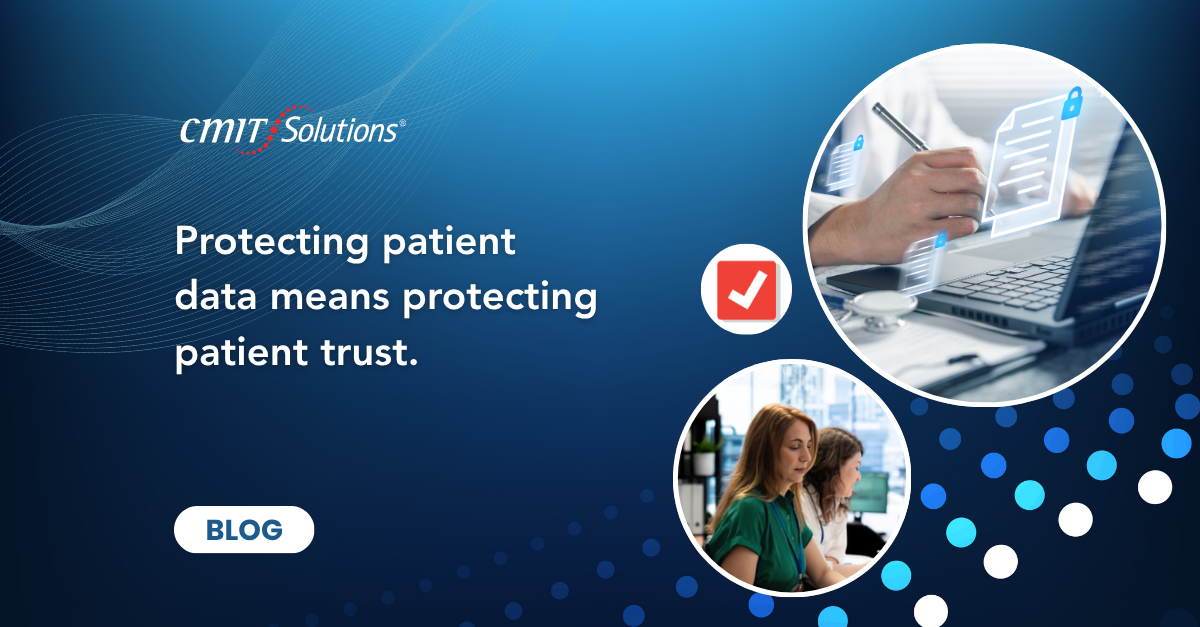
Medical practices across Pleasanton, Livermore, Dublin, and the wider Tri-Valley depend on technology for nearly every part of patient care. Electronic health records, online scheduling, digital imaging, billing platforms, cloud applications, mobile devices, and telehealth systems allow providers to work more efficiently and deliver a better patient experience. At the same time, every connected system creates another pathway that cybercriminals may attempt to exploit.
Healthcare organizations manage highly sensitive information, including medical histories, insurance records, payment details, prescriptions, diagnoses, and personal identification data. A security incident can interrupt patient care, damage trust, create regulatory concerns, and place significant pressure on a practice that is already operating with limited time and resources.
CMIT Solutions SW Silicon Valley & Pleasanton helps medical practices strengthen their infrastructure with secure systems, proactive monitoring, responsive support, and practical technology planning. A well-designed technology support strategy can help providers reduce risk while maintaining the availability and performance their teams need every day.
Why Healthcare IT Security Requires Special Attention
Healthcare cybersecurity is different from security in many other industries because technology directly supports patient care. If a server, network, or cloud platform becomes unavailable, clinicians may lose access to medical records, schedules, lab results, or medication information. Even a short disruption can affect appointments, billing, and communication with patients.
Medical practices also rely on a combination of clinical software, business systems, connected devices, and third-party vendors. These environments can be difficult to manage when different applications have different security requirements, update schedules, and support arrangements.
Before making major technology decisions, practice leaders can use business technology tools to evaluate operational needs, identify risks, and prioritize improvements.
Challenge 1: Ransomware and Operational Downtime
Ransomware remains one of the most disruptive threats facing medical practices. Attackers may encrypt files, disable systems, steal patient information, and demand payment. For a healthcare provider, the impact extends beyond lost data. Staff may be unable to view schedules, update charts, submit claims, or communicate through normal channels.
A strong ransomware defense combines multiple protections. Reliable backups are important, but they must be isolated, monitored, and tested. Endpoint security, email filtering, patch management, access controls, and employee training also reduce the likelihood that ransomware will spread.
Practices should document how they will continue essential operations if normal systems are unavailable. Paper procedures, emergency contact lists, alternate communication methods, and clearly assigned responsibilities can reduce confusion during an incident.
Challenge 2: Phishing and Stolen Credentials
Phishing attacks often target employees through messages that appear to come from patients, vendors, insurance companies, software providers, or internal staff. These emails may contain fake login pages, malicious attachments, payment requests, or urgent password warnings.
Modern phishing messages are increasingly professional and personalized. Artificial intelligence can help attackers create convincing language and imitate real business communication. One compromised account may allow an attacker to review email conversations, reset passwords, access cloud applications, or send fraudulent messages to other employees.
Multi-factor authentication, advanced email security, and regular employee training are essential. Staff should also know how to report suspicious messages quickly. An experienced local team can help create practical procedures that fit the way a medical practice actually works.
Challenge 3: Outdated Software and Unpatched Systems
Medical practices often depend on specialized software that cannot be replaced quickly. Older operating systems, legacy clinical applications, and unsupported devices may remain in use because they connect to essential equipment or contain important records.
Unfortunately, outdated systems may contain known vulnerabilities. Attackers routinely search for organizations that have not installed available security updates. A single unpatched device can become an entry point into a larger network.
Practices should maintain an accurate inventory of computers, servers, applications, network equipment, and connected medical devices. A security capability overview can also help leaders understand where additional controls or replacement planning may be required.
Challenge 4: Protecting Electronic Health Records
Electronic health records contain a broad range of sensitive information, making them a valuable target. Protection must extend beyond the primary application. Data may also be stored in exported reports, email attachments, local folders, backups, scanned documents, or third-party systems.
Access should be based on job responsibilities. Employees should only be able to view the information necessary for their role. Shared accounts should be removed, inactive users should be disabled promptly, and administrative access should be limited.
Practices also need reliable audit logs. When unusual activity occurs, administrators should be able to determine which account accessed a record, when the access happened, and what action was taken.

Challenge 5: Securing Remote and Hybrid Work
Remote work is now common for billing teams, administrators, consultants, and some clinical staff. Employees may access patient information from home offices, laptops, mobile devices, or shared networks. Without consistent security controls, remote access can increase the risk of account compromise or data exposure.
Secure remote work requires managed devices, encryption, multi-factor authentication, controlled access, and clear rules for handling patient information. Personal devices should not be used for sensitive work unless they are specifically approved and protected.
Medical practices that serve the East Bay can benefit from Pleasanton technology support that understands local business needs and can respond when technology issues affect daily operations.
Challenge 6: Third-Party Vendor Risk
Healthcare providers depend on billing companies, cloud software vendors, laboratories, imaging providers, payment processors, and other partners. Each relationship may involve access to systems or sensitive information.
A vendor with weak security can create risk even when the medical practice has strong internal controls. Contracts should clearly address data protection, breach notification, account access, support responsibilities, and service availability.
Practices should also review vendor accounts regularly and remove access when it is no longer required. Access to certified technology partnerships can provide access to established tools and support resources while helping organizations make more informed vendor choices.
Challenge 7: Connected Medical Devices
Modern medical practices may use diagnostic equipment, imaging systems, patient monitoring devices, printers, scanners, and other connected technologies. Some of these devices were designed primarily for clinical performance rather than cybersecurity.
Connected devices may have default passwords, outdated software, limited update options, or weak network controls. If they share the same network as business systems, a compromised device could create a pathway to other resources.
Network segmentation can reduce this risk by separating clinical devices, employee computers, guest Wi-Fi, and administrative systems. Device access should also be monitored so unusual behavior can be investigated quickly.
Challenge 8: Limited Internal IT Resources
Many independent medical practices do not have a full internal IT department. Technology responsibilities may fall to an office manager, physician owner, or outside vendor who responds only when something breaks.
This reactive model can leave important tasks unfinished. Updates may be delayed, backups may not be tested, security alerts may go unreviewed, and user access may remain active longer than necessary.
Using proactive IT management gives practices access to ongoing maintenance, monitoring, support, and planning. Instead of waiting for failures, the IT environment is reviewed continuously and improved over time.
Challenge 9: Detecting Threats Before Damage Spreads
Many cyber incidents begin with subtle warning signs. A user may log in from an unusual location, an account may download an unexpected amount of data, or a device may communicate with a suspicious address.
Without monitoring, these events may go unnoticed until systems become unavailable or patient data is exposed. Using continuous threat monitoring can help identify unusual behavior and support a faster response.
Monitoring tools should be paired with experienced review. Alerts need to be investigated, prioritized, and connected to an action plan. A tool that creates notifications without follow-up does not provide complete protection.
Challenge 10: Backup and Recovery Readiness
Backups are essential, but simply having a backup system does not guarantee successful recovery. Practices must know what is protected, how often backups run, where copies are stored, and how long restoration will take.
Recovery testing should be completed before an emergency. This confirms that data is complete, systems can be restored, and employees understand what will happen during an outage.
A practical backup strategy should protect patient records, practice management systems, email, shared files, configuration data, and other resources required for daily operations.

Challenge 11: Employee Awareness and Human Error
Employees remain a central part of healthcare cybersecurity. Busy staff members may accidentally send information to the wrong recipient, reuse passwords, approve a fraudulent request, or connect an unapproved device.
Training should be clear, relevant, and repeated throughout the year. Staff need examples that reflect real healthcare workflows rather than generic security warnings.
Useful topics include phishing, secure file sharing, password habits, patient identity verification, remote work, mobile device safety, and incident reporting. Teams can use practical security webinars to support continued learning for practice leaders and employees.
A Practical Security Checklist for Tri-Valley Practices
Medical practices do not need to solve every cybersecurity issue at once. A focused plan can address the highest risks first and create steady improvement.
Priority actions include reviewing user access, enabling multi-factor authentication, testing backups, updating systems, documenting vendors, and training employees. Practices should also maintain an incident response plan and confirm who will make decisions during a disruption.
Following regional technology updates can help local organizations stay informed about evolving security concerns and available business resources.
Participation in local business involvement can also help healthcare leaders exchange ideas and stay connected to Tri-Valley organizations.
- Review user accounts and remove unnecessary access
- Enable multi-factor authentication for critical systems
- Test backups and document recovery procedures
- Patch supported software and replace unsupported devices
- Train employees to report suspicious activity quickly
How Managed IT Services Improve Healthcare Security
Modern managed IT services provide more than technical support. They bring together maintenance, monitoring, cybersecurity, backup planning, cloud management, and strategic guidance.
For a medical practice, this creates a consistent approach to technology. Systems are reviewed regularly, security tools are monitored, updates are coordinated, and employees have a clear place to request help.
A trusted service approach also allows practice leaders to align technology investments with patient care, staffing, growth, compliance responsibilities, and operational goals.
Building a Stronger Security Program Before an Incident
The best time to improve healthcare IT security is before systems fail or data is exposed. A structured assessment can identify unsupported devices, weak access controls, missing backups, vendor concerns, and gaps in employee training.
Practice leaders should ask whether they can detect suspicious activity, restore critical systems, remove employee access quickly, and continue serving patients during an outage.
Reviewing client security outcomes can help decision makers understand how proactive planning supports continuity, productivity, and risk reduction.
Conclusion
Healthcare IT security is now a core business responsibility for medical practices across the Tri-Valley. Ransomware, phishing, outdated software, connected devices, remote access, vendor risk, and limited internal resources can all affect patient confidentiality and daily operations.
CMIT Solutions SW Silicon Valley & Pleasanton helps medical practices strengthen security without losing sight of usability and patient care. The right combination of monitoring, access controls, backups, employee training, and responsive support can reduce risk while creating a more dependable technology environment.
Practice leaders can explore the cybersecurity resource center for additional guidance.
To discuss a security strategy for your medical practice, schedule a consultation or call 408-872-1577.
Frequently Asked Questions