
The decision to switch IT providers is rarely about one thing and usually builds slowly.
A ticket sits open for three days. A backup quietly fails for two weeks before anyone notices. The provider keeps recommending the same outdated firewall. Cybersecurity reviews never happen. Documentation is missing. Microsoft 365 licenses are billed at inflated rates. The strategic conversations you were promised never materialize.
At some point, leadership realizes the current IT relationship is no longer protecting the business. It is creating risk.
But the moment you decide to make a change, a new set of fears shows up: What if the transition causes downtime? What if data is lost during the migration? What if the old provider locks you out of your Microsoft 365 tenant or holds your admin credentials hostage?
The reality is that switching managed service providers is far less risky than staying with a provider that no longer meets your business needs.
Whether you’re unhappy with response times, cybersecurity support, communication, or overall service quality, understanding how to switch IT providers in Orange County can help you make the transition confidently and avoid unnecessary disruptions.
This guide walks through how to switch IT providers in Orange County the right way, without operational disruption, security gaps, or losing control of your most important systems.
Why Orange County Businesses Are Switching Managed Service Providers
The conversation around switching managed service providers has changed in the last two years.
Cybersecurity threats have intensified, compliance expectations have tightened and now cyber insurance carriers now require evidence of controls many older MSPs never implemented. The shift to cloud-first operations has put Microsoft 365 at the center of nearly every business workflow.
Most businesses switch because:
- Response times keep slipping
- Cybersecurity protections feel outdated
- Backups have not been tested in years
- Microsoft 365 environments are misconfigured
- Documentation does not exist
- Strategic guidance has disappeared
- Monthly costs keep rising without clear value
If any of these sound familiar, you are not alone. Demand for a more proactive IT support company Orange County businesses can rely on has grown significantly across industries like healthcare, legal, manufacturing, professional services, and financial firms.
The Real Risks of Switching Managed Service Providers
A poorly managed transition can cause more damage than staying with the wrong provider.
The most common risks include:
- Downtime during the cutover window
- Lost or unrecoverable data
- Email disruption during DNS or Microsoft 365 changes
- Loss of admin access to your Microsoft 365 tenant
- Missing documentation, passwords, and license records
- Cybersecurity gaps between providers
- Broken integrations between business applications
The biggest concern for most SMBs is not the new provider. It is the handoff itself. Done poorly, businesses can lose access to critical systems for days. Done correctly, the transition should be invisible to employees and customers.
How to Switch Managed IT Provider Orange County Businesses Trust: The Right Process
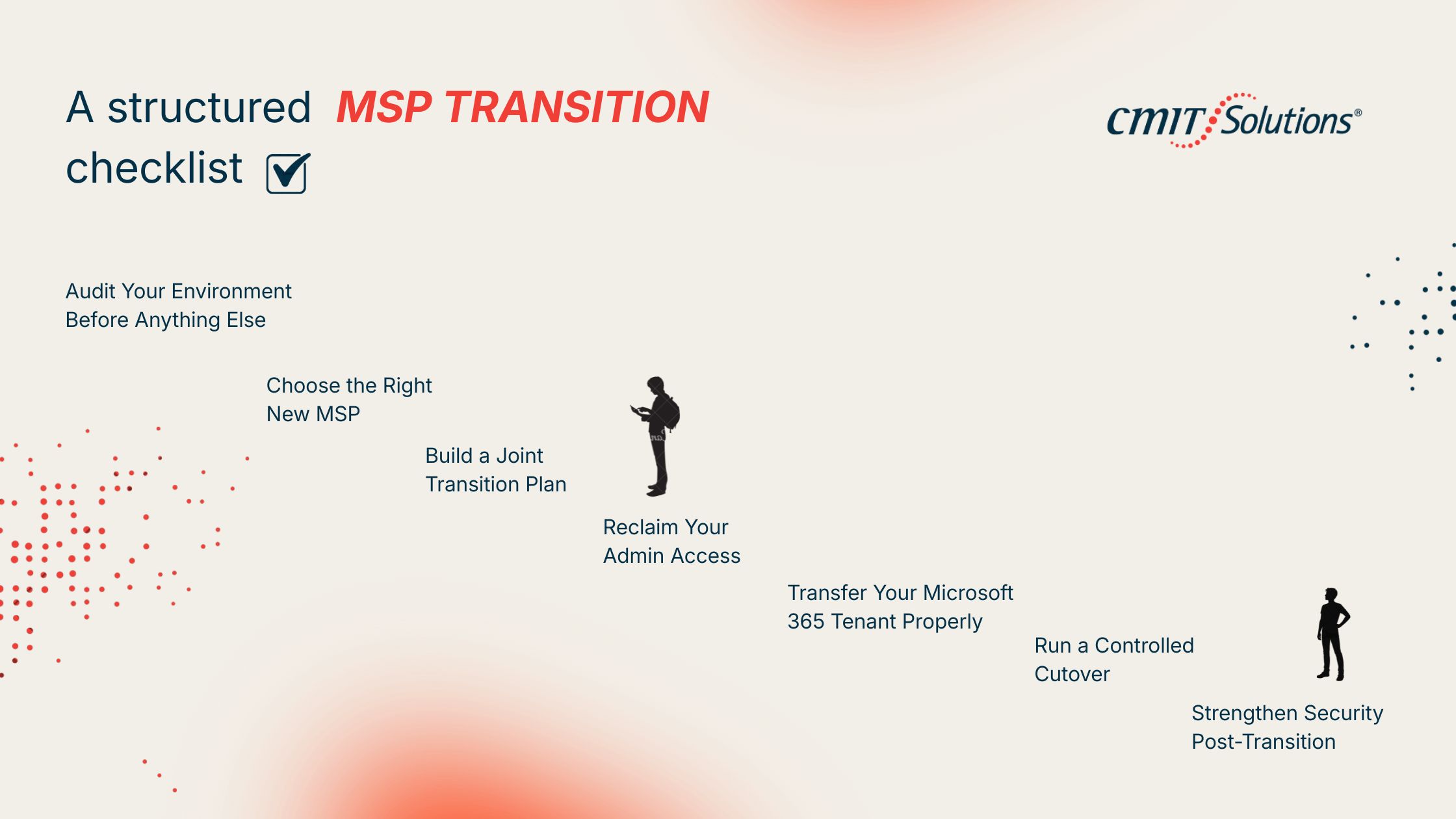
A structured MSP transition checklist is the difference between a clean cutover and a costly mess. Here is the process experienced providers follow.
1. Audit Your Environment Before Anything Else
Before notifying your current provider, document what you have. This includes:
- Domain registrar accounts
- Microsoft 365 tenant ID and global admin credentials
- Server and endpoint inventory
- Firewall, switch, and Wi-Fi configurations
- Backup systems and recovery procedures
- Third-party app licenses
- DNS and SSL certificate ownership
If your current provider holds these assets in their name instead of yours, that needs to be resolved first. Many businesses discover during an audit that they do not technically own their own infrastructure.
2. Choose the Right New MSP
This is the most important decision in the process.
The best MSP Orange County businesses can choose should offer:
- Proactive cybersecurity built into daily operations
- 24/7 monitoring and incident response
- Microsoft 365 expertise and tenant management
- Backup and disaster recovery planning
- Compliance support for HIPAA, PCI-DSS, SOC 2, and CMMC
- Clear documentation practices
- A defined IT provider onboarding process
Ask for references from businesses similar to yours. Ask exactly how they handle MSP transitions. A vague answer is a warning sign.
3. Build a Joint Transition Plan
Once you have selected your new provider, build a written transition plan. A good plan covers:
- Cutover timeline and milestones
- Knowledge transfer requirements from the old provider
- Tenant and license ownership transfer steps
- DNS, email, and security control transitions
- Endpoint reconfiguration steps
- Backup verification points
- Communication plan for employees
Most successful transitions take two to six weeks depending on company size, infrastructure complexity, and compliance requirements.
4. Reclaim Your Admin Access
This step prevents one of the worst outcomes of switching providers: getting locked out of your own systems.
Before notifying your current provider, confirm you hold global administrator credentials for your Microsoft 365 tenant. If your old MSP is the only one with admin access, request that ownership be transferred to a business email controlled by your leadership team.
This also applies to:
- Domain registrar accounts
- DNS providers
- Backup systems
- Firewall management portals
- Cybersecurity tools
You should own everything that runs your business.
5. Transfer Your Microsoft 365 Tenant Properly
This is where many transitions go wrong.
You do not need to migrate to a new Microsoft 365 tenant when changing IT providers. In almost every case, the existing tenant stays exactly where it is. What changes is the partner relationship attached to it.
A new MSP can take over administration of your tenant through Microsoft’s GDAP (Granular Delegated Admin Privileges) framework. GDAP allows your new provider to manage your tenant with the specific permissions required, without owning your data or your licenses.
A proper Microsoft 365 tenant transfer to a new IT provider involves:
- Removing the old partner’s delegated access
- Establishing GDAP access for the new provider
- Reviewing license assignments and billing
- Auditing admin roles and security defaults
- Verifying conditional access and MFA policies
- Reviewing mailbox permissions and data retention settings
If a provider tells you that you need to create a new tenant just to switch MSPs, that is a red flag.
6. Run a Controlled Cutover
The actual transition should be staged, not flipped overnight. The new provider should:
- Take over monitoring before the old provider is removed
- Validate backups independently
- Confirm endpoint visibility
- Verify access to Microsoft 365 and core systems
- Audit security controls already in place
- Document any gaps before completing the handoff
The old provider’s access should only be removed after the new provider has fully taken control.
7. Strengthen Security Post-Transition
A provider switch is the ideal time to upgrade cybersecurity posture. Most businesses use the transition to add or improve:
- Endpoint detection and response (EDR)
- Multi-factor authentication across all accounts
- Email security and phishing protection
- Backup and disaster recovery testing
- Security awareness training
- Patch management
- Compliance documentation
This is what separates a basic switch from a strategic upgrade.
What Happens to My Microsoft 365 When I Switch IT Providers?
Another common concern is: What happens to my Microsoft 365 when I switch IT providers?
The good news is that Microsoft 365 belongs to your organization, not your IT provider. However, problems can arise when the existing provider controls:
- Global administrator accounts
- Licensing management
- Security policies
- Backup configurations
- Microsoft partner relationships
This is why planning a proper Microsoft 365 tenant transfer new IT provider process is critical. A professional MSP transition should include verifying ownership, reviewing permissions, and ensuring all administrative access remains under your company’s control.
If you’re wondering how to transfer Microsoft 365 tenants to a new IT provider, the answer usually involves updating administrative roles, documenting configurations, and transferring management responsibilities without disrupting users.
What to Look for in a New IT Provider in Orange County
If your business is evaluating IT outsourcing Orange County small business owners can trust, focus on providers who treat cybersecurity, continuity, and strategic guidance as core deliverables, not add-ons.
Modern managed IT services Orange County businesses need today should reduce risk, simplify operations, and support long-term growth. Not just respond to tickets.
Final Thoughts
Switching IT providers does not have to mean downtime, data loss, or losing your Microsoft 365 tenant. With the right plan, the right ownership controls, and the right partner, a transition can be smooth, secure, and barely noticeable to your team.
At CMIT Solutions Anaheim & Orange County, we help businesses across healthcare, legal, manufacturing, professional services, and financial industries transition from underperforming providers without disrupting operations. From Microsoft 365 tenant handoffs to GDAP setup, cybersecurity hardening, and full IT support for small business Orange County environments, we manage the entire onboarding process so leadership teams can stay focused on the business.
If you are considering a change, the best time to plan a transition is before the next incident, not after.
FAQs
Can I switch IT providers without any downtime?
Yes. A properly planned MSP transition runs in parallel between providers, so cutover happens without disrupting operations. Most downtime issues come from rushed or undocumented transitions, not the switch itself.
Will I lose my Microsoft 365 data when I switch IT providers?
No. Your Microsoft 365 data lives in your tenant, not with the IT provider. Switching providers does not require moving data as long as the existing tenant stays in place.
Can I keep my Microsoft 365 tenant when changing MSPs?
Yes. In nearly all cases, you keep the same tenant. Only the partner relationship and admin access change.
How long does it take to switch IT providers in Orange County?
Most transitions take two to six weeks depending on company size, infrastructure, and compliance requirements.
What is the first step to switching IT providers?
Audit and document everything you own, including domains, tenant credentials, licenses, backups, and infrastructure access. Ownership clarity comes before notification.
How do I switch IT providers without losing email?
Email is part of your Microsoft 365 tenant. As long as the tenant stays intact and admin access is transferred correctly, email continues without interruption.
Can my old IT provider lock me out of my Microsoft 365 tenant?
Only if they hold the global admin credentials and you do not. This is why reclaiming admin access is one of the first steps before initiating a transition.
What is GDAP and why does it matter when switching MSPs?
GDAP stands for Granular Delegated Admin Privileges. It is Microsoft’s framework that allows MSPs to manage client tenants with specific, limited permissions. It replaces older DAP access and is the modern standard for Microsoft 365 tenant management.
How do I get my data, passwords, and documentation back from my current IT provider?
Request it formally in writing and review your service agreement. Most reputable providers will hand over documentation, credentials, and asset records during offboarding. A new MSP can also help facilitate the request.
What should I look for in a new MSP in Orange County?
Proactive cybersecurity, 24/7 monitoring, Microsoft 365 expertise, defined onboarding, compliance support, and clear documentation practices. The right partner treats security and continuity as core deliverables.
How much does it cost to switch IT providers?
Most reputable MSPs do not charge a separate fee for transitioning a new client. Transition work is included in onboarding. Costs may vary if significant infrastructure cleanup, security upgrades, or remediation is required.


