
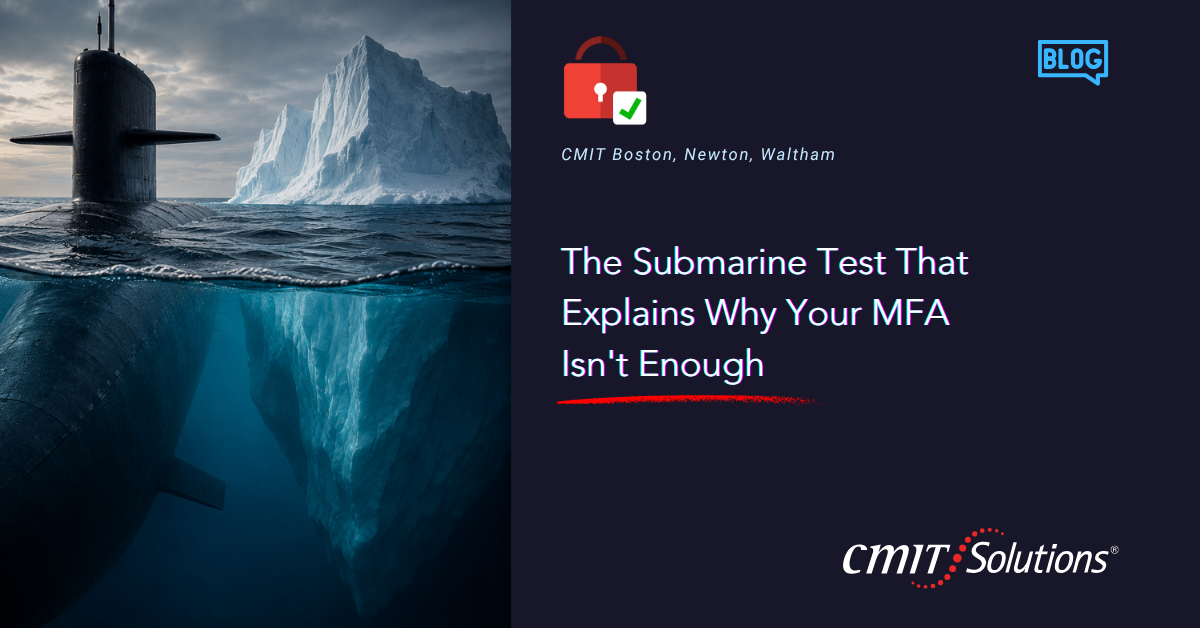
Submarines do not survive the ocean because of one strong wall. They survive because of many.
A submarine hull is built with a series of separate, sealed compartments. If a leak breaches one, watertight doors seal it off from the rest of the vessel. The crew does not need the entire hull to be perfect. They need each layer to buy time and contain damage so a single failure does not sink the whole submarine.
Naval engineers call this redundancy through compartmentalization, and it is why a single breach rarely sinks a modern submarine. One failure gets contained. The rest of the vessel keeps functioning.
Most businesses think about cybersecurity the way an old, single-hull submarine was built: one strong barrier, and if it holds, you are safe. That barrier, for a lot of companies, is multi-factor authentication. Turn it on, check the box, move on. The problem is that MFA was never meant to be the whole hull. It is one compartment. A business that stops there is one leak away from taking on water everywhere at once.
MFA is a real upgrade, but it is not a finish line
Multi-factor authentication is one of the best things a business can do for its cybersecurity posture. It blocks the overwhelming majority of attacks that rely on a stolen or guessed password, because even if an attacker has the password, they still need that second factor to get through.
That is a genuine improvement, and any business that has not turned it on everywhere it is available should treat that as an urgent fix, not a someday project, something we laid out in your password is the key.
But MFA is one compartment in the hull. It is an excellent one. It is not the whole submarine. Attackers know MFA is now common and have adjusted their methods. Businesses that treat it as the final answer are, in effect, sealing one compartment and leaving every other door on the vessel wide open.
How attackers get around a single-layer defense
The idea that MFA makes an account unbreakable is comfortable. It is also out of date. Attackers have developed several ways to work around it, none of which require defeating the technology directly.
- MFA fatigue attacks. An attacker with a stolen password can trigger repeated push notifications on an employee’s phone, hoping they eventually tap “approve” just to make it stop. This works by exploiting human patience, not a flaw in the technology.
- SIM swapping. If your second factor is a text code, an attacker who convinces a carrier to transfer your number to a new SIM can intercept it directly. The compartment holds, technically, but the attacker found a door around it.
- Session hijacking. Once a user authenticates, the system often creates a session token that keeps them logged in without asking for MFA again for a while. Attackers who steal that token, often through malware, walk right past MFA because the door was already unlocked.
- Phishing-resistant gaps. Not all MFA is equally strong. A text code is far easier to intercept than a physical security key or authenticator app. Businesses that adopted MFA years ago and never revisited the type may be relying on the weakest version available, a shift we cover in passwordless security.
None of these techniques defeat MFA outright. They go around it, the way water finds its way past a single weak seam. That is exactly why a submarine does not rely on one compartment.
What a layered defense actually looks like
If MFA is one watertight compartment, a real security posture needs several more sealed around it.
Strong, unique credentials as the first layer. Before MFA comes into play, a stolen or reused password should not be sitting there waiting to be tried. Password managers close off one of the most common entry points before an attacker even reaches the MFA step.
Least-privilege access as the second layer. Even if an attacker gets past authentication, the damage should be contained by what that account can actually reach, a principle we covered in the vault door was never the problem. A compromised account with narrow access is a contained leak. One with broad access floods the whole hull.
Network segmentation as the third layer. Just as a submarine’s compartments are physically separated, sound network management separates systems so a breach in one area cannot automatically spread to financial systems or client records.
Monitoring and detection as the fourth layer. Even a layered defense needs a way to notice when something slips through. AI-driven tools can flag unusual behavior, like a login from an unexpected location, even after MFA was satisfied. A layer that detects a breach is only useful if someone acts on what it finds.
A tested response plan as the final layer. If a breach gets through every other compartment, the difference between a contained incident and a full-blown crisis usually comes down to whether the team already knows what to do, the same lesson from world backup day.
Five layers, not one. That is the submarine model, and it is a far more realistic picture of security than a single strong door.

Why businesses stop at one layer
If layered security is clearly more effective, why do so many businesses stop after turning on MFA?
It feels like enough. MFA is a visible upgrade. Employees see the extra prompt, IT can point to it as a completed project, and it does stop a huge number of attacks. That visible win can create a false sense that the job is finished.
Additional layers take ongoing effort. A password manager needs rollout and maintenance. Access reviews need to happen quarterly. Network segmentation requires real planning, not a settings toggle. MFA can be turned on in an afternoon. The rest of the hull takes sustained attention, the kind of work we discussed in 12 questions to ask your IT provider.
Nobody has tested the gaps. Most businesses never simulate what would happen if MFA were bypassed. Without that test, the gaps stay invisible until an incident reveals them.
A scenario worth thinking through
Picture a growing professional services firm in the Boston area. They rolled out MFA eighteen months ago and moved on to other priorities.
An employee receives a string of MFA push notifications late one evening, more than usual. Tired, assuming it is a glitch, they tap approve just to make it stop. The attacker, who obtained the password through an unrelated data breach months earlier, is now logged in.
Because the firm never implemented least-privilege access, that account has broad access to shared drives across departments. Because there was no network segmentation, the access extends well beyond what the role requires. Because there was no active monitoring, nobody notices for days. And because there was no tested response plan, the first few hours are spent figuring out who is responsible for acting, rather than executing known steps.
MFA did exactly what it was supposed to do. It required a second factor. The attacker got past it anyway, not by breaking the technology, but by exploiting the one compartment that was sealed while every other door stood open. This is precisely the kind of gap solid managed IT services are designed to catch early.
Building the rest of the hull
If your business has MFA and nothing else, closing the remaining gaps does not mean ripping out what you already have. It means building around it.
- Audit your MFA type. Confirm whether you are relying on text codes, the weakest option, or an authenticator app or physical key, which are considerably stronger.
- Roll out a password manager company-wide so the first layer is solid before MFA even comes into play.
- Review access quarterly, asking whether each person’s access still matches their role.
- Segment your network so a compromised account in one department cannot reach systems in another, which requires real network management planning.
- Add active monitoring so unusual behavior gets flagged even after authentication succeeds.
- Write down and practice your response plan, so the team executes known steps instead of debating who is in charge.
- Standardize how devices and accounts get set up, an area we covered in standardizing endpoint builds, so every new employee starts with the right layers in place.
None of this replaces MFA. It surrounds it, so no single point of failure can sink the whole business.

Why this matters more as attacks get smarter
Attackers are using increasingly sophisticated tools, including AI, to make fatigue attacks, phishing, and social engineering harder to distinguish from legitimate activity, a shift detailed in your competitors are using AI to grow. A defense built on one strong compartment was reasonable a few years ago. It is not enough anymore.
This connects to more than just IT
Layered security touches compliance, since regulators increasingly expect more than a single authentication step for businesses handling sensitive data, a shift we cover in Massachusetts 201 CMR compliance. It touches cyber insurance, where underwriters now ask detailed questions about access controls and monitoring, something we covered in cyber insurance harder to get. And it touches the everyday systems your team relies on, from cloud services holding client files to unified communications tools an attacker would try to reach next.
One compartment is not a hull
MFA deserves its reputation as one of the most effective security upgrades a business can make. But a submarine was never built to survive on one sealed compartment, and your defense strategy should not rely on one authentication step either.
The businesses that weather a real breach with the least damage are the ones that built the rest of the hull around their strongest layer, not the ones who assumed one good decision was the whole plan.
If you are not sure how many layers are actually protecting your business beyond MFA, that is worth finding out now, not after a breach reveals it for you. My team works with businesses across Boston, Newton, and Waltham to review exactly this, from authentication type to access controls to what happens after a breach gets through the first line of defense. See how we structure this work in our service packages, or get straightforward IT guidance on which layer to shore up first.
Schedule a straightforward 10-minute discovery call, and I will walk through your current authentication setup, access controls, and where the real gaps in your hull are sitting. No obligation.
Call me at (617) 221-4100, or schedule your call online.
Frequently Asked Questions



