
Spring is often associated with cleaning and organizing. Homes get decluttered, offices get reorganized, and systems get refreshed after a long winter.
The same concept applies to cybersecurity.
Over time, businesses accumulate outdated passwords, unpatched systems, and inconsistent security practices. These small issues can quietly increase risk if they are not addressed regularly.
That is why many organizations treat spring as a good time to review and refresh their cybersecurity practices.
Three simple areas can make a significant difference: password management, multi-factor authentication, and regular system updates.
Strengthening these areas helps businesses reduce vulnerabilities and keep their technology environment more secure. Many organizations also review business tech checkups and broader technology planning to ensure systems remain secure year-round.
Why Cyber Hygiene Matters
Cyber hygiene refers to the routine practices that keep technology systems secure and functioning properly.
Just like physical equipment needs maintenance, digital systems require consistent attention to remain safe and reliable.
When cybersecurity basics are neglected, small issues can gradually become serious risks.
Weak passwords, outdated software, and inconsistent security settings are some of the most common entry points for cyber threats.
Regularly reviewing these areas helps businesses stay ahead of potential problems before they affect operations. Many organizations conduct regular reviews alongside security awareness habits to strengthen internal security culture.
Strengthening Password Security
Passwords remain one of the most common ways attackers attempt to access business systems.
Unfortunately, many employees still rely on simple passwords or reuse the same password across multiple accounts.
This creates significant risk. If one account becomes compromised, attackers may gain access to other systems that use the same credentials.
Businesses can reduce this risk by encouraging stronger password practices such as using unique passwords for every account and avoiding predictable patterns.
However, managing dozens of complex passwords can be difficult without the right tools. Many companies are transitioning toward passwordless authentication to strengthen account protection.
Why Password Managers Are Essential
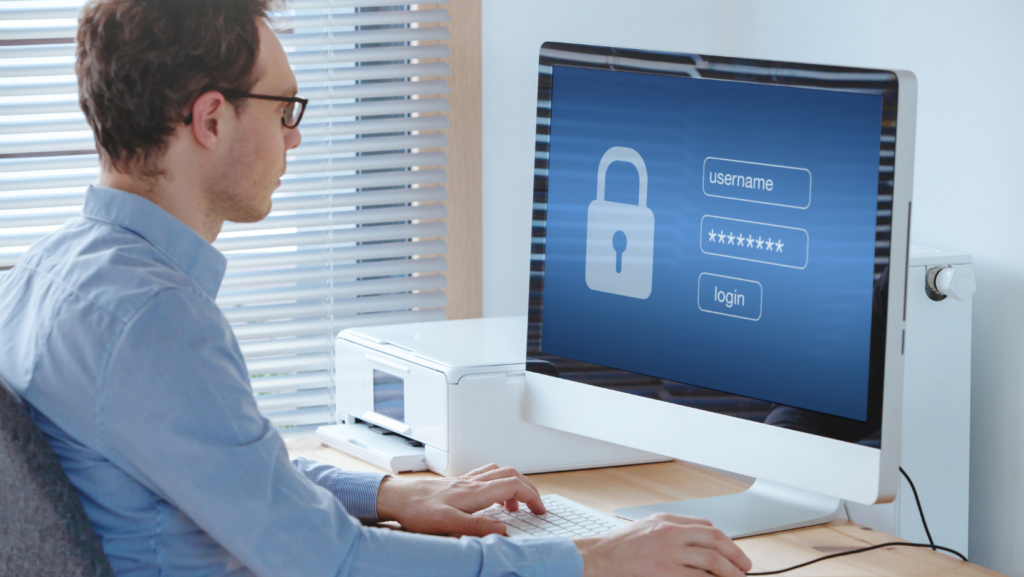
Password managers help businesses manage secure login credentials without relying on memory or spreadsheets.
These tools generate strong passwords and store them securely so employees can access accounts safely.
Instead of remembering multiple passwords, users only need to remember one master login.
Password managers provide several advantages:
- Automatically generating strong, unique passwords
- Securely storing login credentials
- Reducing the risk of password reuse
- Simplifying access to business applications
For organizations with multiple employees and systems, password managers improve both security and convenience. These tools are especially valuable as attackers continue developing new AI-powered attacks targeting business credentials.
Multi-Factor Authentication Adds a Critical Layer
Even strong passwords can sometimes be compromised through phishing attacks or data breaches.
Multi-factor authentication (MFA) adds another layer of protection by requiring a second verification step before access is granted.
This second factor might include a mobile app notification, a temporary code, or biometric verification.
MFA dramatically reduces the likelihood of unauthorized access because attackers would need both the password and the additional authentication factor.
Many cybersecurity frameworks now consider MFA essential for protecting modern business systems, especially as businesses increasingly adopt AI workplace tools that integrate with cloud platforms.
Keeping Systems Updated with Regular Patching
Software updates often include security fixes that address newly discovered vulnerabilities.
If systems remain unpatched, attackers may exploit those vulnerabilities to gain access to devices or networks.
This is why maintaining a consistent patching schedule is essential.
Regular updates help ensure operating systems, applications, and security tools remain protected against emerging threats.
Without routine patching, even well-secured systems can become vulnerable over time. Regular patching also supports better Microsoft 365 security and system performance.
Establishing a Consistent Patch Cadence
Many businesses install updates occasionally but lack a structured update schedule.
A patch cadence refers to the routine schedule used to deploy software updates and security fixes.
This schedule may involve weekly, monthly, or automated update cycles depending on the system.
A structured patch cadence helps ensure that updates are applied consistently rather than delayed indefinitely.
It also reduces the risk of large update backlogs that can become difficult to manage later. Consistent maintenance practices also help reduce hidden issues like network performance bottlenecks.
Training Employees on Cybersecurity Basics
Technology tools are important, but employees also play a critical role in maintaining cyber hygiene.
Simple habits can significantly improve security.
Employees should understand the importance of:
- Using strong, unique passwords
- Recognizing phishing emails
- Reporting suspicious activity
- Following company security policies
Cybercriminals often target employees through social engineering and phishing scams. Seasonal attacks like tax season phishing show how important awareness training can be.
Conducting Regular Security Reviews
Spring is a good time to review cybersecurity policies and ensure systems are operating as expected.
These reviews may include checking password policies, verifying that MFA is enabled, and confirming that systems are receiving updates regularly.
Periodic security reviews also help identify outdated systems or unused accounts that may create vulnerabilities.
Taking time to evaluate these areas ensures that security practices remain effective as technology environments evolve. Businesses preparing for regulatory oversight may also review audit readiness and close potential compliance gaps.
Why Cyber Hygiene Matters for Boston-Area Businesses
Companies in Boston, Newton, and Waltham operate in industries that depend heavily on secure technology systems.
Healthcare providers, financial firms, professional services companies, and technology organizations all manage sensitive data.
Cyber threats targeting small and midsize businesses continue to increase, and attackers often look for organizations with weak password practices or outdated systems.
Maintaining strong cyber hygiene helps local businesses reduce risk while protecting both their operations and their clients. Businesses in the region are increasingly strengthening protection through local IT partnerships.
Conclusion
Cybersecurity does not always require complicated solutions.
Often, the most effective protections come from consistent, everyday practices.
Using password managers, enabling multi-factor authentication, and maintaining regular software updates are three simple steps that significantly strengthen business security.
By treating cybersecurity like routine maintenance, organizations can reduce vulnerabilities and maintain a safer technology environment.
For businesses in Boston, Newton, and Waltham, taking time each year to refresh cybersecurity practices helps ensure systems remain secure and reliable.
If your organization would like help reviewing password security, implementing MFA, or establishing a reliable patch management process, CMIT Solutions of Boston, Newton, and Waltham can help ensure your technology environment stays protected and up to date.
Book your 10-minute discovery call here