
Accounting firms sit on some of the most sensitive data in the business world. Tax records, banking details, payroll information, and financial statements all pass through their systems every day. That makes accounting practices a favorite target for cybercriminals and a difficult category of business to run without dependable technology behind the scenes.
For firms in Bothell and Renton, the pressure has only grown. Clients expect instant access to portals, remote staff need secure connections, and regulators keep adding new rules around how financial data must be stored and protected. A single missed patch, an unmonitored server, or a phishing email that slips through can turn into a firm-wide crisis during the busiest weeks of the year.
This is why so many accounting firms are shifting away from reactive, break-fix computer repair and toward full managed IT support. The change is rarely driven by a single event. More often, it is a gradual realization that spreadsheets, tax software, client portals, and email all depend on infrastructure that nobody in the office has the time, training, or bandwidth to properly maintain.
Below, we break down exactly what is driving that shift, what risks firms face without it, and what a properly managed technology environment looks like for a modern accounting practice, from daily security hygiene to the disaster recovery plans that only get tested when something goes wrong.
The Growing Cybersecurity Risks Facing Accounting Firms
Accounting offices handle Social Security numbers, bank account credentials, and business financials in bulk. That combination makes them significantly more attractive to attackers than a typical retail shop or local service business.
A few patterns show up again and again in the accounting sector:
- Fraudulent emails impersonating partners or clients requesting urgent wire transfers
- Fake IRS or state tax notices used to trick staff into clicking malicious links
- Credential theft aimed at tax software and client portals
- Malware hidden inside PDF attachments disguised as invoices or W-2 forms
Many of these tactics have become far more convincing thanks to generative tools, a trend explored in this piece on AI driven phishing scams. Attackers can now write flawless, personalized emails that mimic a firm’s tone and letterhead, which means staff training alone is no longer enough. Firms need layered technical defenses that catch what a busy employee might miss.
A related and increasingly costly threat is impersonation fraud aimed directly at finance teams. These schemes, often called business email compromise scams, trick employees into redirecting real client payments into fraudulent accounts. Because the emails often come from a compromised but legitimate-looking address, they can bypass basic spam filters entirely.
Compliance and Regulatory Pressure Keep Rising
Accounting firms are not just protecting data because it is good practice. They are legally required to. IRS Publication 4557 outlines specific safeguarding requirements for any firm that handles taxpayer data, and state-level privacy laws add another layer of obligation on top of federal rules.
Falling short of these standards is not a small issue. Firms can face:
- Fines from state regulators or professional licensing boards
- Loss of e-file provider status with the IRS
- Breach notification costs and legal fees
- Reputational damage that drives clients to competitors
The financial and reputational fallout from non-compliance is outlined in more detail in this article on costly compliance penalties. A managed IT partner helps firms document safeguards, maintain audit trails, and keep policies current as rules change, which is far harder to do with an internal team stretched thin during tax season.
Cyber insurance carriers have also tightened their underwriting standards. Firms applying for or renewing a policy are now routinely asked to prove multi-factor authentication, endpoint monitoring, and formal incident response plans are in place. These shifting expectations are covered in this breakdown of cyber insurance policy changes, and firms that cannot demonstrate these controls risk higher premiums or denied claims after an incident.
Protecting Sensitive Client Financial Data
Beyond compliance, there is a simpler reason accounting firms need strong IT support: trust. Clients hand over their most private financial details expecting a firm to keep it safe. A single data breach can undo years of relationship building overnight.
Proper data protection for an accounting practice generally includes:
- Encrypted file storage for tax returns and financial statements
- Role-based access so staff only see the records relevant to their work
- Secure client portals instead of email attachments for sensitive documents
- Regular vulnerability scanning across servers and workstations
Firms that skip these basics are exposed in ways that are not always obvious until something goes wrong. This overview of overlooked technology risks highlights how gaps in patching, backup, and access control quietly build up over time in small professional offices. A managed IT program is built specifically to catch and close those gaps before they turn into an incident.
Cloud Accounting and the Remote Work Challenge
Cloud-based platforms like QuickBooks Online, Xero, and various tax preparation suites have become standard in the industry. They offer flexibility, but they also expand a firm’s attack surface. Every laptop, home office, and mobile device connecting to those platforms is a potential entry point for an attacker.
Firms supporting hybrid or fully remote staff need to think about:
- Secure VPN or zero trust access for remote logins
- Consistent patching across personal and company-owned devices
- Multi-factor authentication on every cloud application, not just email
- Monitoring for unusual login locations or times
The shift toward stricter access controls is explored in this piece on identity first security models, which explains why verifying the user, not just the device, has become the new baseline for professional services firms. Alongside that, many practices are adopting a zero trust framework that treats every connection attempt as unverified until proven otherwise, regardless of whether it originates inside the office network or from a home router.
Connectivity itself is also evolving. Faster, more reliable networking standards covered in this look at Wi-Fi 7 connectivity are starting to matter for firms running bandwidth-heavy cloud accounting suites alongside video calls and large file transfers during busy season.

Ransomware Remains a Top Threat for Financial Firms
Ransomware groups specifically target industries where downtime is unacceptable, and accounting is near the top of that list. A firm that cannot access client files during the weeks leading up to a filing deadline faces both financial loss and serious reputational harm.
Recent trends show attackers are not slowing down. This analysis of ransomware targeting small firms explains why smaller practices are often seen as easier targets than large enterprises, since they typically have fewer dedicated security resources. Preparing in advance matters more than reacting after the fact, which is why building a ransomware response playbook before an incident occurs gives staff a clear, rehearsed process to follow instead of a chaotic scramble.
Modern defenses now lean heavily on automation and pattern recognition rather than relying on signature-based antivirus alone. This shift toward modern threat detection tools allows suspicious behavior, such as mass file encryption, to be flagged and isolated within seconds rather than hours. Pairing that with endpoint detection systems on every laptop and workstation gives firms visibility they simply do not get from basic antivirus software.
Tax Season Reliability Cannot Be an Afterthought
Every accounting firm knows the stakes of tax season. Systems that run fine in July can buckle under the load in March and April when every workstation, printer, and portal is being hammered simultaneously. A server crash or a slow network during the final week before a filing deadline is more than an inconvenience, it directly threatens client relationships and revenue.
Preventing that kind of failure requires ongoing attention, not a single annual checkup. This is where predictive maintenance strategies come in, using monitoring data to catch failing hard drives, overloaded servers, or aging equipment before they cause an outage. Firms that wait for something to break are almost always paying more in emergency repairs and lost productivity than they would have spent on prevention.
Common warning signs that a firm’s technology will not hold up under seasonal pressure are outlined in this list of warning signs of weak support, including recurring slowdowns, unresolved support tickets, and unclear backup procedures.
Disaster Recovery and Business Continuity Planning
Backups and disaster recovery are often confused with one another, but they solve different problems. A backup preserves your files. A disaster recovery plan restores your entire operation, including servers, applications, and access permissions, after a serious outage.
The distinction matters because a firm that only has file backups may still face days of downtime rebuilding servers and reconfiguring software during a crisis. This comparison of backup and recovery basics explains why both pieces need to work together, and this guide to reliable cloud backup methods covers what a properly tested backup strategy actually looks like in practice, including offsite copies and regular restoration testing.
A firm without a documented continuity plan is essentially hoping nothing bad ever happens. Building genuine resilience means preparing for the disruption before it occurs, a theme covered in depth in this practical resource on cyber resilient practices.
The Real Cost of Outdated Technology
Many firms delay technology upgrades because the upfront cost feels avoidable. In reality, aging servers, unsupported software, and patchwork networking setups tend to cost far more over time through slow performance, higher failure rates, and emergency repair bills.
This breakdown of outdated infrastructure expenses walks through how these costs accumulate quietly, month after month, until they show up as a major disruption. Firms that shift to predictable, flat-rate managed IT pricing often find that overall spending goes down, not up, once emergency repairs and productivity losses are factored in. That shift is a core part of cutting downtime and expenses, where proactive monitoring replaces the expensive, reactive repair cycle most small firms are used to.
Managed IT vs. an In-House Hire
For a firm with fewer than fifty employees, hiring a full-time, in-house IT department rarely makes financial sense. A single hire cannot realistically cover network administration, cybersecurity, help desk support, compliance documentation, and vendor management around the clock.
A co-managed support model gives firms that already have some internal IT staff a way to extend their capabilities without the overhead of additional full-time hires. For firms with no internal IT staff at all, a full managed services agreement provides:
- Predictable monthly costs instead of unpredictable emergency invoices
- Access to a full team of specialists rather than a single generalist
- 24/7 monitoring that no single employee could provide alone
- Faster response times backed by documented service level agreements
Scaling Technology as an Accounting Practice Grows
Firms that add staff, open a second office, or take on larger clients quickly discover that their original technology setup was not built to scale. Licensing, storage, bandwidth, and security requirements all grow together, and a patchwork approach tends to fall apart under the added weight.
A reliable local support team can plan technology growth alongside a firm’s business goals rather than reacting to problems after they appear. This kind of proactive planning typically covers licensing renewals, storage capacity, and network bandwidth well before they become a bottleneck. Firms operating across both Bothell and neighboring communities also benefit from support options built specifically for the region, including Renton area support for practices with staff or clients on both sides of the corridor.
Network Security and Endpoint Protection for Accounting Offices
A modern accounting office typically runs desktops, laptops, tablets, and mobile devices, all of which need consistent protection. Firewalls alone are no longer sufficient given how much traffic now flows directly to cloud applications rather than through a traditional office network.
A strong security posture generally includes:
- Managed firewalls with regular rule reviews
- Endpoint protection on every device, including remote laptops
- Email filtering tuned specifically for finance-related phishing attempts
- Ongoing vulnerability scanning across the entire network
Firms looking to formalize this approach often turn to structured network security programs or broader layered security packages that bundle firewall management, endpoint monitoring, and email security under a single service agreement instead of piecing together separate vendors. For firms wanting dedicated protective network services, this consolidated approach also simplifies compliance reporting since a single provider maintains all the documentation auditors typically request.
It is worth noting that security is not a one-time project. Firewall rules drift over time as new software gets installed, staff change roles, or temporary access exceptions never get removed. Devices that were properly configured a year ago may now be running outdated firmware or missing critical patches without anyone noticing. Ongoing review, rather than a single initial setup, is what actually keeps a network defensible as a firm’s technology footprint grows and changes throughout the year.
Meeting Compliance Requirements Through Managed IT
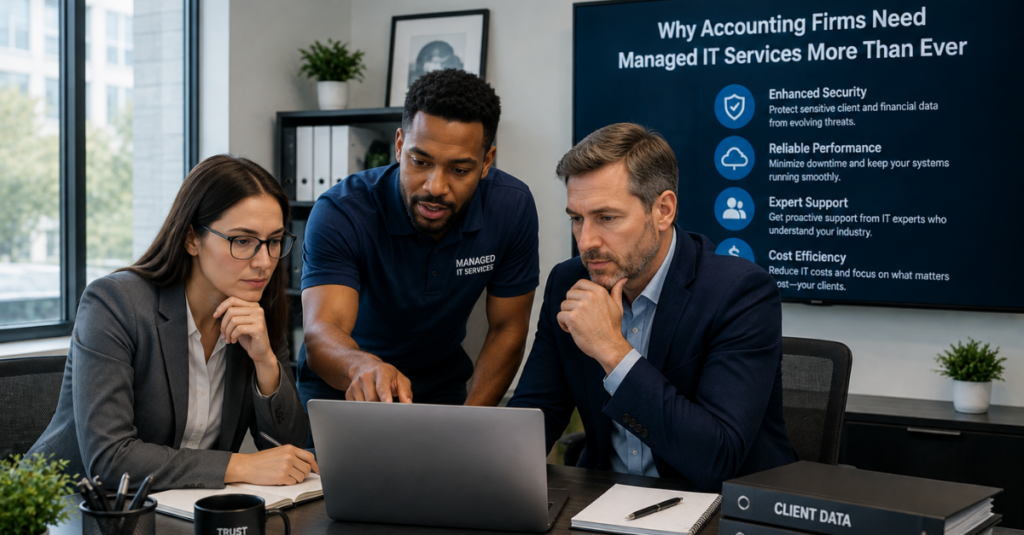
Regulatory audits are stressful enough without scrambling to prove what security controls were in place months earlier. A managed IT partner keeps documentation current on an ongoing basis rather than compiling it reactively when an audit notice arrives.
Firms handling multi-state clients or specialized filings often need broader regulatory compliance support that maps technical safeguards directly to the specific rules governing tax preparers and financial advisors. This kind of ongoing documentation is far easier to maintain with continuous monitoring in place than to reconstruct after the fact.
Beyond Bothell, firms serving a broader footprint across the state also benefit from providers offering statewide technology solutions with consistent standards across every office location, so a satellite branch is never operating under a lower security standard than the main office.
AI and Automation Are Reshaping Accounting Workflows
Artificial intelligence tools are moving quickly into daily accounting work, from automated data entry to AI-assisted tax research. These tools can save enormous amounts of time, but they also introduce new questions about where client data actually goes once it is fed into a third-party AI platform.
This examination of Copilot productivity and risks covers both sides of that equation, including the productivity gains and the governance questions firms need to answer before rolling these tools out firm-wide. Firms unsure of where they currently stand can benefit from a formal AI readiness evaluation that reviews existing data handling practices before any new AI tool is approved for staff use.
Support functions are changing too. Many firms are already interacting with AI powered help desk tools that resolve simple tickets automatically while routing more complex issues to a human technician, cutting resolution times without sacrificing the personal support smaller firms depend on. Meanwhile, automation in IT support is streamlining tasks like patch deployment and license renewals that used to require manual attention from an already stretched internal team.
Building a Culture of Security Awareness Among Staff
Technology alone cannot stop every threat. Staff members open email, download attachments, and click links every single day, which means human behavior remains one of the biggest variables in a firm’s overall security posture. A well-trained team catches suspicious messages that automated filters occasionally miss, while an untrained one can undo even the strongest technical defenses with a single careless click.
Effective security awareness programs for accounting offices typically include:
- Regular phishing simulation exercises tailored to finance-related scams
- Short, recurring training sessions rather than a single annual seminar
- Clear internal procedures for verifying wire transfer or payment change requests
- A simple, well-publicized process for reporting suspicious emails without fear of blame
Firms that treat security training as an ongoing habit rather than a checkbox exercise tend to see far fewer successful phishing attempts over time. This matters even more during tax season, when staff are moving quickly through high volumes of client communication and are more likely to overlook small red flags in a message that looks routine.
Vendor Management and Software License Oversight
Accounting firms typically rely on a long list of software vendors, from tax preparation suites to document management platforms, payroll processors, and client communication tools. Each of these represents a potential point of failure or security exposure if licenses lapse, integrations break, or a vendor experiences its own security incident.
Managing this landscape well involves:
- Tracking renewal dates so critical software never expires unexpectedly mid-season
- Reviewing vendor security practices before granting access to client data
- Consolidating overlapping tools to reduce cost and administrative complexity
- Maintaining a current inventory of every application with access to sensitive records
Without a dedicated process for this, licenses often get renewed reactively, sometimes after a lapse has already interrupted staff access to a critical filing tool. A managed IT partner typically maintains this oversight as part of standard service, catching renewal deadlines and flagging vendors that no longer meet a firm’s security expectations well before they become a problem.
Choosing the Right Managed IT Partner
Not every managed service provider understands the specific pressures an accounting firm faces during tax season, client onboarding, and audit preparation. Firms should look for a partner that understands financial services compliance requirements, not just general small business IT support.
Key questions to ask a prospective provider include:
- Do they have documented experience supporting accounting or financial services clients?
- Can they demonstrate compliance with IRS Publication 4557 safeguarding rules?
- What is the average response time for critical outages during tax season?
- Do they offer proactive monitoring or only reactive break-fix support?
- Can they provide references from similar-sized professional service firms?
Firms exploring cloud infrastructure specialists should ask specifically about experience migrating accounting platforms, since a botched migration during an active filing season can be far more disruptive than simply staying on an older system a little longer.
Bringing It All Together
Running an accounting firm today means managing far more than spreadsheets and tax code. Client trust, regulatory compliance, and day-to-day productivity all depend on technology that works quietly and reliably in the background. When that technology fails, the consequences show up immediately, in missed deadlines, exposed client data, or a costly compliance violation.
CMIT Solutions of Bothell and Renton works specifically with accounting and financial services firms to build technology environments that hold up under real seasonal pressure, meet the compliance obligations tax professionals are held to, and give staff the reliable, secure tools they need to serve clients well. The firms that fare best during tax season are rarely the ones with the most expensive equipment. They are the ones that treated security, backup, and monitoring as an ongoing commitment rather than a project that finished once the initial setup was complete.
Firms ready to review their current setup can schedule a free consultation to talk through where the gaps are and what a proactive, right-sized plan would look like for their specific practice, staff size, and client base.
Frequently Asked Questions



