Navigating Public and Private Networking Zones in Azure: A Deep Dive for CMIT Charleston

Understanding the Public Networking Zone in Azure

The public networking zone in Azure is essential for services that require global accessibility. This zone is designed for resources that need to be exposed to the internet, allowing users and applications worldwide to connect to them. It is particularly useful for services such as web applications, public APIs, and public data storage.

Key Characteristics of the Public Networking Zone:

  • Public Endpoints: Resources in the public zone are accessed via public endpoints, which are URLs linked to dynamically allocated public IP addresses. For example, a blob in Azure Storage might be accessed through storageaccount.blob.core.windows.net. These IPs are managed by Microsoft, relieving users from the complexities of IP management and ensuring seamless access.
  • Global Accessibility: The public zone is ideal for services that must be reachable by a broad audience, including customers, partners, and external applications. This openness makes it suitable for hosting customer-facing applications and public data services.

Key Services in the Public Networking Zone:

  • Azure Storage Accounts: By default, storage accounts are publicly accessible. This is ideal for storing and serving static content, such as website assets or public datasets, enabling quick access for users.
  • Azure Web Apps: These applications are designed to be internet-facing, providing a platform for hosting websites and APIs that can be accessed globally. They are an excellent choice for businesses looking to reach a wide audience with their online services.
  • Azure SQL Database: While it can be configured for private access, Azure SQL Database is often accessible through public endpoints for ease of connectivity, especially when integrated with public-facing applications.

For businesses in Charleston looking to maximize their cloud services and IT infrastructure, managed IT support can be a lifeline. Learn how to effectively navigate remote support and collaboration tools in modern workplaces by checking out our insights on remote IT support strategies and choosing the best project management software for your operations. These solutions can help businesses optimize performance while maintaining robust cloud security.

Example Use Case:

Consider an e-commerce platform hosted on Azure Web Apps. The platform uses the public networking zone to serve web pages and APIs to users worldwide. The product images and descriptions are stored in an Azure Storage account, making them easily accessible to customers browsing the online store. This setup ensures fast and reliable access, enhancing the user experience.

For more information on how CMIT Charleston can assist with public cloud solutions, visit our public cloud services page or contact us for expert advice and support.

Understanding the Private Networking Zone in Azure

The private networking zone, often implemented as a Virtual Network (VNet), is designed for internal communications within an organization’s Azure environment or between Azure and on-premises networks. This zone is crucial for protecting sensitive data and ensuring that only authorized users and applications can access specific resources.

Key Characteristics of the Private Networking Zone:

  • Private IP Addresses: Resources within the private networking zone are assigned private IP addresses. These addresses are not routable on the public internet, providing a layer of security and isolation. This setup is vital for safeguarding sensitive information and critical applications from external threats.
  • Secure Internal Communication: The private networking zone enables secure communication between various Azure resources, such as virtual machines, databases, and containers. It also facilitates secure connections to on-premises systems, essential for hybrid cloud deployments.

Key Services in the Private Networking Zone:

Azure Virtual Machines (VMs): VMs in Azure are typically deployed within a Virtual Network (VNet) and assigned private IP addresses, ensuring secure communication with other resources. This setup is ideal for hosting internal applications, such as databases or application servers, that should not be exposed to the public internet. For businesses concerned about securing their network infrastructure, this model aligns with best practices for securing network infrastructures, ensuring a protected IT environment.

Azure SQL Database with Private Link: By configuring private endpoints, Azure SQL Database can be securely accessed from within a VNet. This setup prevents exposure to the public internet, providing an additional layer of security for sensitive data. For businesses that rely heavily on data, these configurations work in tandem with innovations in cloud service trends to keep operations secure and efficient.

Azure Kubernetes Service (AKS): AKS clusters can be deployed within a VNet, allowing them to use private IP addresses. This configuration is particularly beneficial for microservices architectures, where secure communication between services is paramount. AKS’s ability to maintain secure connections aligns with the trend toward software-defined networking, which is transforming network architecture for enhanced flexibility and security.

Example Use Case: A company running an e-commerce platform could deploy Azure VMs for its application servers within a VNet, host its database in Azure SQL with a private link, and use AKS to manage microservices for different parts of its platform. These elements would communicate securely within the VNet, keeping sensitive operations away from the public internet. Effective wireless network management ensures connectivity and security, further enhancing the IT environment.

A financial services company might use Azure VMs within a VNet to host its internal Customer Relationship Management (CRM) system. Access to the CRM is restricted to employees who connect through a secure VPN, ensuring that sensitive customer data remains protected from unauthorized access. This setup helps the company comply with regulatory requirements and maintain data privacy.

For more details on private networking solutions, explore our private cloud services page or contact us to discuss your specific needs and how we can support your business.

Integrating Public and Private Cloud Services
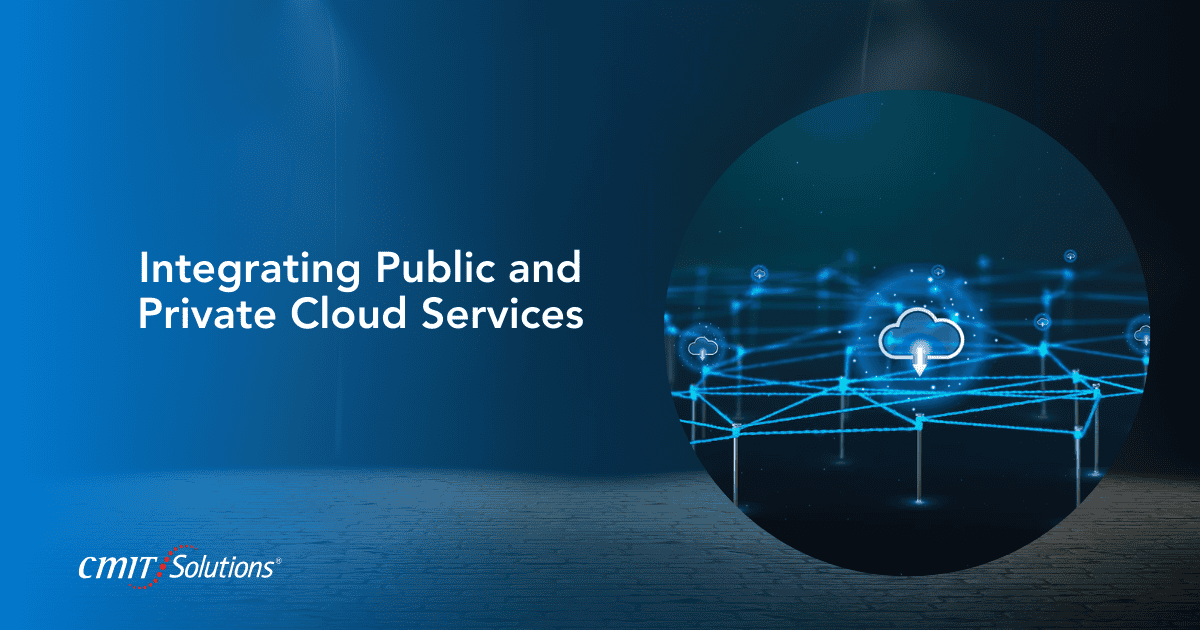
Azure offers flexibility in integrating public and private cloud services, allowing organizations to tailor their cloud environments to meet their specific needs. By carefully configuring resources, businesses can balance accessibility with security, ensuring that services are available to the right users while protecting sensitive data.

Configuring Private Endpoints for Public Services:

Many Azure PaaS services, such as Azure Storage and Azure SQL Database, can be integrated into the private networking zone using private endpoints. This setup allows applications and users within a VNet to access these services securely, avoiding public internet exposure.

Example: A healthcare provider configures an Azure Storage account with a private endpoint. This configuration ensures that medical records and other sensitive data stored in the account are only accessible from within the organization’s VNet. This approach enhances security by preventing unauthorized access from outside the network, a practice aligned with cybersecurity best practices for small and mid-sized businesses.

Assigning Public IP Addresses for Private Resources:

In some cases, it may be necessary to expose resources typically kept in the private zone to the public internet. This can be achieved by assigning public IP addresses to these resources, such as Azure VMs. However, it is crucial to implement strong security measures, such as Network Security Groups (NSGs) and Azure Firewall, to protect these resources from potential threats.

Example: A software development team requires remote access to an Azure VM for testing new applications. By assigning a public IP address to the VM, team members can access it over the internet while still leveraging security measures like NSGs to restrict access to authorized users. This setup allows the team to collaborate effectively, even when working remotely. To ensure data security during such remote work setups, consider implementing automated data backup as part of your cloud strategy.

Conclusion: Enhance Your Azure Cloud Skills with CMIT Charleston

At CMIT Charleston, we understand the complexities of designing secure and efficient cloud architectures. By mastering the differences between public and private networking zones in Azure, businesses can optimize their cloud environments to meet their unique needs. Whether you’re looking to implement public-facing services, secure internal applications, or integrate hybrid cloud solutions, our team of experts is here to help. Leverage the benefits of unified communications platforms and streamline your IT operations with essential managed IT services for a hassle-free experience.

To learn more about how CMIT Charleston can support your cloud journey, visit our services page or contact us to schedule a consultation. Let us help you build a secure and efficient cloud environment tailored to your business’s unique requirements.
Back to Blog

Share:

Related Posts

Cybersecurity Compliance guide for Charleston businesses

The Importance of Managed IT Services for Small Businesses in Charleston

Embrace the Change In the business landscape that is one of its…

Read More
Charleston cybersecurity compliance guide by CMIT Solutions

Cybersecurity Compliance for Charleston Businesses: What CMIT Solutions of Charleston Wants You to Know

Hello Charleston Business Community, In our fast-paced digital world, where data is…

Read More
Charleston IT Support Team Solving Business Challenges

Navigating IT Challenges: Small Business IT Support in Charleston

In the vibrant city of Charleston, small businesses are thriving with opportunities…

Read More