Introduction: A Ticking Clock for Every Dallas‑Based Business
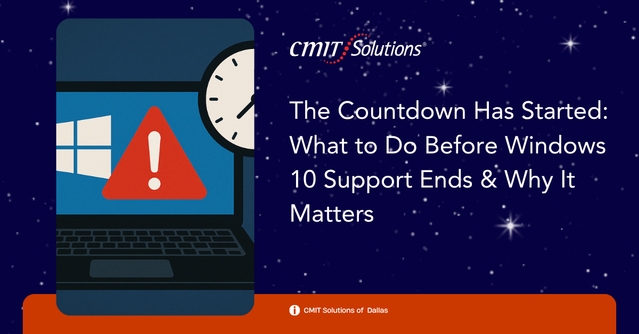
When Microsoft announced that mainstream support for Windows 10 would officially end in October 2025, many small and mid‑sized businesses (SMBs) sighed in relief—two years felt like plenty of time. But now, the countdown is truly on, and for companies in the Dallas-Fort Worth area, that ticking clock has real consequences.
With this transition comes opportunities for growth and risks of disruption. That’s why preparing for the end of Windows 10 support is critical. Businesses that remain proactive can leverage this deadline to modernize their IT infrastructure, bolster cybersecurity, and increase productivity. Those that delay may face compatibility issues, heightened vulnerabilities, and unnecessary costs.
Let’s explore what this shift means and how your business can move forward with confidence, aided by trusted partners offering IT services.
What is Windows 10 end of support?
Windows 10 end of support means Microsoft will no longer provide updates, including essential security patches, bug fixes, or technical assistance for the operating system after October 14, 2025. While your devices may continue functioning, they will become increasingly vulnerable to emerging threats.
The lack of security updates leaves systems exposed to malware, ransomware, and zero-day exploits. For small and medium-sized businesses, particularly those in compliance-heavy industries, this presents not only a technical challenge but also a legal and financial risk.
Beyond security, software and hardware vendors will gradually stop supporting applications or drivers compatible with Windows 10. This will lead to compatibility issues, user frustration, and reduced productivity over time. Transitioning to a newer operating system like Windows 11 ensures you maintain access to modern tools, enhanced security features, and vendor support.
To stay ahead of the curve, consider evaluating your systems today and work with Dallas-based IT consultants who can guide you through every step of the upgrade process.

Why it matters
Microsoft’s decision to end support for Windows 10 marks a critical inflection point for businesses relying on aging technology. After October 2025, Windows 10 will no longer receive security updates or technical support, making systems increasingly vulnerable to cyberattacks and compliance failures.
For Dallas-based organizations, this is not just a routine update—it’s a business continuity issue. Learn more about how these changes may affect local businesses.
Operating on unsupported software not only opens the door to threats like ransomware, malware, and data breaches but also limits integration with newer applications and cloud-based productivity tools. This has a cascading effect across departments, workflows, and service delivery.
In sectors such as healthcare, finance, and law, outdated systems could violate regulatory obligations and invite costly penalties. This shift is about more than patching vulnerabilities; it represents an opportunity to modernize your business environment and align IT infrastructure with future growth.
Whether you run a small office in North Dallas or manage multi-site operations across the metroplex, strategic upgrades can help avoid disruption.
Hidden threats
The looming cybersecurity risks of outdated operating systems are not just theoretical. Without ongoing patches from Microsoft, every known and unknown vulnerability in Windows 10 becomes a permanent opening for cybercriminals to exploit.
This creates an ideal environment for sophisticated attacks that can bypass antivirus tools and firewalls that depend on OS integrity. Local businesses already face a high volume of phishing emails, ransomware campaigns, and network intrusions.
Hackers often prioritize outdated software because they know where the weaknesses are. Even worse, an outdated OS can render antivirus tools ineffective and compromise cloud platforms.
Companies that collect or transmit sensitive data may become conduits for wider breaches. Protect your network with expert cybersecurity support.
Smart upgrades
Upgrading from Windows 10 to Windows 11 or another modern platform doesn’t have to be chaotic or costly. Many Dallas businesses delay upgrades due to fears of operational disruption or unexpected costs. However, avoiding the upgrade often results in greater long-term challenges, from decreased performance to heightened security vulnerabilities. What appears to be a cost-saving decision now can quickly evolve into a major business risk if your software becomes incompatible with mission-critical tools.
A smart upgrade begins with an in-depth audit of your IT environment. It’s not enough to simply download the next operating system; businesses must understand the intricacies of their infrastructure. Hardware compatibility checks are crucial—older machines might lack the processing power or TPM requirements for Windows 11. Additionally, businesses must review current software and workflows to identify anything that could break or become inefficient post-upgrade. Consulting local IT professionals helps ensure all technical requirements are met before changes roll out.
Once assessments are complete, the deployment phase must follow a phased, structured roadmap. This allows your team to upgrade systems during off-peak hours, such as overnight or weekends, minimizing the impact on operations. For companies with multiple departments or remote teams, a modular approach helps isolate changes and resolve issues quickly without affecting the broader network. With proper planning, upgrades can be executed seamlessly, with users returning to improved performance and stability come Monday morning.
Budgeting wisely
Transitioning from Windows 10 is not just a technical issue—it’s a budgeting challenge. Many Dallas-based SMBs hesitate to upgrade because of the perceived financial burden. However, failing to plan accurately for these costs often results in even higher expenses down the line. Businesses that don’t allocate funds in advance for hardware, software, and consulting may find themselves caught off guard when systems start to fail or compliance deadlines loom.
Creating a clear and realistic IT budget requires a detailed breakdown of upgrade-related expenses. This includes not just the obvious line items like purchasing Windows 11 licenses or replacing incompatible devices, but also secondary costs such as employee downtime, data migration, software reconfiguration, and security auditing. Factoring in these indirect costs allows your company to plan holistically and avoid surprise expenses. Partnering with experienced local IT professionals can help identify these areas early and create room in your financial plan for scalability and support.
Moreover, smart budgeting doesn’t necessarily mean spending more—it means spending smarter. Dallas businesses can benefit from hardware leasing, bulk licensing programs, or bundled managed service plans that reduce long-term overhead. Engaging with IT consultants who understand local market trends and vendor relationships can provide access to cost-saving opportunities that generic online upgrades simply don’t offer. With a well-structured financial plan, your transition away from Windows 10 can become a catalyst for innovation and operational efficiency, rather than a disruptive cost center.
Compliance issues
In today’s regulatory climate, compliance is more than a checkbox—it’s a business requirement. Organizations that fail to comply with cybersecurity and data protection regulations may face severe consequences, including fines, lawsuits, and reputational harm. Unsupported software like Windows 10, once out of Microsoft’s security patch cycle, becomes an automatic red flag during audits. For industries such as healthcare and finance, where HIPAA, PCI DSS, and NIST frameworks dictate IT practices, running outdated systems can constitute a compliance breach in itself.
Medical practices, law firms, and financial advisors in Dallas are particularly vulnerable. Many of these businesses operate under strict confidentiality agreements and handle sensitive client information. If these systems are found to be operating on expired or unsupported platforms, it could result in regulatory penalties and even legal liabilities. Insurance providers may also deny coverage for damages if it’s determined that outdated software contributed to a security lapse or data breach. Simply put, using expired software may not just be a technical misstep—it can be a legal and financial disaster.
To stay compliant, businesses must adopt a proactive approach by upgrading their operating systems and implementing robust system monitoring. This includes regular audits, secure configuration of new platforms, staff training, and policy updates to reflect the new technology environment. Working with compliance-focused IT support ensures that your transition from Windows 10 is well-documented, legally sound, and aligned with the latest security standards. By addressing compliance head-on, Dallas businesses can avoid costly surprises and build trust with clients and regulatory bodies alike.

Workforce impact
Switching to Windows 11 changes how employees interact with their technology daily. Without proper training, users may experience resistance and productivity dips.
Employees may fear data loss, unfamiliar interfaces, or workflow disruption—especially in remote or hybrid setups. Train your team with guided support to ease transitions.
Key advantages of upgrading
Making the move to a supported operating system like Windows 11 comes with several benefits that go beyond just staying current. Here are some of the standout advantages:
- Enhanced security with built-in protections like TPM 2.0 and Windows Hello
- Faster performance for modern hardware and SSD-optimized systems
- Improved multitasking through features like Snap Layouts and virtual desktops
- Deeper integration with Microsoft 365 and cloud-based applications
- User-friendly interface that simplifies everyday workflows for employees
- Better compliance through support for encryption and updated patching frameworks
- Future-proofing to align with evolving software and hardware standards
These advantages not only strengthen your security posture but also contribute to a more efficient and collaborative work environment. Paired with professional IT services, businesses in Dallas can unlock the full potential of their digital investments.
Employees may fear data loss, unfamiliar interfaces, or workflow disruption—especially in remote or hybrid setups. Train your team with guided support to ease transitions.
Continuity first
Business continuity depends on technology that supports recovery. Unsupported OS platforms increase restore times and break workflows. Backups may fail due to compatibility issues.
Whether on-premises or cloud-based, your systems must be secure and updated to ensure recovery is possible.
Use continuity solutions to integrate OS upgrades into your disaster recovery plans.
Conclusion: Now Is the Time to Future-Proof Your Business
The end of Windows 10 support isn’t a dead end—it’s a new beginning. With a solid plan, expert support, and the right technology investments, your business can emerge stronger, safer, and more competitive.
From compliance assistance to cybersecurity protection, and from network assessments to hardware upgrades, your business doesn’t have to navigate this transition alone.
Connect with a trusted IT provider in Dallas to develop your customized roadmap today—before time runs out.