Introduction: A New Standard for Modern Work
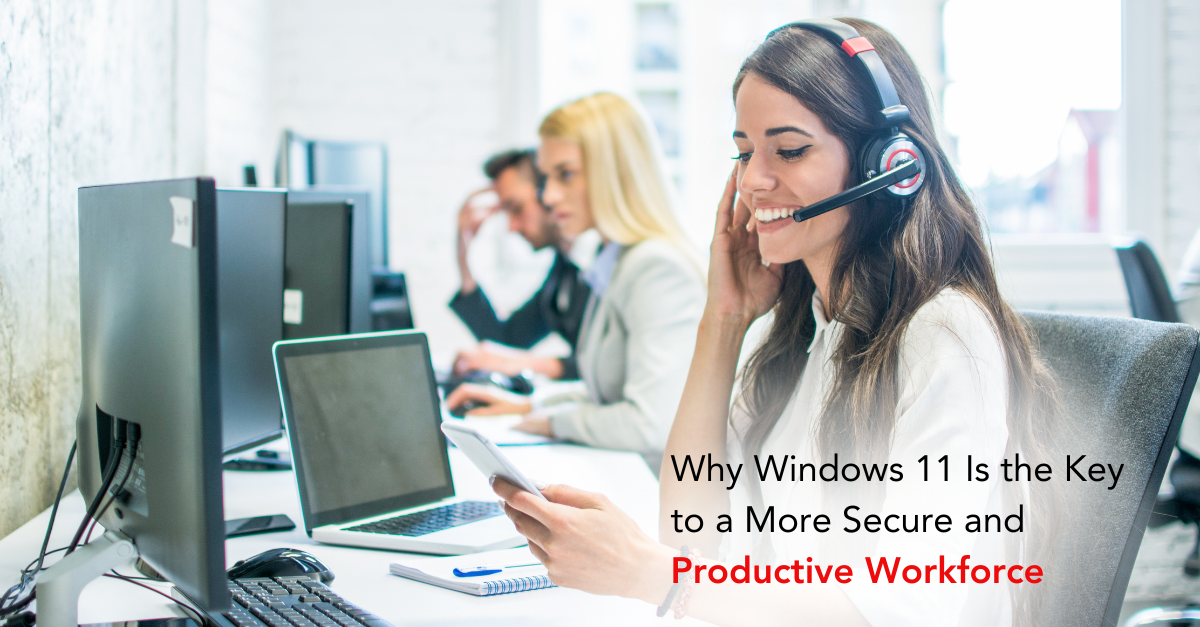
The way we work has changed forever. Hybrid offices, remote collaboration, and cloud-based workflows now define the modern workplace. As businesses adapt, their technology must evolve too—and Windows 11 represents that evolution.
More than just an operating system update, Windows 11 delivers smarter design, stronger security, and seamless productivity tools designed for modern business needs. For Dallas SMBs, upgrading isn’t about keeping up it’s about staying ahead.
Forward-thinking companies leveraging Windows 11 upgrades are seeing major gains in performance, collaboration, and cybersecurity across their organizations.
The End of Windows 10: Why Change Is Necessary
Microsoft officially ends Windows 10 support in the near future, meaning no more security updates, patches, or feature enhancements. Businesses that delay upgrading expose themselves to unnecessary risk.
Key reasons to move now:
- Security support expiration leaves systems vulnerable.
- Compatibility gaps increase between old and new software.
- Compliance violations may occur under unpatched systems.
- Performance slowdowns affect productivity.
As explained in Windows 10 transition plans, upgrading ensures businesses remain compliant, secure, and technologically competitive.
Smarter Design for a Smarter Workforce
Windows 11 introduces a refined, user-focused design that supports modern workflows. Its minimalist interface reduces visual clutter, allowing users to focus on what matters most productivity.
Enhanced design benefits include:
- Centered Start Menu: Simplified layout for quick access to files and apps.
- Snap Layouts: Easily organize multiple windows for multitasking.
- Virtual Desktops: Customize workspaces for different projects or departments.
- Streamlined Settings: Unified menus simplify device configuration.
By improving usability and navigation, modern productivity features empower employees to stay efficient in both office and remote settings.

Security First: The Core of Windows 11
Security is no longer a luxury, it’s a necessity. Windows 11 was built with a Zero Trust architecture, meaning every action, connection, and identity must be verified before access is granted.
Built-in Windows 11 security features include:
- Trusted Platform Module (TPM) 2.0: Hardware-level encryption for sensitive data.
- Secure Boot: Protects against unauthorized software at startup.
- Virtualization-Based Security (VBS): Isolates critical processes from the operating system.
- Windows Hello: Biometric authentication with fingerprint or facial recognition.
This layered defense mirrors modern multi-layered security strategies, providing end-to-end protection for businesses of all sizes.
Productivity Reinvented: Collaboration That Works
Collaboration is at the heart of every successful business. Windows 11 integrates tools that make communication and teamwork seamless whether in the office or on the go.
Productivity tools that boost collaboration:
- Microsoft Teams integration: Direct chat and meeting options from the taskbar.
- Cloud sync with OneDrive: Access files across any device securely.
- Real-time co-authoring: Work together in Word, Excel, and PowerPoint instantly.
- Cross-device continuity: Switch between desktop, tablet, and mobile effortlessly.
As discussed in collaboration technology trends, unified communication isn’t just about connection it’s about efficiency, innovation, and speed.
Cloud Integration: Bridging Flexibility and Control
Windows 11 is built for the hybrid era, fully optimized for cloud and remote operations. With seamless Azure and Microsoft 365 integration, employees can access files, applications, and security tools from anywhere.
Cloud-ready benefits of Windows 11:
- Centralized identity management through Azure Active Directory.
- Encrypted cloud storage to protect shared data.
- Automatic updates for consistent security and performance.
- Hybrid cloud optimization to support on-premise and virtual workloads.
Adopting cloud-smart strategies helps Dallas businesses balance flexibility with control, ensuring teams stay connected and compliant wherever they work.
Advanced Compatibility for Modern Software
Compatibility challenges can cost businesses time and money. Windows 11 supports the latest business applications, virtualization tools, and SaaS platforms, ensuring uninterrupted workflow.
Compatibility improvements include:
- Enhanced app sandboxing for stability and security.
- Support for modern file systems like ex FAT and NTFS extensions.
- Optimized virtualization through Hyper-V and WSL (Windows Subsystem for Linux).
- Seamless hardware integration across desktops and tablets.
Dallas companies upgrading under IT guidance programs avoid costly disruptions and ensure all systems align with modern standards.

The AI Advantage: Windows 11 Meets Intelligence
Artificial intelligence is revolutionizing how teams work, and Windows 11 integrates AI directly into its core. With features like Copilot and automated insights, employees can offload repetitive tasks and focus on innovation.
AI-driven capabilities include:
- Smart recommendations for documents and apps.
- Natural language search through improved Windows Search.
- Contextual automation that predicts user needs.
- Integration with Microsoft Copilot for real-time content creation.
As highlighted in AI-powered productivity discussions, these intelligent tools don’t just save time they redefine what productivity looks like.
Enhanced Endpoint Protection for Remote Work
The rise of hybrid work environments has multiplied the number of devices accessing company networks. Windows 11 responds with next-generation endpoint security designed for mobility and data integrity.
Features protecting distributed teams:
- Device encryption across all endpoints.
- Automated patch management to close vulnerabilities quickly.
- Centralized security dashboards via Microsoft Intune.
- Policy enforcement for remote authentication.
Integrating this approach with intelligent network management gives Dallas businesses greater control, visibility, and reliability over every connected device.
Compliance and Governance Built In
Data protection regulations like HIPAA, GDPR, and PCI-DSS require ongoing vigilance. Windows 11 simplifies compliance with built-in frameworks that support secure file storage, access tracking, and automated updates.
Compliance-ready features:
- Automatic encryption for sensitive data.
- Advanced auditing for file and user activity.
- Policy-based management through Microsoft Endpoint Manager.
- Continuous monitoring for data governance.
Integrating these controls with compliance automation ensures that businesses meet both local and federal standards without slowing operations.
Reducing Downtime with Smarter Updates
Nothing disrupts productivity like an unplanned system update or crash. Windows 11 introduces intelligent update scheduling and system optimization to minimize downtime.
Smart update innovations:
- Background installation without interrupting users.
- Predictive maintenance using device performance analytics.
- Faster boot times via improved kernel optimization.
- Self-healing mechanisms that repair corrupted files automatically.
This continuous optimization aligns with downtime prevention strategies that ensure Dallas SMBs stay operational around the clock.
Unified User Experience Across Devices
Windows 11 creates a unified experience across desktops, laptops, tablets, and even mobile devices helping users stay consistent and productive no matter where they work.
Key benefits of a unified platform:
- Cross-device synchronization for files and apps.
- Adaptive layouts that adjust automatically to screen size.
- Cloud profiles that follow users across devices.
- Single sign-on access to all business applications.
This uniform ecosystem supports co-managed IT environments, where local and remote teams operate securely under the same digital umbrella.
Empowering IT Teams with Centralized Management
Windows 11 simplifies IT administration through centralized device management and real-time analytics. IT departments gain full visibility into system performance, compliance status, and user behavior all from a single dashboard.
Management tools include:
- Microsoft Endpoint Manager for unified control.
- Group Policy Management for consistent enforcement.
- Remote configuration to manage devices anywhere.
- Advanced analytics to predict future maintenance needs.
These tools strengthen IT consulting partnerships, helping Dallas SMBs operate smarter, not harder.
Boosting Productivity Through Performance
Performance is productivity’s hidden partner. Windows 11 optimizes resource usage, memory allocation, and CPU management to deliver faster, more stable experiences for every employee.
Performance-driven benefits:
- Improved multitasking with dynamic memory management.
- Optimized background processes for speed.
- Enhanced battery efficiency for mobile users.
- Seamless software compatibility for modern apps.
Organizations using upgraded infrastructure alongside Windows 11 are achieving measurable gains in both speed and staff satisfaction.
Preparing for the Future of Business IT
Windows 11 isn’t just a short-term improvement—it’s the foundation for future innovation. With AI, hybrid cloud support, and long-term servicing options, Microsoft is building a platform that will power business growth for the next decade.
Future-ready benefits:
- Scalability to accommodate business expansion.
- Enhanced automation for IT and user workflows.
- Integration with next-gen cloud AI tools.
- Long-term support roadmap ensuring continuity through 2030+.
By upgrading now with trusted partners like CMIT Solutions of Dallas, SMBs can transition confidently while aligning with upcoming trends in security, compliance, and productivity.
Conclusion: The Smart Move for a Smarter Workforce
Windows 11 isn’t just another software update, it’s a business transformation tool. From intelligent automation to zero-trust security and cloud integration, it redefines how companies work, collaborate, and protect their data.
In summary:
- Windows 11 delivers stronger security and faster performance.
- Hybrid-ready tools boost team collaboration and flexibility.
- AI and automation reduce IT overhead while enhancing resilience.
- Upgrading ensures compliance and longevity in a digital-first world.
Partnering with CMIT Solutions of Dallas ensures a smooth, strategic migration to Windows 11—complete with configuration, monitoring, and ongoing support. Together, technology and expertise create the foundation for a secure, productive, and future-ready workforce.