The Central Florida Business Owner’s Guide To Holiday Travel (That Won’t End In A Data Breach)
You’re stuck in standstill traffic on I-4, trying to get to the coast for a holiday break. Or maybe you’re standing in a security line that wraps around the atrium at MCO (Orlando International Airport), waiting to fly north to visit family.
Your daughter tugs on your sleeve: “Can I play Roblox on your laptop?”
Your work laptop. The one with client files, QuickBooks data, and VPN access to your entire office network in Kissimmee, Winter Garden, or Clermont. You’re exhausted, you’ve got hours of travel ahead, and honestly, keeping her entertained sounds like a lifeline. What’s the harm?
Here’s the thing: Holiday travel creates security vulnerabilities you don’t face in your normal routine. Whether you are escaping the theme park crowds or mixing a “staycation” with year-end wrap-ups, here is how to protect your business data without ruining the holidays.
Before You Leave: The “SunPass” Lane to Security
Just like you wouldn’t drive onto the Turnpike with an empty tank, don’t leave the office without a 15-minute prep:
Device Basics:
- Update Everything: Run those Windows or macOS updates you’ve been ignoring.
- Cloud Backup: Ensure your files are synced (whether you use OneDrive, SharePoint, or a dedicated backup solution).
- The “Two-Minute” Lock: Set your screen to auto-lock after 2 minutes of inactivity.
- Find My Device: Activate this on all company phones and laptops.
- Power Up: Pack your own cables and charging blocks. (Public USB charging stations at airports are prime spots for “juice jacking” attacks).
The Family Talk:
- Explain that the “Work Laptop” is off-limits for games.
- Pro Tip: If the kids need entertainment, a $150 Kindle Fire or basic iPad is infinitely cheaper than a ransomware attack on your business.
Hotel & Airport WiFi: The “Mickey Mouse” Trap
You finally check into the hotel. Within minutes, the family is connecting to WiFi. You open your laptop to check an urgent email from a client in Winter Park.
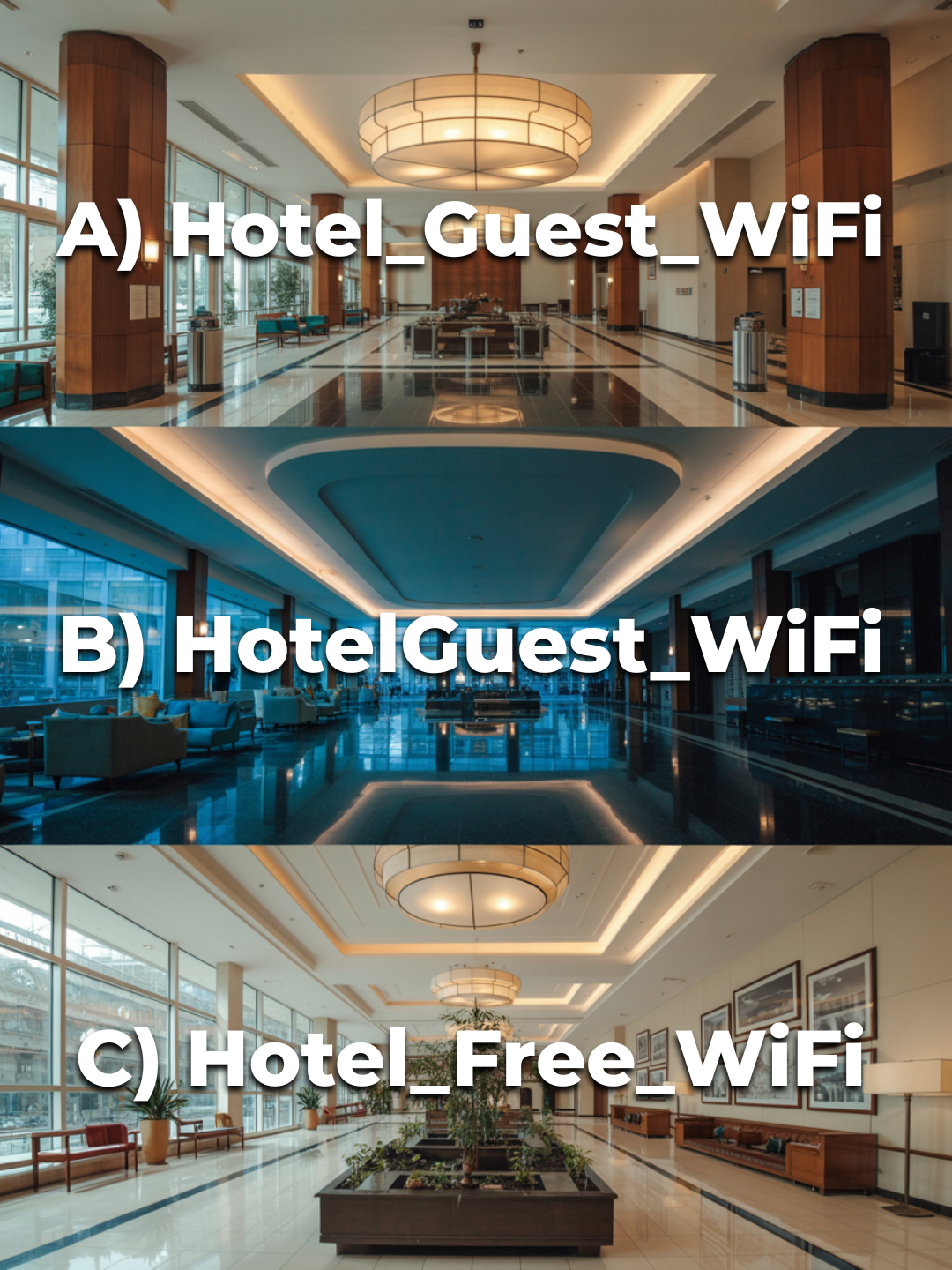
The Problem: Hotel and Airport networks are public. Hackers often set up “Evil Twin” networks—fake WiFi spots that look legitimate (e.g., “Hilton_Guest_Premium” instead of “Hilton_Guest”). If you connect to the fake one, they capture every password and credit card number you type.
How to Stay Safe:
- Verify the Name: Ask the front desk for the exact WiFi name.
- The Golden Rule: If you are accessing bank accounts, client data, or internal company files, never use hotel WiFi.
- Use Your Hotspot: Your phone’s 5G connection is significantly more secure than any public hotel network.
- Use a VPN: If you must use WiFi, ensure you have a Virtual Private Network (VPN) installed and active to encrypt your data.
The “Can I Use Your Laptop?” Problem
Your work computer is the gateway to your business’s livelihood. When you let a family member use it to stream YouTube or chat with friends, you are bypassing your own security protocols.
Kids accidentally click pop-ups. They download “free” games that contain malware. They reuse passwords.
The Solution:
- Just Say No: “This is a work tool, not a toy.” Enforce it.
- The “Guest” Compromise: If you absolutely must share, create a separate “Guest” user account on the laptop with zero administrative privileges and no access to your business files.
Streaming on Hotel TVs: Don’t Leave Your Data Behind
You log into your personal Netflix or Hulu account on the hotel’s Smart TV to watch a movie. You check out the next morning and rush to catch your flight back to Orlando.
What happens next? The next guest—or a staff member—now has access to your account. If you use that same password for your business email (we hope you don’t, but it happens), you are in trouble.
The Fix:
- Cast, Don’t Log In: Use your phone to “Cast” or “AirPlay” content to the TV so your credentials stay on your device.
- The “Nuclear” Option: If you do log in, set a reminder on your phone right now to log out before you leave the room.
The Rental Car Bluetooth Trap
Whether you flew out of state or just rented a larger SUV for the family drive down to Miami, you likely connected your phone to the car for navigation or Spotify.
The car now stores your contacts, recent call logs, and sometimes text message previews. When you return the car, that data often stays there for the next driver.
The 30-Second Fix:
- Before you hand over the keys, go into the car’s “Settings” > “Bluetooth” > “Paired Devices.”
- Delete your phone from the list.
- Clear “Recent Destinations” from the GPS.
The “Working Vacation” Boundary
As a Central Florida business owner, it’s hard to unplug. But constantly switching between “Vacation Mode” and “CEO Mode” makes you careless. You are more likely to click a phishing link when you are rushing to check email while waiting for a table at a restaurant.
Real Talk:
- Check email only twice a day at specific times.
- Do it from your hotel room, not a crowded cafe where people can shoulder-surf your screen.
- Be fully present with your family. Your business will survive a few days of low contact.
Enjoy Your Holiday (We’ll Handle the Tech)
The holidays should be about enjoying time with family—not explaining to your clients why their data was compromised during your trip.
A little preparation goes a long way. But if you want peace of mind knowing your business is secure 24/7—whether you’re in the office in Orlando or on a ski slope in Colorado—we can help.
Want to ensure your team is travel-ready? We help businesses in the Metro Orlando area set up remote access policies, VPNs, and device security that actually works.
CMIT Solutions West Orlando & Kissimmee
Because the best holiday memory shouldn’t be “Remember when Dad’s laptop got hacked?”