Multi-Factor Authentication Explained Without the Acronyms
If your front desk has one computer that three or four people log into across the day,multi-factor authentication can feel like more trouble than it’s worth. It doesn’t have to be. Set up properly, it’s one of the most valuable security changes a clinic, hotel, law office, or any small business can make.
You’ll also hear it called MFA, two-factor, 2FA, or two-step verification. They all mean the same thing.
The plain version
Normally, a password is all it takes to get into an account. Multi-factor authentication adds a second step, usually a quick check on your phone. So even if someone steals a password, they still can’t get in.
The three common options
An approval prompt in an authenticator app. You sign in, your phone buzzes, you confirm. This is the right default for most businesses.
A six-digit code from an app. Just as secure, with a little more typing. A good backup.
A code sent by text message. Better than nothing, but weaker, because a phone number can be moved to another device. Use it only as a fallback.
For admin accounts and anyone who can move money, a physical security key that plugs into a laptop or taps against a phone is the strongest option.
Shared computers need their own plan
A front-desk computer used by several people across different shifts can’t be set up like a laptop one person takes home every night. If you treat them the same, people end up sharing logins or approving each other’s prompts, and the protection disappears.
The fix is to set up shared computers differently instead of leaving them at the default. Clinics, hotels, and law offices around San Marcos and New Braunfels all run into this, and it’s very solvable.
Turn on number matching
If an attacker has someone’s password, they can keep sending login prompts until a busy employee taps “approve” just to make it stop. It’s calledMFA fatigue.
Number matching fixes it. The login screen shows a two-digit number the employee types into the app, so you can’t approve it by accident, and you can’t approve it at all unless you’re the one logging in. If you already use multi-factor authentication, check that this is turned on.
Where to turn it on first
Email, since it’s used to reset every other account
Any remote access into your office network
Banking, payroll, and payment tools
Microsoft 365 admin accounts, which need a stronger method than everyone else
Your practice management, case management, or property management system, especially if it holds client, guest, or patient records
Want a second set of eyes?
CMIT Solutions of San Marcos and New Braunfels can check what you have turned on today, including number matching and how shared computers are set up, as part of afree 30-minute assessment. We work with businesses across San Marcos, New Braunfels, Kyle, Buda, McQueeney, and Seguin.
Multi-factor authentication is a sign-in method that requires two or more proofs of identity instead of relying on a password alone. That usually means something you know, such as a password, plus something you have, such as a phone or security key.
2. Are MFA, 2FA, and two-step verification the same thing? +
For everyday business use, the terms are often used interchangeably. They all describe adding another verification step beyond a password. Technically, two-factor authentication means exactly two factors, while multi-factor authentication can involve two or more.
3. Why is MFA considered such a high-value security step? +
MFA makes stolen or reused passwords much less useful. Even if an attacker knows the password, they still need the second proof before they can access the account.
4. Why are insurers and clients asking about MFA? +
Multi-factor authentication is widely treated as a baseline security control. Insurers and larger clients may ask about MFA because it provides a quick indication of how seriously a business approaches account security.
5. Which MFA method is best for most businesses? +
An authenticator app is a practical choice for many businesses because it is secure, fast, and widely supported. Higher-risk accounts may benefit from stronger phishing-resistant methods such as physical security keys.
6. How does a six-digit authenticator code compare to an approval prompt? +
A six-digit authenticator code provides a strong second factor and can work well as a primary or backup method. It requires a little more typing than an approval prompt but avoids relying on text messages.
7. Is text message MFA safe to use? +
Text-message MFA is generally better than using a password alone, but it is weaker than authenticator apps or security keys because phone numbers can sometimes be redirected or compromised. It is often better used as a fallback rather than the primary method.
8. What is a physical security key, and who should use one? +
A physical security key is a small device used to verify identity during sign-in. It may plug into a computer or communicate with a phone and is worth considering for administrator accounts, financial users, and other highly privileged accounts.
9. What is MFA fatigue? +
MFA fatigue is an attack in which someone who already has a user’s password repeatedly triggers authentication prompts. The attacker hopes the employee eventually approves one simply to stop the notifications.
10. How does number matching stop MFA fatigue? +
Number matching requires the employee to enter or select a number shown on the sign-in screen. That makes it much harder to approve an unexpected request accidentally or without seeing the actual login attempt.
11. How do I know if number matching is turned on? +
Review your authentication settings or ask your IT provider to confirm. If your business already uses MFA, checking whether number matching is enabled is a useful next step.
12. What should an employee do if they get an MFA prompt they did not request? +
Deny the request, do not approve it, and report it immediately. An unexpected MFA prompt may indicate that someone else already knows the account password and is attempting to sign in.
13. Which accounts should get MFA first? +
Start with email, remote access, banking, payroll, payment tools, administrator accounts, and systems that contain sensitive client, customer, or patient information.
14. Why is email the top priority? +
Email is often used to reset passwords and recover access to other business accounts. If an attacker controls the inbox, they may be able to compromise additional systems, which makes email a high-priority account for MFA.
15. Do administrator accounts need something stronger than regular users? +
Yes. Administrator accounts can change settings, permissions, and access for other users, so stronger authentication methods are especially important. Phishing-resistant options such as security keys are worth considering.
16. Should practice, case, or property management systems have MFA? +
Yes, especially when those systems contain sensitive business, client, tenant, case, or patient information. MFA adds another layer of protection if an account password is stolen.
17. Will MFA slow my team down? +
When MFA is configured well, the impact on daily work is usually small. Employees may need to verify themselves on a new device or after a set period, but routine work should not require constant prompts.
18. Why do some employees try to work around MFA? +
Poorly configured MFA can create unnecessary frustration through constant prompts or awkward sign-in steps. When security controls become disruptive, employees may look for shortcuts, which is why thoughtful configuration matters.
19. How should MFA work on shared workstations? +
Shared workstations need a different approach from individually assigned laptops. Account access, authentication, session management, and device policies should be configured deliberately so security remains strong without creating unnecessary friction for employees.
20. What does an MFA review during an IT assessment cover? +
An MFA review looks at what is currently enabled, which accounts are protected, which authentication methods are being used, whether settings such as number matching are turned on, and where important gaps remain. The goal is to fit MFA to the way your team actually works while improving account security.
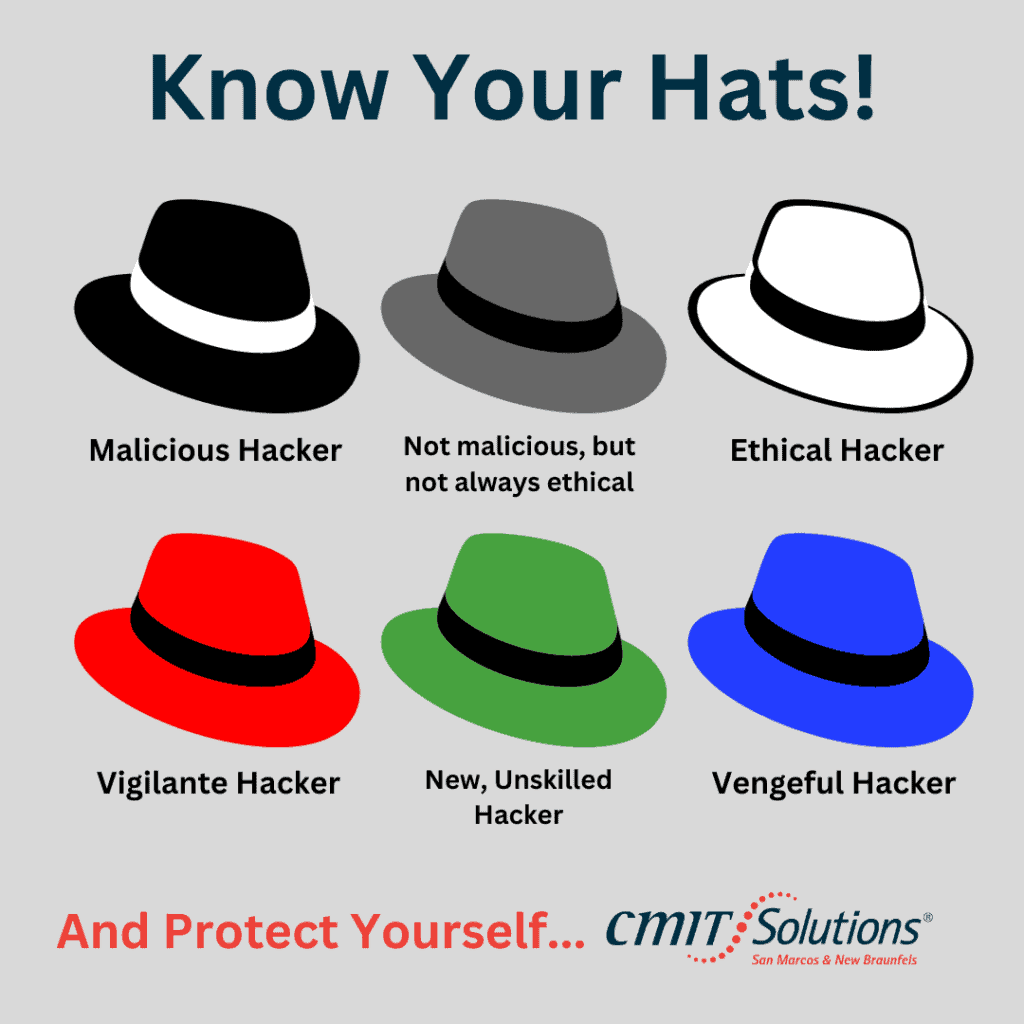
Do you ever wonder who is behind all those cyberattacks that steal private information or cause mayhem online? Well, there are many different types of hackers out there, from black hats to red hats and everything in between.