
As small and mid-sized businesses adopt more cloud tools, remote work, and digital workflows, managing who can access your systems becomes a critical part of cybersecurity. Identity and Access Management (IAM) helps businesses control how users access technology resources, ensuring that only the right people can reach the right systems at the right time.
While IAM is often discussed in the context of large enterprises, the reality is that SMBs face many of the same risks. Stolen credentials, weak passwords, and overly broad access permissions are among the most common causes of security breaches. Implementing basic IAM practices can dramatically reduce these risks without requiring complex infrastructure.
What Is Identity and Access Management?
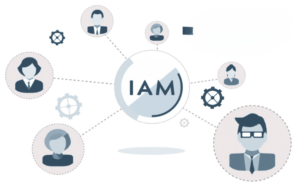
Identity and Access Management is a framework of policies, technologies, and processes used to manage digital identities and control user access to systems, applications, and data. The goal is simple: verify that users are who they claim to be and ensure they only access what they are authorized to use.
IAM typically involves several key components. Identity management establishes and maintains digital identities for employees and users. Authentication verifies a user’s identity when they attempt to log in. Authorization determines what resources that authenticated user is allowed to access. Access governance ensures those permissions remain appropriate over time as roles and responsibilities change.
For SMBs, IAM does not need to be complicated. Many modern tools already include IAM features that can be configured with relatively simple policies.
Why IAM Matters for Small and Mid-Sized Businesses
Many small and mid-sized businesses assume cybercriminals mainly target large enterprises. In reality, SMBs are frequently targeted because they often have fewer access controls and weaker credential security.
One of the most common ways attackers gain entry is through compromised passwords. If a hacker logs in to a single employee account, they may gain access to email, financial platforms, customer data, or internal systems.
A well-known example occurred during the Colonial Pipeline cyberattack in 2021. Investigators found attackers accessed the company’s network using a compromised VPN password tied to an account that did not have multi-factor authentication enabled.
Source: Reuters reporting on the Colonial Pipeline breach.
While this incident involved a major company, the root cause was simple: a single account without MFA. The same type of vulnerability exists in many small businesses. If an attacker gains access to one email or cloud account, it can quickly lead to financial fraud, data exposure, or operational disruption. Basic IAM controls such as multi-factor authentication and proper access restrictions can help prevent these types of breaches before they start.
Core IAM Practices SMBs Can Implement Today
The good news is that many effective Identity and Access Management practices are straightforward for SMBs to implement. A few practical steps can significantly reduce security risks while making access easier to manage.
Enable multi-factor authentication (MFA)
Require employees to verify their identity using a second factor in addition to their password. This could include a mobile authenticator app, hardware token, or SMS verification. Even if a password is compromised, MFA can prevent attackers from gaining access.
Apply the principle of least privilege
Users should only have access to the systems and data necessary for their job responsibilities. For example:
- Marketing teams may not need access to accounting platforms
- Finance staff should not have administrative control over company devices
Limiting permissions reduces the potential impact if an account is compromised.
Use centralized identity management
Instead of maintaining separate credentials for every tool, use a central identity provider such as Microsoft Entra ID or Google Workspace. Centralized management allows you to:
- Create and manage user accounts in one place
- Apply consistent security policies
- Quickly grant or remove access across multiple systems
Conduct regular access reviews
Review user permissions periodically to ensure access still aligns with employee roles. Over time, users often accumulate additional privileges as responsibilities change. Routine reviews help prevent “privilege creep” and keep permissions appropriately limited.
Implement structured offboarding procedures
When employees leave the organization, their accounts should be disabled or removed immediately to help prevent unauthorized entry into company systems. Offboarding should include:
- Revoking application access
- Disabling email and login credentials
- Removing remote access permissions
By putting these basic IAM practices in place, SMBs can significantly strengthen their security posture while keeping identity management manageable for internal teams.
Experts on Identity and Access Management
Setting up IAM correctly requires thoughtful planning to balance security with usability. Businesses need clear policies for managing user access, enforcing authentication, and maintaining visibility into system activity.
If you’re unsure how to implement IAM within your organization, an experienced IT partner can help design and configure the right approach for your environment.
Schedule a free consultation today or call us at (203) 443-1646 to discuss how identity and access management can strengthen your business security.