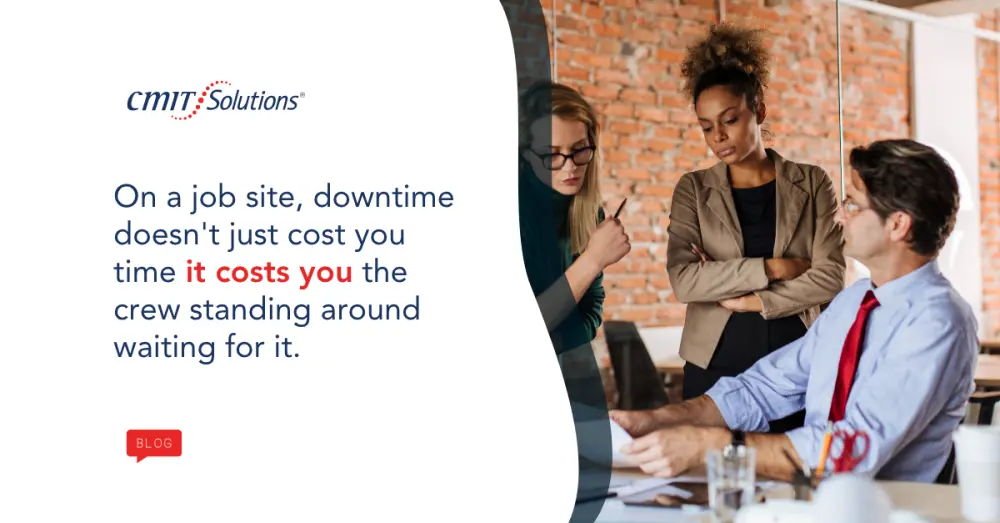
Downtime in construction is not a technology inconvenience. It’s a direct financial hit. When systems go offline, crews stand idle on the clock, subcontractors can’t get approvals, and deadlines tied to penalty clauses in the contract start moving in the wrong direction. A single afternoon of downtime on an active job site, between idle labor, a missed inspection window, and remobilization costs once the problem is fixed, can easily cost more than a full year of proactive IT management would have required.
CMIT Solutions of Austin East works with construction and contracting firms across East Austin, Bastrop, San Marcos, and New Braunfels, and the pattern holds everywhere: firms that build IT around how construction actually operates lose far less money to technology failures than firms running whatever general-purpose setup was in place when the company was five people and one job site.
Why Construction IT Is Genuinely Different
Construction firms carry IT demands most industries don’t face in combination: job sites that need reliable connectivity but often lack stable infrastructure, field crews on cellular connections with inconsistent signal, subcontractors who need controlled access to shared documents without full network access, large drawing and BIM files that need reliable versioning, and financial systems processing high-value vendor payments that are a constant target for fraud. Any one of these can turn into an outage if the underlying IT isn’t built to support it.
The Real Cost of Downtime, in Dollars
It’s worth naming this plainly, because it’s the number that should drive every IT decision below. A day of downtime on an active project isn’t just a lost day. It’s idle crew wages that keep accruing whether work happens or not, equipment and rental costs that don’t pause, missed inspection or delivery windows that push the whole schedule out, contract penalty clauses that activate when milestones slip, and the cost of remobilizing a crew once systems are back up, which rarely happens instantly. Stack a ransomware incident on top of that, where recovery can stretch into weeks rather than hours, and the number moves from thousands of dollars to a project-threatening loss. Every recommendation in this guide exists to keep that number as close to zero as possible.
The Most Common Sources of IT Downtime
A few failure modes show up over and over in construction firms we work with. Unreliable job site connectivity, often a consumer mobile hotspot with no fallback, stops work the moment the signal drops. No monitoring on critical systems means a failing server or drive is only discovered after it’s already down. Outdated hardware running estimating or project management software slows to a crawl or crashes at the worst possible moment, usually during bid preparation. Backups that have never actually been tested often turn out to be unusable exactly when they’re needed. And fragmented support, where one vendor handles internet, another handles the server, and another handles the phone system, means nobody takes ownership when something breaks across systems, so hours get lost just figuring out whose problem it is.
What Smarter IT Management Actually Looks Like
Proactive monitoring. The highest-return change most construction firms can make is shifting from reactive support to systems that flag warning signs before failure: drive health, server performance, network error rates, patch status, and backup job completion. A problem caught early is usually fixed remotely in minutes. The same problem discovered after failure can take a job site offline for a day or more. Our network management services provide this as a continuous function rather than a periodic check-in.
Reliable job site connectivity. Consumer hotspots are fine for personal use but lack the reliability construction operations need. A properly built solution uses business-grade mobile broadband with carrier diversity, secure managed connections back to company systems, and local caching so recently accessed documents stay available if connectivity briefly drops.
Backup built for construction data. Project files are large, change constantly, and are often irreplaceable, since re-creating a lost set of drawings or RFI logs isn’t a real option. That means daily or more frequent backups of active projects, versioned copies that allow point-in-time restoration, and immutable backups that ransomware can’t reach through a compromised network. Our data backup services are built around exactly this profile rather than generic office assumptions.
Standardized hardware and software. Inconsistent configurations across the firm slow down every support call and every new hire’s onboarding. Standardizing what the firm runs, and retiring aging equipment on a planned schedule instead of waiting for it to fail, cuts both support time and compatibility problems between estimating, project management, and accounting systems.
One point of accountability. Fragmented vendor relationships are a hidden downtime driver. A unified managed IT relationship means one provider owns the full environment, infrastructure, connectivity, security, and support, so there’s no ambiguity about who to call when something breaks. Our managed IT services and service packages are built around this kind of single-owner accountability.

Cybersecurity Is a Downtime Problem First
Construction firms often think of cybersecurity as separate from downtime, but the most catastrophic downtime events in construction today are ransomware incidents. A ransomware attack that encrypts project files and estimating data creates far more downtime than any hardware failure, and recovery without tested, immutable backups can stretch into weeks. The other frequent driver is business email compromise, where an attacker monitors project email and impersonates a subcontractor to redirect a wire payment. The financial loss is immediate, and the investigation that follows creates its own disruption. Remote access that isn’t protected by multi-factor authentication is a common entry point for both, and our guide on identity security and why logging in is the new front door covers the access-control fundamentals that stop it. Our layered cybersecurity services and our guide on cybersecurity for Central Texas construction firms cover these threats specifically, and our piece on top IT concerns for construction companies goes deeper on job-site network risk.
Compliance Is Becoming a Downtime Risk Too
Construction firms working on commercial, government, or publicly funded projects increasingly face IT-related requirements that didn’t exist a decade ago, and an unmet requirement can delay a project start or a contract renewal just as effectively as a server outage. General contractors are asking subcontractors to demonstrate basic security controls before accessing shared platforms. Insurance underwriters are requiring documented security practices for cyber coverage. Government projects carry their own security standards. Our compliance support services help firms understand which requirements apply to their project mix before an audit or a bid deadline forces the issue.
Growth Across Central Texas Adds Its Own Complexity
Construction firms rarely stay in one location once they’re growing. Headquarters, satellite offices, and job sites scattered across East Austin, Bastrop, San Marcos, and New Braunfels each add complexity, and without a unified framework, that complexity becomes both a downtime risk and a security gap. Our Bastrop IT services team supports firms expanding across this exact footprint, with the goal that every site, every device, and every user runs on the same standards regardless of which job site they’re working from that day.
Matching IT Investment to Growth Stage
A firm with twenty employees and a couple of active projects doesn’t need the same IT investment as one running a hundred-person workforce across a dozen simultaneous jobs. Early-stage firms should prioritize tested backups, business-grade endpoint security, and a single point of support accountability. Mid-growth firms need centralized file management with project-level access controls, proactive monitoring, and a documented incident response plan. Firms scaling into multi-site or government work need consistent standards across every location, compliance documentation, and capacity planning built directly into the IT relationship. Our IT cost calculators can help model these investments against the documented cost of the downtime your firm has already experienced.

How We Can Help
Our work with construction firms across Central Texas covers downtime prevention, cybersecurity, compliance, and scalability together, not as separate line items. Explore our cloud migration services, unified communications, and productivity software solutions, or browse client success stories and our IT resource library for more detail.
Book a free consultation to talk through your firm’s specific downtime risks. Existing clients can reach us through the client support portal.
Frequently Asked Questions