
Microsoft has officially confirmed the end of support for Windows 10, signaling a major shift for businesses that still rely on this familiar operating system. If your company is one of the millions still running Windows 10, it’s time to plan your next move. Continuing to use an unsupported platform can lead to performance limitations, rising costs, and operational inefficiencies that directly affect your bottom line.
This guide explains why Windows 10 is becoming obsolete, the benefits of transitioning to Windows 11, and how CMIT Solutions can help your organization navigate this upgrade smoothly.
Understanding the End of Windows 10 Support
Windows 10 has served businesses for nearly a decade, delivering a stable environment for productivity and collaboration. However, like all technology, it has reached the end of its lifecycle. After Microsoft stops providing updates, the system will no longer receive essential patches or enhancements. This means:
- No more feature improvements to keep pace with modern applications
- No fixes for bugs that could impact day-to-day operations
- Gradual incompatibility with new hardware and software releases
Even though your computers will continue to run, the lack of updates will create a widening gap between what your business needs and what Windows 10 can deliver.
Why Staying on Windows 10 Is Risky
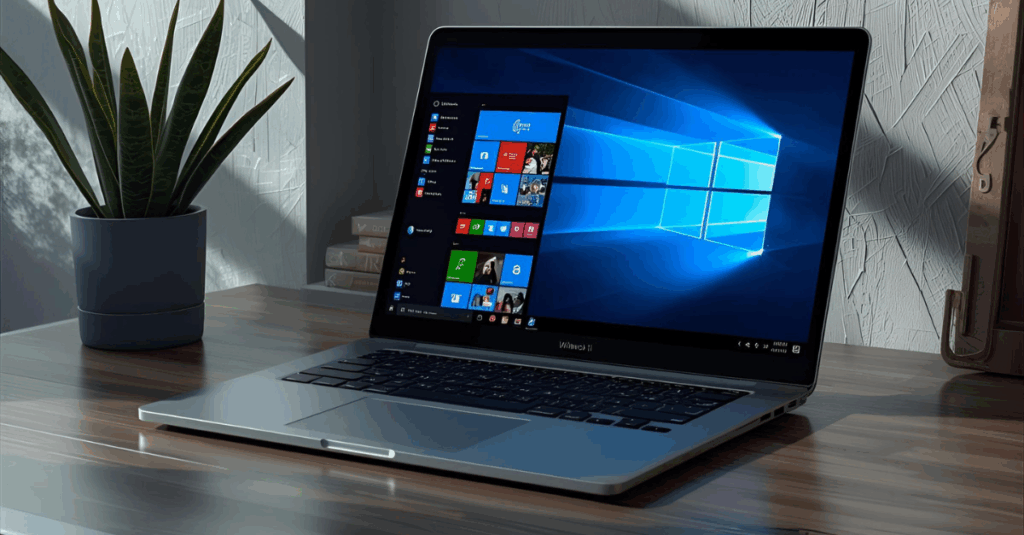
Remaining on an outdated operating system introduces operational and financial challenges. Without regular updates, your technology infrastructure will become more fragile. Applications may stop running as expected, new devices might not connect properly, and essential business tools could lose functionality.
Older systems also require more IT maintenance, which translates into higher costs over time. Instead of spending resources on constant troubleshooting, it’s more strategic to invest in a forward-looking upgrade plan.
Benefits of Upgrading to Windows 11
Switching to Windows 11 isn’t just about staying current—it’s about unlocking a range of advantages designed to improve productivity and business performance.
Modern Interface for Better Productivity
Windows 11 introduces a clean, intuitive design that streamlines navigation and workflow. Features like the centered Start menu, improved snap layouts, and redesigned taskbar make it easier to multitask and stay organized.
Enhanced Performance
Windows 11 is built to run faster and more efficiently than its predecessor. It offers quicker boot times, optimized memory management, and better support for modern processors, ensuring a smoother experience even during heavy workloads.
Future Compatibility
As software vendors develop new applications, many will optimize exclusively for Windows 11. Upgrading ensures your business remains compatible with the latest productivity and collaboration tools without costly workarounds.
Planning Your Upgrade with CMIT Solutions
Moving to a new operating system can feel overwhelming, but with the right partner, the process can be seamless. CMIT Solutions specializes in helping businesses evaluate their current environment, identify hardware requirements, and execute a migration plan that minimizes downtime.
Our team performs a complete technology audit to determine whether your existing computers can handle Windows 11 or if hardware upgrades are needed. We then create a customized rollout schedule to avoid business interruptions and ensure your employees receive proper training.
Key Considerations Before Upgrading
Before making the transition, businesses should address several important factors:
- Hardware Compatibility – Windows 11 has stricter system requirements than Windows 10. CMIT Solutions checks every machine to confirm it meets the necessary specifications.
- Application Readiness – Legacy software may require updates or replacements. Identifying these needs early prevents workflow disruptions.
- Data Backup – Safeguarding critical files before migration ensures that nothing is lost during the process.
- Employee Training – New features and interface changes mean staff may need orientation to maximize efficiency from day one.
Integrating the Upgrade with Broader IT Strategy
A Windows upgrade offers the perfect opportunity to evaluate other technology improvements. As you plan the move to Windows 11, consider enhancing your overall IT environment with solutions that complement a modern operating system.
For example, investing in business productivity tools can amplify the benefits of a faster, cleaner platform. Similarly, leveraging managed services ensures ongoing support and proactive maintenance long after the upgrade is complete.
Leveraging Managed IT Services During the Transition
Upgrading an operating system is not a one-time event. It requires careful planning, continuous monitoring, and long-term maintenance. By partnering with a team that provides reliable guidance, businesses can handle potential complications before they become costly problems.
Managed service providers like CMIT Solutions can handle everything from software licensing to hardware configuration, freeing your internal team to focus on critical operations.
Maximizing Efficiency with Unified Solutions
While moving to Windows 11, many organizations also re-evaluate their communication tools. Integrating unified communication solutions can help teams stay connected across devices and locations. Combining this with a fresh operating system provides a significant productivity boost.
Businesses looking to improve collaboration should also explore cloud computing strategies. Cloud-based environments pair seamlessly with Windows 11, enabling faster access to files and applications.
Safeguarding Your Data Before the Upgrade
Any major IT project should begin with a focus on protecting valuable information. A robust data backup plan ensures that critical files remain safe throughout the migration process. Backups also protect against unforeseen issues, such as hardware failures or accidental deletions.
CMIT Solutions offers backup and recovery services that integrate with Windows 11, ensuring continuous data protection before, during, and after the upgrade.
Avoiding Common Upgrade Mistakes
Businesses often delay upgrades because they fear downtime or compatibility issues. Unfortunately, waiting too long only makes the process harder. Outdated equipment accumulates tech upgrades that become costlier to address over time.
It’s also important to prepare employees for the change. CMIT Solutions provides orientation sessions to help teams adapt quickly, eliminating productivity loss and ensuring a smooth transition.
Preparing for the End of Windows 10
The reality is clear: Microsoft will soon end updates, leaving businesses with an aging platform that can no longer meet modern demands. Now is the time to create a roadmap for moving forward. Learn more about this critical transition with our guide on the end of windows 10 and discover everything companies need to know in goodbye windows 10.
These resources outline practical steps for businesses planning their upgrade and explain why acting early prevents costly disruptions.
Aligning Technology with Long-Term Goals
The end of Windows 10 is more than an upgrade deadline it’s an opportunity to align your IT infrastructure with future growth. CMIT Solutions helps businesses implement a holistic strategy that includes operating system upgrades, cloud integration, and business efficiency improvements.
By treating this transition as part of a larger technology roadmap, your company can reduce long-term costs, streamline operations, and stay competitive in a rapidly changing market.
Take Action Today
The end of Windows 10 support is inevitable, but it doesn’t have to be disruptive. Upgrading to Windows 11 now ensures continued performance, compatibility, and operational excellence. With expert assistance from CMIT Solutions, you can create a step-by-step plan that safeguards your data, trains your team, and modernizes your entire IT environment.
Don’t wait until outdated systems slow your growth. Contact CMIT Solutions to schedule an assessment and start building a future-ready technology platform.