
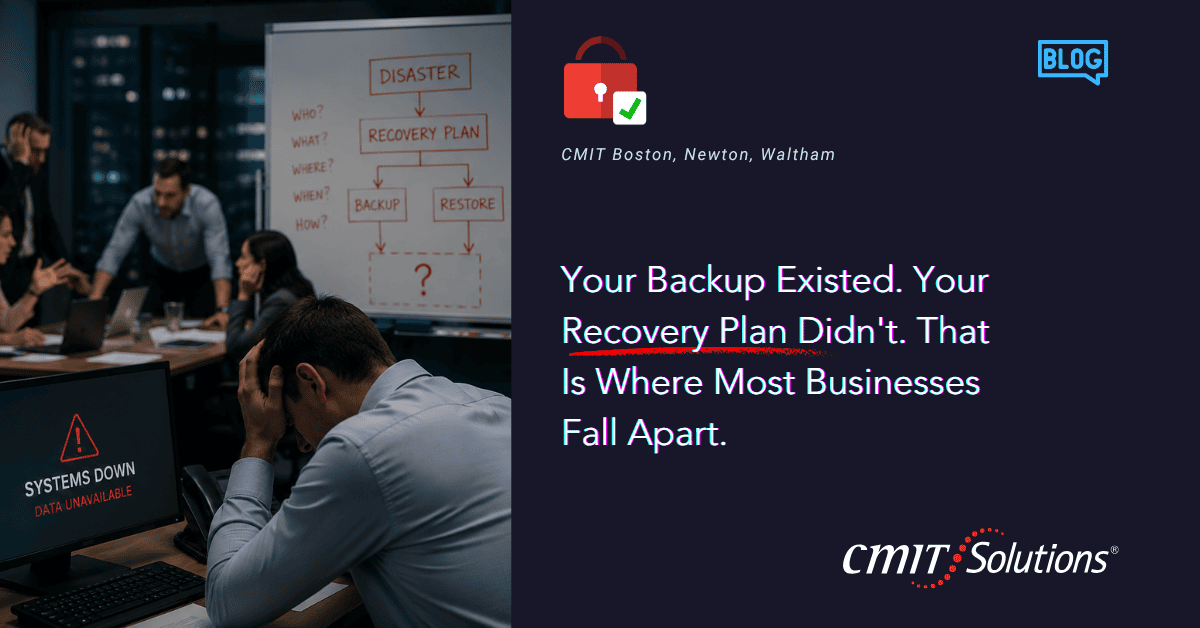
Most business owners believe they are covered because they have a backup. The files are somewhere. The data is saved. If something goes wrong, they will just restore it and move on.
Then something goes wrong.
And they find out that having a backup and having a recovery plan are two completely different things. The backup existed. But no one had ever tested it. No one knew how long the restore would take. No one had mapped out which systems needed to come back online first, or in what order, or who was responsible for each step. By the time the answers to those questions surfaced, the business had already been down for hours, sometimes days.
That is where most businesses fall apart. Not because they skipped the backup. Because they stopped there.
A Backup Is Not a Plan
There is a common assumption that backing up data is the hard part, and recovery is straightforward. In reality, it is the opposite. Backing up data is table stakes. Recovery is where the complexity lives.
In a real recovery scenario, whether it is a ransomware attack, a hardware failure, or a corrupted file, your team is already stressed, systems are down, and customers are waiting. A backup sitting on a drive or in a cloud folder does not tell you anything useful at that moment. It does not tell you how long the restore will take, whether the backup is clean, or who is responsible for what. That is what a recovery plan does, and without one, even a solid data backup can leave you scrambling.
The Moment You Realize You Are Not Actually Prepared
It usually happens in a single moment, and that moment tends to be the worst possible time to find out. A server crashes. A phishing email encrypts a shared drive. The call goes to whoever handles IT, and the first question is: how do we get back up? If the answer is “let me figure that out,” the business is already behind, and every minute of downtime carries a real cost in lost productivity, missed deadlines, and frustrated clients.
For example, imagine a professional services firm arriving on Monday morning to discover its shared files have been encrypted by ransomware. The backup may exist, but if no one knows how to restore it, how long it will take, or which systems must be prioritized first, the business can lose valuable time while clients wait and employees sit idle. That single morning can undo weeks of goodwill with clients who assumed the firm had this handled, and it can trigger compliance exposure if regulated client data was part of what went down.
The businesses that recover quickly are not lucky. They practiced. They had a documented plan, assigned responsibilities, and tested their restore process before they ever needed it, often with the help of IT consulting and support built specifically around that kind of preparation.
Why Most Recovery Plans Never Get Written
It is not that business owners do not care. It is that recovery planning feels abstract until it is not. When nothing has gone wrong, it is hard to prioritize something that exists to address a scenario you hope never happens.
There is also a false sense of security that comes from having any backup at all. The box feels checked. The risk feels managed. So attention moves to things that feel more immediate.
The problem is that disasters do not wait for a convenient time. And when they arrive, the cost of not having planned is immediate and concrete. Managed IT services, delivered through consistent business technology services and ongoing IT guidance, exist precisely to close this gap, making sure recovery planning happens as a matter of routine, not as a response to a crisis.
What an Actual Recovery Plan Covers
A real recovery plan answers specific questions before the emergency happens.
A Recovery Plan Should Answer:
- How often is data backed up?
- What is the acceptable recovery time for critical systems?
- Which systems must be restored first?
- Who is responsible for recovery decisions?
- When was the last successful recovery test performed?
- How will employees continue working during a disruption?
Effective recovery planning also establishes Recovery Time Objectives (RTOs) and Recovery Point Objectives (RPOs). These metrics define how quickly systems need to be restored and how much data loss is considered acceptable, helping businesses set realistic expectations before an incident occurs. An RTO tells you how long you can afford to be down. An RPO tells you how much data, measured in time, you can afford to lose if the last backup was taken an hour, a day, or a week before the incident. Without these numbers written down in advance, every recovery conversation during an actual incident starts from zero.
It also accounts for different failure scenarios. A ransomware attack requires a different response than a hardware failure, which requires a different response than accidental data deletion. A plan that only addresses one type of incident leaves you exposed to the others.
Beyond the documentation, a real plan is tested. Backups are verified regularly through disciplined network management, restores are run in a controlled environment to confirm they actually work, and recovery times are measured against the target, not assumed. This is the kind of structured oversight that proactive managed IT support builds into normal operations, so it does not have to be built from scratch under pressure, and it is reinforced by the kind of managed security services that watch for the incidents a recovery plan is designed to respond to.

The Role of Cloud in Recovery
Cloud infrastructure has made backup easier and more accessible than ever. But easier access to backup does not automatically mean faster or smoother recovery.
Businesses that use cloud services for backup still need to think through how recovery actually works in practice. Where is the data stored? Can it be accessed quickly in a failure scenario? Are there dependencies between cloud-hosted systems that affect the order of restoration? Is the cloud environment itself properly secured through solutions like cmit anywhere secure AI monitoring so the backup does not get compromised along with everything else?
Cloud backup is a valuable part of a recovery strategy, and the right cloud technology solutions can meaningfully shorten recovery time. But it is not a replacement for the plan that governs how that backup actually gets used when it matters.
Small Businesses Are Not a Lower-Priority Target
There is a belief among smaller businesses that they are not interesting enough to attack. Ransomware targets large enterprises. Data breaches happen to companies with thousands of employees. The reality is the opposite.
Smaller businesses are frequently targeted because they are less likely to have strong defenses in place. Attackers know this. A successful ransomware attack against a small business can be just as profitable as a larger target, with far less resistance, especially if that business has never invested in dedicated cybersecurity protection.
And when a small business goes down, the impact is often more severe relative to its size. There is less redundancy, less capacity to absorb disruption, and less margin for extended downtime. That is why cybersecurity and recovery planning are not enterprise concerns. They are small business survival concerns, and they are exactly what a properly scoped managed security services engagement is built to address.
Building a Recovery Plan Without Overhauling Everything
You do not need to rebuild your entire technology environment to put a real recovery plan in place. Most businesses already have the pieces; they are just scattered across different tools, different vendors, and different people’s heads. Bringing them together usually starts with a short discovery process, sometimes framed as an AI readiness assessment if AI tools are part of your environment, or a broader review through AI services and general IT evaluation if they are not.
From there, it helps to look at how your systems connect. If your team depends on unified communications to stay in touch with clients during an outage, that needs its own place in the plan. If productivity applications are central to daily work, the plan should specify how employees keep working, even in a limited capacity, while systems are being restored. Thoughtful IT procurement decisions going forward should also weigh how well a new tool fits into your existing recovery process, not just what it does on a good day.
Support does not stop once the plan is written, either. Incidents do not wait for business hours, which is why 24/7 IT support services and 24/7 business IT support matter as much as the plan itself. When something does go wrong, having fast IT support on call turns a documented plan into an actual fast recovery, rather than a good intention that still takes hours to activate.
The Real Cost of Downtime
It helps to put a number on what downtime actually costs, because “we’ll figure it out if it happens” sounds a lot less reasonable once the math is in front of you. Lost productivity across every idle employee, missed deadlines that damage client relationships, and in some industries, direct compliance penalties tied to how long regulated systems stay unavailable, all add up quickly. A single day of downtime can cost more than years of properly maintained data backup and recovery planning combined, which is exactly why the upfront investment tends to look small in hindsight.
There is a reputational cost too, one that does not show up on a balance sheet but shapes whether clients stay or leave. Clients rarely expect a business to never have a problem. They do expect a business to handle a problem competently. A firm that can say, clearly and quickly, what happened and when service will be restored looks far more trustworthy than one that goes silent for two days while it figures out its own systems. That kind of composure under pressure is a direct result of preparation, backed by dependable cybersecurity practices and clear internal accountability, not something teams improvise successfully in the moment.
Businesses operating under regulatory frameworks carry an additional layer of exposure. Extended downtime affecting regulated data can trigger reporting obligations under compliance requirements that have nothing to do with the technical recovery itself, adding legal and administrative cost on top of the operational disruption. Factoring that risk into your recovery plan from the start, rather than discovering it during an incident, is part of what separates a plan built with real IT support behind it from one built to check a box.

What Changes When You Actually Have a Plan
The difference shows up immediately when something goes wrong. Instead of scrambling to figure out who does what, people already know. Instead of hoping the backup is clean and usable, that has already been confirmed. Instead of estimating how long recovery will take, there is a real number based on actual testing.
The business still goes through the incident. But it comes out the other side faster, with less damage, and with the ability to tell clients and partners what happened and how it was handled. That matters more than most people realize. How a business responds to a failure often shapes how clients feel about it going forward.
Businesses that run well under pressure tend to have network infrastructure and recovery processes that were designed with failure in mind, not built after the fact, supported by advanced IT support and consistent IT support that keeps the plan current as the business changes. The most effective recovery plans are reviewed and tested regularly because business systems, users, and risks change over time.
Conclusion
A backup without a recovery plan is a false sense of security. The real test is not whether your data was saved. It is whether your business can recover quickly enough to keep serving customers, protecting revenue, and maintaining trust.
The businesses that recover quickly from incidents are the ones that treated recovery planning as a normal part of running their IT environment, not a project to get to someday. They tested their backups. They assigned responsibilities. They knew their numbers before the pressure was on.
If you have a backup but you are not sure what your recovery actually looks like in practice, that gap is worth closing now rather than finding out during an incident. We help Boston-area businesses, supported by expert outsourced IT solutions, build recovery plans that work when they need to, not just on paper.
Call us at (617) 657-1075 or schedule a discovery call and we will walk through where your current setup stands and what it would take to make sure recovery is something you are actually ready for. You can also reach out anytime through our contact us page.
If you know another business owner who thinks a backup is enough, send this their way.
Frequently Asked Questions
- What is the difference between a backup and a recovery plan?
A backup is a copy of your data. A recovery plan is the documented, tested process for restoring operations from that copy within a known and acceptable timeframe.
- How often should backups be tested?
Most businesses benefit from testing restores quarterly at minimum, with more frequent checks for systems considered mission-critical.
- What is a Recovery Time Objective (RTO)?
An RTO is the maximum acceptable amount of time a system can be down before the disruption becomes unacceptable to the business.
- What is a Recovery Point Objective (RPO)?
An RPO defines how much data loss, measured in time, is acceptable if a system needs to be restored from the last available backup.
- Do small businesses really need a formal recovery plan?
Yes. Small businesses often have less redundancy and less capacity to absorb downtime, which makes a documented plan even more important than it is for larger organizations.
- Is cloud backup enough on its own?
No. Cloud backup stores your data, but recovery still requires a defined process for restoring it, verifying it, and prioritizing which systems come back first.
- Who should be responsible for executing a recovery plan?
Every recovery plan should name specific people or roles responsible for each step, so no one is figuring out ownership during an actual incident.
- How long does a typical recovery take?
It depends entirely on the systems involved and whether the recovery process has been tested in advance. Untested recoveries routinely take far longer than businesses expect.
- What kinds of incidents should a recovery plan cover?
At minimum, ransomware, hardware failure, and accidental data deletion, since each requires a different response.
- Can a recovery plan prevent an attack from happening?
No. A recovery plan addresses what happens after an incident. Prevention comes from separate cybersecurity measures working alongside it.
- How do we know if our current backup is actually clean?
Regular restore testing in a controlled environment is the only reliable way to confirm a backup is usable and free of compromise.
- What happens if employees cannot access their tools during recovery?
A complete plan includes a way for employees to continue essential work, even in a limited capacity, while primary systems are being restored.
- Should every system be restored at the same priority level?
No. A recovery plan should rank systems by how critical they are to operations, so the most important ones come back online first.
- How often should a recovery plan be updated?
It should be reviewed any time major systems, vendors, or staff responsibilities change, and at a minimum on an annual basis.
- Does having cyber insurance replace the need for a recovery plan?
No. Insurance can offset financial losses after an incident, but it does not restore your systems or reduce downtime on its own.
- What is the biggest mistake businesses make with backups?
Assuming a backup exists and works without ever testing the actual restore process.
- Can a recovery plan help during a non-cyber incident, like a hardware failure?
Yes. A well-built plan accounts for multiple failure scenarios, not just cyberattacks.
- How do we start building a recovery plan if we do not have one?
Start with an inventory of your critical systems, current backup practices, and who is responsible for IT decisions, then work with a partner to formalize and test the plan.
- Does a recovery plan need to be complicated to be effective?
No. A clear, well-documented plan that has actually been tested is more valuable than a complex plan that has never been exercised.
- What is the first sign that a business does not have a real recovery plan?
If no one can answer how long a restore would take or who would be responsible for it, that is a clear sign the plan does not exist yet, only the backup does.



