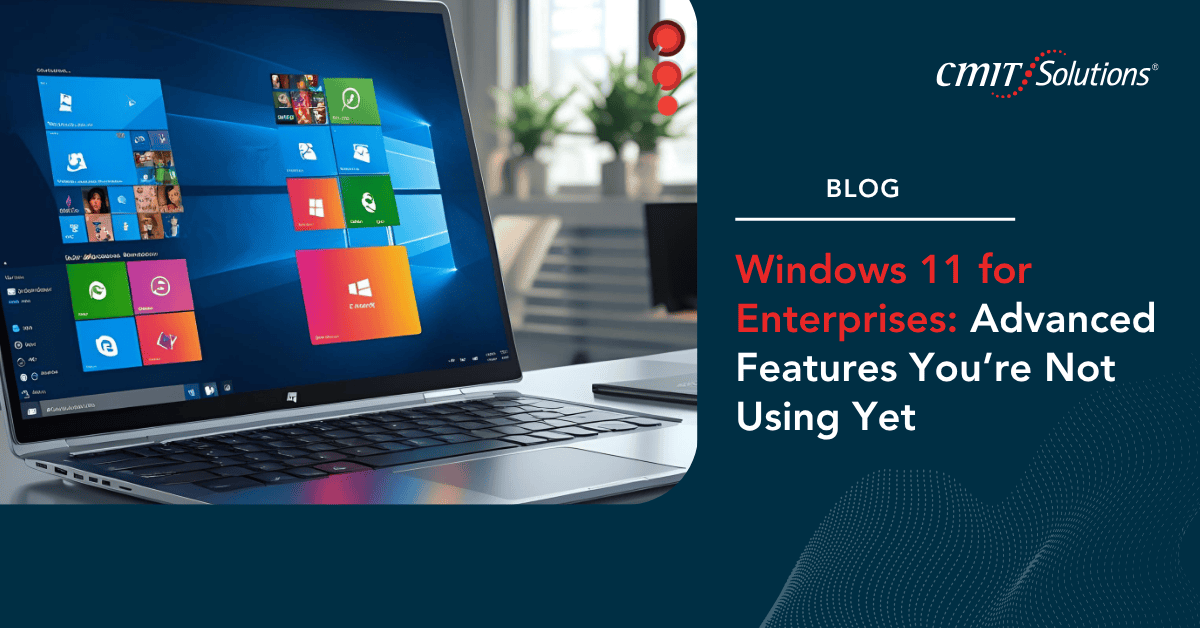
Microsoft’s Windows 11 has evolved beyond a simple operating system upgrade; it’s now a strategic enabler for enterprise security, productivity, and innovation. Designed for hybrid work environments, it brings together cloud connectivity, AI-powered efficiency, and enterprise-grade protection.
Yet, despite its potential, many businesses are only scratching the surface of what Windows 11 can do. From advanced endpoint management to built-in security intelligence, this OS offers untapped tools that can transform how your organization works if you know where to look.
Why Windows 11 Matters for the Modern Enterprise
Today’s businesses demand flexibility, speed, and protection. Windows 11 delivers all three by merging intuitive design with deep integration into Microsoft’s cloud ecosystem.
Core enterprise benefits include:
- Seamless connectivity with Azure AD and Microsoft 365.
- Streamlined workflows through AI-driven automation.
- Built-in Zero Trust security principles.
- Optimized performance for hybrid work.
As explored in cybersecurity in the cloud era, cloud-first integration is no longer optional; it’s essential for keeping modern workplaces agile and protected.

Redefining Productivity with a Smarter Interface
Windows 11’s interface isn’t just about aesthetics. Its redesigned taskbar, Snap Layouts, and Focus Assist features are built to reduce distractions and improve productivity.
Top productivity enhancers include:
- Snap Layouts & Groups: Organize apps intuitively across multiple desktops.
- Focus Sessions: Eliminate interruptions and track progress through Microsoft To-Do.
- Dynamic Widgets: Get real-time updates for meetings, weather, and priorities.
These upgrades align with the principles in streamlining collaboration, ensuring employees can work smarter and more collaboratively in digital spaces.
Security at Its Core: Built for the Zero Trust Era
Windows 11 was engineered with security-first architecture. Its integration of Zero Trust and hardware-based protection ensures that every user, app, and device is verified before access is granted.
Security features you might not be using yet:
- TPM 2.0 encryption: Strengthens identity protection at the hardware level.
- Secure Boot: Prevents malware from loading during startup.
- Virtualization-based security (VBS): Isolates sensitive data from regular processes.
- Windows Hello for Business: Enables passwordless authentication.
These principles mirror those found in zero trust maximum security, reinforcing how layered verification is now the standard for enterprise cybersecurity.
Microsoft Intune Integration: Simplified Endpoint Management
Managing remote devices can be complex but with Microsoft Intune and Windows 11, enterprises can unify endpoint management under one pane of glass.
With Intune integration, businesses can:
- Enforce policies across hybrid and remote endpoints.
- Manage mobile devices alongside desktops.
- Automate software deployment and patching.
- Monitor compliance through a centralized dashboard.
The advantages of this integration are explored in boosting efficiency and security, where Mobile Device Management (MDM) ensures consistent security across all endpoints.
Windows Autopilot: Faster, Safer Device Deployment
Windows Autopilot eliminates manual setup by allowing IT teams to configure and deploy devices instantly with pre-defined policies.
Autopilot benefits include:
- Zero-touch provisioning for new employees.
- Cloud-based configuration for hybrid teams.
- Automatic enrollment into Azure AD and Intune.
- Consistent setup experience across devices.
This automation aligns with beyond the break-fix model, where proactive deployment saves time and ensures security from day one.
AI and Automation: Powering Intelligent Workflows
Windows 11 leverages AI to optimize user experience and automate repetitive tasks. Cortana, cloud-based search, and Microsoft 365 integration work together to streamline daily operations.
Key AI-powered features include:
- Intelligent app recommendations through Start Menu.
- Automated organization via Windows Timeline.
- Context-aware suggestions based on user patterns.
- AI-enhanced voice recognition for meetings and notes.
The innovation parallels what’s discussed in AI in focus, where automation reduces inefficiency and enables smarter, faster decision-making.
Enhanced Collaboration Through Microsoft Teams Integration
Windows 11 embeds Microsoft Teams directly into its interface, making communication instant and intuitive. This integration removes barriers between departments, devices, and even time zones.
Teams integration allows:
- Direct video calls from the taskbar.
- Secure file sharing via OneDrive.
- Co-authoring in real time with Office apps.
- Seamless collaboration between on-site and remote staff.
These capabilities reflect the effectiveness of enabling hybrid teams, ensuring distributed teams remain connected through a secure, unified platform.
Windows Defender: The Unsung Hero of Enterprise Protection
Many businesses underestimate the built-in protection of Microsoft Defender for Endpoint. This advanced solution provides AI-driven detection, isolation, and remediation of sophisticated cyber threats.
Windows Defender offers:
- Real-time threat detection powered by Microsoft’s security graph.
- Endpoint isolation to contain active attacks.
- Cloud-delivered protection that learns from global trends.
- Integration with SIEM tools like Microsoft Sentinel.
This approach ties directly to multi-layered security, where comprehensive defense combines software, intelligence, and automation.
Compliance and Data Governance in Windows 11
Windows 11 includes powerful built-in tools for data loss prevention (DLP), information rights management (IRM), and compliance reporting essential for regulated industries.
With compliance tools, enterprises can:
- Automatically classify and protect sensitive data.
- Control document sharing across users and devices.
- Monitor data activity for audit readiness.
- Integrate with Microsoft Purview for deeper insights.
As explored in compliance in the age of AI, automation ensures regulatory compliance happens in real time rather than through reactive audits.
Seamless Cloud Backup and Business Continuity
Enterprises can leverage OneDrive for Business and Azure Backup to ensure that all files, system settings, and applications are recoverable from any incident.
Cloud backup essentials include:
- Real-time synchronization of critical files.
- Version control for document recovery.
- Geo-redundant storage for added resilience.
- AI-based detection of ransomware or file tampering.
These practices are reinforced in data backup and disaster recovery, where automation and redundancy ensure continuity even during major disruptions.
Why Many Enterprises Haven’t Fully Adopted These Features
Despite these advanced capabilities, many enterprises still rely on outdated settings or legacy workflows. This underutilization often stems from lack of awareness or resources to implement advanced configurations.
Common reasons for underuse include:
- Limited in-house IT expertise.
- Fear of disrupting established workflows.
- Lack of clarity about feature benefits.
- Outdated device management practices.
The analysis in legacy systems and modern threats warns that clinging to older systems exposes enterprises to risks and inefficiencies that modern platforms easily resolve.

The Role of Managed IT Services in Windows 11 Optimization
A Managed IT Services provider like CMIT Solutions of Bothell and Renton helps organizations unlock Windows 11’s full potential through expert configuration, security alignment, and user training.
Managed support ensures:
- Seamless upgrades and deployments.
- Integration with enterprise tools like Intune and Sentinel.
- Customized automation and reporting dashboards.
- Continuous optimization of security and performance.
This proactive approach mirrors the strategy in from reactive to resilient, where expert management ensures technology evolves with your business not against it.
Conclusion: Unlocking the Hidden Power of Windows 11
Windows 11 isn’t just an operating system, it’s a complete enterprise platform built for the hybrid era. From intelligent automation to advanced compliance tools and Zero Trust protection, it empowers organizations to work smarter and more securely than ever before.
Businesses that partner with CMIT Solutions of Bothell and Renton gain access to the expertise needed to configure, secure, and optimize Windows 11 for enterprise success. Whether it’s endpoint management, cloud integration, or ransomware resilience, CMIT ensures your systems are ready for tomorrow’s challenges today. Unlocking Windows 11’s advanced features isn’t just an upgrade; it’s an evolution in how your business operates, collaborates, and thrives in the connected world.