

Every business owner in Southwest Florida knows the drill when a storm is tracking towards the Gulf: board up the windows, fill the gas tanks, stock up on water. Fewer businesses have a clear, practiced plan to handle their technology needs, and that lack often turns a two-day power outage into a two-week shutdown.
Data loss, missed client communication, and damaged on-site equipment usually don’t factor into a pre-storm checklist, yet they’re often the biggest contributors to a business’s time and money loss after the storm has passed.
At CMIT Solutions of Fort Myers South, we work with local businesses before, during, and after hurricane season every year. This guide breaks down exactly what IT-related hurricane prep should consist of, the mistakes that trip up businesses, and how to plan so that your data is kept safe and operations can continue regardless of the forecast.
A hurricane-prepared IT plan for a Fort Myers business requires offsite/cloud data backup that’s been tested during storm season, a documented remote-work setup, mobile hotspots or backup connectivity, protected on-site hardware, and a written communication plan that your team can execute without internet or power.
Free Download: Hurricane Season IT Readiness Checklist (add here 1 checklist pdf download)
Want this guide in a printable, one-page document you can pass out to your team, or even keep by the office door? Download our free Hurricane Season IT Readiness Checklist PDF and work through it in your next staff meeting before the next storm forms!
Why Hurricane Season Is an IT Problem, Not Just a Facilities Problem?
Most storm preparedness plans focus on the physical building boarding windows, moving furniture, securing the roof. Technology is often an afterthought, even if it’s usually what dictates how soon a business can get back to serving customers.
- Power outages and flooding are capable of destroying on-site servers, workstations, and network equipment in minutes
- Internet and cell service outages can leave a business cut off from its employees, vendors, and customers for days
- Businesses that don’t have offsite data protection can lose records they can’t easily recover, not just equipment they physically have to replace
- The time needed to recover after a storm is often dictated by how soon IT systems can return to normal, not how fast repairs to the building can be finished
Giving technology consideration as a part of hurricane preparedness, not separate from it, is the one shift that protects Fort Myers businesses when storm season rolls around.
The Real Cost of Storm-Related Downtime to SWFL Businesses
It’s easy to forget how much a few days of downtime cost businesses until they personally experience it. The cost goes far beyond lost sales it can often compound in other areas.
- Lost revenue during closure and the delayed reopening if systems can’t be restored quickly
- Missed client commitments that damage years of built relationships, not just a few days of business
- Payroll and overhead costs continuing to come due, whether or not the business can operate
- Recovery and repair costs to unprotected equipment which are almost always much greater than any prevention costs
- Reputation damage due to customer inaccessibility or mixed information during an outage
This is the same pattern of compounding costs we see when businesses don’t plan before a cloud migration or rush into a technology purchase. The expense that isn’t budgeted for upfront ends up being far greater later on.
Data Backup and Disaster Recovery: Your First Line of Defense
If a storm damages your office, your data shouldn’t be trapped there with it. Reliable backup is the cornerstone of any hurricane readiness plan.
- Store backups offsite or in the cloud, not solely on local servers that share the same building as everything else
- Test restores regularly, since a backup that hasn’t been verified is one you can’t rely on in an emergency
- Keep multiple recovery points so that you’re not restored from outdated data if a storm hits mid-week
- Document recovery steps clearly enough that anyone other than your usual IT contact could follow them if needed
A unified data backup solutions strategy should already factor in scenarios exactly like this. Worth noting is that simply having files “in the cloud” isn’t necessarily a disaster recovery plan, and we dig into the distinction in Should Your Business Move Everything to the Cloud? Not Necessarily.
Protecting On-Site Hardware Before the Storm
Not every system should reside in the cloud, and so physical protection still plays a role for equipment that stays in your office.
- Elevate servers and network equipment off the floor
- Use surge protectors and battery backups (UPS units) to guard against power surges during outages and power restoration
- Power down and unplug non-essential equipment before the storm makes landfall, not after warnings have already escalated
- Photograph serial numbers and equipment setups in advance in case insurance claims or replacement orders are needed later
If equipment does need to be replaced after a storm, having an established, vetted vendor relationship makes the difference between a fast replacement and a weeks-long wait for backordered parts. The same disciplined sourcing is covered in How Smart IT Procurement Can Prevent Expensive Technology Mistakes.

Keeping Communication Alive When Power and Internet Go Down
Fort Myers businesses regularly experience outages after a major storm. A plan that relies solely on the office network connection isn’t a plan at all.
- Set up call forwarding or a cloud-based phone system so that customer calls aren’t simply going unanswered
- Identify which team members have mobile hotspots or other alternative connectivity as a backup to the office internet
- Use a unified communications platform that works from any device, so that voice, chat, and video don’t all depend on a single physical location
- Establish a single communication channel which your whole team checks for updates, rather than a number of ad-hoc text messages and calls
Remote Work Readiness: Can Your Team Actually Work From Anywhere?
Evacuation orders, flooding, or office damage can make it impossible for staff to get to the building, even if their homes haven’t been touched. The businesses that recover fastest are those with teams that can keep working from wherever they happen to be.
- Confirm employees can securely access email, files, and core applications from personal or backup devices
- Use cloud-based productivity platforms so that work isn’t tied to a single physical workstation
- Review VPN or remote access setups before storm season, not during an active evacuation
- Make sure login credentials and multi-factor authentication methods are accessible if a phone is lost or damaged
This is the same flexibility explored in our overview of cloud service solutions, and the goal isn’t to move everything to the cloud by default, but to make sure that the systems your team needs are accessible from anywhere.
Cybersecurity Risks That Spike During and After a Storm
Storms create chaos, and chaos is exactly what cybercriminals look for. Phishing attempts and scams often see a noticeable jump during hurricane season in Florida.
- Fake “insurance claim” or “FEMA assistance” emails and texts spiked after major storms
- Employees working from unfamiliar devices and networks are more likely to be tricked into phishing attempts
- Scammers impersonate vendors or IT support to exploit the urgency of storm recovery
- Businesses distracted with physical recovery often fail to monitor their IT security during a vulnerable period
This is why ongoing employee awareness matters most during high-stress periods, and why vetting who has access to your business data (including any vendor contacting you “about storm recovery”) never becomes skipped over, no matter how urgent the message sounds.
Don’t Forget Connectivity Basics
A hurricane-prep plan is only as good as the network it relies on every day.
- Confirm your office Wi-Fi and network setup don’t possess any vulnerabilities before adding the stress of a storm, a check we outline in Is Your Wi-Fi Putting Your Business at Risk? What Every Company Should Check
- Reliable network management ensures that connectivity issues are caught and resolved well before storm season arrives, not discovered during it
Industry-Specific Hurricane Considerations
Healthcare Practices
Patient record access can’t simply stop during a storm. Practices should review the same priorities outlined in our guide on healthcare cybersecurity needs as they consider their disaster recovery plan.
Legal Firms
Confidential case files require both robust backup and strict access control during an evacuation, extending the priorities covered in why law firms are moving beyond traditional IT support.
Accounting Firms
If a storm hits during tax season or a client deadline, firms need assurance their data is both backed up and recoverable, a concern reflected in the biggest cybersecurity risks facing accounting firms.
Construction and Real Estate
Field teams that rely on mobile access need connectivity plans that don’t suddenly collapse when the job site or office loses power, and that’s a theme explored in our guide to reducing downtime with proactive managed IT.
Your Pre-Season Hurricane IT Checklist
- Confirm backups are offsite/cloud-based and have been tested in the last 90 days
- Verify UPS battery backups are installed and functioning on critical equipment
- Set up or test call forwarding and cloud phone access
- Confirm remote access and MFA work on backup devices
- Review employee contact list and designate one communication channel
- Photograph and document key hardware and serial numbers
- Brief staff on storm-season phishing red flags
- Confirm a vetted vendor is available for emergency equipment replacement
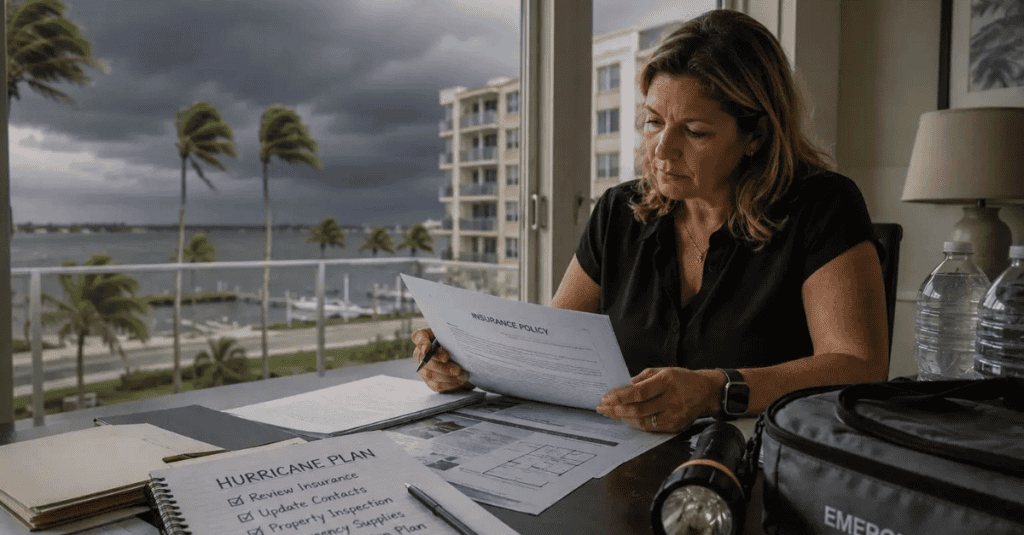
Common Mistakes Businesses Make Before Storm Season
- Assuming cloud storage constitutes a disaster recovery plan
- Waiting until a storm is already in the forecast to test backups or remote access
- Having no documented plan, and instead relying on “we’ll figure it out” if something happens
- Forgetting to update the plan as staff, vendors, or systems change year to year
What to Do Immediately After the Storm Passes?
- Check power and connectivity status before assuming systems are down for good
- Run a backup restore test before resuming normal operations, rather than assuming data is intact
- Scan for phishing attempts specifically referencing the storm or recovery assistance
- Document any equipment damage immediately for insurance and replacement purposes
- Debrief with your IT partner on what worked and what to adjust before the next storm
Working With a Local IT Partner Before the Next Storm
Hurricane prep isn’t a one-time task, and it’s something that needs to be reviewed every year as your business, staff, and systems change.
- A local partner who understands Southwest Florida’s storm patterns can build a plan suited to real regional risk, not generic guidance
- Professional managed IT services keep backup, security, and connectivity monitored year-round, not just in June
- Ongoing IT support means help is available quickly if something does go wrong, storm or no storm
- For regulated industries, pairing hurricane planning with compliance management ensures recovery plans still meet required standards
Final Thoughts
Hurricane season isn’t optional for Fort Myers businesses, but losing weeks of operations to a storm oftentimes isn’t. The businesses that recover fastest aren’t the ones with the most expensive equipment, but who have a tested backup, a documented communication plan, and a team that knows what to do before the storm ever makes landfall.
At CMIT Solutions of Fort Myers South, we help local businesses build hurricane-ready IT plans year-round, not just when a storm is already in the forecast. The best time to prepare was before last season, and the next best time is now.
Don’t wait for a storm warning to discover your backup plan doesn’t work. Schedule a free IT assessment with our team, and download the full Hurricane Season IT Readiness Checklist to get started today.
Frequently Asked Questions



