Introduction: A New Era of Business Computing
Microsoft’s latest operating system, Windows 11, has redefined workplace technology by combining security, speed, and seamless integration. For small and mid-sized businesses (SMBs), upgrading to Windows 11 isn’t just about keeping up with change it’s about future-proofing productivity and cybersecurity.
At CMIT Solutions of Oak Park, Hinsdale & Oak Brook, we’ve seen how outdated systems can slow workflows, increase vulnerabilities, and hinder collaboration. With support for Windows 10 ending soon, now is the perfect time to transition to a more secure, efficient, and connected platform.
The End of Windows 10: Why It Matters
Microsoft will officially end support for Windows 10 in October 2025, leaving many businesses exposed to security risks if they don’t upgrade. As highlighted in future tech trends, staying current with technology is essential to business longevity.
- Security updates will no longer be provided for Windows 10.
- Unsupported systems become easy targets for cyberattacks.
- Outdated OS versions lead to software incompatibility.
- Maintenance costs increase as devices age.
- Compliance and data protection standards may be compromised.
Upgrading to Windows 11 ensures that your business stays compliant, protected, and prepared for the future.
Windows 11: Designed for Modern Business Needs
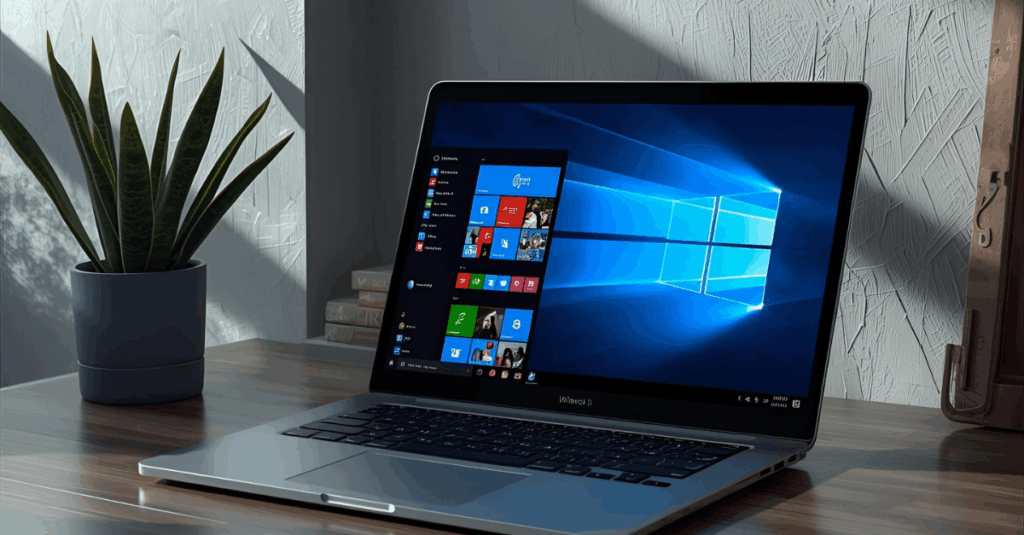
Windows 11 was built for productivity, mobility, and intelligent work experiences. Its intuitive design, enhanced multitasking features, and tighter security controls make it ideal for modern workplaces.
In managed services, CMIT explains how system modernization is key to maintaining efficiency and reducing IT risks.
- A redesigned, minimalist interface improves focus and usability.
- Snap Layouts and Groups make multitasking easier than ever.
- Enhanced search and AI tools streamline daily operations.
- Microsoft Teams integration connects hybrid teams seamlessly.
- The OS is optimized for energy efficiency and performance.

Enhanced Security: The Core of Windows 11
Microsoft built Windows 11 with a zero-trust security framework, ensuring protection from firmware to the cloud. In cyber defense, CMIT highlights how layered security is essential in the evolving digital landscape.
- TPM 2.0 chips enforce hardware-based security encryption.
- Secure Boot blocks unauthorized system access.
- Windows Hello adds biometric authentication.
- Virtualization-based security isolates sensitive data.
- Advanced threat protection integrates with Microsoft Defender.
These innovations protect against phishing, ransomware, and zero-day exploits keeping your business data safe around the clock.
Seamless Integration with Cloud and Microsoft 365
In today’s digital-first world, cloud connectivity is non-negotiable. Windows 11 integrates effortlessly with Microsoft 365 and OneDrive, allowing businesses to work securely from anywhere. As explained in cloud solutions, cloud-enabled systems improve flexibility and reduce downtime.
- Real-time document syncing across devices.
- Built-in cloud backup protects business-critical data.
- Teams integration simplifies communication and collaboration.
- Microsoft Edge enhances productivity and privacy.
- Azure Active Directory enables unified security management.
This ecosystem transforms Windows 11 into a central hub for productivity and security.
Performance and Speed: Productivity Redefined
Every second counts in business. Windows 11 leverages next-generation processing to deliver faster boot times, smoother multitasking, and optimized performance. In IT consulting, CMIT shows how the right technology investment directly impacts output and ROI.
- Intelligent resource allocation prioritizes essential tasks.
- Background updates minimize user interruptions.
- Improved memory management enhances app performance.
- GPU acceleration speeds up data-heavy operations.
- Efficient design extends battery life for mobile teams.
Compatibility and Application Support
While Windows 11 introduces new architecture, it’s built with backward compatibility in mind. Businesses running modern versions of Microsoft Office, ERP software, or CRMs like Dynamics 365 can migrate smoothly.
The article on IT procurement highlights how evaluating compatibility during upgrades prevents costly disruptions.
- Core business applications are fully supported.
- Legacy systems can run using virtualization tools.
- Continuous updates ensure smooth integration with Microsoft apps.
- Driver optimization enhances device reliability.
- Compatibility testing reduces migration challenges.

Stronger Network Management for Connected Environments
In the age of hybrid work, reliable network connectivity is a must. As detailed in network management, CMIT ensures secure and seamless communication across multiple sites.
- Windows 11 supports next-gen Wi-Fi 6 and VPN protocols.
- Integrated firewalls prevent external intrusions.
- Network analytics enhance visibility and control.
- Cloud policies streamline multi-device management.
- Automated updates keep systems patched and secure.
This connectivity ensures consistent, reliable performance for distributed teams.
Simplified Deployment and Device Management
Deploying and managing devices across your business has never been easier. Windows Autopilot and Intune MDM simplify device setup and compliance enforcement. As seen in data recovery, centralized management ensures operational resilience.
- Remote provisioning eliminates manual configuration.
- IT admins can manage devices via the cloud.
- Policy enforcement maintains security consistency.
- Real-time monitoring enhances endpoint visibility.
- Lifecycle management reduces operational overhead.
Compliance and Data Protection
Regulatory compliance is at the heart of modern IT strategy. Windows 11 supports industry standards like GDPR, HIPAA, and ISO 27001. In compliance support, CMIT explains how compliance and security must work hand in hand.
- Built-in data loss prevention protects sensitive information.
- Encryption ensures compliance with privacy laws.
- Role-based access limits exposure of confidential data.
- Regular updates maintain ongoing regulatory alignment.
- Secure logs simplify audits and accountability.
The Role of Managed IT Support in Windows 11 Upgrades
Upgrading is easier and safer when guided by professionals. With managed IT, CMIT helps businesses transition seamlessly with minimal downtime.
- Pre-upgrade assessments ensure device readiness.
- Data migration plans prevent information loss.
- Licensing and deployment handled by experts.
- Post-upgrade support ensures optimal performance.
- Ongoing management maintains system health and security.
Why Upgrading Now Is a Strategic Decision
Upgrading early provides businesses with time to plan, test, and adapt. Waiting until the deadline creates unnecessary risks. In cyber defense, CMIT reminds businesses that proactive decisions protect both systems and reputation.
- Avoid last-minute upgrade rushes and compatibility issues.
- Benefit from early access to new features and tools.
- Improve employee experience and engagement.
- Strengthen protection before legacy vulnerabilities emerge.
- Position your company for long-term digital transformation.
Conclusion: Prepare Today, Lead Tomorrow
The shift to Windows 11 is not just an upgrade it’s an evolution. Businesses that act now will benefit from stronger security, improved collaboration, and smarter performance.
At CMIT Solutions of Oak Park, Hinsdale & Oak Brook, our experts make migration seamless, secure, and strategic. From IT guidance and cybersecurity to cloud integration, we help your business modernize confidently.
Don’t wait for Windows 10’s end embrace innovation today and unlock the full potential of Windows 11 for your business future.