Every year, as the Atlantic hurricane season winds down on November 30, business owners across Southwest Florida breathe a little easier. The shutters come down, the generators go back into storage, and the team returns to a normal routine. But the weeks right after the season ends are some of the most valuable weeks of the year for your technology. Storm surges, power flickers, humidity, emergency workarounds, and rushed decisions all leave quiet damage behind. If nobody checks for it, that damage shows up later as a failed backup, a slow network, a breached account, or a denied insurance claim.
Most local businesses already know the value of pre-storm IT preparation, yet very few run a structured review once the season is over. That gap is exactly what this guide closes. In about 30 minutes, with the right people in the room, you can find the weak spots your last storm exposed and fix them before the next one arrives.
At CMIT Solutions of Fort Myers South, we work with Fort Myers, Cape Coral, Bonita Springs, Estero, and Naples businesses that rely on technology to stay open, bill clients, and protect sensitive data. This checklist reflects what we see after storm seasons: the same avoidable problems, repeated year after year. Use it as a working document. Print it, assign owners, and set a timer.
Why a Post-Season Hurricane IT Review Matters
Preparation gets most of the attention, but recovery and review are where businesses actually improve. Annual hurricane IT preparedness planning works best as a cycle: prepare, respond, review, and improve. Skipping the review step means you repeat the same mistakes next year.
Here is what a season of storms, outages, and emergency decisions typically leaves behind:
- Hardware stressed by power surges, brownouts, heat, and humidity
- Temporary fixes that quietly became permanent, such as personal laptops, mobile hotspots, and shared logins
- Backup jobs that failed during an outage and were never rerun
- Passwords and admin access shared in a hurry and never rotated
- Software updates that were postponed while everyone focused on safety
- Missing records of what was damaged, replaced, or lost, which complicates cyber insurance claim denials and property claims alike
None of these problems announces itself. They sit in the background until the day you need your systems most. A short, disciplined review turns hidden risk into a task list.
Before You Start: Gather Your Tools and Your Team
A 30-minute review only works if the information is ready. Spend a few minutes beforehand pulling together the following:
- A current list of devices, servers, network equipment, and software licenses
- Your most recent backup reports and the date of your last successful restore test
- Admin credentials for your firewall, Wi-Fi, cloud platforms, and email system
- Your cyber insurance and business property policies
- Contact details for your internet provider, phone provider, and key software vendors
- Notes on any outage, damage, or workaround from the season
Then choose a review lead. In a small business, this might be the owner or office manager. In a larger firm, it could be your operations director with your IT partner on the call. The goal is to make one person accountable for finishing the checklist and logging the results.
Minutes 0 to 5: Check Hardware and Network Health
Start with the physical layer. Power events do not always destroy equipment outright. More often they shorten its life, and the failure arrives weeks later.
Walk through these items quickly:
- Inspect servers, switches, firewalls, and battery backups for error lights, unusual noise, or heat
- Check your uninterruptible power supply units. Batteries typically last three to five years, and storm seasons shorten that
- Look for water stains, corrosion, or mold near equipment closets and wiring
- Confirm that surge protection is still working and has not been bypassed
- Review internet circuit performance and any outage logs from your provider
- Test Wi-Fi coverage in every area of the office
Pay special attention to your network. Intermittent drops, slow file access, and random disconnects after a stormy season often point to damaged cabling or failing switches. Ongoing proactive network management catches these signs early through constant monitoring, instead of waiting for someone to complain.
Decide What Is Repair, Replace, or Retire
As you inspect, sort each questionable item into one of three groups: keep, repair, or replace. Devices that are already old deserve extra scrutiny, because a storm season can push them past the point of reliability. If you are unsure where your equipment stands, this guide on equipment replacement timing offers a clear framework for making the call.
When replacement is necessary, buy with intention. Rushed purchases made under pressure often cost more and fit worse. Working with a partner who offers IT procurement guidance helps you standardize models, secure better pricing, and avoid compatibility problems.

Minutes 5 to 10: Verify Backups and Recovery
Backups are the single most important line item on this checklist. A backup you have never tested is a hope, not a plan.
Ask these questions:
- Did every backup job complete successfully during the season, including during outages?
- Are backups stored in at least two locations, with one offsite or in the cloud?
- Are backups protected from ransomware through immutable or isolated copies?
- When did you last restore a file, a folder, and a full system as a test?
- How long would a full recovery take, and can your business survive that long?
Two measurements matter here. Recovery time objective is how quickly you need systems back. Recovery point objective is how much recent data you can afford to lose. Many businesses discover during a review that their expectations and their actual setup do not match. A firm that believes it can lose an hour of work may be backing up only once a night.
Reliable data backup solutions combine automated scheduling, offsite storage, encryption, and routine restore testing. Backups also need to fit into a broader recovery plan. Modern cyber recovery planning goes beyond hurricane scenarios and prepares you for ransomware, accidental deletion, and insider mistakes as well.
A Quick Restore Test You Can Run Today
You do not need a full disaster drill to learn something useful. Try this:
- Pick three files from different systems: a shared drive, an email mailbox, and an application database.
- Restore each one from backup to a separate location.
- Open each file and confirm it is complete and current.
- Record the time it took.
If any step fails or takes longer than expected, you have found a gap worth fixing before the next storm.
Minutes 10 to 15: Review Cloud Services and Remote Access
Hurricane season pushes many teams into remote work on short notice. Employees log in from hotels, relatives’ homes, and shelters. That flexibility keeps the business running, but it also widens your attack surface.
Review the following:
- Which employees and contractors gained new remote access during the season?
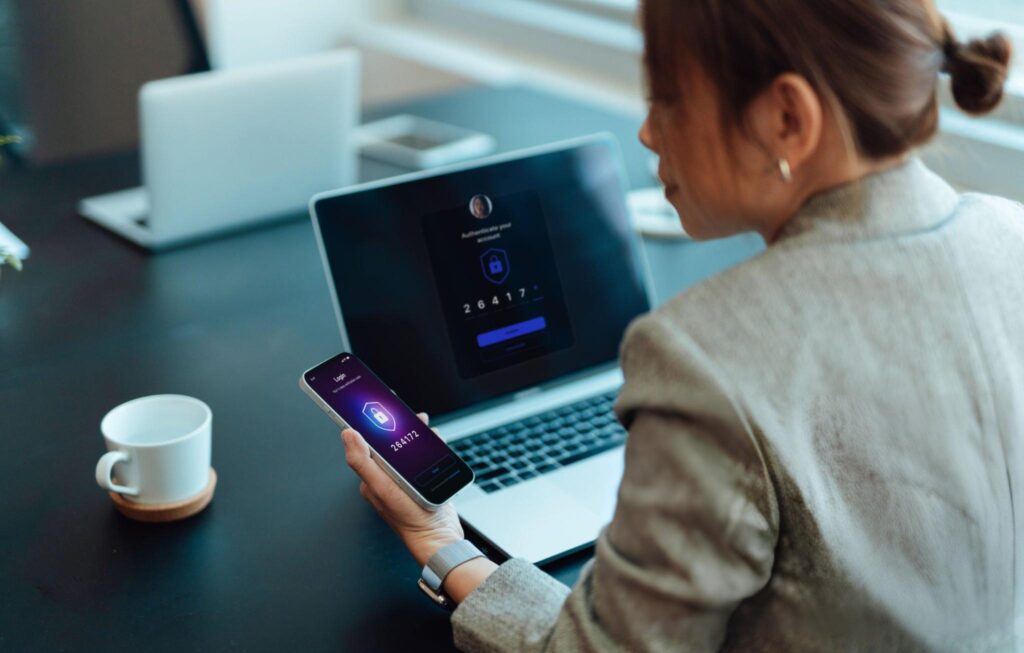
- Do all accounts use multi-factor authentication?
- Were any shared passwords or temporary accounts created, and have they been removed?
- Are former employees and old vendors still listed as active users?
- Are cloud files and applications configured so that work continues if your office is offline?
Cloud tools are a major strength during an emergency, but only when they are set up well. A well-planned secure cloud services environment keeps files accessible, protected, and recoverable no matter what happens at your physical location. It also helps to understand how cloud files during outages behave when your office loses power or internet for days, since sync delays and offline access settings surprise many teams.
Access control deserves its own attention. Modern access management solutions let you grant the right level of access to the right person, remove it quickly when roles change, and log every sign-in. After a season of emergency exceptions, this is one of the highest-value cleanups you can perform.
Minutes 15 to 20: Reassess Your Cybersecurity Posture
Criminals watch the news. When a storm hits, they know businesses are distracted, short-staffed, and eager to restore normal operations. Fake invoices, fraudulent relief offers, spoofed vendor emails, and phishing links all increase during and after disasters.
Use this part of the review to confirm that no one slipped through while attention was elsewhere.
Run Through the Security Essentials
- Confirm firewalls, endpoint protection, and email filtering are active and up to date
- Apply any security patches that were postponed during the season
- Review sign-in logs for unusual locations, times, or repeated failures
- Look for unfamiliar devices on your network
- Reset passwords that were shared or reused during the emergency
- Confirm that employees know how to report suspicious messages quickly
Comprehensive cybersecurity protection services layer these defenses so that one missed update or one careless click does not become a business-ending event.
Watch for Holiday and Disaster Scams
The end of hurricane season runs straight into the busiest scam period of the year. Fraudsters take advantage of year-end invoices, gift card requests, shipping notices, and urgent payment demands. Preparing your team for holiday scam preparedness now is far easier than cleaning up after a successful attack in December.
Email remains the favorite entry point. Understanding why business email attacks keep succeeding helps you tighten filtering, require verification for payment changes, and train staff to pause before acting on urgent requests.
Real estate, title, and finance teams should be especially careful with payment instructions. Closings are a prime target, and the risks around closing wire fraud only grow when a team is working from temporary locations or unfamiliar systems.
Look for Threats That Arrived Quietly
Not every attack is loud. Some intruders enter during a chaotic week and stay quiet for months. A thorough review includes asking whether anything unusual has been present on your systems since the storm. The lesson from stories about undetected network breaches is simple: the longer a threat sits unnoticed, the more expensive it becomes.
Do Not Forget Your People and Your Vendors
Your team is both your greatest risk and your best defense. Building steady employee cyber awareness through short, regular training reduces the odds of a successful phishing attempt dramatically.
Restoration contractors, electricians, temporary staff, and equipment vendors may have had access to your space or systems after a storm. Ask who connected what, and whether those connections were removed. The hidden exposure created by vendor cyber risk is easy to overlook, and it belongs on every post-season checklist.
Finally, check the networks themselves. If staff or guests used temporary hotspots, extenders, or unsecured connections, review your business Wi-Fi security settings, change shared passphrases, and separate guest traffic from company traffic.
Minutes 20 to 25: Test Communications and Business Continuity
When a storm knocks out power and internet, the question is not only whether your data is safe. It is whether your business can still talk to customers, coordinate staff, and deliver service.
Ask these questions about your last season:
- Did phones keep working, forward correctly, or ring through to mobile devices?
- Could employees reach each other and clients without relying on the office network?
- Did everyone know where to go for updates and instructions?
- Did customers get timely notice about delays or closures?
A modern unified communications platform places voice, video, and messaging in the cloud, so calls follow your people wherever they are. For many Southwest Florida businesses, that single change turns a major disruption into a minor inconvenience.
Your everyday software matters too. Email, calendars, shared documents, and collaboration tools should work as well from a living room as from the office. Reliable productivity application support ensures your team gets full value from the tools you already pay for, including offline access and secure sharing.
Update Your Continuity Plan While Lessons Are Fresh
Your continuity plan should describe who does what, in what order, and with what tools. After a season, it should also reflect what you learned. The thinking behind modern business continuity planning emphasizes cloud resilience and automation, both of which are valuable in a region with predictable seasonal risk.
It also helps to rehearse your response to a cyber event. Knowing what happens during the first 24 hours response window after an attack allows you to act calmly and correctly instead of improvising.
Minutes 25 to 30: Document, Document, Document
The final five minutes are about proof and planning. Insurance carriers, regulators, and clients all expect businesses to show what they did and when.
Record the following in a single review file:
- Equipment that was damaged, repaired, replaced, or retired, with dates and receipts
- Outages, their duration, and their cause
- Backup test results and recovery times
- Security findings and the steps taken to resolve them
- Policy updates, new access rules, and training completed
- Open items, owners, and deadlines
This file protects you in two ways. It supports insurance claims and renewals, and it demonstrates due diligence if a client or auditor ever asks how you manage risk.

Compliance Does Not Pause for Storms
If your business handles patient data, financial records, legal files, or personal information, a disaster does not suspend your obligations. Regulators expect safeguards to remain in place and documented. Dedicated compliance support services help healthcare practices, law firms, accounting offices, and other regulated organizations confirm that their controls still meet current requirements after an emergency.
Turn Findings Into a Plan
The review is only useful if it leads to action. Sort your findings into three buckets:
- Fix now: Anything that exposes data or stops operations
- Fix this quarter: Aging equipment, process gaps, and policy updates
- Plan for next year: Larger upgrades and budget items
Businesses that treat technology as a yearly cycle, rather than a series of emergencies, spend less and recover faster. Thoughtful long-term IT planning connects your technology roadmap to your growth goals, so each purchase supports where the business is headed. If you want an outside perspective on priorities and budgets, strategic IT guidance from an experienced advisor can save months of trial and error.
Industry-Specific Points to Add to Your Review
Every industry along the Gulf Coast faces slightly different risks. Add the items below that apply to you.
Healthcare and dental practices
- Confirm that patient records are recoverable and encrypted
- Verify that paper and electronic downtime procedures are current
- Review who accessed protected information during the season
Law firms and accounting offices
- Check that client files are backed up and access is logged
- Replace email attachments with secure client portals where possible
- Review deadlines that could be affected by an extended outage
Real estate, title, and property management
- Verify payment verification procedures for every closing
- Confirm that remote signing and document tools work reliably
- Protect tenant and owner data stored in cloud systems
Construction and engineering
- Secure job site cameras, tablets, and field devices
- Review subcontractor access to project files
- Make sure plans and drawings are backed up outside the office
Hospitality and retail
- Test point-of-sale systems and payment terminals under outage conditions
- Confirm that guest Wi-Fi is separate from business systems
- Check reservation and inventory system recovery steps
Common Mistakes to Avoid After a Hurricane Season
Even well-meaning teams fall into the same traps. Watch for these:
- Assuming that “everything is working” means everything is safe. Many problems only appear under stress.
- Skipping restore tests. A green checkmark on a backup report does not prove you can recover.
- Leaving emergency accounts active. Temporary access has a habit of becoming permanent.
- Delaying patches indefinitely. Unpatched systems are an easy target.
- Failing to document. Memories fade, and claims require evidence.
- Waiting for the next storm to plan. The best time to improve is right now, while the lessons are fresh.
When It Makes Sense to Bring in a Partner
A 30-minute review is a strong start, but some businesses need ongoing help to keep up. Time, expertise, and attention are limited, especially for owners who are already wearing several hats.
A trusted partner provides continuous monitoring, regular testing, patching, security oversight, and quick help when something breaks. Comprehensive managed IT services bring all of that under one agreement, so you get predictable costs and fewer surprises. When your team needs fast help with everyday issues, responsive IT support keeps small problems from growing into outages. If you prefer a clear, bundled approach, flexible managed IT packages let you choose the level of coverage that fits your size and budget.
Conclusion: Turn Lessons Into Lasting Resilience
Hurricane season will always be part of life in Southwest Florida, but costly technology failures do not have to be. A focused 30-minute review at the end of each season gives you a clear picture of your hardware, backups, security, communications, and documentation. More importantly, it gives you a plan.
If you would like expert help turning your findings into action, the team at CMIT Solutions of Fort Myers South is ready to work with you. Whether you need a full assessment, ongoing monitoring, or simply a second set of eyes on your checklist, we can help you build a technology environment that stays strong no matter what the forecast says. Schedule a consultation today and start next season ahead of the storm instead of behind it.
Frequently Asked Questions