
Every piece of technology in your office has a shelf life, whether it is a laptop on someone’s desk, a server in a back room closet, or the switches and routers quietly running your network. The tricky part is that hardware rarely fails all at once. It slows down gradually, glitches occasionally, and keeps limping along just enough that replacing it never feels urgent, until the day it actually breaks down in the middle of a busy workweek.
At CMIT Solutions of Fort Myers South, we regularly help business owners figure out exactly where their equipment stands and when an upgrade makes more sense than another repair. This guide walks through the clearest signs that your computers, servers, and network equipment are due for a refresh, along with the risks of waiting too long and how to plan a smooth transition.
Why Aging Technology Is a Bigger Risk Than Most Owners Realize
Many businesses treat hardware replacement as a purely financial decision, something to delay as long as possible to save money. In reality, aging equipment creates risk far beyond the occasional slow computer.
- Older hardware is more likely to fail without warning, often at the worst possible time.
- Outdated systems frequently stop receiving security patches, leaving them exposed to known vulnerabilities.
- Aging equipment struggles to run modern software efficiently, dragging down productivity across the entire team.
- Old servers and network gear draw more power and generate more heat than newer, more efficient models.
- Compatibility issues become more common as vendors phase out support for legacy systems.
Understanding these risks is the first step toward making a proactive decision rather than a reactive one, similar to the mindset behind strong long term IT planning for any growing organization.
The General Lifespan of Business Technology
While every environment is different, there are widely accepted time frames for how long various types of equipment reliably perform before the risk of failure and inefficiency starts to outweigh the cost of keeping it.
- Desktop and laptop computers: typically three to five years, depending on usage and workload.
- Servers: generally five to seven years, though heavily used servers may need replacement sooner.
- Network switches and routers: usually five to eight years before performance and security gaps become noticeable.
- Firewalls: three to five years, since threat detection capabilities evolve quickly and older models fall behind.
- Wireless access points: three to five years, particularly as device density and bandwidth demands increase.
These numbers are a starting point, not a strict rule. A business running resource intensive applications may need to replace equipment sooner, while lighter workloads can sometimes stretch a system’s useful life a bit longer.
Warning Signs Your Computers Need to Be Replaced
Individual workstations are often the easiest place to spot the early signs of aging technology, since employees interact with them all day and notice performance issues quickly.
- Startup and shutdown times have become noticeably slower than they used to be.
- Applications freeze, crash, or lag frequently, even when only a few programs are open.
- Fans run loudly and constantly, indicating the hardware is working harder than it should.
- The operating system no longer receives updates or is approaching its end of support date.
- Employees have started avoiding certain tasks because the computer cannot handle them smoothly.
- Battery life on laptops has dropped significantly, requiring the device to stay plugged in at all times.
If several of these signs sound familiar, it may be time to review your managed IT services plan and discuss a refresh schedule rather than waiting for a full breakdown.

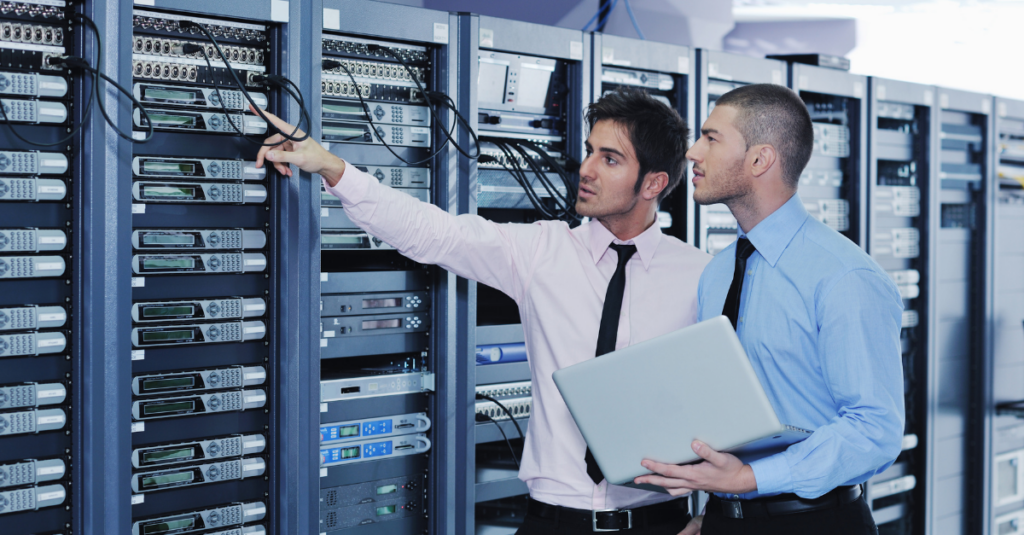
Signs Your Server Is Reaching the End of Its Useful Life
Servers carry a heavier workload than individual computers, and their failure has a much bigger impact on daily operations. The warning signs tend to be more serious and harder to ignore.
- Backup and recovery processes are taking longer than they used to, or failing intermittently.
- The server struggles to keep up during peak usage hours, slowing down every connected device.
- Replacement parts are becoming difficult or expensive to find because the manufacturer has discontinued support.
- The server has experienced repeated hardware failures that require frequent repair visits.
- Virtualization or newer software tools are not fully compatible with the current hardware.
A struggling server does not just cause inconvenience, it introduces real risk to your data backup solutions and overall resilience. Businesses that wait too long to replace critical infrastructure often find themselves dealing with extended downtime exactly when they can least afford it, a scenario explored further in our article on how ransomware business impact extends well beyond the initial incident.
When Network Equipment Becomes a Liability
Routers, switches, and wireless access points rarely get the attention they deserve, largely because they tend to run quietly in the background. But outdated network equipment can quietly undermine every other investment a business makes in technology.
- Wireless coverage has become unreliable, with dead zones or frequent disconnections throughout the office.
- Network speeds have not improved despite upgrading internet service, suggesting the equipment itself is the bottleneck.
- The equipment no longer supports current security protocols, leaving the network vulnerable to modern threats.
- Adding new devices or expanding to a new office space is limited by the current hardware’s capacity.
- IT staff or providers can no longer find firmware updates for the equipment.
Strong, current network management services depend on hardware that can actually support the protocols and monitoring tools available today. Businesses supporting hybrid or distributed teams should pay particularly close attention to this, since outdated equipment often struggles most with remote connectivity, a challenge addressed in our guide to edge security solutions.
The Hidden Cost of Delaying a Hardware Refresh
Many businesses assume that keeping old equipment running is the cheaper option, but the actual math often tells a different story once every factor is accounted for.
- Lost productivity adds up quickly when employees are waiting on slow systems multiple times a day.
- Repair costs for aging hardware frequently exceed what a newer, more reliable replacement would have cost.
- Increased energy usage from inefficient older equipment raises utility bills over time.
- Security exposure grows as unsupported systems miss critical patches, increasing the chances of a costly breach.
- Compliance risk rises for businesses required to maintain specific security or data handling standards, a concern we cover in our guide to compliance management services.
When these hidden costs are added together, the total often surpasses the price of a planned upgrade, especially when compared to the disruption caused by an unplanned failure.
How Outdated Hardware Increases Cybersecurity Risk
Aging technology is not just a productivity problem, it is a significant security concern. Older systems are frequently the weakest link attackers look for when targeting a business.
- Manufacturers eventually stop releasing security patches for older operating systems and firmware, leaving known vulnerabilities unaddressed.
- Legacy hardware often cannot support modern encryption standards or multi factor authentication requirements.
- Outdated antivirus and endpoint protection tools may not run effectively on older machines.
- Attackers actively scan for outdated systems because they know these are easier to exploit, a pattern discussed in our overview of continuous threat exposure management.
Pairing hardware upgrades with dedicated cybersecurity service solutions ensures that new equipment is configured correctly from day one, rather than inheriting the same gaps that existed on the old system.
Industry Specific Considerations for Hardware Replacement
Different industries face different pressures when it comes to deciding how long to keep equipment in service.
Healthcare Practices
Medical offices depend on reliable systems to access patient records and scheduling tools throughout the day. Downtime directly affects patient care, making proactive replacement especially important, a topic covered in our article on healthcare cybersecurity needs.
Legal Firms
Law firms rely heavily on document management systems and case files that must remain accessible and secure at all times. Outdated hardware introduces both operational and confidentiality risks, as discussed in our piece on law firm IT support.
Accounting and Financial Services
Firms handling sensitive financial data cannot afford system failures during tax season or audit periods. Our article on accounting firm risks explains why reliable infrastructure matters just as much as software security.
Manufacturing and Construction
Downtime on the production floor or at a job site translates directly into lost revenue. Our guides on manufacturing downtime prevention and construction IT downtime cover how proactive hardware planning reduces costly interruptions.
Repair Versus Replace: How to Decide
When a piece of equipment starts having problems, the immediate question is always whether to repair it or replace it. A few guiding factors can help make that decision easier.
- Age of the equipment: if the hardware is already near or past its expected lifespan, repair is usually a short term fix at best.
- Cost of the repair: if a single repair costs more than half the price of a replacement, replacement is typically the smarter investment.
- Frequency of issues: equipment that has already failed multiple times is likely to fail again soon.
- Availability of parts: if replacement components are hard to find or discontinued, future repairs will only become more difficult.
- Business impact: consider how much downtime and lost productivity the current issues are already causing.
Working through a service package options review with an experienced IT partner can help clarify which pieces of equipment are worth repairing and which ones should be replaced as part of a planned upgrade.
Planning a Smooth Hardware Refresh
Replacing computers, servers, or network equipment does not need to disrupt daily operations if it is planned properly. A well managed refresh follows a clear, structured process.
- Inventory everything: document every piece of hardware currently in use, including its age, condition, and role in daily operations.
- Prioritize critical systems: identify which equipment poses the highest risk if it fails and address those first.
- Budget in phases: spreading upgrades across a planned schedule is often easier on cash flow than replacing everything at once.
- Back up data before any transition: ensure reliable data backup solutions are in place before migrating to new equipment.
- Test before full deployment: verify new systems work correctly with existing software and workflows before rolling them out company wide.
- Train employees on any changes: even minor differences in new hardware can slow down staff if they are not given a brief walkthrough.
This kind of structured approach mirrors the same discipline businesses apply when evaluating cloud migration mistakes or any other major technology transition.
The Role of Cloud Solutions in Reducing Hardware Dependence
For some businesses, the smartest replacement strategy involves reducing reliance on physical hardware altogether. Moving certain workloads to the cloud can extend the useful life of remaining on premises equipment while improving flexibility.
- Cloud based storage and applications reduce the burden on local servers, potentially extending their lifespan.
- Employees can access systems securely from anywhere, reducing dependence on specific office hardware.
- Cloud providers handle much of the underlying infrastructure maintenance, reducing the internal hardware footprint.
- Scaling resources up or down becomes easier without needing to purchase and install new physical equipment.
Businesses exploring this shift should review our guidance on cloud service solutions and the common pitfalls covered in our article on avoiding cloud migration mistakes before making the transition.
How Predictive Monitoring Helps You Plan Ahead
Rather than waiting for equipment to fail unexpectedly, many businesses are shifting toward predictive monitoring that flags potential problems before they cause downtime.
- Continuous monitoring tools can detect early signs of hardware degradation, such as rising temperatures or failing components.
- Predictive insights allow IT teams to schedule replacements proactively instead of reacting to emergencies.
- This approach reduces unplanned downtime and helps businesses budget for upgrades well in advance.
This proactive philosophy is central to the future of managed IT services, where faster, smarter support replaces the old model of waiting for something to break before taking action.
Budgeting for Technology Upgrades
One of the biggest reasons businesses delay hardware replacement is uncertainty around cost. Building a clear budget removes much of that hesitation.
- Set aside a dedicated technology refresh budget each year rather than treating upgrades as an unplanned expense.
- Prioritize equipment based on business risk rather than simply replacing the oldest items first.
- Consider financing or leasing options for larger investments like servers or networking infrastructure.
- Factor in the cost of IT procurement services to ensure new equipment is sourced correctly and configured before deployment.
Thinking about technology spending this way transforms it from a reactive cost center into a planned investment that supports long term growth.
Working With an IT Partner to Make the Right Decision
Deciding when to replace business technology involves more than just checking a calendar. It requires understanding how equipment is actually performing, what risks it introduces, and how upgrades fit into a broader strategy.
- An experienced IT partner can assess your current environment and identify which systems are approaching the end of their useful life.
- Professional strategic IT guidance helps align technology decisions with business goals rather than making isolated purchases.
- Ongoing responsive IT support ensures that once new equipment is in place, it continues to run smoothly and securely.
Working with a knowledgeable partner also helps avoid the common trap of automating processes on outdated infrastructure, a mismatch discussed in our article on AI automation security gaps.
Final Thoughts
Technology does not need to fail completely before it becomes a liability. Slower systems, rising repair costs, and mounting security gaps are all signs that a planned upgrade is overdue. Businesses that treat hardware replacement as an ongoing strategy, rather than a last minute emergency, consistently experience less downtime, stronger security, and better overall performance.
At CMIT Solutions of Fort Myers South, we help local businesses evaluate their computers, servers, and network equipment to build a practical, budget friendly replacement plan. Whether you are dealing with a single struggling server or planning a full office refresh, our team can walk you through exactly what needs attention first.
Waiting for equipment to fail is one of the most expensive ways to manage business technology. If it has been a while since your last hardware review, schedule a consultation with our team and get a clear picture of where your business stands today.
Frequently Asked Questions



