Every week, another Long Beach business owner discovers their email, banking portal, or client database has been accessed by someone who was never supposed to get in. The attacker did not need to be a genius. They did not need expensive tools or months of planning. They just needed one thing, a password that a real employee had already typed somewhere else, on some other website, at some point in the past.
This is the uncomfortable truth about modern cybercrime. Passwords, no matter how long or complex, are no longer enough to protect a business. But there is a fix that costs less than a cup of coffee per user, per month, and studies from major identity providers consistently show it blocks the vast majority of automated account takeover attempts. That fix is multi-factor authentication, commonly known as MFA.
This guide breaks down what MFA actually is, why it works so well, how much it really costs, and how businesses across Long Beach, from CPA firms to law offices to engineering companies, can roll it out without disrupting daily operations.
What Multi-Factor Authentication Actually Is
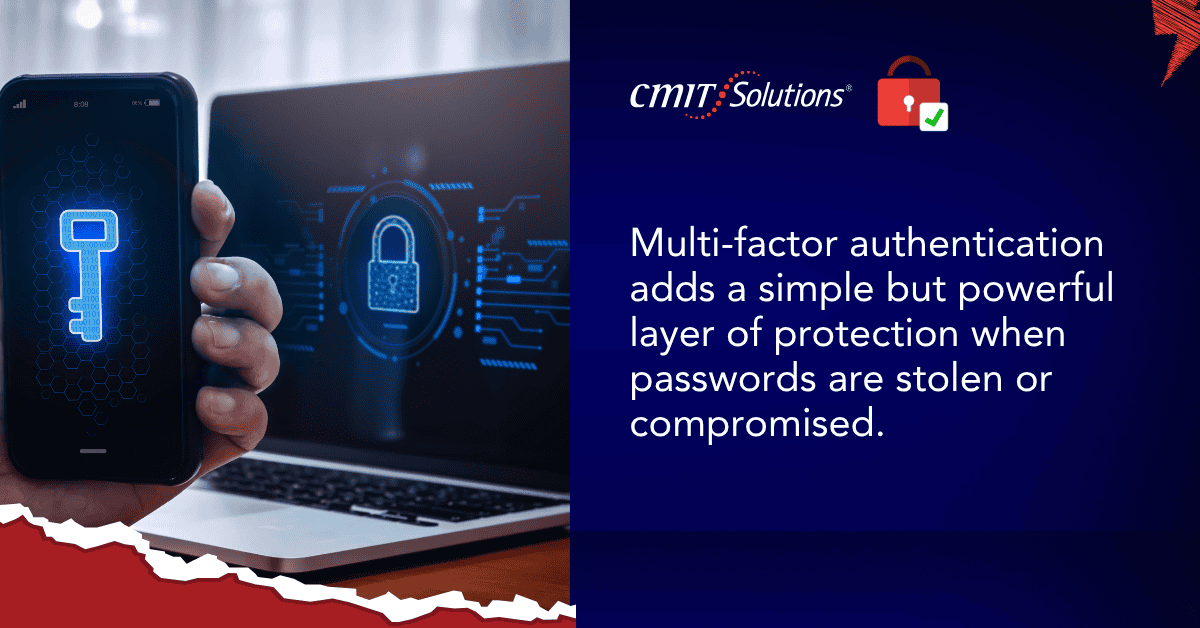
Multi-factor authentication adds a second, and sometimes a third, layer of proof that you are who you say you are before granting access to an account. Instead of relying on a single password, MFA requires at least two of the following categories:
- Something you know, a password or PIN
- Something you have, a phone, hardware key, or authenticator app
- Something you are, a fingerprint, face scan, or other biometric marker
A stolen password alone becomes useless to an attacker if they cannot also produce the second factor. That is the entire concept, and it is why security researchers keep pointing to it as one of the highest impact, lowest cost defenses available to any organization, regardless of size or industry.
Many businesses in Long Beach already use pieces of this technology without realizing it. Every time you approve a login from your banking app or type in a code sent to your phone, you are using MFA. The difference is whether it is enforced consistently across every business account, every employee, and every device, which is where most companies fall short.
Why Passwords Alone Have Stopped Working
Passwords were designed for a world where computers were slow and hackers had to guess credentials one at a time. That world no longer exists. Today’s attackers use automated tools that can test thousands of stolen username and password combinations per minute against business logins, a technique known as credential stuffing.
Here is why passwords fail so often:
- Employees reuse the same password across personal and work accounts
- Data breaches at unrelated companies leak billions of password combinations onto the dark web every year
- Phishing emails trick even careful employees into typing credentials into fake login pages
- Weak or predictable passwords remain common despite years of security training
- Password managers, while helpful, are not used consistently across most small businesses
Once an attacker has a valid username and password, they do not need to break through a firewall or write custom malware. They simply log in like a normal user. From there, they can read email, redirect wire transfers, steal client files, or plant ransomware. This is exactly the pattern seen in the wave of ransomware protection concerns reported by local accounting firms over the past year.
The Math Behind the 99% Statistic
Major identity and cloud platforms, including Microsoft, have published research showing that accounts protected with MFA are dramatically less likely to be compromised than accounts relying on passwords alone. The reasoning is straightforward, automated credential stuffing and phishing kits are built to harvest passwords, not physical devices or biometric data. When a second factor is required, the overwhelming majority of these automated attacks simply fail at the login screen, because the attacker has no way to produce the missing piece.
This does not mean MFA makes a business unhackable. Sophisticated, targeted attacks against high value individuals can sometimes bypass weaker forms of MFA, which is why the type of MFA matters. But for the everyday, high volume attacks that make up the vast majority of account takeover attempts against small and mid sized businesses, MFA is close to a silver bullet.
Breaking Down the $5 Fix
The phrase five dollar fix is not just a headline hook. Depending on the platform, enabling MFA can be:
- Completely free when using built in authenticator apps like Microsoft Authenticator or Google Authenticator
- A few dollars per user per month when bundled into premium licensing tiers such as Microsoft 365 Business Premium
- A one time hardware cost of roughly twenty to fifty dollars per employee for a physical security key, which then lasts for years
Compare that to the average cost of a business email compromise incident, which frequently runs into the tens of thousands of dollars once you account for fraudulent wire transfers, incident response, legal fees, and reputational damage. A detailed breakdown of these numbers is available in our look at the real cost cyberattacks inflict on small businesses that never fully recover their standing with clients.
There is genuinely no cheaper insurance policy in cybersecurity than MFA. It is often included at no extra cost in tools businesses already own, which means the cost is really just the time it takes to turn it on and train staff to use it.
The Different Types of MFA, and Which Ones Actually Hold Up
Not all MFA methods offer the same level of protection. Understanding the differences helps a business choose the right approach for its risk level.
SMS Text Codes
This is the most familiar method, a code is texted to your phone after you enter your password. It is better than nothing, but it is also the weakest form of MFA because phone numbers can be hijacked through a technique called SIM swapping, where a criminal convinces a mobile carrier to transfer a victim’s number to a new device.
Authenticator Apps
Apps like Microsoft Authenticator, Google Authenticator, or Duo generate a rotating six digit code directly on your phone, with no reliance on cellular networks. These are significantly harder to intercept and are considered a strong, practical middle ground for most businesses.
Push Notifications
Instead of typing a code, the employee simply taps approve on a notification sent to their phone. This is convenient and secure, though it has been targeted in recent years by MFA fatigue attacks, where criminals bombard a user with repeated approval requests hoping they will tap approve out of frustration. Businesses that adopt push based MFA should pair it with employee awareness training to counter this specific tactic, a topic covered in our overview of security fatigue solutions for busy teams.
Hardware Security Keys
Physical devices such as YubiKeys plug into a USB port or connect via NFC and are widely considered the gold standard, since they are virtually immune to phishing and remote interception. These are especially recommended for finance teams, executives, and anyone with access to sensitive financial systems.
Biometrics
Fingerprint and facial recognition, built into most modern laptops and smartphones, offer a fast and user friendly option, typically used alongside another factor rather than as a standalone method.
Why Every Industry in Long Beach Needs This, Not Just Tech Companies
A common misconception is that cybersecurity investment is only for large enterprises or companies that store obviously sensitive data. In reality, attackers do not discriminate by industry, they simply look for the easiest entry point.
Healthcare practices handle protected health information that carries steep regulatory penalties if exposed, a challenge outlined in our discussion of healthcare data protection obligations under HIPAA.
CPA and accounting firms are prime targets during tax season because their systems hold Social Security numbers, bank account details, and financial records for hundreds of clients at once. This is exactly why CPA firm cybersecurity planning has become a board level priority rather than a back office afterthought.
Law firms carry an ethical and legal obligation to protect privileged client communications, making law firm data security a matter of professional survival, not just IT hygiene.
Engineering and design firms guard proprietary blueprints, designs, and intellectual property that competitors or foreign actors would love to get their hands on, which is the focus of our piece on engineering IP security in an increasingly AI driven landscape.
Construction companies manage large payments, subcontractor invoices, and project bids, all of which are attractive to business email compromise scams, a shift explored in our article on construction technology support moving from reactive fixes to proactive protection.
Finance and insurance providers now face new underwriting requirements that specifically demand MFA before a policy will even be issued, a shift detailed in our summary of cyber insurance requirements for 2026.
No matter the industry, the underlying lesson is the same, if a business has a login page, it has an attack surface, and MFA is one of the fastest ways to shrink that surface.

Common Objections to MFA, and Why They Do Not Hold Up
Business owners often hesitate to roll out MFA because of assumptions that do not match reality once the system is actually in place.
- It will slow my employees down. In practice, most employees only need to complete the second step once every several days per device, thanks to remember this device settings, not every single login
- My team is not technical enough. Modern authenticator apps involve tapping a single button. The learning curve is measured in minutes, not hours
- We are too small to be a target. Automated attacks do not check company size before striking. Small businesses are frequently targeted precisely because they tend to have weaker defenses than larger enterprises
We already have a firewall and antivirus. Those tools protect against different types of threats. None of them stop an attacker who simply logs in with a stolen password, which is why layered protection matters, a concept explored further in our guide to cyber resilience strategy planning.
- It is just one more password to remember. MFA does not replace your password, and it does not require memorizing anything new. It simply confirms a login attempt using a device you already carry
How to Roll Out MFA Without Disrupting Your Business
A successful MFA rollout does not require shutting down operations for a day. It works best as a phased, planned process:
- Inventory every login protected system, including email, banking portals, accounting software, cloud file storage, and remote access tools
- Prioritize by risk, starting with financial systems, email accounts, and remote access tools, since they represent the highest value targets
- Choose the right method per user group, since executives and finance staff may warrant hardware keys, while general staff can typically use authenticator apps
- Communicate the change clearly with a short internal memo explaining why MFA is being introduced
- Set up backup access methods so a lost or broken phone does not lock an employee out of their own accounts for days
- Monitor and adjust by tracking login attempts and failed authentication requests to catch suspicious activity early
This kind of structured rollout is exactly what a well run IT support services partner handles on a daily basis, taking the guesswork out of security upgrades for businesses that do not have an in house IT department.
Where MFA Fits Into a Broader Security Strategy
MFA is a critical first step, not a complete security program on its own. It works best when layered alongside:
Endpoint protection across laptops, desktops, and mobile devices, especially with today’s hybrid and remote teams, a topic covered in our piece on endpoint security management.
Network monitoring through network management solutions that flag unusual traffic patterns before they escalate.
Regular data backups, since even a well protected account can occasionally be compromised, making data backup solutions a necessary safety net for recovery.
Identity based access controls, which limit what an employee can see or change even after logging in successfully, a shift explained in our article on identity first security models.
Cloud security configurations across platforms like Microsoft 365 or Google Workspace, supported through structured cloud computing services.
Businesses that treat MFA as one layer in a broader plan, rather than a one time checkbox, see far better long term outcomes.
MFA and Compliance Requirements
Beyond stopping attackers, MFA increasingly shows up as a hard requirement in compliance frameworks and cyber insurance applications. Many carriers now deny claims outright if MFA was not enabled on the compromised account at the time of the breach. Regulatory frameworks touching healthcare, finance, and legal industries are moving in the same direction, treating MFA as a baseline expectation rather than an optional upgrade.
Businesses navigating these overlapping requirements often benefit from a structured compliance solutions review to confirm which frameworks apply to them and what is actually required versus recommended. For a deeper walkthrough of what auditors and insurers now expect, see our detailed IT compliance guide for 2026.
The Role of Managed IT in Making MFA Actually Stick
Plenty of businesses attempt to enable MFA on their own, only to have adoption stall out after a few frustrated employees ask IT to disable it just for now. Without dedicated oversight, exceptions pile up until the protection is effectively meaningless.
This is where a partner offering managed IT services makes the difference. A managed provider does not just flip a switch and walk away. They:
- Configure MFA policies consistently across every account and device
- Set up conditional access rules that adapt based on location or device risk
- Provide help desk support so employees are not stuck troubleshooting alone
- Monitor for failed login attempts and unusual access patterns
- Keep policies updated as new threats and technologies emerge
This proactive approach mirrors the shift many local companies are already making, described in our article on proactive IT support replacing reactive break fix arrangements. It also connects to the growing trend of predictive IT solutions that catch problems before they turn into outages or breaches.

What Happens When Businesses Skip MFA
The warning signs are often visible well before a full breach occurs. Unusual login locations, employees receiving unexpected password reset emails, or strange forwarding rules appearing in inboxes are all red flags. Businesses that ignore these early indicators, described in our rundown of warning signs weak IT support, often find themselves dealing with a full blown incident weeks later.
Once an account is compromised without MFA in place, attackers frequently:
- Set up hidden email forwarding rules to monitor conversations silently
- Send fraudulent invoices to clients or vendors using the compromised account
- Attempt to reset passwords on connected financial or banking platforms
- Move laterally into other systems the employee had access to
- Deploy ransomware once they have gathered enough information about the network
Comparing this potential fallout against the low cost and minor friction of MFA makes the decision fairly easy for most business owners once they see the numbers side by side.
Modern Threats Make MFA More Urgent, Not Less
Some business owners assume that as attackers get more sophisticated, basic protections like MFA become less relevant. The opposite is true. As AI tools make phishing emails more convincing and automated attacks more efficient, the accounts still protected only by a password become even easier targets. Our breakdown of AI driven cyberattacks explains how criminals are scaling up their operations, and MFA remains one of the few defenses that scales just as effectively in response.
At the same time, hybrid work has expanded the number of places employees log in from, whether that is a home office, a coffee shop, or a job site. Our guide on secure access edge technology explains how MFA fits into a broader framework for protecting distributed teams, no matter where they are working from.
Supporting Tools That Pair Well With MFA
MFA works best when it is part of a connected technology ecosystem rather than a standalone add on. Businesses often pair it with:
Productivity platforms like Microsoft 365, secured through productivity software solutions that keep licensing and security settings aligned.
Unified communication tools so phone systems and video conferencing carry the same login protections, supported by unified communications systems.
Properly sourced hardware and licensing through structured IT procurement services, ensuring every new device is configured securely from day one.
Ongoing strategic planning through strategic IT guidance that keeps security policies current as the business grows, alongside a longer term technology roadmap planning process and continued backup recovery planning for worst case scenarios.
Businesses evaluating where to invest first often start with a broader review of their network security essentials and a practical prevent cyberattacks guide before deciding which tools to layer on next, all supported by the same trusted Long Beach IT provider that manages the rest of their technology stack.
For businesses weighing multiple vendors, our overview of managed intelligence providers explains what this next generation of support actually looks like in practice, and how it differs from a traditional break fix arrangement.
Getting Started the Right Way
Rolling out MFA does not have to mean juggling spreadsheets, chasing down employees for phone numbers, or fielding a wave of help desk tickets. A structured rollout backed by proper cybersecurity services planning turns what feels like a big project into a smooth, low friction upgrade that employees barely notice, aside from one extra tap on their phone each morning.
CMIT Solutions of Long Beach works with businesses across every industry mentioned in this guide, from healthcare practices to CPA firms to engineering companies, to design and manage MFA rollouts that fit each organization’s specific workflow. The goal is not just turning on a feature, it is building a security foundation that protects revenue, client trust, and reputation for years to come. CMIT Solutions of Long Beach has seen firsthand how a five dollar fix can prevent a five figure disaster.
If your business is still relying on passwords alone, now is the time to change that. Schedule a consultation to find out exactly where your accounts stand and how quickly MFA can be rolled out across your team.
Frequently Asked Questions