Ransomware is one of the most formidable villains in the world of cybersecurity. It is a type of malware that locks you out of your files or encrypts all your data until you pay the ransom.
In such tightrope scenarios, businesses face both financial and reputational damage — either coughing up substantial amounts or facing permanent loss or exposure of confidential data.
Here’s where hiring cybersecurity services can prove immensely useful. With their vigilant detection of abnormal activities, these professionals can pave the way for a strong defensive posture.
Taking a proactive stance with robust ransomware detection helps to:
- Thwart potential breaches.
- Minimize damage.
- Facilitate data recovery.
- Ensure business continuity.
Additionally, it helps mitigate the financial and reputational fallout that can accompany such incidents.
In this article, we’ll dive into the world of ransomware identification and the leading causes behind successful breaches. We’ll also share practical tips for confirming whether your system has been compromised, explore effective detection methods and tools, and provide actionable strategies to bolster your defenses.
How Are Ransomware Attacks Identified?
Ransomware attacks are never silent and stealthy. Instead, this malicious attempt announces itself in obvious ways, as it unleashes its havoc on your systems. When a ransomware attack happens, it will:
- Scan your systems to cripple or remove detection and recovery-related services, processes, and software — this is how it prepares itself to commence the encryption phase.
- Delete system backups, recovery partitions, and shadow copies to prevent potential data recovery.
- Disable and completely wipe out your system event log, covering its tracks and making it harder for you to trace the incidents.
- Target and encrypt certain file systems that contain your most confidential and sensitive data.
- Attempt to move laterally across the network — resulting in strange login attempts or suspicious account activity.
- Tamper with your system, which manifests as backups failing to protect your data or stopping running altogether.
- Leaves behind a ransom note detailing how to pay the attacker for the key to unlock your data.
Ransomware attacks can target any file stored in your system. It can vary based on:
- The specific ransomware variant
- The parameters programmed into the ransomware
- Its preconfigured features
What Are the Indicators of Ransomware?
Cyberthreats can often operate unnoticed for extended periods, lurking around when the hacker is ready to catch you unawares. However, ransomware works differently. It often underlines its presence almost immediately after it infects an IT infrastructure.
How Do I Know if I Have Ransomware?
Here are the most common red flags that indicate a ransomware attack:
- One system after another crashes or slows down — a critical sign that malware is silently encrypting your files.
- Sudden spikes in disk or CPU usage — clear indicators of abnormal file activity linked to malicious software.
- Inaccessible files and applications — warning bells that warrant further investigation.
- A growing list of renamed files with odd extensions like encrypted, .xzy, .zzz, .vbs, etc.
- Unexpected disabling of your antivirus software — a major alarm.
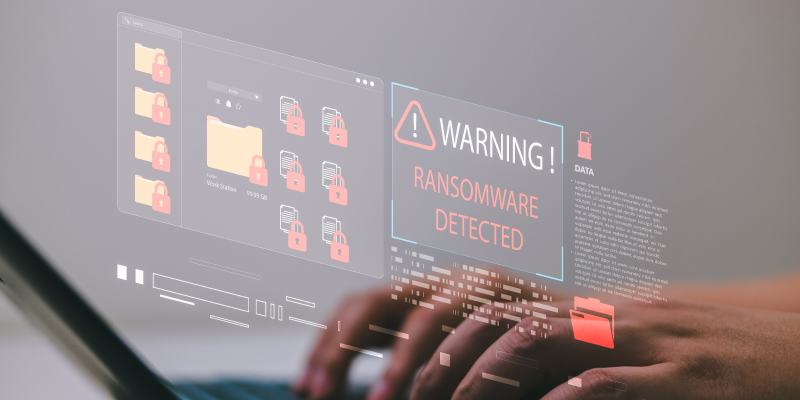
Once the files are encrypted, a pop-up message will typically appear on your screen, demanding payment in exchange for restoring access to your files. Unfortunately, your chances of recovery are extremely limited at this point, unless you have invested in robust security software and data backups.
Also Read: Would your team spot a phishing email?
What Are the Top 3 Causes of Successful Ransomware Attacks?
The top three causes of successful ransomware attacks are phishing, unpatched software vulnerabilities, and compromised access to remote services.
1. Phishing and Social Engineering
- Deceptive emails pretending to be from trusted vendors or coworkers are often sent to create a false sense of urgency so that the receivers open them without fail.
- Employees mistakenly click on malicious links and attachments received via email.
- Hackers who steal login credentials masquerade as legitimate users, making their attacks even more dangerous.
2. Unpatched Software Vulnerabilities
- Critical systems missing security patches are often the main targets.
- Outdated software that no longer receives support can be a vulnerable spot for intruders to enter your system.
- Web servers, remote access tools, and other such internet-facing applications are the main targets for ransomware attacks.
3. Compromised Remote Access
- Easy-to-guess passwords can open the door to Remote Desktop Protocol and other services.
- Personal devices and insecure public or domestic internet connections create additional vulnerabilities for attackers to exploit.
- Cybercriminals may purchase stolen credentials or bribe insiders for privileged access into your systems.
Exploring the Types of Ransomware Detection and Their Techniques
Before uncovering the various ways to identify ransomware, let’s find the answer to a pertinent question:
What is Ransomware Detection?
It is the crucial process of identifying and responding to ransomware threats lurking within your IT network or devices. With ransomware, the cardinal rule is this: The earlier you detect an attack, the better your chances of preventing vital data from being encrypted, preventing access, and minimizing the damage it has caused.
There are five proven ways to detect ransomware attacks:
1. Signature-Based Detection: Some ransomware attacks leave behind extensions or unique suffixes to encrypted files — a clear indication that cybercriminals have changed the file name during the attack. By identifying these attacks, you can take action before it is too late.
2. Behavior-Based Detection: This approach monitors the behavior of files and applications to identify unusual activities such as rapid file encryption or an unexpected change to system settings. If something doesn’t seem right, it raises an alarm.
3. Abnormal Traffic-Based Detection: This technique delves into the network level, looking for unusual traffic patterns. Many sophisticated ransomware attacks don’t just encrypt data — they also exfiltrate sensitive information to use as leverage. By monitoring for large data transfers outside your systems, you can catch attackers in the act.
4. Deception-Based Detection: This clever method uses traps and decoys — known as honeypots — to lure cyber attackers. These decoys appear to be regular servers or user systems but are actually unused. By observing who tries to access these honeypots, organizations can get an early warning of a potential breach.
Implementing all these strategies means that even if one method falters, others can still stand guard, ensuring vital assets remain secure and the risk of severe damage is minimized.
Best Strategies to Prevent Ransomware Attacks
Ransomware attacks can be vicious. However, they are not entirely immune to robust security measures.
Here are eight ways to keep your devices and IT infrastructure safe from such attacks:
1. Always rely on strong data backup measures. Whether on an external hard drive or in the cloud, backups ensure quick reinstallation of your critical data after an attack.
2. Always update your hardware and software, antivirus, and web browsers with the latest available versions.
3. Implement a multi-layered security system with the help of firewalls, filters, and endpoint protection to thwart ransomware attacks.
4. Divide your network into smaller sections with network segmentation — this approach helps isolate the attack and prevent it from infiltrating other systems.
5. Use advanced threat detection tools — such as advanced algorithms and behavior analysis — to be more responsive to ransomware.
6. Limit user access and permissions to only the data they need to work with. Doing so prevents ransomware from spreading between systems within a company.
7. Continuously run cybersecurity assessments to adapt to evolving ransomware tactics and to keep your IT hardware and software safe.
8. Train staff on cybersecurity best practices to recognize ransomware signs, creating a strong first line of defense.
By combining these preventive strategies, organizations can build a resilient security framework that not only minimizes the risk of ransomware but also ensures faster recovery and uninterrupted business operations.
Safeguard Your Business With Proactive Protection
Ransomware remains a significant threat to businesses in today’s digital landscape. However, you can mitigate its impact by teaming with IT consulting experts from CMIT Solutions, Mesa. We empower your business with enhanced resilience, robust data protection, and seamless operability.
Do not let cyber threats disrupt your success — partner with us to keep your business safe and thriving.