Austin’s schools are changing faster than most people realize. Classrooms now run on cloud platforms, student records live in digital systems, and teachers rely on connected devices every single day. This shift has made education one of the most targeted sectors for cyberattacks in the entire country. Districts that once worried mainly about broken projectors or slow Wi-Fi now have to think about ransomware, phishing, data privacy laws, and network outages that can shut down an entire campus.
For administrators, IT directors, and school boards across the Austin area, the pressure to protect student data while keeping classrooms running smoothly has never been higher. That is exactly why more schools are turning to experienced technology partners for managed IT services that go far beyond basic tech support. CMIT Solutions of Austin Downtown and West has been working closely with local organizations, including educational institutions, to build stronger, smarter, and safer digital environments.
This article looks at why schools have become such attractive targets for attackers, what a modern security framework actually looks like, and how the right technology partner can help districts stay ahead of threats instead of constantly reacting to them.
Why Schools Have Become a Favorite Target
It might seem strange that hackers would spend time targeting school districts instead of large corporations, but the numbers tell a different story. Schools hold enormous amounts of sensitive information, including student names, addresses, health records, disciplinary files, and even financial data tied to free lunch programs or family income. At the same time, many districts operate with limited IT staff and outdated infrastructure, which makes them easier to break into than a well-funded enterprise.
A few reasons schools keep showing up on attacker radars:
- Large volumes of personal and academic data stored in aging systems
- Multiple access points through student devices, staff laptops, and guest networks
- Limited budgets for dedicated cybersecurity staff
- Seasonal spikes in activity around enrollment and testing periods
- A mix of legacy software and newer cloud tools that rarely talk to each other cleanly
These conditions create gaps that attackers actively look for. Some of the same patterns show up in the broader business world too, where autonomous cyber threats are becoming more common because automated tools can scan thousands of networks looking for weak points without any human hacker actively steering the attack. Schools with unpatched systems or weak password policies are exactly the kind of target these automated scans are built to find.
The Real Cost of a School Cybersecurity Incident
When a district experiences a breach, the damage rarely stops at a single system. Classes can be canceled because grading platforms go offline. Payroll can be delayed because financial software is locked by ransomware. Parents lose trust when they learn that their child’s personal information was exposed. Recovery costs often run into hundreds of thousands of dollars once you factor in forensic investigations, legal obligations, credit monitoring for affected families, and the sheer number of staff hours spent cleaning up the mess.
There is also a slower, quieter cost that many administrators overlook. Once a district suffers a public incident, staff morale often drops, community confidence weakens, and future technology decisions get made out of fear rather than strategy. This is part of why building a proactive posture matters so much more than reacting after something goes wrong.
Building a Layered Approach to School Security
No single tool or policy can protect a school district on its own. Effective protection comes from layering multiple defenses so that if one fails, another catches the problem before it spreads. A strong framework generally includes the following pieces.
Network Foundations
The network is the backbone that connects every classroom, office, and device across a campus. When it is poorly designed, one compromised laptop in a single classroom can potentially reach servers holding sensitive student files. Segmenting networks so that student devices, staff systems, and administrative data sit on separate zones is one of the simplest ways to contain a problem before it spreads.
Districts working with a partner offering network security experts often see immediate improvements just from proper segmentation and monitoring. Ongoing oversight through network management services also means someone is actually watching for unusual traffic patterns instead of only reacting after a system goes down.
Some of the same principles apply broadly across industries. Businesses that rely on network support solutions understand that consistent monitoring is what separates a minor glitch from a full outage.
Endpoint Protection for Every Device
Schools issue devices to students at a scale most businesses never have to deal with. Chromebooks, tablets, and staff laptops all represent potential entry points if they are not properly managed. Every device needs updated antivirus tools, automatic patching, and remote management so IT staff can lock down or wipe a device the moment it is lost or stolen.
This challenge is not unique to schools. Many organizations are only now realizing that endpoint protection deserves far more attention than it has traditionally received, a point covered in detail in a piece about endpoint threat protection and how overlooked device security has become one of the most common ways attackers get inside an otherwise secure network.
Key endpoint practices for districts include:
- Automatic operating system and application updates
- Mobile device management for student issued laptops
- Remote lock and wipe capability for lost or stolen devices
- Restricted software installation permissions for student accounts
- Regular audits of devices that have not connected to the network recently
Cloud Platforms and Digital Learning Tools
Cloud tools have transformed how teachers deliver lessons and how students turn in assignments. Learning management systems, grading portals, and communication apps all rely on cloud infrastructure that needs to be configured correctly from day one. Misconfigured permissions are one of the most common causes of accidental data exposure in education.
Districts exploring cloud computing solutions should look closely at how vendors handle encryption, backup, and access controls. The broader shift toward the cloud has been documented across many industries, including a discussion of cloud scaling strategies that explains how organizations of every size are moving workloads off aging on premises servers to reduce both cost and risk.
Not every cloud migration goes smoothly, though. Districts should be aware of surprise charges tied to storage overages or unused licenses, a problem explored in an article about cloud cost management that highlights how pay as you go pricing models can quietly balloon a budget if nobody is actively tracking usage.
Data Backup and Recovery Planning
Ransomware attacks against schools frequently succeed because there is no reliable backup to fall back on. When files are encrypted and there is no clean copy available, districts are left with an impossible choice between paying a ransom or losing critical records permanently.
A dependable backup strategy relies on the classic rule of keeping multiple copies of data, stored in different locations, with at least one copy kept offline or otherwise isolated from the main network. Districts working with providers of data backup protection should ask specifically how often backups are tested for successful recovery, not just whether they are being created.
Many organizations discover backup gaps only after disaster strikes, a theme explored in a piece about backup planning gaps that walks through the common assumptions that leave companies exposed when they need recovery the most.
Compliance Pressures Facing School Districts
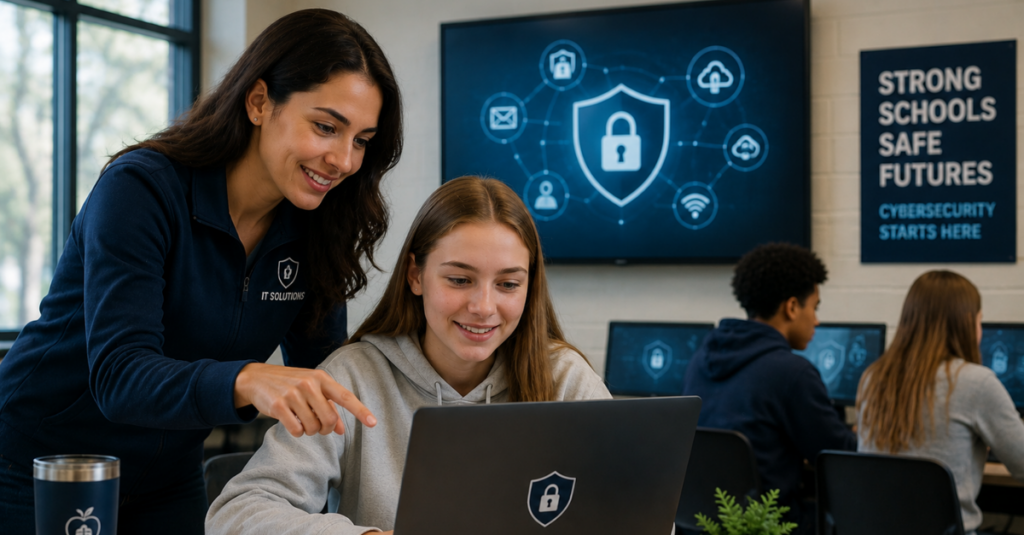
Education is one of the most heavily regulated sectors when it comes to data privacy. Federal laws such as FERPA govern how student education records must be protected, while state level requirements add another layer of obligation. Districts also frequently deal with health information tied to school nurses or counseling services, adding HIPAA style considerations into the mix.
Staying on top of these requirements is not a one time project. Regulations evolve, audits happen with little warning, and documentation has to be maintained continuously. Districts benefit from ongoing compliance management support rather than scrambling before an audit deadline.
This challenge mirrors what many industries are facing right now as regulatory frameworks multiply across regions, a theme covered in an article about global compliance regulations that explains how organizations everywhere are struggling to keep pace with an increasingly complex patchwork of rules.
Audit readiness deserves special attention for public institutions like school districts, since board members and taxpayers often expect full transparency. A related discussion on audit readiness strategies outlines practical steps for staying prepared year round instead of treating compliance as a once a year scramble.
Why Remote and Hybrid Learning Adds Complexity
The shift toward hybrid learning environments introduced entirely new security challenges. Students and teachers now connect from home networks that IT staff have zero control over. A student’s home router, a shared family computer, or an unsecured public Wi-Fi connection at a coffee shop can all become weak points that put school systems at risk.
Districts need policies and tools specifically designed for this reality. Lessons from remote workforce security in the corporate world apply just as much to education, as described in an article about remote workforce security that discusses how organizations keep distributed users protected without slowing down productivity.
Practical steps districts can take include:
- Requiring virtual private network connections for staff accessing sensitive systems remotely
- Enforcing multi factor authentication on every account, not just administrative logins
- Providing clear guidance to families on securing home networks used for schoolwork
- Limiting access to sensitive student data based on role, even for remote staff
The Human Factor: Training Staff and Students
Technology alone cannot stop every threat. Phishing emails, fake login pages, and social engineering tricks succeed because they target people, not just systems. Teachers, administrators, and even students need regular, practical training on how to recognize suspicious messages and avoid clicking on dangerous links.
Building this kind of awareness culture is a long term investment rather than a single training session. A useful reference point is an article on employee security awareness that describes how organizations are shifting toward continuous, bite sized training instead of annual seminars that people forget within weeks.
Some simple practices districts can implement right away:
- Monthly phishing simulation emails sent to staff
- Short refresher videos covering password hygiene and safe browsing habits
- Clear reporting channels so staff can flag suspicious emails without hesitation
- Age appropriate digital citizenship lessons built into the student curriculum
Ransomware Readiness for Schools
Ransomware remains one of the most damaging threats facing public education. Attackers know that districts often feel pressure to pay quickly to restore services and avoid disrupting classes, which makes schools an appealing target compared to organizations with stronger negotiating positions.
Preparing in advance matters far more than reacting after an attack begins. A detailed breakdown of what readiness actually looks like is covered in a piece on ransomware defense strategies that walks through the layered protections organizations should have in place before an incident ever occurs.
A basic ransomware readiness checklist for districts should include:
- Verified, tested backups stored separately from the main network
- An incident response plan with clearly assigned roles
- Pre established relationships with legal counsel and cybersecurity insurers
- Regular tabletop exercises simulating an actual attack scenario
- Communication templates ready in advance for parents and staff
Scaling IT Infrastructure as Districts Grow
Many Austin area districts are dealing with rapid enrollment growth, new campus construction, and expanding digital learning programs all at once. Infrastructure that worked fine for a smaller district five years ago often cannot keep up with today’s demands. Slow networks, outdated servers, and disconnected systems create daily frustration for staff and students alike.
This kind of growing pain is common across many sectors, not just education, as described in an article about scalable data infrastructure that explains how organizations move from fragmented, chaotic systems toward infrastructure built to handle future growth without constant rework.
Districts experiencing this kind of strain often benefit from working with an IT consulting experts team that can map out a multi year technology roadmap rather than patching problems one at a time. A clear roadmap makes budgeting easier for school boards and reduces the chance of expensive emergency purchases later.
Communication Systems That Actually Work
Clear communication between administrators, teachers, and parents is essential, especially during emergencies like severe weather closures or safety incidents. Districts relying on outdated phone systems or disconnected messaging tools often struggle to get urgent information out quickly.
Modern unified communications systems bring phone, messaging, and video tools together into a single platform, making it far easier to reach staff and families the moment something important happens. This becomes especially valuable during weather emergencies, safety drills, or last minute schedule changes.
Digital Fragility: A Quiet Risk Many Districts Overlook
Even districts that feel confident in their technology setup can be more vulnerable than they realize. Small inefficiencies, outdated licenses, and disconnected systems can quietly accumulate until a single disruption causes a much bigger problem than expected. This concept, sometimes called digital fragility, has been explored in detail in an article about digital resilience planning that describes how small gaps left unaddressed for years can turn into major vulnerabilities almost overnight.
For school districts, this often shows up as:
- Software licenses that expired without anyone noticing
- Systems running on hardware years past its recommended lifespan
- Staff working around broken tools instead of reporting them
- No single person owning the overall technology strategy
Addressing digital fragility requires an honest audit of every system currently in use, followed by a clear plan to retire or replace anything that has become a liability.
The Role of AI in Modern School Security
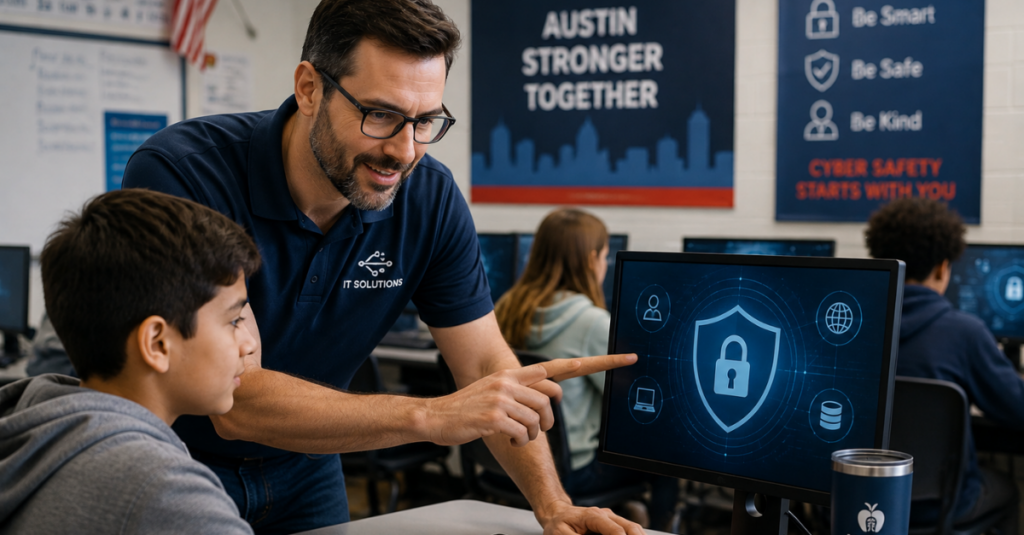
Artificial intelligence is starting to play a bigger role in both attacking and defending school networks. On the defensive side, AI powered monitoring tools can flag unusual login patterns or suspicious file transfers far faster than a human team working alone. On the offensive side, attackers are using AI to craft more convincing phishing emails and automate parts of their attacks.
Districts curious about how AI powered solutions might fit into their security strategy should start with a structured evaluation rather than jumping straight into new tools. An AI readiness evaluation can help identify where AI tools would genuinely add value versus where they might introduce new risks that outweigh the benefits.
The pace of change here matters too. Employee behavior around AI tools is shifting faster than most policies can keep up with, a challenge covered in an article on employee AI behavior that highlights how staff often adopt new AI tools on their own before any formal guidance exists.
Why Proactive IT Guidance Matters More Than Ever
Reactive IT support, where problems only get addressed after something breaks, is no longer sustainable for school districts handling this much sensitive data. Proactive strategic technology guidance means having a partner who is actively monitoring systems, planning ahead for growth, and catching small issues before they become major incidents.
This shift from reactive to proactive support has become a defining trend across many industries. An article on managed IT evolution explains how technology support has moved well past the old break fix model toward continuous, forward looking partnerships.
Districts benefit most when their technology partner offers:
- Regular reporting on network health and security posture
- Clear communication in plain language, not just technical jargon
- A dedicated point of contact who understands the district’s specific needs
- Budget friendly planning that avoids surprise expenses
What Sets a Strong Technology Partner Apart
Not every IT provider understands the unique pressures facing public education. Districts need a partner who can balance strict budgets with strong security, and who understands the compliance landscape specific to schools rather than applying a generic business template.
CMIT Solutions of Austin Downtown and West works with organizations across the region to build business technology solutions tailored to each client’s actual needs rather than a one size fits all package. That approach matters especially for schools, where every dollar spent on technology has to be justified to a board and, ultimately, to the community.
A few qualities worth looking for in any technology partner serving education:
- Experience with FERPA and other education specific compliance requirements
- A track record of working with organizations that operate on tight public budgets
- Willingness to explain technical decisions in terms school boards can easily understand
- Fast, responsive help desk availability during school hours, not just standard business hours
Practical Steps Districts Can Take This Year
Cybersecurity improvements do not have to happen all at once. Districts can make meaningful progress by tackling a few priorities each year rather than trying to overhaul everything simultaneously.
A reasonable starting checklist:
- Conduct a full inventory of every device connected to the network
- Review and update password policies across staff and student accounts
- Test backup recovery procedures at least twice a year
- Schedule a security assessment with a reliable technology support provider
- Update the district’s incident response plan and share it with key staff
- Evaluate current cloud platforms for proper access controls and encryption
Districts that treat these steps as an ongoing cycle, rather than a one time project, tend to see far fewer surprises down the road.
Conclusion
Cybersecurity for Austin area schools is not just a technical problem to be solved once and forgotten. It is an ongoing responsibility that touches every part of how a district operates, from the classroom to the school board room. Threats will keep evolving, regulations will keep shifting, and student expectations around technology will keep rising.
The districts that come out ahead will be the ones that treat security as a core part of their mission rather than an afterthought bolted on after a scare. Working with an experienced partner for dedicated IT assistance gives administrators the breathing room to focus on education while knowing their systems are being actively watched and improved.
CMIT Solutions of Austin Downtown and West has built its approach around exactly this kind of long term partnership, helping local organizations, including schools, move from reactive fixes toward a genuinely resilient technology foundation. You can explore our website to learn more about the full range of services available, or visit our homepage to see how the team supports organizations across the greater Austin area.
If your district is ready to take a closer look at where your current systems stand, reaching out is simple. You can schedule a consultation to talk through your specific needs with a team that understands both the technical and budgetary realities schools face every day.
Frequently Asked Questions