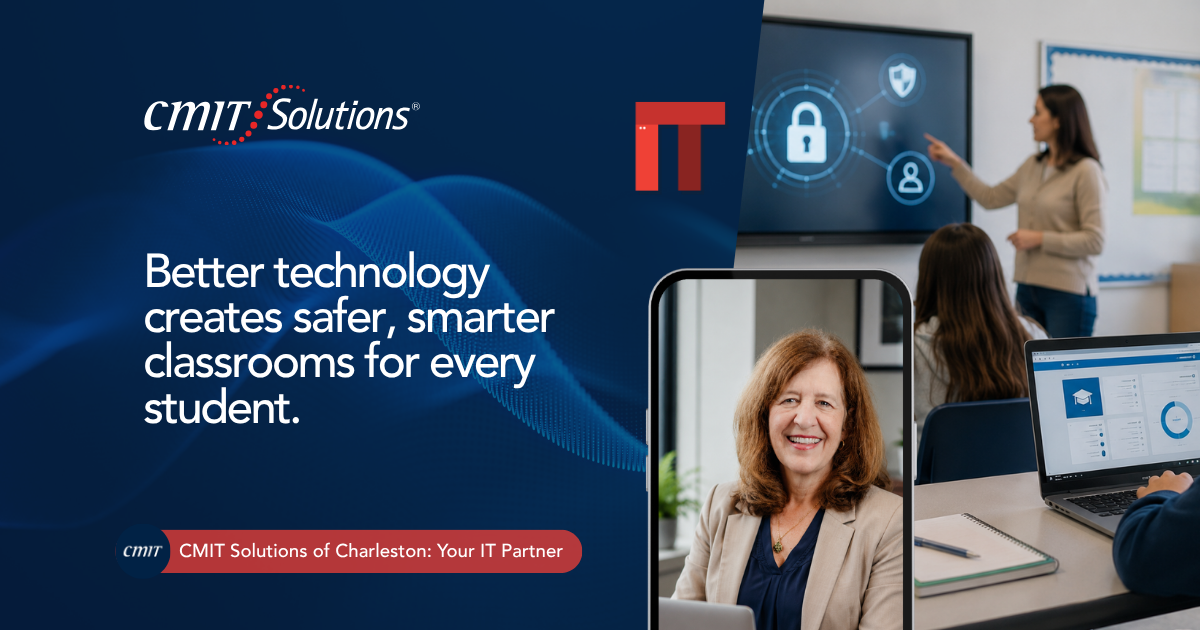
Classrooms today look very different from just a decade ago. Digital textbooks, learning management platforms, one-to-one device programs, and cloud-based grading systems have become standard parts of daily instruction. Behind every one of these tools sits a technology infrastructure that has to work reliably, protect sensitive student information, and stay affordable enough for a school budget to sustain.
Charleston’s schools, from public districts to private academies and early childhood programs, face a balancing act that few other organizations deal with. They need technology robust enough to support modern instruction while protecting some of the most sensitive personal data that exists: information belonging to minors. A single security lapse does not just risk institutional reputation. It puts children’s personal information directly at risk, which makes the stakes considerably higher than in most other industries.
This is why more Charleston schools are partnering with providers that offer modern IT solutions designed specifically around the dual demands of education: supporting learning while maintaining strong, consistent security.
This article looks at the specific technology challenges schools face, the growing cybersecurity risks targeting educational institutions, and the practical steps district and school leaders can take to strengthen both learning outcomes and data protection at the same time. Charleston’s education sector, spanning public schools, charter programs, and independent academies, continues to add new digital tools each year, and each addition brings both new opportunities for learning and new responsibilities for keeping student information secure.
Why School Technology Needs Are Different
A school’s technology environment is unlike a typical business network. Thousands of devices connect and disconnect daily, ranging from staff laptops to student tablets to smart boards in individual classrooms. Access needs to be flexible enough to support teachers, administrators, students, and parents, each with very different levels of appropriate access to information.
At the same time, schools handle deeply sensitive data: academic records, health information, disciplinary history, and increasingly, biometric or behavioral data collected through educational apps. Balancing accessibility with protection requires a level of planning that generic office IT support rarely accounts for.
Common Technology Challenges Schools Face
- Aging network infrastructure that cannot support growing device counts
- Inconsistent Wi-Fi coverage across classrooms, gyms, and outdoor spaces
- Limited IT staff managing an outsized number of devices and users
- Difficulty tracking and securing student-owned or district-issued devices
- Rising phishing and ransomware attempts targeting school districts specifically
- Tight budgets that make ongoing technology investment difficult to prioritize
Each of these challenges affects both the quality of instruction and the security of student data, which is why schools increasingly need a technology partner rather than occasional, reactive support.

The Growing Cybersecurity Risk Facing Schools
Educational institutions have become one of the most frequently targeted sectors for ransomware and data theft in recent years. Attackers know that schools often operate with limited IT budgets and staff, making them appear as easier targets than better-funded corporate networks, while still holding valuable personal data on thousands of students and families.
Understanding the current cybersecurity threat landscape helps school leadership recognize that these are not distant, hypothetical risks. Districts across the country have experienced attacks that shut down instruction for days, delayed grading systems, and exposed sensitive student records.
A few threats deserve particular attention in an educational setting:
- Phishing emails targeting staff email accounts to access payroll or student systems
- Ransomware attacks encrypting grading, attendance, or enrollment platforms
- Unauthorized access to student devices connected to unsecured home networks
- Data exposure through third-party educational apps with weak security practices
Reviewing broader patterns around rising ransomware attacks helps administrators understand why these attacks continue to increase and what makes school networks particularly attractive targets.
Protecting Student Data: A Unique Responsibility
Schools carry a responsibility that goes beyond standard data protection. The information they hold belongs to minors who cannot advocate for their own privacy, which places an added layer of obligation on administrators and IT staff to get security right.
A layered approach to protecting student data typically includes strong cybersecurity services covering network defense, endpoint protection, and email security, combined with clear policies about which staff and systems can access specific categories of student information.
Working with a partner offering managed cybersecurity solutions helps schools implement these protections consistently across every building and device rather than relying on ad hoc fixes applied inconsistently from one classroom to the next. This consistency matters because a single unprotected device or an unmanaged app can undo the protections put in place everywhere else, making a unified approach far more effective than isolated efforts by individual teachers or departments.
Reliable Network Infrastructure for Modern Classrooms
Digital learning depends entirely on consistent connectivity. A classroom full of students trying to access a learning platform during a network outage loses valuable instructional time that is difficult to recover. A properly designed network management approach ensures Wi-Fi coverage extends reliably across every classroom, hallway, and shared space, supporting the growing number of connected devices without slowdowns during peak usage.
Continuous network monitoring services also give IT staff visibility into network performance and security across an entire campus or district, allowing issues to be caught and resolved before they interrupt a full day of instruction. For districts managing several buildings at once, this kind of centralized visibility replaces the guesswork that often comes with trying to diagnose a slow connection or outage one classroom at a time.
Cloud Technology in Education
Cloud-based platforms have transformed how schools manage everything from grading to enrollment to communication with families. A properly secured cloud services environment allows teachers to access lesson plans and student records from anywhere, while giving administrators centralized oversight of data across multiple buildings or campuses.
Schools exploring how to modernize existing systems often benefit from cloud solutions tailored to education-specific software, ensuring grading platforms, attendance systems, and communication tools all stay synchronized without requiring staff to manage multiple disconnected logins. For teachers already stretched thin with lesson planning and classroom management, this kind of consistency saves meaningful time that would otherwise go toward troubleshooting technology instead of instructing students.
Data Backup and Disaster Recovery for Schools
Losing student records, whether through a cyberattack, hardware failure, or severe weather, can create serious disruption to enrollment, grading, and compliance reporting. Charleston’s exposure to hurricanes makes disaster recovery planning especially important for local schools and districts.
A dependable data backup solutions strategy keeps encrypted copies of student and administrative data backed up automatically, both locally and offsite, ensuring a single event cannot erase years of academic records or compliance documentation.
Reviewing broader business continuity strategies helps school leadership identify which systems need the fastest recovery time, such as enrollment and safety communication platforms, versus which can tolerate a brief delay. Having this priority list established in advance, rather than figuring it out in the middle of an actual outage, makes the difference between a smooth recovery and a chaotic one.
Supporting Remote and Hybrid Learning
Flexible learning models have become a lasting part of education, whether for snow days, illness, or extended remote instruction. Supporting this flexibility requires secure, reliable access to learning platforms from outside the school building. Reviewing how virtual desktop infrastructure supports secure remote access helps schools extend classroom resources safely to students working from home without exposing sensitive systems to unnecessary risk.
Dependable unified communications also keep teachers, administrators, and families connected consistently, while productivity applications support collaborative assignments and administrative coordination without relying on inconsistent, scattered tools.
Endpoint Security for Student and Staff Devices
With thousands of devices connecting to a school network daily, from staff laptops to student-issued tablets, each one represents a potential entry point for attackers if not properly secured. Reviewing endpoint security practices helps schools apply consistent protection across every device type, whether it belongs to the district or is brought from home under a personal device policy. This becomes especially important during testing windows or extended remote learning periods, when the number of devices accessing school systems from outside the building often spikes well above normal levels.
Compliance Considerations for Educational Institutions
Schools operate under specific data protection expectations tied to student privacy, and those expectations continue to evolve as technology use in classrooms expands. Working with a partner offering IT compliance services helps schools build the documentation and technical safeguards needed to meet these obligations consistently.
Broader compliance solutions can also help schools evaluate third-party educational apps and platforms before adoption, ensuring vendor security practices meet the standard required when handling data belonging to minors.
Strategic IT Planning for Growing Districts
Many Charleston-area schools and districts are expanding enrollment, adding new buildings, or upgrading aging facilities. Technology planning needs to keep pace with that growth rather than being addressed as an afterthought once problems already exist.
This is where strategic IT guidance becomes valuable, helping administrators plan technology investments around long-term needs like enrollment growth, new facilities, or expanding one-to-one device programs. Schools also benefit from working with a partner on IT procurement services, ensuring new devices, network equipment, and classroom technology are purchased at the right specifications and budget without unnecessary overspending. Planning ahead this way also helps districts avoid the common trap of purchasing technology in reaction to a crisis, which typically costs more and delivers a less reliable long-term outcome than a deliberate, budgeted rollout.
Proactive IT Support for Uninterrupted Learning
Traditional break-fix IT support waits until something fails before addressing it. In a school setting, that delay directly interrupts instructional time. A proactive IT support approach shifts the model, with continuous monitoring, proactive patching, and support available before small technical issues disrupt a full class period.
Districts researching current risks often reference growing concerns around AI driven cyber threats, which are making phishing attempts targeting school staff harder to detect using traditional filters alone.
The Role of AI in Modern Education
Artificial intelligence is beginning to influence classroom instruction, administrative workflows, and even how schools detect early warning signs of student disengagement. While these tools offer genuine benefits, they also raise new questions about how student data is processed when passed through third-party AI platforms.
Schools curious about where these tools genuinely add value can start with an AI readiness assessment or review current AI insights to separate practical classroom applications from tools that still carry unresolved data privacy concerns. A stable cloud infrastructure foundation with proper access controls makes adopting these tools far easier once a school is ready to move forward thoughtfully.
Choosing the Right Technology Partner for a School or District
Not every IT provider understands the specific demands of an educational environment. When evaluating a partner, schools should look for:
- Direct experience supporting student information systems and learning platforms
- A proactive monitoring approach rather than reactive, break-fix support
- Clear policies around student data privacy and third-party app evaluation
- Experience managing large device fleets across multiple buildings
- Budget-conscious solutions that scale with enrollment and facility growth
CMIT Solutions of Charleston works with schools and educational programs across the region to build technology environments that support both learning and security. From comprehensive IT solutions to outsourced IT management, the focus stays on giving educators reliable tools while keeping student data protected.
Schools interested in learning more about the team behind these services can review our team background or explore why they choose us before scheduling a conversation.
Practical Steps Schools Can Take Today
School and district leadership looking to strengthen their technology environment can start with a few practical actions:
- Audit current network coverage across every classroom and shared space
- Review which third-party apps have access to student data and confirm their security practices
- Test backup restoration to confirm records can actually be recovered when needed
- Train staff to recognize phishing attempts targeting school email systems
- Evaluate whether current IT support can respond quickly during an active school day
Reliable business IT support and round the clock support both matter here, since a security concern discovered after hours cannot wait until the next school day if it threatens active systems overnight.
Bringing It All Together
Modern education depends on technology that works reliably and protects the students it serves. Charleston schools face a unique challenge, balancing the need for accessible, engaging digital tools with the responsibility of protecting sensitive information belonging to children who cannot advocate for their own privacy. Getting that balance right requires more than occasional support. It requires an ongoing partnership built around both instructional needs and security.
CMIT Solutions of Charleston has worked with educational institutions across the Lowcountry to build technology environments that support learning while keeping student data protected. Whether the need is stronger network coverage, better cybersecurity protection, or a long-term technology roadmap, the right support allows educators to focus on teaching rather than troubleshooting. Schools that take a proactive, structured approach to technology today are far better positioned to avoid the disruption and lost instructional time that come with an unplanned system failure or security incident later on.
Ready to talk through what stronger technology support could look like for your school or district? schedule a consultation with the team and get a clear picture of where your current systems stand.
Frequently Asked Questions