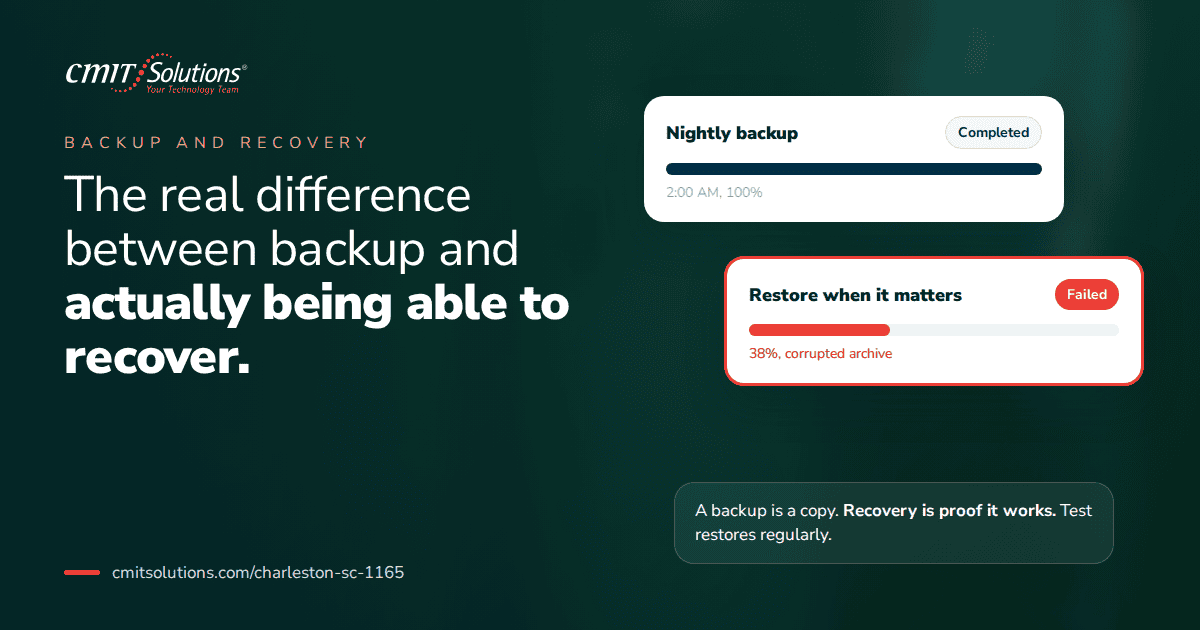
Ask any business owner if their data is backed up, and nearly all of them will say yes without hesitation. Ask them how long it would take to actually restore that data, or whether it’s ever been tested, and the confidence usually fades fast. This gap between having a backup and having a working recovery plan is one of the most dangerous blind spots in small business technology, and most businesses don’t discover it until the exact moment they need it most.
Backup and recovery sound like the same thing. They aren’t. Understanding the difference is the single most important shift a business owner can make before, not after, a real incident forces the issue.
Why “We Have Backups” Isn’t the Same as “We Can Recover”
A backup is simply a copy of data sitting somewhere. Recovery is the actual process of restoring that data to a usable, operational state after something goes wrong. A business can have perfectly good backups and still face days or weeks of downtime if the recovery process itself was never planned, tested, or documented.
Consider the difference:
- Having a backup means files exist somewhere outside the primary system
- Having recovery means knowing exactly how to restore those files, how long it will take, and what order systems come back online
Many businesses discover this gap only during an actual emergency, a costly lesson explored in more detail in what actually happens during the earliest, most critical stages of an incident.
The Assumptions That Get Businesses in Trouble
Most gaps between backup and recovery trace back to a handful of common assumptions that feel reasonable until they’re tested under real pressure.
- “We have backups, so we’re covered.” Having data copied somewhere doesn’t guarantee it can actually be restored quickly, or at all
- “Our cloud storage counts as backup.” File syncing services aren’t the same as versioned, recoverable backup systems
- “IT handles this, so it must be fine.” Without regular testing, even well-intentioned backup systems can quietly fail without anyone noticing
- “We’d figure out the details if something happened.” Improvising a recovery process during an active crisis almost always takes far longer than planning it in advance
- “Our last backup check was fine, so we’re good.” A single successful test doesn’t guarantee ongoing reliability as systems and data change over time
These assumptions are exactly why reactive IT problems tend to surface at the worst possible moments, when a business finally needs the safety net it assumed was already there.
What “Recoverable” Actually Requires
True recoverability depends on more than just having data stored somewhere. It requires a documented, tested process that accounts for every step between an incident occurring and operations fully resuming.
A genuinely recoverable environment includes:
- Verified backup integrity, confirming files aren’t corrupted or incomplete
- A documented restoration process, so recovery doesn’t depend on one person’s memory
- A realistic recovery time estimate, giving leadership accurate expectations during an incident
- Prioritized system restoration order, ensuring the most critical operations come back first
- Regular testing, proving the process actually works before it’s needed for real
Without these elements, a backup is essentially a hope rather than a plan, a distinction that becomes painfully clear when businesses face ransomware backup protection requirements during an actual attack.
Recovery Time Objective: The Number Most Businesses Don’t Know
Recovery time objective, often shortened to RTO, refers to how long a business can realistically tolerate being without a specific system before the impact becomes severe. Surprisingly few business owners know their own RTO, let alone whether their current backup strategy can actually meet it.
Questions worth asking include:
- How long could the business operate without access to email
- How long could it function without its primary file server or database
- What’s the actual financial impact of one hour, one day, or one week of downtime
- Which systems absolutely must be restored first, and which can wait
Without a clear answer to these questions, it’s impossible to know whether the current backup strategy is actually adequate, a gap closely tied to the broader financial risk covered in cost of downtime.
Recovery Point Objective: How Much Data Can You Afford to Lose
Alongside recovery time, businesses also need to understand their recovery point objective, or RPO, which defines how much data loss is acceptable between backup intervals. A business backing up once a day, for example, could lose up to a full day’s worth of work if an incident occurs right before the next scheduled backup.
Factors that affect an appropriate RPO include:
- How frequently critical data changes throughout a typical business day
- How costly it would be to recreate lost transactions, communications, or records
- Whether certain systems, like financial records, require more frequent backup intervals than others
- Industry-specific requirements that may mandate specific data retention and recovery standards
Choosing the right backup frequency and storage strategy is covered in more detail in cloud backup options, where the right approach often depends on the specific needs of the business rather than a generic, one-size-fits-all schedule.
Why Ransomware Makes This Gap Especially Dangerous
Ransomware attacks specifically target backup systems as one of their first moves, since intact backups eliminate an attacker’s leverage entirely. A business that hasn’t properly isolated or tested its backups often discovers, in the middle of an active attack, that its safety net was compromised right alongside everything else.
Key vulnerabilities that ransomware exploits include:
- Backups stored on the same network as primary systems, making them equally vulnerable
- No immutable backup copies that can’t be altered or deleted by an attacker with access
- Infrequent testing that fails to catch silent backup failures before they matter
- No offline or air-gapped copy completely disconnected from the network
A resilient strategy accounts for these risks specifically, which is covered in greater detail through data backup solutions built around redundancy and isolation rather than a single, vulnerable copy of company data.
The Testing Problem: Why “Set It and Forget It” Fails
Perhaps the most common failure point in backup strategies isn’t the technology itself. It’s the assumption that once configured, a backup system will simply keep working indefinitely without any further attention.
Reasons untested backups fail when needed most include:
- Software updates silently breaking backup schedules without triggering an alert
- Storage capacity quietly filling up, causing backups to fail incomplete
- Corrupted files that were backed up without anyone noticing the corruption
- Configuration changes elsewhere in the network unintentionally disrupting the backup process
Regular, scheduled testing is the only way to catch these issues before they matter, a discipline that connects directly to the broader value of proactive IT monitoring across the entire technology environment, not just backup systems specifically.
What a Real Backup Test Actually Involves
Many businesses that claim to test backups are actually just confirming that a backup job completed successfully, which is a very different thing from confirming that data can actually be restored and used.
A genuine backup test should include:
- Selecting a sample of critical files or systems to restore, not just checking a completion log
- Actually restoring the data to a separate, isolated environment
- Verifying the restored data is complete, uncorrupted, and usable
- Timing the process to confirm it aligns with the business’s recovery time objective
- Documenting the results and addressing any issues discovered before the next scheduled test
Businesses that skip these steps often don’t discover a broken recovery process until they’re relying on it during an actual emergency, when there’s no time left to fix it.
Cloud Storage Isn’t the Same as Backup
One of the most common and costly misconceptions is treating cloud file storage and syncing services as a full backup solution. While these tools are useful for everyday collaboration, they typically lack the versioning, isolation, and recovery capabilities that true backup systems provide.
Key differences include:
- File syncing automatically updates across devices, which means a deleted or corrupted file often syncs everywhere, including into backups that aren’t properly isolated
- True backup systems maintain multiple versions over time, allowing recovery from a point before corruption or deletion occurred
- Cloud storage typically doesn’t include the same recovery time guarantees or testing processes that dedicated backup solutions offer
Understanding this distinction is especially important as businesses increasingly rely on scattered cloud tools, a related risk explored in hidden cloud risks.
Building a Recovery Plan, Not Just a Backup Schedule
A truly resilient approach requires shifting the conversation from “are we backing up data” to “can we actually recover if something happens.” This shift changes what gets prioritized and documented.
A complete recovery plan should include:
- A clear, prioritized order for restoring systems based on business impact
- Specific roles and responsibilities for who executes each step of the recovery process
- Realistic timelines based on actual tested restoration speeds, not assumptions
- Communication procedures for keeping employees, clients, and vendors informed during recovery
- A documented process for verifying systems are clean and secure before bringing them back online
Having this plan mapped out in advance, rather than improvised during a crisis, makes an enormous difference in how quickly a business actually returns to normal operations, a gap discussed in IT outage impact.

Why Backup Strategy Matters for Compliance
For businesses in regulated industries, backup and recovery aren’t just operational concerns. They’re often specific compliance requirements with documentation obligations attached. Auditors and regulators expect proof that data can be recovered within defined timeframes, not just that backups exist somewhere, a distinction covered in audit ready compliance.
Businesses in healthcare, finance, or legal services should confirm:
- Backup and recovery processes meet specific regulatory retention requirements
- Documentation exists proving regular testing and verification
- Recovery timelines align with any contractual or regulatory obligations
- Third-party vendors handling data meet the same backup and recovery standards
A dedicated compliance support services partner helps translate these requirements into a practical, documented backup and recovery strategy rather than leaving it as an assumption until an audit forces the question.
Cyber Insurance Expectations Around Backup and Recovery
Insurance providers have grown increasingly specific about backup and recovery requirements, often asking detailed questions during the application process and scrutinizing them closely during a claims investigation. A business that can’t demonstrate tested, documented recovery capabilities may find a claim disputed or denied entirely.
Insurers typically want to confirm:
- Backups are isolated from the primary network and protected from ransomware
- Recovery processes have been tested and documented, not just assumed to work
- Recovery time estimates are realistic and consistent with what was represented on the application
- Backup systems include appropriate encryption and access controls
This overlap between insurance requirements and genuine operational resilience makes backup testing valuable well beyond just preventing downtime.
Network Design and Its Role in Recovery Speed
How a network is structured significantly affects how quickly systems can actually be restored after an incident. Poor segmentation or outdated infrastructure can slow recovery even when backups themselves are perfectly intact.
Network factors that affect recovery speed include:
- Whether critical systems are properly segmented, limiting how far an incident spreads
- Whether sufficient bandwidth exists to restore large volumes of data quickly
- Whether redundant infrastructure allows some operations to continue during recovery
- Whether the network is properly documented, avoiding delays from unfamiliar configurations
A well-maintained network management services setup directly supports faster, more reliable recovery, since a well-understood, well-documented network is far easier to restore than one nobody has a complete picture of.
Cloud Infrastructure and Modern Recovery Strategies
Cloud-based recovery solutions have significantly changed what’s possible for small and mid-sized businesses, often making faster, more resilient recovery achievable without the cost of maintaining duplicate physical infrastructure.
Modern cloud recovery approaches can include:
- Virtualized backup environments that allow systems to run temporarily in the cloud during recovery
- Automated failover processes that reduce the need for manual intervention
- Geographically distributed backup storage, protecting against regional outages or disasters
- Scalable recovery resources that adjust based on the specific incident’s scope
A properly configured cloud services solutions strategy can significantly reduce recovery time compared to traditional, hardware-dependent approaches, particularly for businesses without the budget for redundant physical infrastructure.
Why Layered Security Still Matters, Even With Great Backups
Strong backup and recovery capabilities are essential, but they shouldn’t be viewed as a replacement for preventing incidents in the first place. A business that recovers quickly from an attack still experiences disruption, cost, and risk that could have been avoided entirely with stronger upfront defenses.
A comprehensive cybersecurity protection services approach works alongside backup and recovery planning, reducing how often recovery is even needed in the first place while ensuring it’s genuinely effective on the rare occasion it is.

Remote Work and Distributed Data Recovery Challenges
Distributed teams add complexity to backup and recovery planning, since data now lives across more devices, locations, and platforms than a traditional office-based environment. A recovery plan that only accounts for centralized office systems may miss significant gaps, a challenge explored in remote team support.
Businesses supporting remote or hybrid teams should confirm:
- Data on remote devices is properly backed up, not just data stored on central servers
- Recovery plans account for restoring access for distributed employees, not just office locations
- Communication during recovery reaches remote team members as effectively as in-office staff
- Backup policies apply consistently regardless of where employees are physically working
Building Backup and Recovery Into Ongoing IT Strategy
Backup and recovery shouldn’t be treated as a one-time setup project. It needs to evolve alongside the business, its data volume, its systems, and its risk profile all change over time, and a backup strategy that made sense two years ago may no longer be adequate today.
An effective long-term approach includes:
- Regular reviews of recovery time and recovery point objectives as the business grows
- Periodic testing scheduled on a recurring, documented basis
- Updates to the recovery plan whenever significant systems or vendors change
- Ongoing budget allocation for backup infrastructure, not treated as a one-time expense
Businesses looking for outside perspective on whether their current strategy is actually adequate often benefit from strategic IT guidance that evaluates the full picture, not just whether backups technically exist.
Why Charleston Businesses Need a Partner Who Tests, Not Just Backs Up
The gap between backup and recovery is rarely obvious until it’s tested by a real incident, which is exactly why it needs to be addressed proactively rather than discovered under pressure. Local businesses benefit from working with a partner who treats testing as a standard part of ongoing service, not an afterthought.
CMIT Solutions of Charleston helps businesses close this exact gap, building backup strategies that are actually verified, documented, and tied to a realistic recovery plan rather than a checkbox on an IT invoice. The goal isn’t just having data stored somewhere. It’s knowing, with confidence, that operations can actually be restored when it matters most.
Getting a clear picture of where your current backup and recovery capabilities stand is one of the most valuable conversations a business can have, and it’s far better to have it now than during an actual emergency.
The Bottom Line
Having a backup and being able to recover are not the same thing, and the businesses that learn this the hard way almost always wish they’d found out sooner. A backup that’s never been tested is an assumption, not a safety net. A recovery plan that’s never been practiced is a hope, not a strategy.
The businesses that weather real incidents with the least disruption aren’t the ones with the fanciest backup technology. They’re the ones who actually tested their process, documented their plan, and knew exactly what to expect before they ever needed it.
If you’re not confident your backups could actually get your business back up and running when it matters, it’s worth finding out now. Schedule a consultation to get a clear assessment of your current backup and recovery readiness.
Frequently Asked Questions