

Servers and shared files
File servers, application servers and the shared folders your team depends on are backed up automatically, with versions kept so you can roll back to a point before a problem started.
We automate, watch and test your backups, then plan exactly how you get back to work if a server fails, a file vanishes or ransomware locks your systems.
Backup and disaster recovery combines regularly copying your business data to safe locations with a tested plan for restoring systems after a hardware failure, deletion, fire or ransomware attack. Backup protects the data itself. Disaster recovery covers how quickly people get back to work, which systems come back first, and who does what.
For businesses in Saginaw, Bay City and Flint, data backup and disaster recovery is the safety net under everything else you do. Customer records, financial files, project documents, email and the line-of-business software your team opens every morning all live somewhere, and every one of those places can fail. Drives wear out, laptops get left in parked cars, someone deletes the wrong folder, a pipe bursts above the server closet, or ransomware encrypts every file it can reach.
None of those events has to end your week, let alone your business, but only if two things are true. First, a recent, clean copy of your data exists somewhere the problem could not reach. Second, someone knows how to bring it back, in the right order, without improvising under pressure. The first is backup. The second is disaster recovery. You need both.
CMIT Solutions of Tri-City and Flint sets up and manages both halves. We automate backups so they do not depend on anyone remembering, keep copies in more than one location, monitor every job, and test restores on a schedule. Then we work with you on a written recovery plan that matches how your business actually runs, so the day something goes wrong becomes a process to follow instead of a crisis.
The goal is not to collect copies for their own sake. It is to make sure that when something breaks, you already know how much work could be lost, roughly how long the recovery should take, and what your staff should do in the meantime. Those answers are what let an owner make calm decisions on a bad day.
Many businesses do have some kind of backup. The trouble is that it was set up once, nobody checks it, and the first real test comes on the worst possible day. By then, it is too late to find out that the drive filled up last spring or that the new accounting system was never added to the schedule.
Business data no longer sits in one server in the back room. It is spread across file servers, laptops, cloud apps and specialized software. A backup plan that only covers one of those leaves gaps you may not discover until you need the missing piece. We start by finding every place your data actually lives, including the ones nobody mentioned.
File servers, application servers and the shared folders your team depends on are backed up automatically, with versions kept so you can roll back to a point before a problem started.
Important data on desktops and company laptops is protected too, including machines that travel. A lost or broken laptop becomes a hardware replacement, not lost work.
Email, shared documents and team files in Microsoft 365 and other cloud apps can be backed up separately, so an accidental deletion or a compromised account does not take your only copy with it.
Accounting packages, practice management software and other databases often need special handling to back up cleanly. We set them up so the copy you restore is consistent and usable.
At least one copy is stored away from your building and out of reach of everyday network access, so fire, flood, theft or ransomware at the office cannot destroy every version.
Every backup job reports back. When one fails or is skipped, we are alerted and follow up, rather than learning about the gap months later when a file cannot be found.
A widely used rule of thumb for backups is 3-2-1: keep three copies of your important data, on two different types of storage, with one copy off-site. The idea is simple. Any single failure, whether a dead drive, a burned-out building or a corrupted file, should leave at least one good copy standing.
We build on that rule with a few practical additions. One copy should be isolated from your everyday network so ransomware and compromised accounts cannot reach it. Backups should keep several versions over time, so you can step back to a point before a problem began rather than only to last night. And the whole arrangement should be checked by restoring from it, not just by confirming that a job finished.
The rule also needs to cover the right data. We confirm that new folders, new applications and new staff devices are added to the backup as your business changes, because a schedule that was complete two years ago can quietly fall behind. Coverage is reviewed as part of our routine work rather than left until someone asks.
If you want to work through this on your own first, our free Backup & Disaster Recovery Planning Guide on the resources page walks through the 3-2-1 rule, recovery goals and how to test a plan.
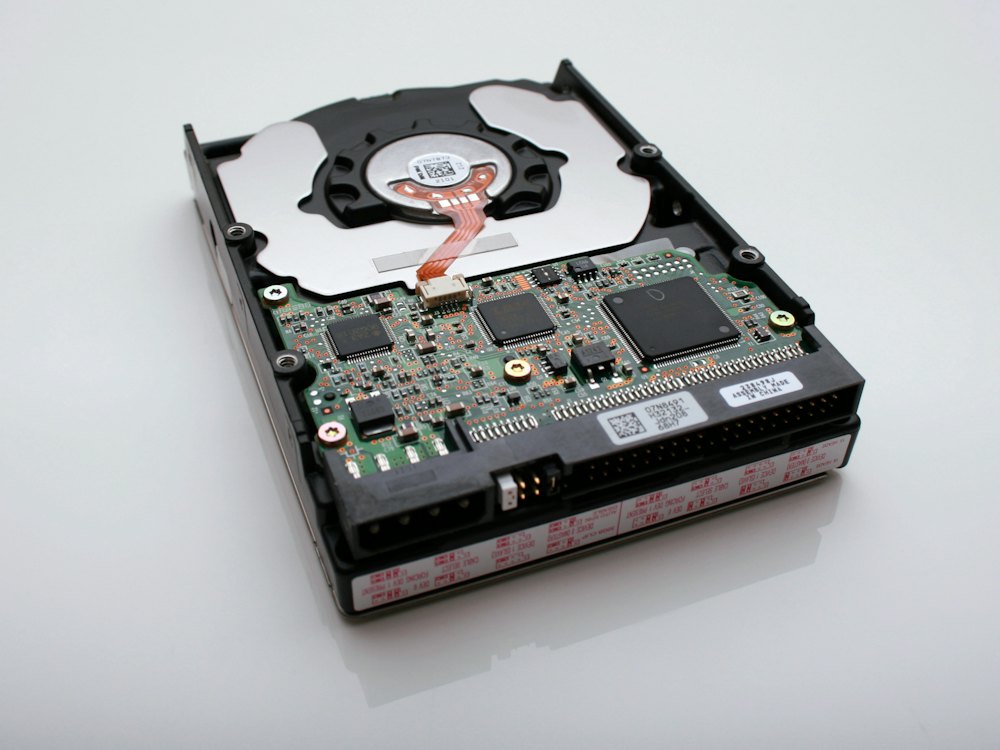
A disaster recovery plan does not need to be a thick binder. It needs to answer the questions people will be asking when systems are down, in an order that makes sense for your business. We build it with you step by step. Most businesses can get a workable first version in place quickly and refine it over time.
We list the systems and data your business cannot run without, from the accounting system to the shared drive to email, and talk through what a day without each one would actually cost you.
Together we decide two things for each system: how much recent work you could afford to lose, and how long you could manage without it. Those answers shape how often we back up and how recovery is set up.
Systems that need to come back quickly get faster recovery options, while less critical data can use simpler, lower-cost approaches. You are not paying for speed you do not need.
We document the recovery order, who to contact, where credentials and records are kept, and the steps to bring each system back. Everyone involved knows where to find the plan and what their role is.
We run restore tests on a schedule, record the results and update the plan as your business changes. A new location, a new application or a staff change can all mean the plan needs a refresh.
A backup you have never restored from is a hope, not a plan, which is why we test recovery on purpose instead of waiting for an emergency to do it.
Ransomware works by encrypting your files and demanding payment for the key. Modern attacks also go looking for backups, because a business with clean copies has little reason to pay. A backup drive that stays plugged into the server, or a cloud folder that syncs every change, can be encrypted right along with everything else.
That is why we keep at least one copy isolated from normal network access and retain multiple versions over time. If an attack slips through, we can identify when it started, set aside the affected systems and restore from a point before the damage. Recovery still takes work, but it becomes a structured rebuild instead of a choice between paying criminals and starting over. We also help you check that restored systems are clean before people start using them again.
Backup is the last line of defense, not the only one. We pair it with our cybersecurity services, including endpoint protection, email filtering and access controls, to make an attack less likely in the first place and easier to contain if one gets through.

What counts as critical data, and how long you can go without it, depends on your industry. These are a few of the ways backup and recovery look different from one business to the next. Whatever field you are in, we start by asking which records would be hardest to rebuild and which systems your customers notice first when they go down.
You can learn a lot about your backup situation in a few minutes. Ask whoever looks after IT for you to answer these honestly. Any uncertain answer is a gap worth closing before you need it.
Most backup monitoring and many restores happen remotely, often without anyone in your office needing to do a thing. Some recoveries need hands, though. A failed server may need to be replaced, a damaged office may need temporary equipment, and staff may need help getting reconnected from wherever they are working while things are rebuilt.
We also help with the less obvious parts of a recovery. That can mean coordinating with your software vendors to reinstall a line-of-business application, getting replacement hardware ordered and configured, or setting staff up to work from temporary devices so customers are still served while the main systems come back online.
Our office is in Frankenmuth, which puts our team within reach of businesses across the Great Lakes Bay Region and down into Genesee County. Winter storms, power outages and the occasional flooded basement are part of doing business here, and having a local team that already knows your systems makes a stressful day more manageable.
Backup and disaster recovery can stand on its own or be part of a broader managed IT plan. Either way, you get enterprise-level tools and the backing of a network of more than 250 CMIT locations, with the personal attention of a locally owned business that will pick up the work alongside you.
Backup is making copies of your data and storing them safely. Disaster recovery is the plan and process for using those copies to get your business running again, including which systems come back first, how long it should take and who is responsible. A backup without a recovery plan leaves you with data but no clear way to use it.
It depends on how much recent work you could afford to lose. For data that changes constantly, such as accounting files or shared documents, backups usually run several times a day. Less active data can be backed up daily or weekly. We set the schedule for each system based on the recovery goals we agree with you.
Microsoft 365 is built to keep its services available and includes some retention and recycle bin features, but that is not the same as an independent backup you control. Deleted items can age out, and a compromised account can change or remove data. Many businesses add a separate Microsoft 365 backup, and we can set that up and monitor it.
We test them. Beyond confirming that each job completed, we restore files and systems on a schedule and record the results. Testing shows whether the data is usable, how long recovery takes and whether anything is missing. If a test reveals a problem, we fix it and test again before it can matter.
Recovery time depends on what failed, how much data is involved and how the backups were designed. That is why we set recovery goals with you in advance and design backups to meet them. Critical systems can be given faster recovery options, while less urgent data is restored afterwards in an agreed order.
Backups are your way back from ransomware, provided attackers cannot reach them. We keep at least one copy isolated from everyday network access and retain several versions, so we can restore from a point before the attack. We also recommend layered cybersecurity to reduce the chance of an attack succeeding in the first place.
We follow a layered approach. A local copy allows quick restores of everyday files and systems, and at least one copy is kept off-site so a fire, flood or theft at your office cannot destroy every version. Off-site copies are encrypted, and access to them is restricted to the people who need it.
If the laptop was included in your backup plan, the work saved on it can be restored to a replacement device, so you lose the hardware rather than the files. We also recommend encrypting company laptops and managing them centrally, so a lost device can be locked or wiped and the data on it stays protected from whoever finds it.
Yes. CMIT Solutions of Tri-City and Flint serves businesses throughout Saginaw, Bay City, Midland, Flint, Frankenmuth and surrounding Mid-Michigan communities. Monitoring and most restores are handled remotely, and our team can come on-site when recovery needs hands-on work, such as replacing a failed server.
Request a quick consultation through our contact page. We will learn which systems and data your business depends on, review how they are backed up today and identify any gaps. You then get a clear recommendation covering backup design, off-site copies, testing and a recovery plan sized to your business and budget.

Multi-layered protection against ransomware, phishing and other cyberthreats.
Explore Cybersecurity

Cloud migration for cost savings, efficiency and anywhere access.
Explore Cloud Services

24/7 monitoring and expert management that keeps your technology at its peak.
Explore Managed IT ServicesTell us what your business can't afford to lose. We will review your current backups, test what matters and show you where the gaps are, with no obligation.