

Firewall management
Your firewall decides what gets in and out. We configure rules to match how you actually work, keep its software current, review logs for warning signs and remove old exceptions that quietly widen the door.
We design, secure and look after the firewalls, switches, Wi-Fi and internet connections your business runs on, so your team can stop working around the network and start relying on it.
Network management is the ongoing work of designing, configuring, monitoring, securing and maintaining the equipment that connects your business: firewalls, switches, wireless access points and internet links. Instead of waiting for something to fail, a managed provider watches performance, applies firmware updates, controls who can connect and fixes problems early, often before staff notice them.
If you run a business in Saginaw, Flint or anywhere in Mid-Michigan, network management is the part of IT nobody thinks about until it stops working. Email, phones, cloud apps, card terminals, security cameras and the shared drive all travel over the same cables and wireless signals. When that path is slow or unreliable, every other system looks broken too, and your team ends up waiting, restarting and calling around for help.
Network management from CMIT Solutions of Tri-City and Flint puts that path under steady, professional care. We document what you have, fix what was set up in a hurry, close the gaps that leave you exposed and then keep watching so small problems do not grow into outages. You end up with a network that was planned rather than accumulated.
Many of the networks we see grew one device at a time. A consumer router from the early days, a switch added when the office expanded, a wireless extender someone picked up on the way in, and a firewall that has not been touched since it was installed. Each piece made sense at the time. Together they create blind spots, weak links and settings no one remembers choosing. Our job is to turn that patchwork into something you can understand, rely on and grow with.
For your staff, the change is simple to describe. Wi-Fi reaches the places they actually work, calls stop cutting out, new people are connected on their first day, and there is one team to call when something feels off. For you, it means fewer surprises and a clear picture of what your network needs next.
Network problems rarely stay in one box. A slow connection might be the internet line, a failing switch port, a crowded wireless channel or a firewall rule doing more than it should. We look after each layer, so troubleshooting starts with facts instead of guesses.
Your firewall decides what gets in and out. We configure rules to match how you actually work, keep its software current, review logs for warning signs and remove old exceptions that quietly widen the door.
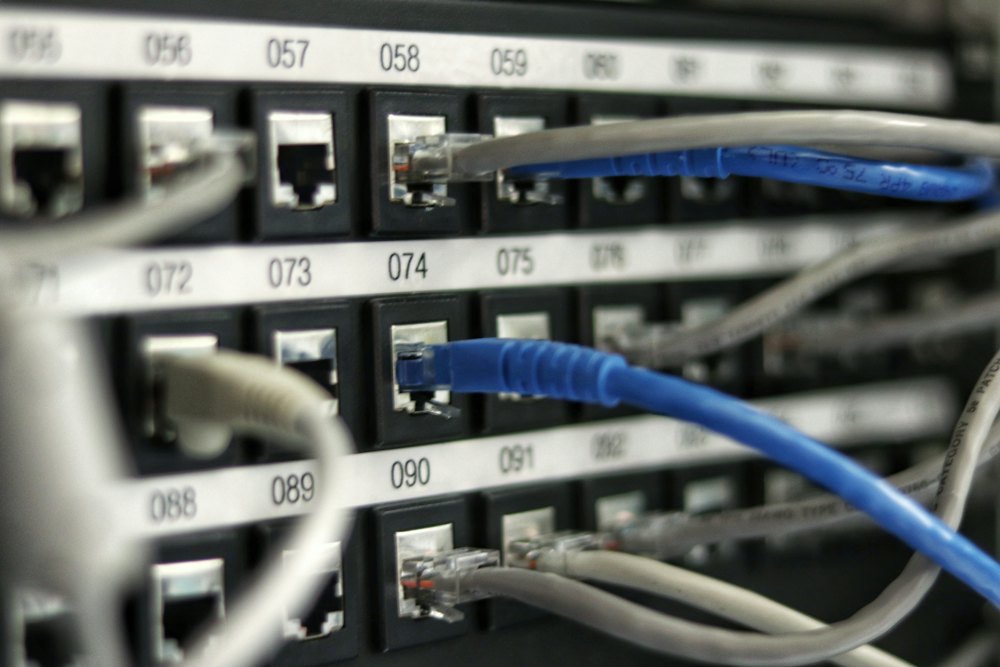
We organize switches and patch panels, label what connects where, and separate traffic so a busy device in one corner of the building does not drag down everyone else.
We plan access point placement around your floor plan, set up separate networks for staff, guests and devices, and tune coverage so the conference room and the back office both get a usable signal.
We help you choose suitable service, add a backup connection where it makes sense, and deal with the provider on your behalf when the line itself turns out to be the problem.
Offices, shops and warehouses in different towns can share files and systems over secure links, so a second location feels like part of the same business instead of an island.
We watch device health, bandwidth use and connection status, then turn what we see into plain-language reports and recommendations you can use for planning and budgeting.
Most owners never set out to have a fragile network. It happens gradually, and the symptoms get blamed on other things: an old computer, a bad day for the internet provider, a cloud app that is just slow. If several of the signs below sound familiar, the network itself is probably part of the story.
The encouraging part is that most of these problems have clear causes once someone looks. Overloaded wireless, a misconfigured switch, an aging firewall that cannot keep up with modern traffic, or a single internet line carrying everything are common and fixable. A focused review usually shows which changes will make the biggest difference this month and which can wait for next year's budget.
Some warning signs are quieter and more serious. If former staff or old vendors can still connect remotely, or the network has never been divided so that every device can see every other device, a single compromised laptop can reach far more than it should. Those issues rarely cause visible slowdowns, which is exactly why they go unnoticed.
We do not rip out equipment for the sake of it. Every engagement starts with understanding what you have and how your business uses it, then moves forward in a clear order you can follow. You will know what we are doing at each stage and why.
We inventory routers, firewalls, switches, access points and connected devices, record how they link together and note firmware versions, warranty status and key settings. You receive a picture of your network that many businesses have never had.
We compare what we found against sound practice for security, performance and resilience. Open ports, default passwords, flat networks, single points of failure and unsupported hardware are ranked by risk, so you know what to address first.
You get a practical plan in plain language that separates quick configuration changes from upgrades that need budget. Where new equipment is needed, we explain why and can source it for you through our IT procurement service.
We schedule work around your business hours where possible, test each change and keep notes as we go. Staff get clear instructions for anything that affects them, such as a new wireless network name or a different way to connect from home.
Once the network is stable, we monitor it, apply updates, handle changes as you add people or locations, and review the setup with you regularly so it keeps pace with the business.
Plenty of businesses get by with someone who comes out when the internet goes down. That works right up until the problem is one nobody was watching for. The bigger cost is usually invisible: hours lost to slow connections, staff building workarounds, and security settings that drift out of date because no one owns them.
Every app, call and file your team touches crosses the network first, so it deserves the same planning you give the rest of your business.
Every business needs a reliable connection, but the details vary a lot. A plant floor, a medical practice and a restaurant put very different demands on the same basic equipment, and the network should reflect that.
A lot of businesses work from more than one place: a main office with a warehouse across town, a shop with a second location farther up the highway, or a crew that spends most of the week on job sites. Each location needs secure access to the same files and systems, without staff having to remember a different routine depending on where they are sitting.
We connect sites with secure, encrypted links and configure them consistently, so a problem at one location can be diagnosed with the same tools and records as any other. Remote and hybrid staff get secure access to what they need, with sign-in protections that keep a stolen password from becoming an open door into the business.
Because our office is in Frankenmuth, between the Tri-City area and Flint, our team can get to most of the region when on-site work is needed, such as mounting access points or swapping out a switch. Day-to-day management and most troubleshooting happen remotely, which keeps things moving without waiting for a visit.

You do not need technical training to spot many network risks. Walk through these questions with whoever handles IT for you now. Any answer of no or not sure is worth a closer look. For a wider view of security, The Small Business Cybersecurity Checklist is free on our resources page.
A network does not exist on its own. It carries your cybersecurity tools, connects your staff to Microsoft 365 and other cloud services, moves backups off-site and supports the phone system your customers call. That is why we manage it alongside the rest of your technology instead of treating it as a separate project.
When the same team looks after your network, devices and security, problems get solved sooner because nobody is pointing fingers between vendors. A slow application can be traced from the laptop through the switch and firewall to the internet line by people who know every step. Changes are planned with the whole picture in mind, so adding a cloud app or opening a new location does not create a surprise somewhere else.
You also stay in control. We keep your network documentation, device inventory and administrative credentials organized and stored securely, and we walk you through what we manage and why. If you ever need to bring in another provider or hand something to an internal hire, the records exist and they belong to your business, not to whoever happened to install the equipment.
Network management can be part of a full managed IT plan or focused on the areas you need most right now. Either way, you get enterprise-level expertise with the personal attention of a locally owned team, and technology that supports the way your business runs instead of dictating it.
Network management includes designing, configuring, monitoring and maintaining your firewalls, switches, wireless access points and internet connections. With CMIT Solutions of Tri-City and Flint, it also means documenting your setup, applying firmware updates on a schedule, controlling who can connect, separating traffic into sensible segments and handling changes as your business grows or adds locations.
Usually, yes. A single misconfigured router or outdated firewall can expose every computer behind it, and small offices rarely have time to track updates, passwords and settings. Managed support keeps those basics right, gives you one place to call when something feels slow, and saves you from hunting for help in the middle of an outage.
In most cases, yes. We start by reviewing your current equipment and keep anything that is supported, secure and suited to the job. When a device is past its useful life or can no longer receive security updates, we explain why replacing it makes sense and help you plan for it, rather than swapping everything out at once.
We start by finding the cause. Weak Wi-Fi often comes from poor access point placement, interference, too many devices on one network or consumer equipment stretched past its limits. We assess coverage across your space, adjust or relocate access points, separate guest and device traffic, and recommend business-grade equipment only where it will make a real difference.
Yes. Most monitoring and configuration happens remotely, but installing access points, replacing switches or tidying a network closet needs someone in the room. From our office in Frankenmuth, our team serves businesses across the Tri-City area, Flint and surrounding Mid-Michigan communities whenever hands-on network work is required.
No, but they overlap. Network management keeps your connections stable, well organized and correctly configured, while cybersecurity covers wider protections such as endpoint security, email filtering and staff awareness training. A well-managed network is the foundation, because firewall rules, segmentation and access controls live there. We handle both together so nothing falls between the two.
We work hard to keep disruption small. Changes that could interrupt connectivity are planned ahead, scheduled outside your busiest hours where possible and tested before staff return. When something does affect your team, such as a new Wi-Fi name or a different way to connect remotely, we tell people in advance and explain exactly what to do.
Yes. Documentation is one of the first things we build. You get an inventory of your network equipment, a map of how it connects, and records of key settings, kept current as changes are made. Administrative passwords are stored securely, and the records belong to your business so you are never dependent on one person's memory.
Yes. We set up secure, encrypted connections between your offices, shops or warehouses so staff can reach shared files and systems from any site. We also standardize equipment and settings across locations, which makes troubleshooting simpler and lets you open the next site using a design that has already been tested.
Start by requesting a quick consultation through our contact page. We will ask how your business uses its network, then review your current equipment and settings. You receive a plain-language summary of what we found, what needs attention first and a recommended plan sized to your business and budget, with no obligation.


Multi-layered protection against ransomware, phishing and other cyberthreats.
Explore Cybersecurity

24/7 monitoring and expert management that keeps your technology at its peak.
Explore Managed IT Services

Cost-effective systems and equipment through trusted vendor relationships.
Explore IT ProcurementTell us how your offices and team connect today. We will review your network and show you what to fix first, in plain language and with no obligation.