Managed IT services

Managed IT services for Saginaw, Flint and Mid-Michigan businesses that take IT off your to-do list

We monitor, maintain, secure and support your technology on an ongoing plan, so small problems get handled quietly and your team spends its day on the work you hired them to do.

What do managed IT services include?

Managed IT services put an outside team in charge of keeping your technology healthy on an ongoing basis. That usually means continuous monitoring of computers, servers and network equipment, scheduled patching, security tools, backup oversight, help desk support and regular planning, all under one agreement instead of paying for repairs one emergency at a time.

Local office
Frankenmuth, MI
Counties served
Saginaw, Bay, Midland and Genesee
Ownership
Locally owned
CMIT network
250+ locations across North America
The short version

Managed IT services in Saginaw and Flint, explained in plain English

Managed IT services give Saginaw, Flint and Mid-Michigan businesses a standing IT team that looks after their technology every day, not only when something breaks. Instead of waiting for a call that the server is down or the shared drive is gone, we watch your systems continuously, keep them updated, and fix the small issues that would otherwise grow into lost afternoons.

Think of it the way you think about maintaining a fleet of delivery trucks. You could wait until a truck breaks down on the highway and pay for a tow, a rush repair and a missed delivery. Or you could change the oil, rotate the tires and replace worn parts on a schedule so breakdowns become rare. Most business owners would choose the second option without a second thought. Managed IT applies the same logic to your computers, servers, network and cloud accounts.

Managed IT tends to fit two kinds of businesses especially well. The first has no IT staff at all, and technology questions land on whoever seems most comfortable with computers, often the owner or an office manager who already has a full-time job. The second has one capable IT person who is stretched thin, covering everything from password resets to server upgrades with no backup when they take a vacation. In both cases, a managed plan adds depth, process and coverage that is hard to build on your own.

The arrangement is ongoing rather than transactional. You have one partner responsible for how your technology runs, one place to send every IT question, and one plan that ties monitoring, maintenance, security, backups, support and planning together. The goal is simple: technology should support your business, not dictate it.

What's included

The work we handle so you don't have to

A managed plan covers the routine, unglamorous work that keeps a small business running. Here is what that looks like in practice, piece by piece.

Continuous monitoring

Monitoring software on your servers, workstations and network equipment reports on disk space, hardware health, failed services and warning signs. When something drifts out of normal, our team gets an alert and can act before your staff notice anything is wrong.

Patching and updates

Operating system and application updates are tested, scheduled and applied outside working hours where possible. Nobody has to remember to click install, and the security fixes that matter most do not sit waiting for weeks on someone's laptop.

Device and mobile management

Company laptops, desktops, phones and tablets are enrolled, configured to a consistent standard and kept current. If a device is lost or stolen, it can be locked or wiped remotely so company data does not walk away with it.

Backup oversight

We check that backup jobs actually finish, investigate the ones that fail and run periodic restore tests. A backup nobody has verified is a hope, not a plan, so we treat restore testing as part of routine maintenance.

Documentation and asset tracking

We keep an up-to-date record of your devices, warranties, software licenses, network layout and key accounts. When a question comes up about what you own or how something is set up, the answer is written down instead of stored in one person's memory.

Vendor coordination

When the problem belongs to your internet provider, your phone carrier or the company behind your line-of-business software, we make the call, explain the technical details and follow up until it is resolved, so you are not stuck on hold.

How it runs

What managed IT looks like from week to week

Good managed IT is mostly invisible because it runs on a rhythm. Each layer of that rhythm catches a different kind of problem, and together they mean very little is left to chance or to someone's memory.

  1. Every day: watch and respond

    Monitoring runs in the background around the clock. Alerts for things like a failing drive, a stopped backup or a server running out of space go to our team, who decide whether it needs a quick remote fix, a scheduled visit or a conversation with you.

  2. Every week: maintain

    Updates are approved and rolled out on a set schedule, typically in a maintenance window when your team is not working. Machines that missed an update because they were off or traveling are picked up and brought current.

  3. Every month: review

    We look at trends across your environment. Which computers keep generating tickets? Which devices are nearing the end of their warranty? Are there accounts that should have been closed? Patterns tell us where a small fix now saves a bigger headache later.

  4. Every quarter: plan

    We sit down with you to talk about what is coming up for the business, from new hires and a second location to aging equipment and software renewals. That turns into a practical roadmap and budget, so IT spending is planned instead of reactive.

Your side of it

What changes for you as the owner

Most owners notice the change first in their own calendar. The interruptions stop landing on your desk. Nobody is asking you which password goes with which account, whether the printer driver is the reason invoices will not print, or who to call about the slow internet. Those questions go to us, and your staff know exactly where to send them.

You also get visibility you probably did not have before. We give you plain-language updates on the health of your systems, what was fixed, what is getting old and what we recommend next, without burying you in technical detail. When you need to make a decision, like replacing a server or adding laptops for a new team, you have the information in front of you and a clear recommendation to react to.

Your staff feel the difference too. They have a simple way to ask for help, they get answers from people who already know how your systems are set up, and the same nagging issues stop coming back week after week, because recurring problems get traced to their cause and fixed properly instead of patched over again.

Finally, budgeting gets easier. A managed plan turns most IT costs into a predictable, recurring line item, and quarterly planning means large purchases show up on the roadmap well before they become emergencies.

  • One point of contact for every IT question
  • Plain-language reporting on what was done and what is next
  • A written roadmap for upgrades and renewals
  • Fewer surprise purchases and emergency repairs
Team working in a bright open office
Two approaches

Break-fix IT versus a managed partnership

Many small businesses start with break-fix IT: call someone when something stops working and pay for the repair. It feels economical until you count the downtime, the rushed decisions and the hours your staff spend waiting. The bigger difference is incentive. A break-fix provider is paid when things break, while a managed provider does better when they don't. Here is how the two approaches compare.

Break-fix IT

  • Problems are found by your staff, usually at the worst moment
  • Updates happen when someone remembers, if at all
  • Each repair starts with the technician learning your setup from scratch
  • Costs are unpredictable and arrive as emergencies
  • Nobody is responsible for the big picture or long-term planning
  • Security depends on whatever was installed years ago

Managed IT with CMIT

  • Monitoring flags many problems before anyone at your desk notices
  • Patching runs on a schedule and is checked for gaps
  • Your systems are documented, so every technician starts informed
  • Most IT costs are planned and recurring
  • Regular reviews keep technology aligned with your business goals
  • Security tools and settings are maintained as threats change
Common problems

Everyday problems managed IT heads off early

None of these make headlines, but each one can stop a small business cold for a morning or more. They also share a common trait: they build slowly and give off warning signs long before they cause trouble. Routine monitoring and maintenance are designed to catch them while they are still minor and cheap to fix.

  • A server or shared drive quietly filling up until files stop saving
  • Backup jobs that have been failing for weeks without anyone knowing
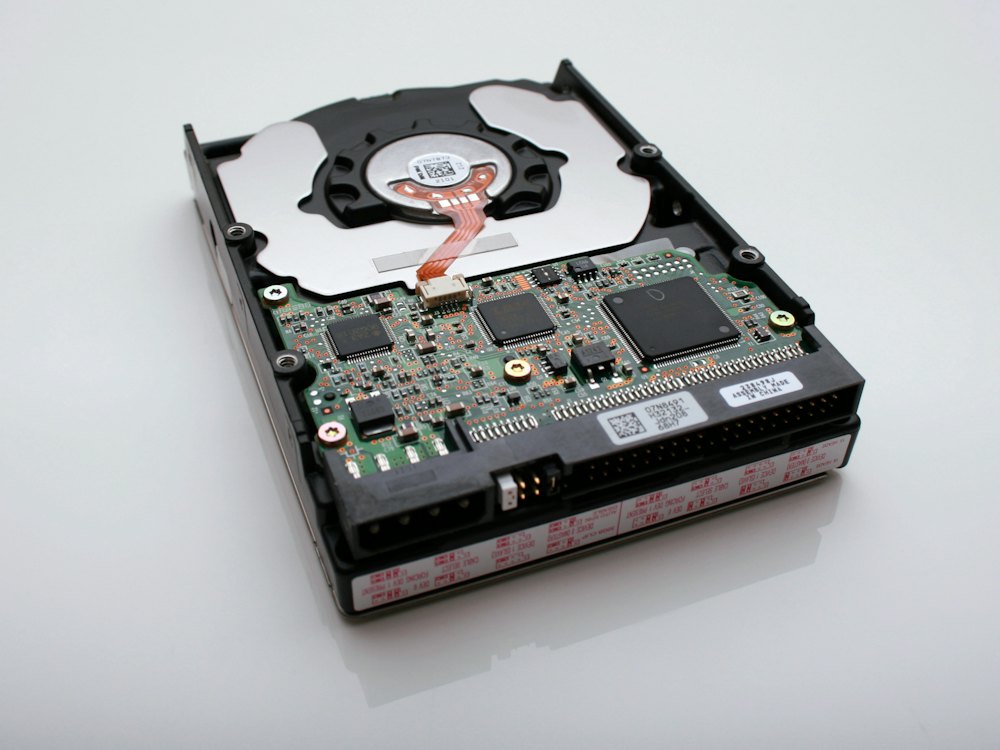
  • A hard drive showing early signs of failure
  • Laptops that have not received security updates in months
  • Former employees whose email and cloud accounts are still active
  • Software licenses paid for but assigned to nobody
  • Expired warranties on equipment the business depends on
  • A domain name or security certificate that is about to lapse
  • Workstations so old they can no longer run current software safely
Regulated industries

Managed IT for regulated and specialized businesses

In some industries, how your technology is maintained is not just a matter of convenience. Regulators, insurers and clients expect you to show that systems are patched, access is controlled and data can be recovered. Managed IT builds that discipline into the routine, and we help with the controls and documentation that support it.

Your team can work from the office, the job site or home, and with managed IT the technology behind them is looked after wherever they are.
Local team, wider network

Personal attention backed by a national network

CMIT Solutions of Tri-City and Flint is locally owned by Linton Pinnock, and his focus is straightforward: helping small and mid-sized businesses stay secure, productive and supported through proactive managed support, cybersecurity and cloud solutions. Our office is on South Main Street in Frankenmuth, which puts us within easy reach of the communities we serve along the I-75 corridor.

We are also part of CMIT Solutions, a network of more than 250 locations across North America with partnerships with leading technology providers. That gives a local business access to enterprise-level IT expertise, tools and buying relationships at an affordable rate, without giving up the personal attention of a team that knows your name and your setup.

You don't have to choose between advanced technology and personal attention. A managed plan is how we deliver both: the structure, tools and process of a larger IT department, run by people who understand how businesses in this region actually operate.

  • A locally owned team that knows your business and your people
  • Standard processes and tools drawn from a large national network
  • Access to technology partnerships a single small business would rarely have on its own
  • One accountable partner instead of a patchwork of vendors
Getting started

How to get started with managed IT

Moving to a managed plan is a structured process, not a disruptive overhaul. Your team keeps working while we get set up in the background. If you are comparing options, our free guide, How to Choose a Managed IT Provider, lists the questions worth asking any provider, including us.

  1. Start with a conversation

    Tell us how your business runs, how many people and locations you have, and what is frustrating your team about technology today. There is no obligation and no jargon.

  2. Review your current IT

    We look at your devices, network, servers, cloud accounts, security tools and backups to understand what you have and where the gaps are, including any quick wins we can tackle early.

  3. Agree on a plan

    You receive a recommended plan in plain language that covers what we will manage, what needs attention first and what can wait. Nothing moves forward until it makes sense to you.

  4. Onboard and document

    We install monitoring, gather account details, document your environment and bring systems up to a consistent standard. Your staff learn how to request help, and we coordinate any handoff from a previous provider.

  5. Settle into the rhythm

    From there, daily monitoring, weekly maintenance, monthly reviews and quarterly planning take over. Your IT runs in the background, and you hear from us when there is something worth your attention.

FAQs

Frequently asked questions about managed it services

What is the difference between managed IT services and IT support?

IT support fixes problems your team reports, while managed IT services also prevent problems through monitoring, maintenance and planning. A managed plan usually includes help desk support, but it adds the proactive work in the background, such as patching, backup checks, documentation and regular reviews, so fewer issues reach your staff in the first place.

Do we have to replace our equipment before starting managed IT?

No, you usually do not need to replace anything to get started. We begin by reviewing what you already have, then recommend changes in order of priority. Equipment that is too old to secure or support may go on the roadmap for replacement, but that is planned with you and budgeted ahead rather than required on day one.

Can managed IT work alongside our in-house IT person?

Yes, managed IT can support an in-house IT person rather than replace them. We can take on monitoring, patching, security tools and after-hours coverage, while your staff member focuses on projects and the people they know best. Many internal IT staff appreciate having a team behind them for specialized work, coverage during vacations and a second opinion.

How is managed IT priced?

Managed IT is typically priced as a recurring plan based on the number of users, devices and services your business needs. Because every business is different, we do not publish a single rate. After a consultation and review, you receive a clear proposal that spells out what is included, so you can compare it against what you spend on IT today.

Does managed IT include cybersecurity?

Managed IT includes the security basics that come with good maintenance, such as patching, device management and backup oversight. Many businesses also add a layered cybersecurity service covering endpoint protection, email security, access controls and staff training. We help you decide which protections fit your risks, your industry and any requirements from insurers or clients.

Do you provide on-site visits in Saginaw, Bay City, Midland and Flint?

Yes, we provide on-site help throughout the Tri-City area, Flint and surrounding Mid-Michigan communities. Most monitoring and maintenance happens remotely, which keeps things efficient, but when a job needs hands on equipment, such as installing hardware or tracing a network problem, a technician from our Frankenmuth office can come to you.

What happens if something breaks outside business hours?

Monitoring keeps running outside business hours, so warning signs on servers, backups and network equipment are still recorded and flagged for our team. Many issues can be handled remotely before your staff arrive in the morning. During onboarding we agree with you on what counts as urgent for your business and how after-hours problems should be escalated.

How long does onboarding take?

Onboarding time depends on the size of your business, the number of devices and locations, and how well your current systems are documented. A small office with a handful of computers moves faster than a multi-site company with servers. During planning we lay out the onboarding steps and a schedule, so you know what will happen and when.

Is managed IT only for larger companies?

No, managed IT is often a better fit for small businesses than large ones. Smaller companies rarely have the budget for a full in-house IT department, yet they face the same threats and depend on technology just as heavily. A managed plan gives you a team of specialists and professional tools at a scale that matches your business.

Will you work with our existing software and vendors?

Yes, we work with the software, internet providers and equipment vendors you already use. Part of managed IT is acting as your technical go-between, so when a line-of-business application misbehaves or a connection drops, we contact the vendor, describe the issue in their terms and stay with it until it is fixed, rather than leaving you to sort it out.

Ready to take IT off your to-do list?

Request a quick consultation and tell us how your business runs. We will review your current IT and recommend a managed plan sized to your team and goals.