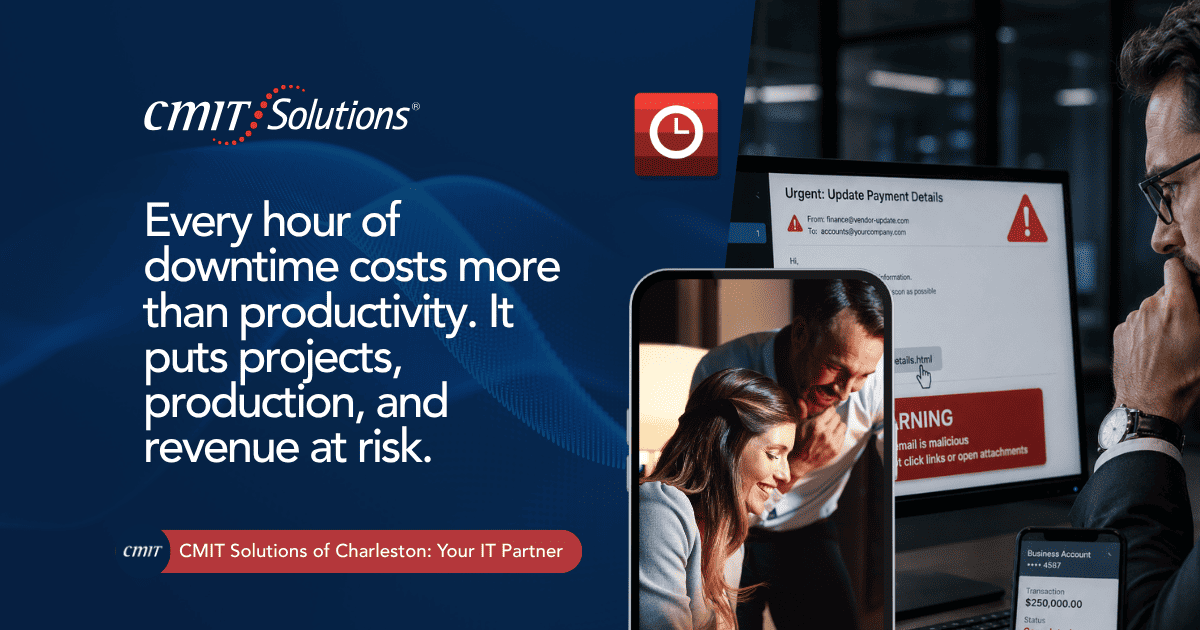
A ransomware attack rarely announces itself in advance. One moment, project files, scheduling software, and production systems are running normally. The next, screens lock, files become unreadable, and a ransom note demands payment before anything can be restored. For most businesses this is a crisis. For construction and manufacturing companies, where every hour of downtime translates directly into missed deadlines, idle equipment, and stalled production lines, it can be catastrophic.
Recovery time, not just the ransom demand itself, has become the real cost center of a ransomware event. A firm that gets systems back online in hours looks completely different on a balance sheet than one still rebuilding servers three weeks later. This article breaks down why construction and manufacturing companies face outsized ransomware risk, what recovery time actually costs, and how a strong business continuity planning strategy can shrink that window dramatically.
Why Construction and Manufacturing Are Prime Ransomware Targets
Attackers choose targets based on how much pressure they can apply and how quickly a victim is likely to pay. Construction and manufacturing companies check both boxes.
Tight Schedules Create Leverage
Construction projects run on strict permitting timelines, subcontractor coordination, and material delivery windows. Manufacturing operations depend on continuous production schedules tied to customer contracts and supply chain commitments. Attackers know that a company facing daily penalty clauses or halted production lines is far more likely to pay quickly just to make the disruption stop.
Legacy Systems and Connected Equipment
Many manufacturing floors run on a mix of modern software and older industrial control systems that were never designed with cybersecurity in mind. Construction firms often rely on a patchwork of project management tools, mobile devices used on job sites, and shared drives accessed by multiple subcontractors. This mix creates gaps that a network management support strategy is specifically designed to close.
Limited In-House IT Resources
Unlike large enterprises, most construction and manufacturing companies operate with lean internal IT teams, or none at all. That leaves less capacity to monitor for early warning signs, patch vulnerabilities, or respond quickly once an incident begins. This is one of the reasons managed IT services have become so common across these industries.
High-Value Data and Intellectual Property
Manufacturing companies often hold proprietary designs, production formulas, and supplier contracts. Construction firms manage bid documents, client contracts, and project financials. Both represent data valuable enough that attackers assume a payout is likely.
What Ransomware Recovery Time Actually Costs
Ransom payments get most of the headlines, but recovery time is where the real financial damage accumulates. Consider what stops the moment systems go down:
- Project management software becomes inaccessible, halting scheduling and subcontractor coordination
- Production line control systems freeze, stopping manufacturing output entirely
- Payroll and accounting systems lock up, delaying employee payments
- Client communication channels go dark, damaging trust and contract relationships
- Equipment sensors and inventory tracking systems stop reporting accurate data
- Permit and compliance documentation becomes temporarily unreachable
A preventing costly downtime analysis shows that even a single day of unplanned downtime can cost a mid-sized company tens of thousands of dollars once labor, missed deadlines, and recovery labor are factored in. For construction and manufacturing companies specifically, that number climbs quickly due to contractual penalties and idle equipment costs that keep accruing regardless of whether work is happening.

The Hidden Costs Beyond the Ransom
- Contractual penalties for missed construction deadlines or late manufacturing shipments
- Idle labor costs for crews and production staff unable to work
- Equipment leasing fees that continue whether machinery is running or not
- Reputation damage with clients, general contractors, and supply chain partners
- Regulatory exposure if compliance-related data was affected during the incident
- Insurance premium increases following a claim, and stricter requirements to maintain future coverage
Firms that haven’t reviewed how cybersecurity insurance requirements have changed recently may be surprised at how much documentation and technical proof insurers now expect before, during, and after a ransomware claim.
How Ransomware Attacks Have Evolved
Ransomware in its current form looks very different from the attacks businesses faced even a few years ago. Modern attackers move faster, hide longer, and apply more pressure than earlier versions of these threats.
Double and Triple Extortion
Attackers no longer just encrypt files. Many now steal data before encrypting it, then threaten to leak sensitive project bids, client contracts, or proprietary designs publicly unless payment is made. Some go further, contacting a company’s clients or partners directly to increase pressure.
Faster Attack Timelines
Where older ransomware campaigns might spend weeks quietly moving through a network before triggering encryption, newer strains covered in recent ransomware 3.0 attacks research can move from initial access to full encryption in a matter of hours, leaving far less time for detection.
AI-Assisted Attacks
Attackers increasingly use automation and AI tools to identify vulnerable systems faster, craft more convincing phishing emails, and adapt their methods in real time. A look at how ai-driven threats rising trends are shaping small business risk shows how quickly this landscape is shifting.
Why Recovery Time Depends on Preparation, Not Luck
The single biggest factor separating a company that recovers in hours from one that struggles for weeks is whether a tested recovery plan existed before the attack happened. Companies that rely on hope rather than planning consistently experience the longest, most expensive outages. A why businesses cant rely luck technology breakdown makes a similar point: assuming an attack simply will not happen is not a strategy, it is a gap waiting to be exploited.
It also helps to understand that preparation is not a single project with a finish line. Threats change, staffing changes, and new software gets added to project management and production environments on a regular basis. A recovery plan built two years ago and never revisited is often just as risky as having no plan at all, since it may reference systems, vendors, or contacts that are no longer accurate.
Backup Strategy Quality Matters More Than Backup Existence
Having backups is not the same as having a reliable recovery plan. Many companies discover during an actual incident that their backups were incomplete, outdated, or, in some cases, also encrypted because they were stored on the same connected network as production systems. A data backup recovery strategy built around isolated, regularly tested backups is one of the most important defenses against extended downtime.
Detection Speed Shrinks the Blast Radius
The faster an attack is detected, the smaller the portion of the network it can affect before containment begins. This is where layered monitoring tools matter. A combination of MDR threat detection and continuous network visibility can cut detection time from days down to minutes in many cases.
A Documented Incident Response Plan
Confusion during the first hour of an attack often costs more time than the technical recovery itself. Companies need a clear, written plan that answers:
- Who needs to be notified first, internally and externally
- Which systems get isolated immediately to stop lateral movement
- Who makes the decision about whether to engage law enforcement
- How communication with clients and partners will be handled
- What the criteria are for restoring from backup versus rebuilding from scratch
Building a Ransomware Recovery Plan for Construction and Manufacturing
Step 1: Map Critical Systems and Dependencies
Every company should know exactly which systems, if taken offline, would stop revenue-generating work immediately. For manufacturing, that often means production control software and inventory systems. For construction, it typically means project management platforms, scheduling tools, and financial systems tied to payroll and vendor payments.
Step 2: Segment the Network
Keeping production equipment, office systems, and backup infrastructure on separate network segments limits how far an attack can spread. Proper segmentation and monitoring plays a central role in containing an incident before it reaches every connected system, a point emphasized in guidance on next wave digital threats preparation for growing companies.
Step 3: Test Backups Regularly, Not Just Store Them
Backups should be tested on a scheduled basis to confirm they can actually be restored quickly and completely. A backup that hasn’t been tested in months is a liability disguised as a safety net.
Step 4: Deploy Layered Threat Detection
Relying on a single antivirus tool is no longer sufficient. Understanding the difference outlined in antivirus EDR MDR comparisons helps companies choose the right combination of tools for their specific risk level and budget.
Step 5: Choose the Right Security Model
Different businesses need different combinations of tools and support. A MDR MSSP SIEM guide can help construction and manufacturing leaders decide which model fits their operational reality, particularly for companies operating across multiple job sites or production facilities.
Step 6: Train Employees and Job Site Staff
Phishing remains the most common entry point for ransomware. Office staff, project managers, and even field crews using mobile devices should understand how to spot suspicious emails, unexpected file attachments, and fraudulent vendor requests.
Step 7: Run Tabletop Exercises
Simulating a ransomware incident before it actually happens reveals gaps in the plan while there is still time to fix them. Companies that have gone through this process consistently recover faster than those experiencing their first serious cyber incident live.
The Role of Managed Detection and Response
Modern ransomware defense depends on speed. Manual monitoring by a small internal IT team simply cannot match the pace of automated, round-the-clock threat detection. This is where MDR integration security stack approaches become critical, layering continuous monitoring on top of existing firewalls, endpoint protection, and backup systems.
Choosing the right provider matters just as much as choosing to invest in MDR at all. A MDR provider selection guide outlines what construction and manufacturing companies should look for, including compliance support, SIEM integration, and response time guarantees.
Compliance and Insurance Implications
Ransomware recovery is no longer purely a technical issue. Cyber insurance providers now scrutinize a company’s security posture closely before issuing or renewing a policy, and claims can be denied if basic protections were not in place at the time of the attack.
- Multi-factor authentication across all critical systems
- Documented, tested backup and recovery procedures
- Endpoint detection and response coverage across all devices
- A written incident response plan
- Regular employee security awareness training
Reviewing current cybersecurity threat landscape expectations alongside insurance requirements helps leadership understand where gaps might exist before a claim ever needs to be filed.
Moving From Reactive to Resilient
Too many construction and manufacturing companies only invest seriously in cybersecurity after an incident has already happened. That reactive pattern is expensive, stressful, and entirely avoidable. Shifting toward a resilient model, described in detail through reactive to resilient IT strategies, means catching problems before they escalate rather than scrambling to respond after the damage is done.
Signs that a company may still be operating reactively include:
- IT issues are only addressed after something breaks
- Backup testing has never been formally scheduled
- No one on staff can clearly explain the incident response plan
- Security tools were purchased years ago and never reassessed
- Job site devices and shared drives lack consistent monitoring
Recognizing these warning signs early is often described through the lens of IT stack warning signs, where small inconsistencies in system performance often hint at larger vulnerabilities building beneath the surface.

Why Proactive IT Support Matters for These Industries
Construction and manufacturing companies benefit uniquely from proactive monitoring because downtime in these industries rarely stays contained to IT. A halted production line affects supply chain partners. A delayed construction project affects subcontractors, clients, and regulatory deadlines. Proactive support catches vulnerabilities and performance issues before they become full-blown incidents, a shift outlined in proactive IT support downtime research focused specifically on manufacturing environments.
Construction firms face a related but distinct set of challenges, often tied to job site connectivity, subcontractor access management, and mobile device security, covered in more depth through construction companies managed IT guidance built around project timelines.
How CMIT Solutions of Charleston Supports Construction and Manufacturing Companies
CMIT Solutions of Charleston works with construction and manufacturing companies to build ransomware defense strategies that focus on minimizing recovery time, not just preventing the initial breach. Because both industries depend on tight schedules and continuous operations, the approach centers on speed, redundancy, and tested recovery procedures rather than a single point of protection.
Support typically includes:
- Cybersecurity monitoring through dedicated cybersecurity threat protection built around continuous detection and rapid response
- Reliable backups through structured data backup solutions that are tested regularly rather than assumed to work
- Cloud infrastructure through flexible cloud services solutions that keep critical systems accessible even during a localized outage
- Compliance alignment through dedicated IT compliance services that keep insurance and regulatory requirements met
- Strategic planning through ongoing IT guidance strategy sessions tailored to project schedules and production timelines
- Responsive troubleshooting through hands-on IT support solutions available when job sites or production floors need immediate help
- Communication continuity through reliable unified communications services that keep teams connected across job sites and facilities
- Technology procurement through structured IT procurement services that avoid outdated or unsupported equipment
- Everyday productivity tools through secure productivity applications support that keep teams working smoothly
- Scalable coverage through flexible managed IT packages built around company size and operational complexity
Companies interested in broader defense strategy context can also review always on digital defense planning, which outlines how continuous protection fits into a company’s overall risk management approach. Understanding the wider top technology challenges facing growing companies also helps leadership place ransomware readiness in proper context alongside budgeting, staffing, and equipment planning decisions that affect the entire operation.
Final Thoughts
Ransomware recovery time is one of the clearest indicators of how prepared a company truly is. Construction and manufacturing businesses cannot afford the extended downtime that comes from unplanned, untested recovery efforts, especially when contractual penalties, idle labor, and equipment costs continue accumulating regardless of whether operations are running.
The companies that recover fastest share common traits: tested backups, layered detection, documented response plans, and a technology partner who understands the operational stakes involved. Waiting until after an attack to build that foundation is a costly gamble few companies in these industries can afford to take.
If your company hasn’t stress-tested its ransomware recovery plan recently, now is the time. Schedule a consultation with our team to review your current backup strategy, detection tools, and incident response readiness before downtime becomes an expensive reality.
Frequently Asked Questions