
Ask most business owners how they pay for technology support and you will get one of two answers. Either they pay a monthly fee to a provider who handles everything, or they call somebody when something breaks and pay for the visit.
The second model looks cheaper. On a spreadsheet with two columns, it is cheaper. Twelve months of no invoices versus twelve months of a recurring charge is not a difficult comparison.
The problem is that the spreadsheet has the wrong columns.
Break-fix pricing is transparent about one category of cost and completely silent about four others. Those four are where the actual money goes, and because they never appear on an invoice, most businesses never connect them to the decision that produced them.
This article walks through the full math. Not the marketing version, and not a pitch. The actual arithmetic, including the cases where break-fix is genuinely the right answer.
What Each Model Actually Is
Break-fix is transactional. Something stops working, you call, a technician responds, you are billed for time and materials. No ongoing relationship is required. No monthly commitment exists. The provider’s revenue depends on things breaking.
Managed IT is subscription based. A fixed monthly fee covers monitoring, maintenance, support, and typically security and backup. Systems are watched continuously and maintained proactively. The provider’s margin improves when things do not break.
That last sentence contains the entire strategic difference. In break-fix, the provider profits from your problems. In managed services, the provider profits from your stability. Neither is a moral judgment. It is simply how the incentives are structured, and incentives shape behavior over time.
The operational implications are unpacked in managed services explained.
The Visible Cost: Where the Comparison Usually Stops
The typical analysis looks something like this.
Break-fix: A handful of service calls per year, billed hourly. Some months nothing. Some months a larger repair. Total feels modest and, critically, feels controllable.
Managed IT: A predictable monthly amount per user or per device, twelve times a year, regardless of whether anything happened.
On this comparison alone, break-fix frequently wins, particularly for a stable business in a quiet year. If this were the whole picture, the decision would be obvious.
It is not the whole picture. Here are the four categories that never make it onto the comparison.
Hidden Cost One: Downtime You Pay For in Revenue
This is the largest omission by a wide margin, and it is invisible because it does not generate an invoice.
Under break-fix, the clock starts when something breaks. Then a sequence begins: someone notices, someone decides it is serious enough to call, the provider is contacted, the provider schedules based on their existing queue, a technician arrives, diagnosis begins, and finally repair starts.
Under managed services, monitoring detects the condition, often before users notice, and remediation begins immediately, frequently remotely.
The difference in elapsed time is the whole cost. Consider what an hour of downtime costs a business with fifteen employees:
- Fully loaded labor sitting idle
- Revenue that does not get generated during business hours
- Customer interactions that do not happen
- Work that must be redone or caught up later
- Deadlines that shift, occasionally with penalties
Now consider that break-fix response time is typically measured in hours or a day, while monitored response is measured in minutes. Multiply that gap across several incidents a year and the number dwarfs the service call savings.
The full accounting appears in true downtime cost, and the prevention side in proactive monitoring benefits.
One more detail that matters: under break-fix you are one of many callers, and you are competing for a technician’s time with every other client who also called that morning. Under a managed agreement, response commitments are contractual.

Hidden Cost Two: Maintenance That Nobody Performs
Break-fix pays for repair. It does not pay for prevention, because prevention has no trigger event.
That means a set of tasks simply does not happen unless someone internally remembers, prioritizes, and schedules them:
- Security patches applied on a consistent cadence
- Firmware updated on network equipment
- Backup jobs verified through actual restoration
- Storage capacity monitored before it fills
- Hardware health checked before failure
- Logs reviewed for early warning signs
- Accounts audited and stale access removed
- Configuration drift corrected
None of these are urgent on any given day. All of them are consequential over a year. Deferred maintenance does not stay deferred, it converts into incidents, and incidents are billed at emergency rates.
The pattern of accumulating small deferrals is examined in IT warning signs, and the modernization cost in technical debt management.
There is a second order effect here as well. Systems that receive no maintenance degrade gradually. Staff work around slowness, restart things that hang, and lose small amounts of time constantly. That productivity drain never appears anywhere, but it is real and it compounds.
Hidden Cost Three: Security Gaps That Break-Fix Cannot Cover
This is where the two models diverge most sharply, and where the gap has widened fastest.
Break-fix is reactive by definition. Security is not a reactive discipline. A break-fix provider cannot detect an intrusion because they are not watching, and by the time an incident becomes visible enough to trigger a call, the attacker has usually had weeks.
Under break-fix, the following are typically absent unless purchased separately and managed by someone internally:
- Continuous endpoint monitoring and behavioral detection
- Security alerting reviewed by humans around the clock
- Identity controls and enforced multifactor authentication
- Email filtering tuned and maintained
- Vulnerability scanning and remediation tracking
- Staff security awareness training
- Incident response planning and rehearsal
The threat environment does not accommodate this gap. Attacks are automated, indiscriminate, and fast, as described in ransomware evolution and AI powered phishing. Regional trends are covered in local ransomware increase.
Understanding what layers actually do is useful before pricing anything, and that comparison is laid out in security stack layers alongside detection and response.
A single ransomware event routinely exceeds a decade of managed service fees once recovery, downtime, legal exposure, and client attrition are counted. This is the variable that makes the whole comparison asymmetric: break-fix savings are small and bounded, while break-fix exposure is large and unbounded.
Comprehensive protection is exactly what cybersecurity service coverage is built to deliver continuously rather than episodically.
Hidden Cost Four: Compliance You Cannot Demonstrate
Regulated businesses face an additional problem that has nothing to do with whether systems work.
Compliance frameworks require evidence. Not “we handle it,” but documented proof: patch records, access reviews, backup verification logs, training completion, incident response procedures, risk assessments, and vendor management documentation.
Break-fix generates invoices. It does not generate a compliance record, because nobody is performing continuous activities to record.
When an audit, an examination, a client security questionnaire, or an insurance renewal arrives, that absence becomes expensive. The scramble to reconstruct twelve months of evidence after the fact costs more than maintaining it would have, and sometimes it simply cannot be done.
Sector requirements are outlined in HIPAA requirements simplified, PCI DSS requirements, GLBA financial obligations, and the framework approach in NIST CSF checklist. Ongoing documentation is central to compliance management services.
Insurance deserves its own mention. Carriers now verify specific controls during underwriting and again at claim time, a shift detailed in insurance security demands. A business that cannot demonstrate controls may find coverage more expensive, more restricted, or contested when it matters.
The Fifth Cost: Internal Time
There is one more line item, and it is the one owners consistently underestimate because they pay it in their own hours.
Under break-fix, somebody internal becomes the de facto IT coordinator. That person:
- Fields complaints and decides what warrants a call
- Explains the problem to the provider
- Coordinates scheduling and access
- Follows up on unresolved issues
- Manages vendor relationships for software and hardware
- Handles new employee setup and departures
- Attempts fixes personally before escalating
This is almost never in anyone’s job description. It is usually the owner, an office manager, or the person who is slightly more technical than everyone else. Whatever they were hired to do, they are not doing during that time.
Value that hour at what the person actually costs, multiply by the hours consumed annually, and the number is frequently larger than the entire managed services fee. The return comparison is examined in managed versus in house.
Putting the Full Math Together
The honest comparison includes all six categories.
Break-fix total cost of ownership:
- Service calls and emergency labor
- Revenue lost to extended downtime
- Productivity lost to degraded systems
- Security incident exposure, unbounded
- Compliance remediation and audit scramble
- Internal staff time absorbed into coordination
- Emergency hardware replacement at premium
Managed services total cost of ownership:
- Predictable monthly fee
- Reduced downtime through early detection
- Maintained systems performing as intended
- Layered security with active monitoring
- Documentation generated as a byproduct
- Internal staff focused on their actual roles
- Planned hardware lifecycle through structured equipment procurement
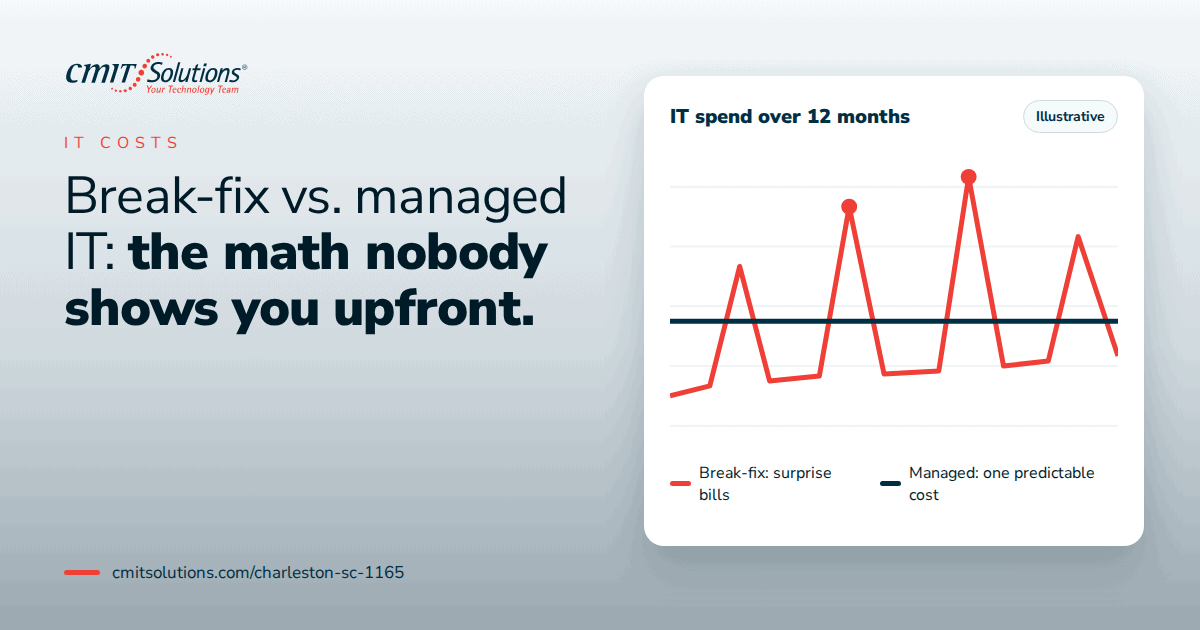
The monthly fee is higher. The total is usually lower, and the variance is dramatically lower. That second point matters more than most owners initially appreciate. Break-fix does not just cost more on average, it costs unpredictably, and the bad years are catastrophic rather than merely expensive.
Predictable budgeting is the point of structured service package options.
When Break-Fix Is Genuinely the Right Choice
Intellectual honesty requires acknowledging that managed services are not universally correct.
Break-fix can make sense when:
- The business has very few employees and minimal technology dependence
- No regulated data is handled at all
- Work can continue substantially offline for a day or more
- Systems are simple, few, and recently deployed
- Genuine internal technical capability already exists
- Revenue does not depend on system availability
A two person consultancy working from laptops with cloud based tools and no sensitive client data does not need a managed agreement. That is a legitimate position.
The threshold, in practice, arrives when any of these become true: staff count reaches roughly ten, regulated data enters the picture, revenue depends on uptime, clients begin asking security questions, or the internal coordinator starts losing meaningful time. The strategic reassessment is discussed in rethinking IT strategy.
What a Managed Agreement Should Actually Include
Not all agreements are equivalent, and price comparison without scope comparison is meaningless. A complete arrangement should cover:
- Monitoring across servers, workstations, and network equipment with defined alerting
- Patch management on a documented schedule with reporting
- Support with committed response times by severity, including remote and onsite
- Security including endpoint detection, email protection, and identity controls
- Backup with verified restoration testing rather than job success alerts
- Documentation covering inventory, configuration, and procedures
- Planning through regular reviews covering lifecycle, budget, and roadmap
- Onboarding and offboarding handled as a defined process
Day to day delivery shows up as reliable technical support delivery, maintained network infrastructure oversight, protected cloud environment management, tested backup and recovery services, licensed productivity software management, and dependable unified communication systems.
The backup distinction is worth emphasizing, because the most common failure we encounter is a business that believed file sync was backup. That difference is explained in genuine backup strategy and ransomware resistant backups.

Questions to Ask Before Signing Anything
Whichever direction you lean, these questions expose the real differences between providers:
- What specifically is included, and what is billed separately?
- What are response commitments by severity, and what happens when they are missed?
- Is after hours support included or additional?
- How often are backups tested by actual restoration, and will you see the results?
- What security tooling is included versus optional?
- Will you receive documentation and reporting you can hand to an auditor?
- Who owns the documentation if the relationship ends?
- How are projects priced against ongoing service?
- What are the exit terms and transition obligations?
A provider who answers these directly is showing you how they operate. Strategic planning depth is discussed in technology guidance planning.
Conclusion
The break-fix versus managed services debate is usually framed as a spending question. It is actually a variance question.
Break-fix offers lower visible cost with enormous uncertainty. In a good year it looks like a smart decision. In a bad year it produces a bill that includes emergency labor, lost revenue, regulatory exposure, client attrition, and every maintenance task that was skipped along the way. You do not know which kind of year you are in until it is over.
Managed services offer higher visible cost with far tighter outcomes. You trade a predictable monthly number for the elimination of the worst case scenarios, plus the maintenance and documentation that never happen otherwise.
For a very small, very simple, very low dependency operation, break-fix remains defensible. For most businesses with employees, clients, data, and revenue tied to systems that work, the arithmetic has shifted decisively, and it shifted because attacks got faster, compliance got stricter, and downtime got more expensive.
The right way to settle it is not with a philosophy. It is with your own numbers: what one day of outage costs you, how many hours your team lost to technology last year, and what you would owe if client data were exposed tomorrow. Businesses across the Lowcountry work with our team as their Charleston managed technology provider precisely because those numbers, once calculated, tend to answer the question themselves. You can also see the broader capability range through our Charleston technology services overview.
Want to see the math for your business rather than a generic comparison? Schedule a consultation with CMIT Solutions of Charleston and get an honest assessment of what your current model is actually costing you.
Frequently Asked Questions