Multi-factor authentication was supposed to be the fix. Add a second step to login, and stolen passwords stop mattering as much. For years, that held up. Then attackers found a way around it that doesn’t rely on breaking encryption or guessing codes. It relies on something much simpler: human irritation.
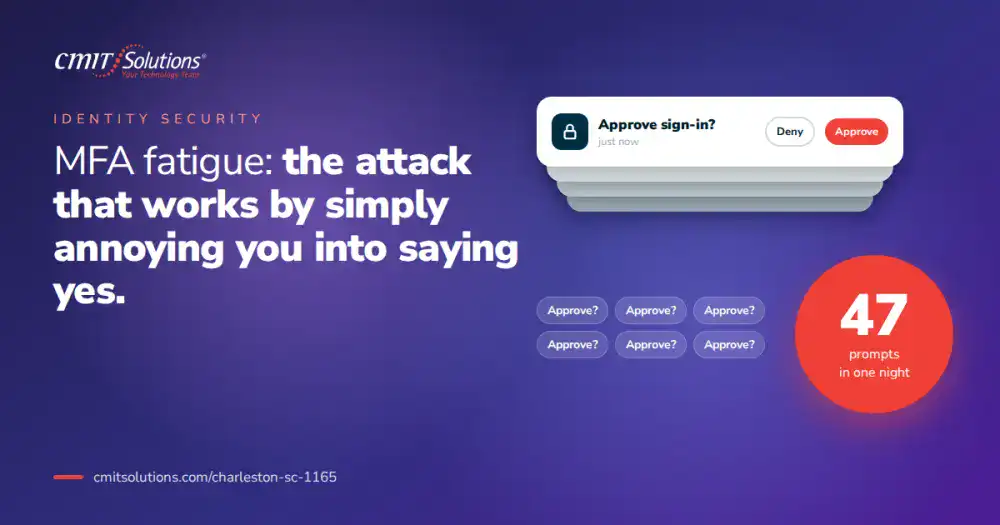
MFA fatigue attacks work by bombarding a user with push notification after push notification until they tap “approve” just to make the noise stop. No malware, no brute force, no clever exploit. Just persistence aimed at a tired employee trying to get back to work. It’s one of the fastest-growing attack methods small businesses face today, and most have never heard of it.
What Is an MFA Fatigue Attack?
An MFA fatigue attack, sometimes called MFA bombing or push bombing, happens when an attacker who already has a valid username and password triggers repeated authentication requests to the account owner’s phone. The attacker doesn’t need the second factor. They need the victim to approve it for them.
The sequence usually looks like this:
- The attacker obtains a valid password, often through a previous data breach or phishing attempt
- They attempt to log in repeatedly, triggering a flood of push notifications on the victim’s device
- The notifications arrive at inconvenient times, during meetings, late at night, or first thing in the morning
- Eventually, the victim approves one just to stop the interruptions, sometimes assuming it’s a glitch
- The attacker gains full account access, bypassing the very protection meant to stop them
This method has been used in several high-profile breaches at large enterprises, but it works just as well, if not better, against small businesses that lack the right security model to catch unusual login patterns.
Why This Attack Works So Well
MFA fatigue succeeds not because the technology fails, but because it exploits ordinary human behavior. A few reasons this method has become so effective:
- Notification overload. Employees already receive dozens of app alerts daily, so one more often gets approved on autopilot.
- Assumption of glitches. Many users assume a stray push notification is a technical hiccup rather than an active attack.
- Timing pressure. Attackers frequently launch these attempts during early morning or late night hours when people are groggy and less alert.
- No visible warning signs. Unlike a phishing email with obvious red flags, a push notification looks identical whether it’s legitimate or malicious.
- Trust in the process. Employees have been trained to approve MFA prompts as a normal part of logging in, which becomes the exact weakness attackers exploit.
This is part of a larger trend where reactive IT problems leave gaps that attackers are quick to find and exploit before anyone notices.
Real-World Impact on Small Businesses
It’s tempting to think this only affects large corporations with thousands of employees, but small businesses are increasingly common targets. Attackers know that smaller companies are less likely to have layered defenses, dedicated security staff, or monitoring tools built to flag unusual authentication activity.
Once an attacker gains access through an approved MFA prompt, the consequences can escalate quickly:
- Access to email accounts used to launch further phishing attacks against clients and vendors
- Exposure of sensitive financial records, contracts, or client data
- Lateral movement into connected systems and cloud applications
- Deployment of ransomware once the attacker has established a foothold
- Reputational damage once clients learn their information was compromised
The cost of downtime alone from an incident like this can be significant, before even factoring in recovery costs, legal exposure, or lost client trust.
Warning Signs Your Business Could Be Targeted
Most businesses don’t realize an MFA fatigue attack is happening until it’s already succeeded. Watching for early warning signs can make the difference between catching an attempt and recovering from a breach.
- A sudden spike in login attempts or push notifications outside normal working hours
- Employees mentioning unexpected authentication prompts they didn’t request
- Login attempts originating from unfamiliar locations or devices
- Multiple failed login attempts followed by a successful one
- Unusual activity in email or file-sharing accounts shortly after a login event
Without active monitoring, these signs often go unnoticed until real damage has been done, which is why proactive IT monitoring plays such a critical role in catching attacks in progress rather than after the fact.

How Attackers Get the Password in the First Place
MFA fatigue attacks depend on the attacker already having valid credentials. That first step usually comes from one of a few common sources:
- Phishing emails. A convincing message tricks an employee into entering their password on a fake login page, a tactic explored in email security tips.
- Credential stuffing. Passwords leaked from unrelated data breaches get tested against business accounts, since many people reuse the same password across multiple sites.
- Social engineering. Attackers pose as IT staff or vendors to convince employees to share login details directly.
- Malware on personal devices. Credentials get harvested from an infected device and later used against work accounts.
This is why password hygiene and security awareness training remain foundational, even in a world where MFA is supposed to be the safety net.
Why Traditional MFA Isn’t Enough Anymore
Basic push-notification MFA was a major improvement over passwords alone, but attackers have adapted faster than many businesses realize. Relying solely on a simple approve-or-deny prompt leaves a gap that’s easy to exploit through repetition and fatigue.
Stronger authentication approaches include:
- Number matching. Requiring the user to enter a specific number displayed on the login screen instead of a single tap
- Phishing-resistant MFA. Hardware security keys or certificate-based authentication that can’t be approved by mistake
- Risk-based authentication. Systems that factor in device, location, and behavior before granting access
- Rate limiting. Automatically blocking accounts after a certain number of failed or repeated authentication attempts
- Biometric verification. Fingerprint or facial recognition tied directly to a specific, trusted device
Choosing and configuring the right combination of these tools is where a dedicated cybersecurity protection services partner becomes valuable, since default settings on most platforms are rarely configured for maximum protection out of the box.

Building a Layered Defense Beyond MFA
MFA should never be treated as a single point of protection. A layered defense strategy assumes any one control could eventually fail and builds redundancy around it, a principle covered in cybersecurity stack basics.
A stronger layered approach typically includes:
- Endpoint detection and response to flag unusual activity on devices, not just accounts
- Continuous network monitoring to catch lateral movement after an initial breach
- Conditional access policies that restrict logins based on location, device health, or time of day
- Regular access reviews to remove unnecessary permissions before they can be exploited
- Incident response planning so the business knows exactly what to do the moment suspicious activity is detected
A properly configured network management services setup gives IT teams visibility into exactly where and how an attacker might move once inside, rather than discovering the full extent of a breach after the damage is done.
Training Employees to Recognize the Attack
Technology alone can’t stop MFA fatigue attacks if employees aren’t trained to recognize what’s happening and respond correctly. A single well-informed employee can shut down an attack that would otherwise succeed through sheer persistence.
Key training points should include:
- Never approve an MFA request you didn’t personally initiate, even if the notifications feel relentless
- Report repeated or unexpected authentication prompts to IT immediately, rather than assuming it’s a glitch
- Understand that legitimate IT staff will never ask an employee to approve a login on their behalf
- Recognize that attackers often time these attempts around high-stress periods, like end-of-month deadlines
- Know exactly who to contact and how quickly, if something feels off
Regular, updated security awareness training turns employees from the weakest link into the first line of defense, especially against attacks that specifically target human behavior rather than technical flaws.
What to Do If You Suspect an MFA Fatigue Attack
Speed matters once an attack is suspected. The longer an attacker has access, the more damage they can do across connected systems.
Immediate steps should include:
- Deny all suspicious authentication requests and do not approve anything you didn’t initiate
- Change the affected account password immediately, using a strong, unique credential
- Notify IT or your managed services provider right away, even outside normal business hours
- Review recent login activity and connected sessions for signs of unauthorized access
- Check email rules and forwarding settings, since attackers often set up hidden forwarding to monitor communications
Having a documented response plan in place before an incident happens makes all the difference. Businesses without one often lose critical time deciding who’s responsible for what, a gap explored in IT outage impact.
The Role of Compliance in MFA Requirements
For regulated industries, MFA isn’t optional. It’s often a direct requirement tied to frameworks covering financial data, healthcare records, or payment processing. But simply having MFA turned on doesn’t automatically satisfy compliance expectations if the configuration is weak or unmonitored, a distinction covered further in audit ready compliance.
Businesses working under compliance frameworks should confirm:
- MFA is enabled across every account with access to sensitive systems, not just a select few
- Authentication logs are retained and reviewed regularly, not just collected passively
- Policies clearly document acceptable authentication methods and escalation procedures
- Third-party vendors with system access are held to the same authentication standards
A dedicated compliance support services partner helps translate these requirements into practical, enforceable policies rather than leaving compliance as an afterthought during an audit.
Cloud Applications and MFA: A Growing Blind Spot
As businesses adopt more cloud tools, the number of accounts requiring MFA grows right along with it. Each new platform, from email to CRM to file storage, becomes another potential target, and gaps between these systems create exactly the kind of blind spots attackers look for, a risk outlined in hidden cloud risks.
Businesses should regularly review:
- Whether MFA is consistently enforced across every connected cloud application
- Whether former employees still retain active access to any platform
- Whether single sign-on is configured correctly to avoid creating unmonitored side doors
- Whether administrator accounts, which carry the highest risk, have the strongest authentication requirements in place
A centralized cloud services solutions strategy makes it far easier to enforce consistent authentication policies across every tool the business relies on, rather than managing each platform in isolation.
Remote Work Has Raised the Stakes
Distributed teams rely heavily on remote access and cloud-based tools, which means MFA fatigue attacks now have more entry points than ever. An employee logging in from a home network or personal device presents a different risk profile than one working from a monitored office network, a shift discussed in remote team support.
Businesses supporting remote or hybrid teams should ensure:
- Remote access tools require strong, phishing-resistant authentication by default
- Personal devices used for work meet minimum security standards before connecting
- Employees have a clear, fast way to report suspicious login activity regardless of location
- IT teams maintain visibility into remote login patterns, not just office-based activity
Strong unified communications tools also help centralize how teams communicate about security concerns, reducing the chance that a suspicious prompt goes unreported simply because nobody knew who to tell.
Why Monitoring Matters More Than the MFA Tool Itself
Businesses often focus heavily on which MFA product to buy, when the bigger factor is whether anyone is watching how it’s being used. A tool that flags five failed login attempts followed by an approval at 3 a.m. is far more valuable than simply having MFA turned on with no oversight.
Effective monitoring should include:
- Real-time alerts for unusual authentication patterns, not just failed logins
- Behavioral analysis that flags logins from new devices or unfamiliar locations
- Centralized dashboards giving IT full visibility across every connected account
- Regular reporting so leadership understands where risk is trending over time
This kind of oversight is exactly what separates businesses with threat exposure management built into daily operations from those relying on a single tool and hoping it holds.
Building a Long-Term Authentication Strategy
Stopping MFA fatigue attacks isn’t a one-time project. It requires an ongoing strategy that evolves as attackers develop new methods. Businesses that treat authentication as a set-it-and-forget-it task are the ones most likely to be caught off guard.
A sustainable strategy should include:
- Regular reviews of authentication methods as stronger options become available
- Periodic testing of employee response to simulated suspicious login attempts
- Clear ownership of who monitors authentication logs and how often
- A budget that accounts for upgrading tools as threats evolve, rather than treating security spending as a one-time expense
Businesses looking for outside perspective on where their current setup falls short often benefit from strategic IT guidance that identifies gaps before an attacker does.
Why Charleston Businesses Need a Local, Responsive Partner
Attacks like MFA fatigue move fast, often within minutes of the first push notification. A slow response, or worse, no response at all, gives attackers exactly the window they need. Local businesses benefit from a partner who can respond quickly and understands the specific risk landscape facing companies across the Charleston region.
CMIT Solutions of Charleston helps businesses close the gaps that attacks like this one depend on, from authentication configuration to employee training to round-the-clock monitoring. The goal isn’t just installing MFA and moving on. It’s making sure that protection actually holds up against the methods attackers are using right now.
Whether your business already uses MFA and wants it properly configured, or you’re still relying on passwords alone, getting an outside review of your current setup is one of the fastest ways to close this gap before it’s tested by an attacker.
The Bottom Line
MFA fatigue attacks succeed because they target something no software update can fully fix on its own: human patience. A flood of notifications, timed just right, can undo even a well-intentioned security setup in seconds. The fix isn’t abandoning MFA. It’s strengthening how it’s configured, monitored, and understood by the people using it every day.
Businesses that pair strong authentication with active monitoring, employee training, and a documented response plan are far less likely to become the next headline. Businesses that assume MFA alone is enough often find out the hard way that it isn’t.
If you’re not confident your current authentication setup could withstand this kind of attack, now is the time to find out. Schedule a consultation to get a clear assessment of your login security and where the gaps might be.
Frequently Asked Questions