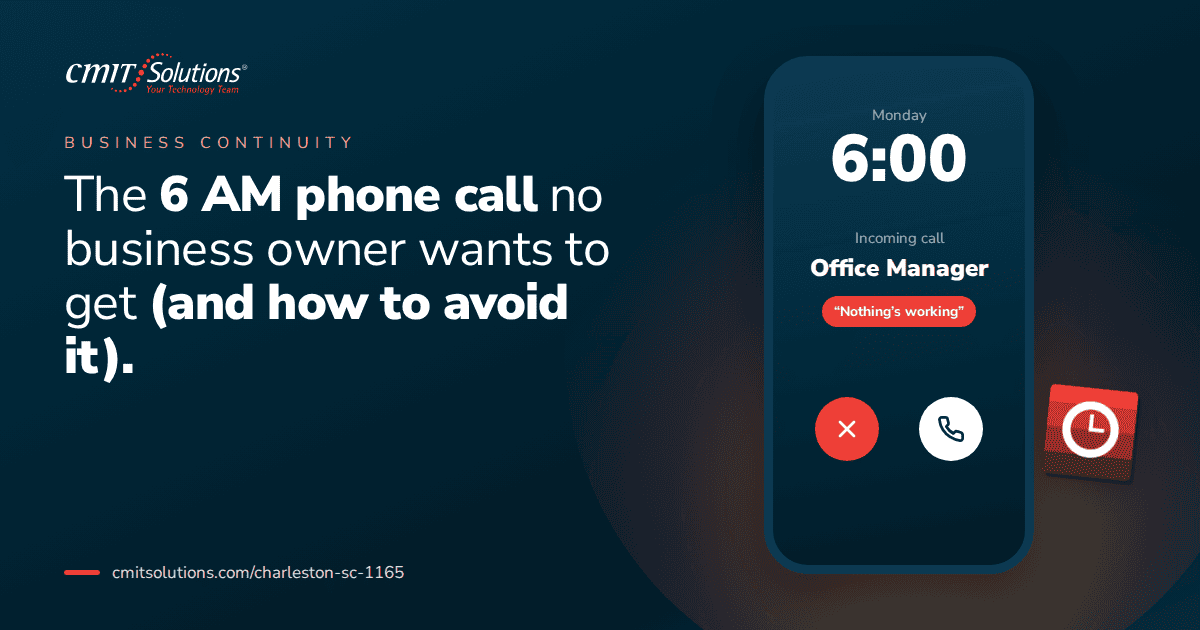
The phone rings before sunrise. It’s your office manager, your IT vendor, or worse, a client. The server is down. The network is locked. Nobody can log in. Somewhere between that first ring and the moment you pick up, your entire day, and possibly your entire week, changes course.
Every business owner who has lived through this call remembers exactly where they were standing. What separates the businesses that recover quickly from the ones that spend months cleaning up the aftermath usually isn’t luck. It’s whether the right systems were in place long before the phone ever rang.
What That Call Usually Means
The early morning emergency call almost always falls into one of a few categories, and each one carries its own set of consequences.
- A ransomware attack has locked files across the network, with a payment demand attached
- A server or hardware failure has taken down critical systems overnight
- A data breach has exposed sensitive client or financial information
- An email compromise has been discovered after fraudulent messages were sent to clients or vendors
- A power or infrastructure failure has disrupted operations with no backup plan in place
Whatever the specific cause, the underlying story is almost always the same: a gap that existed quietly for months, sometimes years, finally got exploited or finally gave out. A properly managed reliable IT support setup is designed specifically to catch these issues long before they escalate into a call like this.
Why This Call Happens at 6 AM
There’s a reason these disasters seem to surface in the early morning hours rather than the middle of a busy workday.
- Ransomware attacks are frequently triggered to encrypt systems overnight, when nobody is watching and detection is delayed
- Automated backup or system failures often aren’t discovered until the first person logs in for the day
- Attackers deliberately target off-hours, knowing IT staff and monitoring are less active
- Employees checking email early often trigger phishing links before anyone else is around to warn them
This timing isn’t a coincidence. It’s a calculated part of how modern attacks are designed, a pattern discussed further in reactive IT problems, where businesses without active monitoring simply don’t find out until the damage is already done.
The True Cost of That Single Phone Call
The financial impact of a major IT incident goes far beyond the immediate repair bill. It ripples through nearly every part of the business for weeks or months afterward.
- Lost revenue from hours or days of halted operations
- Emergency recovery costs that far exceed what proactive maintenance would have cost
- Client attrition as customers lose confidence in the business’s reliability
- Legal and regulatory exposure if sensitive data was involved
- Employee overtime and burnout during the scramble to restore systems
- Reputational damage that can take far longer to repair than the technical issue itself
A detailed breakdown of just how quickly these costs add up is covered in cost of downtime, where even a short outage can translate into a surprisingly large financial hit once every factor is accounted for.
The Warning Signs That Come Before the Call
Almost nobody wakes up to that phone call out of nowhere. There are usually warning signs in the weeks or months leading up to it, quietly ignored or unnoticed.
- Slower system performance that everyone assumed was normal
- Employees mentioning strange emails or pop-ups they clicked without thinking twice
- Software updates repeatedly postponed due to “not enough time”
- No one on staff able to confirm when backups were last tested
- IT concerns raised informally but never escalated or addressed
- A patchwork of vendors with no single point of accountability
Recognizing these signs early is far easier than dealing with the aftermath, a theme explored in fixing problems early, where businesses that catch small issues avoid the far more expensive version of the same problem later.
Ransomware: The Most Common Version of This Call
Ransomware remains one of the leading causes of the dreaded early morning call, and the tactics behind it have grown more sophisticated every year. Attackers no longer just encrypt files. Many now steal data first and threaten to publish it, adding a second layer of pressure on top of the original disruption, a shift covered in ransomware backup protection.
What makes ransomware particularly damaging is how quickly it spreads once inside a network. A single compromised device can lock down file servers, shared drives, and connected systems within minutes. Businesses without proper network segmentation often find that one weak entry point becomes a company-wide shutdown.
Why Backups Alone Aren’t a Guarantee
Many business owners assume that having backups means they’re protected, but a backup that hasn’t been tested is a gamble, not a plan. Ransomware attacks specifically target backup systems as a first move, encrypting or deleting them before locking the rest of the network, a risk detailed in cloud backup options.
A resilient backup strategy should include:
- Multiple copies of data stored in physically and logically separate locations
- Immutable backups that can’t be altered or deleted even by someone with network access
- Regular, scheduled testing to confirm data can actually be restored
- A clear recovery time estimate so leadership knows what to expect during an incident
A properly structured data backup solutions plan is what turns a potential company-ending event into a manageable, if stressful, recovery process.

Email Compromise: A Quieter but Costly Version of the Call
Not every early morning emergency involves locked files. Sometimes it’s a client calling to ask why they received a strange payment request from your company email, or a vendor confirming a wire transfer nobody authorized. Business email compromise has become one of the most financially damaging attack types, precisely because it often goes unnoticed until money has already changed hands, a risk explored in email security tips.
Common warning signs of email compromise include:
- Clients or vendors mentioning emails you never actually sent
- Unexpected changes to email forwarding or filtering rules
- Unfamiliar login locations or devices in account activity logs
- Sudden password reset notifications you didn’t request
Catching this early, before a fraudulent payment goes through, depends heavily on proper email security tips practices and layered authentication protecting every account.
Hardware Failure: The Call That Isn’t Always an Attack
Not every disaster call involves a malicious actor. Sometimes it’s simply a server that finally gave out after years of use, without a replacement plan in place. Hardware doesn’t fail politely or on a convenient schedule, and businesses that skip regular lifecycle planning are often caught off guard by equipment that quietly reached the end of its usable life.
Common contributors to unexpected hardware failure include:
- Running servers or workstations well past their manufacturer’s supported lifespan
- Skipping firmware and driver updates that address known stability issues
- Operating in environments with inadequate cooling or power protection
- No documented replacement schedule tied to equipment age or performance
Systems running outdated platforms face compounding risk, a concern outlined in Windows 11 optimization, where aging infrastructure becomes both a performance and security liability at the same time.
How Proactive Monitoring Prevents This Call Entirely
The single biggest difference between businesses that get this call and those that don’t is whether anyone is actively watching their systems around the clock. Proactive monitoring catches the early signs, the failing hard drive, the unusual login pattern, the spike in outbound traffic, long before they turn into a full-blown emergency, a concept covered in depth in proactive IT monitoring.
Effective monitoring typically includes:
- Around-the-clock tracking of server health, storage capacity, and system performance
- Automated alerts the moment unusual network activity is detected
- Scheduled patching that closes known vulnerabilities before they’re exploited
- Regular reporting that gives leadership visibility into risk trends over time
Businesses with this kind of visibility often resolve issues quietly overnight, long before anyone would need to make a panicked phone call in the first place.
Building an Incident Response Plan Before You Need One
Even with strong prevention in place, no system is completely immune to failure. What separates a manageable disruption from a full-blown crisis is whether the business has a documented plan everyone already understands.
A solid incident response plan should answer:
- Who gets called first, and what’s their backup contact if unavailable
- What systems get prioritized for recovery based on business impact
- How communication happens with employees, clients, and vendors during the incident
- Where backups are stored and how quickly they can be restored
- What the recovery timeline looks like, so expectations are realistic from the start
Businesses without a plan often waste critical early hours simply figuring out who’s responsible for what, a gap discussed in IT outage impact, where confusion in the first few hours often does more damage than the technical failure itself.
Cybersecurity Layers That Prevent the Call
No single tool stops every threat, which is why a layered approach matters so much. A strong security posture combines multiple defenses so that if one layer is bypassed, another catches the threat before it spreads.
Key layers should include:
- Endpoint protection that detects and isolates suspicious activity on individual devices
- Network monitoring that flags unusual traffic patterns before they escalate
- Email filtering that catches phishing attempts before they reach an inbox
- Multi-factor authentication configured to resist common bypass techniques
- Regular vulnerability assessments that identify weak points before attackers do
Understanding the difference between basic antivirus and more advanced detection tools matters here, a distinction covered in cybersecurity stack basics. A comprehensive cybersecurity protection services approach ties all of these layers together under one coordinated strategy instead of leaving them scattered across disconnected tools.
Choosing the Right Security Model for Your Business
Not every business needs the same level of protection, but every business needs a deliberate choice rather than a default one. Understanding the difference between managed detection and response, managed security service providers, and security information and event management tools helps business owners choose coverage that actually fits their risk profile, a comparison laid out in right security model.
Businesses should evaluate:
- How much sensitive data they handle and what compliance requirements apply
- Whether they have any internal IT staff or rely entirely on an outside provider
- How quickly they need to detect and respond to a potential incident
- What budget realistically supports ongoing protection versus one-time tools
Compliance: Why the Call Gets Worse in Regulated Industries
For businesses handling healthcare records, financial data, or legal information, an early morning IT disaster isn’t just an operational problem. It’s a compliance problem with legal consequences attached. Regulators expect documented, provable security practices, not just good intentions, a distinction made clear in audit ready compliance.
Businesses in regulated industries should confirm:
- Breach notification procedures are documented and understood by leadership
- Data encryption is properly applied to sensitive information at rest and in transit
- Access controls are reviewed regularly, not set once and forgotten
- Third-party vendors meet the same security standards as internal systems
A dedicated compliance support services partner helps ensure that when an incident does happen, the business isn’t also facing avoidable regulatory penalties on top of the operational disruption.

The Role of Network Infrastructure in Preventing Disaster
A weak or poorly maintained network often makes the difference between a contained issue and a company-wide outage. Proper segmentation, monitoring, and capacity planning reduce the chance that a single point of failure takes down the entire business.
A resilient network should include:
- Segmentation that limits how far a breach or failure can spread
- Redundant internet connections to avoid a single point of failure
- Regular firmware updates for routers, switches, and firewalls
- Capacity planning that accounts for growth, not just current demand
Businesses evaluating whether their current setup can withstand a serious incident often start with a review of their network management services to identify weak points before they become a much bigger problem.
Cloud Systems and the Blind Spots Between Them
Many businesses assume that moving to the cloud automatically means better protection, but cloud platforms create their own risks if not properly managed. Gaps between disconnected cloud tools are exactly where attackers look first, a vulnerability outlined in hidden cloud risks.
Businesses should regularly check:
- Whether former employees still have active access to any cloud platform
- Whether file-sharing permissions are reviewed on a consistent schedule
- Whether administrator accounts carry stronger authentication requirements than standard users
- Whether one team has full visibility across the entire cloud environment
A centralized cloud services solutions approach brings these scattered tools under one coordinated, monitored system rather than leaving them as isolated risk points.
Remote Work and the Expanded Risk Surface
Distributed teams have multiplied the number of devices, networks, and access points a business needs to secure. An employee working from a home network presents a very different risk profile than one working inside a monitored office environment, a shift discussed in remote team support.
Businesses supporting remote or hybrid teams should ensure:
- Remote access tools are properly secured and monitored, not left as an open door
- Personal devices used for work meet minimum security standards
- Employees have a clear, fast process for reporting suspicious activity from anywhere
- Communication stays centralized rather than scattered across unmanaged personal apps
Reliable unified communications tools help keep distributed teams connected and informed, especially during the critical early hours of responding to an incident.
Employee Training: The Human Firewall
Even the strongest technical defenses can be undone by a single employee clicking the wrong link at the wrong moment. Regular, practical training turns staff into an active line of defense rather than the weakest point in the chain, a principle explored in security awareness training.
Effective training programs should cover:
- How to recognize phishing attempts, even convincing, well-disguised ones
- Why unexpected login or authentication prompts should always be reported, not ignored
- What to do immediately if a suspicious link or attachment is accidentally opened
- Who to contact and how quickly, if something feels wrong
Budgeting for Prevention Instead of Emergencies
One of the biggest mindset shifts business owners need to make is treating IT spending as insurance against a much larger cost, rather than an expense to minimize. A predictable monthly investment in proactive management is almost always smaller than the cost of recovering from a single major incident.
A realistic technology budget should account for:
- Ongoing monitoring and management, not just occasional repairs
- Regular hardware refresh cycles tied to equipment lifespan
- Security tools layered beyond basic antivirus protection
- Employee training delivered on a recurring schedule, not a one-time session
Businesses looking for a structured way to bundle these priorities together often benefit from custom IT packages designed around their specific size and risk profile, rather than piecing together individual services one at a time.
Why Local, Responsive Support Matters
When the 6 AM call does happen, response time matters enormously. A national call center with generic scripts and long hold times can turn a bad morning into a catastrophic week. Local businesses benefit from a partner who understands the regional landscape and can respond quickly with people who already know their environment.
CMIT Solutions of Charleston works with business owners across the region to build the kind of proactive, monitored environment that prevents this call from happening in the first place, and to respond quickly and decisively on the rare occasion it does. The difference isn’t just technical. It’s the peace of mind that comes from knowing someone is actually watching, even when you’re not.
Getting ahead of this starts with an honest look at where the current setup stands, not after an incident forces the conversation, but before it ever has the chance to.
The Bottom Line
The 6 AM phone call is rarely a surprise to the systems involved, even when it feels like one to the person answering it. Somewhere in the weeks or months before, a warning sign went unnoticed, a backup went untested, or an update got postponed one too many times. The businesses that avoid this call aren’t lucky. They’ve simply invested in visibility, layered protection, and a plan long before they needed one.
Prevention isn’t glamorous. It doesn’t generate a dramatic story the way a middle-of-the-night crisis does. But it’s the difference between a quiet Tuesday morning and a call that changes your entire week.
If you’re not confident your business could withstand a major IT incident tonight, it’s worth finding out before you have to. Schedule a consultation to get a clear picture of where your current setup stands and what it would take to close the gaps.
Frequently Asked Questions