Every few months, a new security acronym lands on a business owner’s desk. One vendor says you need EDR. Another insists MDR is the only sensible choice. A third mentions SIEM and quotes a price that makes your accountant wince. Meanwhile, the real question stays unanswered: what does your business actually need to stay safe?
At CMIT Solutions of Greenville, we hear this question from small and mid-sized organizations across the Upstate every week. The confusion is understandable. These three tools overlap in some ways, differ in others, and are often sold as if they were interchangeable. They are not. Each solves a different problem, demands a different level of staffing, and fits a different type of company.
This guide breaks down what each approach does, where each one falls short, what they cost in real terms, and how to decide which one fits your size, industry, and risk profile. By the end, you will have a clear framework instead of a pile of acronyms.
The Short Answer First
If you want the quick version before the details, here it is:
- EDR is a technology that watches laptops, desktops, and servers for suspicious behavior and helps contain threats on those devices.
- MDR is a service that combines that kind of technology with a team of human analysts who monitor, investigate, and respond around the clock.
- SIEM is a platform that collects and correlates log data from across your entire environment so threats and compliance gaps become visible in one place.
Most small and mid-sized businesses do not need to buy all three separately. They need the right outcome: threats detected quickly, investigated by someone qualified, and stopped before they become expensive. How you reach that outcome depends on your team, your budget, and your regulatory obligations.
What Is EDR (Endpoint Detection and Response)?
EDR software is installed on endpoints, which means the laptops, desktops, servers, and sometimes mobile devices your people use every day. Instead of only checking files against a list of known bad signatures, as traditional antivirus does, EDR watches behavior. It notices when a Word document suddenly launches PowerShell, when a process tries to disable security tools, or when a user account starts touching hundreds of files in seconds.
What EDR does well
- Records detailed activity on each device so investigators can see what happened
- Detects suspicious behavior that signature-based tools miss
- Isolates an infected device from the network with a single action
- Provides forensic data after an incident
- Blocks many ransomware and fileless malware techniques automatically
If you are still weighing it against older tools, this overview of endpoint detection basics explains why the shift away from signatures happened in the first place.
Where EDR falls short
EDR is only as good as the person looking at its alerts. A good EDR platform generates a steady stream of notifications, and someone has to decide which ones matter. For a company with no dedicated security staff, that creates a dangerous gap. Alerts pile up, get ignored, or get closed without proper investigation.
EDR also sees only the endpoints it is installed on. It will not tell you about a suspicious login to your cloud email, a misconfigured firewall, or an attacker moving through a network device that cannot run an agent.
Who EDR suits best
EDR is a strong fit for organizations that already have in-house security expertise or a trusted IT partner who actively monitors and responds to alerts. Without that human layer, the tool alone delivers only part of its value.
What Is MDR (Managed Detection and Response)?
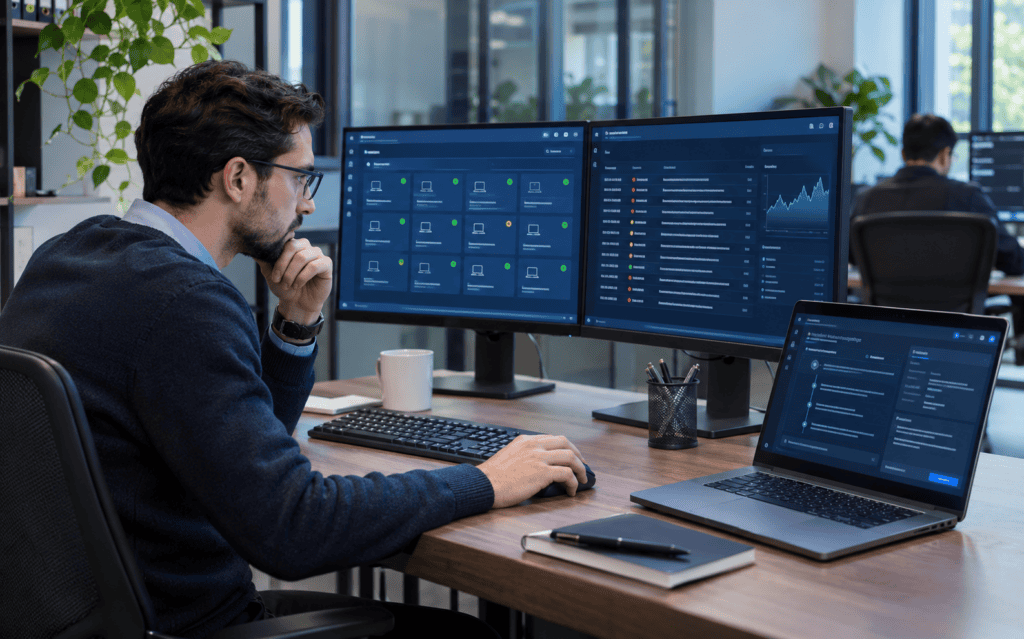
MDR takes the technology of EDR and wraps it in a service. A team of security analysts, usually working from a security operations center, watches your environment 24 hours a day. When something suspicious appears, they investigate, decide whether it is real, and either contain the threat themselves or walk your team through the response.
Think of it this way. EDR is a smoke detector. MDR is a smoke detector plus a fire department that answers the alarm at 3 a.m. on a Sunday.
What MDR typically includes
- Round-the-clock monitoring by trained analysts
- Threat hunting, where analysts proactively look for hidden attackers
- Investigation and triage of alerts so your team only sees what matters
- Active response, such as isolating devices or disabling compromised accounts
- Regular reporting that translates technical events into business language
- Guidance on closing the gaps attackers exploited
Many MDR services cover more than endpoints. They also ingest data from email platforms, identity systems, cloud applications, and firewalls, which gives analysts a much broader view than endpoint data alone.
Why MDR is growing so quickly
Attackers do not work business hours. Ransomware crews commonly launch their final stage on nights, weekends, and holidays because they know defenders are away. A tool that alerts nobody at 2 a.m. does not help. A service with analysts on shift does.
There is also a talent problem. Skilled security analysts are scarce and expensive. Hiring even a small round-the-clock team can cost well over a million dollars a year once salaries, benefits, training, and tooling are included. MDR lets a smaller company rent that capability instead. The broader trend is covered in this look at replacing traditional antivirus with managed response.
Where MDR falls short
MDR is not magic. Quality varies a great deal between providers. Some deliver true investigation and response. Others simply forward alerts with a thin layer of commentary. Contract terms matter too, since some providers will only recommend actions while others will take them.
MDR also does not replace basic security hygiene. Patching, backups, user training, and access controls still need to be in place.
Who MDR suits best
MDR fits businesses that need strong detection and response but cannot staff a full security team. That describes most organizations with 10 to 500 employees, especially those in regulated industries like healthcare, legal, finance, and defense contracting.
What Is SIEM (Security Information and Event Management)?
SIEM sits at a different layer. A SIEM platform collects log data from many sources, including servers, firewalls, switches, cloud services, identity providers, and applications. It normalizes that data, stores it, and applies correlation rules to spot patterns that no single device would reveal on its own.
For example, a SIEM can notice that a user logged in from Greenville at 9 a.m., then from another continent at 9:15, then began downloading unusual amounts of data. Each event alone might look harmless. Together they tell a story.
What SIEM does well
- Centralizes logs from across the whole environment
- Correlates events from different systems to reveal complex attack chains
- Retains log history for investigations and audits
- Supports compliance requirements that demand log collection and review
- Produces dashboards and reports for management and auditors
Where SIEM falls short
SIEM is the most demanding of the three. A raw SIEM is a powerful engine with no driver. Someone has to decide what to collect, write and tune the detection rules, review the alerts, and maintain the platform. Poorly tuned systems drown teams in false positives. Licensing is often based on data volume, so costs climb quickly as you add sources.
Many organizations buy a SIEM, connect a handful of sources, and then watch it sit mostly unused because nobody has time to run it. That is an expensive way to feel secure.
Who SIEM suits best
SIEM makes the most sense for larger organizations with dedicated security staff, or for companies with strict compliance mandates that explicitly require centralized log management and review. For smaller companies, a SIEM is far more practical when delivered as part of a managed service rather than purchased and operated alone.
How the Three Approaches Work Together
These tools are not rivals in the way vendors sometimes suggest. They often layer together.
- EDR feeds endpoint telemetry into an MDR service or a SIEM.
- A SIEM can ingest EDR alerts alongside firewall, email, and identity logs.
- MDR providers frequently run their own SIEM or equivalent data platform behind the scenes, so you receive the benefit without managing it.
This is why many mature security programs use a combination. A midsize company might run EDR on every device, have an MDR team watching it around the clock, and rely on the provider’s log platform to satisfy audit requirements. The business never has to operate a SIEM directly, yet still gets the outcome.
Larger enterprises with their own security operations center may reverse the model. They run their own SIEM, deploy EDR as one data source, and use MDR as overflow or after-hours coverage. If your organization is considering that path, this discussion of cybersecurity operations centers explains why more local companies are investing in them.
Six Questions That Reveal the Right Fit
Instead of starting with products, start with your situation. These questions usually point to the answer quickly.
1. Who will respond at 2 a.m.?
If the honest answer is “nobody,” you need a service with human responders. That points to MDR or a provider that offers equivalent monitoring. EDR alone will detect the problem but may not stop it in time.
2. How many people can you dedicate to security?
If the answer is zero or part of one person’s job, avoid tools that require constant tuning. If you have a small team, EDR plus a trusted partner may work. If you have a full analyst team, a SIEM becomes realistic.
3. What regulations apply to you?
Healthcare organizations face HIPAA. Defense contractors face CMMC. Financial firms face GLBA and FTC safeguards. Many frameworks expect log retention, monitoring, and documented incident response. A managed approach that includes reporting can cut audit stress considerably. If you are in the defense supply chain, the guidance on CMMC readiness shows why waiting is risky.
4. Where does your data actually live?
If most of your work happens in Microsoft 365 and cloud applications, endpoint data alone is not enough. You need visibility into identities, email, and cloud activity. That favors MDR with broad coverage or a SIEM that ingests cloud logs.
5. What does your cyber insurance require?
Insurers increasingly ask whether you run EDR, whether it is monitored, and whether you can respond outside business hours. Some policies now make monitored detection a condition of coverage or a driver of premiums. The trend is outlined in this piece on cyber insurance requirements.
6. What would an hour of downtime cost you?
If your business loses thousands of dollars every hour it is offline, faster response is worth paying for. Calculate the number honestly. It often makes the cost of MDR look small by comparison.
Common Business Scenarios and Recommendations
Real-world examples make the choice clearer. These are general patterns, not guarantees, since every environment is different.
A 20-person professional services firm
The firm has no security staff, a handful of cloud applications, and clients who ask about security in contracts. Best fit: MDR that includes EDR and monitors email and identity. Pair it with strong backups and training.
A 75-person manufacturer with plant-floor systems
Office computers are easy to protect, but production equipment is older and cannot run agents. Best fit: MDR for office endpoints, combined with network monitoring to watch traffic around equipment that cannot be protected directly. The concerns here are explored in the broader discussion of network observability.
A 150-person healthcare group
Patient data, HIPAA obligations, and multiple locations raise the stakes. Best fit: MDR with compliance reporting and log retention, backed by strong access controls and documented response plans.
A 400-person company with an internal IT team
A small IT department exists but no one is awake overnight. Best fit: EDR for visibility, MDR for after-hours and investigation, and a SIEM only if audits or complexity demand it.
A 1,000-plus-person enterprise with a security team
Analysts are on staff and tooling is mature. Best fit: SIEM as the central platform, EDR as a data source, and MDR for coverage gaps or surge capacity.

The Hidden Costs Nobody Mentions
Sticker price rarely tells the full story. When comparing options, include these items.
Costs that surprise buyers
- Alert handling time. Every alert someone must read costs labor, even if it turns out to be harmless.
- Tuning and maintenance. SIEM rules and EDR policies need constant adjustment.
- Training. Analysts need ongoing education to keep up with changing attacker techniques.
- Data storage. Log retention for months or years adds real expense.
- Incident costs. A missed attack can cost far more than years of monitoring.
- Staff turnover. Losing your one security person can leave a gap overnight.
When you add these in, the managed route often turns out to be cheaper than building and operating a comparable capability internally, particularly for companies without a large IT budget.
How to Evaluate an MDR Provider
If MDR looks like the right direction, quality matters enormously. Ask hard questions before you sign.
Questions worth asking
- Do analysts take response actions, or only send recommendations?
- What is the average time from detection to containment?
- Which data sources are covered beyond endpoints?
- Is monitoring truly 24/7 with staffed analysts, or on-call?
- How are false positives handled, and who sees them?
- What reporting will we receive, and in what format?
- How does the service support our compliance obligations?
- What happens during a major incident, and who is on the phone with us?
- Can we see sample investigations and reports?
A provider that answers these clearly and specifically is far more trustworthy than one that relies on marketing language.
Why Detection Alone Is Never Enough
It is tempting to treat detection tools as a complete solution. They are not. Detection tells you something went wrong. Resilience determines how much it hurts.
Strong programs combine layers:
- Prevention: patching, secure configurations, email filtering, and least-privilege access
- Detection: EDR, MDR, or SIEM as appropriate
- Response: documented plans and practiced procedures
- Recovery: tested backups that attackers cannot reach
Backups deserve special attention. Even the best detection can miss a patient attacker, and a clean, isolated, tested backup is what lets you restore operations instead of paying a ransom. This is why faster cyberattack recovery depends as much on backup design as on monitoring.
Knowing what to do when the worst happens also matters. These guides on ransomware recovery steps and data breach response show how much the first hours matter.
Threats These Tools Are Built to Catch
Understanding the threats helps clarify why the tools differ.
Ransomware
Modern ransomware groups steal data first, then encrypt systems. EDR and MDR aim to catch the early stages, such as credential theft and lateral movement, before encryption begins.
Business email compromise
Attackers take over or imitate an executive or vendor to redirect payments. Endpoint tools often miss this entirely because the attack happens in email and identity systems. Monitoring that covers cloud identity is essential, as discussed in this look at business email compromise.
AI-assisted phishing
Generative AI has made scam emails more polished and personalized. Traditional spotting tips, like looking for bad grammar, no longer work reliably. Layered email security plus monitoring is the realistic answer, and this guide to AI phishing defense covers it in more depth.
Insider mistakes and shadow tools
Employees sometimes paste sensitive data into unapproved AI tools or install unsanctioned software. Visibility across endpoints and cloud apps helps surface this behavior, and the issue is detailed in this overview of shadow AI risks.
Compromised credentials
Stolen passwords remain one of the most common ways in. Identity monitoring and the principle of never trusting by default help here, which is why zero trust security has moved from buzzword to baseline.
Building a Practical Security Roadmap
You do not need to do everything at once. A phased approach keeps costs manageable and results measurable.
Phase 1: Get the foundations right
- Maintain an accurate inventory of devices and accounts
- Enforce multi-factor authentication everywhere possible
- Patch operating systems and applications promptly
- Deploy tested, isolated backups
- Train employees to recognize phishing and report it
Strong data backup solutions are one of the most cost-effective defenses you can add, because they directly limit the damage of ransomware.
Phase 2: Add detection and response
- Deploy EDR across all supported endpoints
- Add monitored response through MDR, especially if you lack staff
- Extend monitoring to email, identity, and cloud applications
- Document who gets called, and when
A dedicated cybersecurity services engagement can handle much of this setup and ongoing monitoring.
Phase 3: Strengthen visibility and compliance
- Centralize logs where regulations or audits require it
- Review access rights on a regular schedule
- Run tabletop exercises to practice incident response
- Automate compliance evidence collection where possible
Compliance should not be a once-a-year scramble. Ongoing checks, like those described in continuous compliance monitoring, keep you audit-ready year-round, and dedicated compliance services can carry much of the workload.
Phase 4: Mature and optimize
- Measure detection and response times
- Tune policies based on real incidents
- Reassess tools annually against changing threats and business growth
- Retire tools that duplicate each other
The Role of Strategy and Guidance
Technology decisions work best when tied to business goals. Buying tools without a plan leads to overlap, gaps, and wasted money. Many growing companies find value in having a senior technology advisor involved in these choices. Some hire one. Many others use a fractional model, which is why interest in an outsourced vCIO has grown. Ongoing IT guidance helps align security spending with real risk instead of vendor pressure.
Security Is Bigger Than Detection Tools
Detection and response sit on top of a broader technology environment. The healthier that foundation is, the less your security tools have to work around.
- Reliable managed IT services keep devices patched, standardized, and monitored, which shrinks the attack surface.
- A responsive IT support team helps employees report suspicious activity quickly instead of ignoring it.
- Disciplined network management ensures firewalls, switches, and wireless access points are configured securely.
- Well-governed cloud services reduce misconfigurations that attackers love to find.
- Secure productivity applications with proper settings protect email, files, and collaboration.
- Protected unified communications keep voice, video, and messaging from becoming a weak point.
- Careful IT procurement ensures new hardware and software arrive secure from day one.
- Predictable service packages make it easier to budget for protection instead of reacting to emergencies.
Security tools succeed when the environment beneath them is stable. A company with unpatched systems, flat networks, and no standards will struggle no matter how advanced its detection platform is.
Mistakes to Avoid When Choosing a Security Approach
Many businesses make the same errors. Avoid these.
- Buying SIEM without staff to run it. The platform becomes shelfware.
- Assuming EDR alone equals full protection. Without monitoring, alerts go unanswered.
- Choosing the cheapest MDR. Low price often means thin investigation and slow response.
- Ignoring cloud and email. Many attacks never touch an endpoint.
- Skipping backups. Detection is not recovery.
- Treating security as a one-time purchase. Threats evolve, and so must your defenses.
- Failing to test the plan. An untested response plan often fails under pressure.
- Letting tools overlap. Paying for three products that do the same job wastes budget.
A Simple Decision Framework
If you want a quick way to decide, use this guide.
- Choose EDR first if you have strong in-house or partner expertise to act on alerts every day.
- Choose MDR if you need around-the-clock coverage and do not have a security team.
- Add SIEM if regulations demand centralized log management and you can resource it, or get it through a managed provider.
- Layer them as your organization grows, making sure each tool earns its place.
For most businesses with limited IT staff, a managed approach delivers the best protection per dollar. It brings analyst expertise, continuous monitoring, and faster response without the burden of hiring and tooling up a full team.
Conclusion: Match the Approach to the Outcome You Need
EDR, MDR, and SIEM are not competing answers to the same question. EDR gives you deep visibility on devices. MDR gives you a team that watches, investigates, and acts. SIEM gives you broad correlation and compliance logging. The right choice depends on who will respond, what regulations you face, where your data lives, and how much downtime your business can survive.
For most small and mid-sized organizations, the smartest move is to prioritize the outcome: fast detection, expert investigation, and tested recovery. That usually means a managed approach layered on top of strong fundamentals like patching, backups, access controls, and employee training.
If you are ready to stop guessing, the team at CMIT Solutions of Greenville can assess your environment, explain your options in plain language, and recommend a practical path that fits your budget. You can also explore our full range of services on the Greenville IT provider homepage, or schedule a consultation to start the conversation today.
Frequently Asked Questions