
To secure AI for your business, you need a framework that controls which tools employees use, what data those tools can touch, and how usage is monitored over time.
CMIT Solutions helps small and mid-sized businesses adopt artificial intelligence safely by building those guardrails into your IT environment from the start, so AI productivity gains never come at the cost of data security or compliance.
With more than 30 years of experience supporting SMBs and a nationwide network of 900+ IT and cybersecurity professionals, our role is to make secure AI adoption practical for businesses that do not have an in-house data science team or dedicated AI security staff. We help you decide which tools to approve, how to configure them, and how to monitor employee usage across your environment.
Talk to our team about managed AI services built for your business.
What “secure AI” actually means for an SMB
For most small and mid-sized businesses, AI adoption has moved faster than the IT support behind it, leaving leadership with growing complexity and limited visibility into how new tools are being used. Secure AI is the discipline that closes that gap.
Secure AI means adopting artificial intelligence tools, including generative AI, copilots, chatbots, and automation platforms, in a way that protects company data, satisfies regulatory expectations, and gives leadership visibility into how AI is being used. It is the operational discipline that sits between unrestricted AI access and a complete ban.
For an SMB, secure AI is less about model architecture and more about three practical questions:
- Who is using AI?
- What data are they putting into it?
- Where is that data going once it leaves your network?
The answers shape every control you put in place. With trusted technology guidance from the start, secure AI becomes part of how your business operates rather than a project you scramble to complete after an incident.
💡 Additional reading: AI vs automation
Why securing AI matters more for small businesses than they realize
Many SMB leaders assume their business is too small to be a target, but AI is reshaping that risk profile in ways that are easy to miss without continuous monitoring and threat visibility across your environment. The risk is rarely a sophisticated attack. It is an everyday employee action that quietly exposes data.
Small businesses face two compounding risks:
- First, employees can leak sensitive data through everyday AI tools without realizing it.
- Second, attackers are using AI to scale phishing, credential theft, and social engineering against businesses least likely to detect it.
A healthcare clinic that pastes patient notes into a consumer AI tool to summarize them has likely violated HIPAA compliance requirements. A government contractor that uses an AI tool to draft a proposal containing controlled unclassified information has likely violated CMMC requirements. A retail business that uses an AI assistant to generate refund scripts with real customer payment data has likely violated PCI-DSS compliance.
In each case, no malicious actor was involved. The breach was an employee trying to be productive. Without an AI usage policy and the layered protection to enforce it, these incidents stay invisible until an audit, an insurance claim, or a regulatory inquiry surfaces them. CMIT Solutions builds those controls into your environment so risk is identified and contained before it becomes a disclosure event.
The CMIT Secure AI Adoption Framework for SMBs
Most security guidance for AI was written for enterprises with dedicated AI security teams. The framework below is built for SMBs with limited IT staff and modest budgets. It moves through five stages, and each stage produces a tangible artifact you can show an auditor, an insurer, or a board.
| Stage | Focus | What you produce |
| 1. Inventory | Identify all AI tools currently in use, including shadow AI | A documented list of sanctioned and unsanctioned AI usage |
| 2. Classify | Decide what business data can and cannot go into AI tools | A data classification policy mapped to AI inputs |
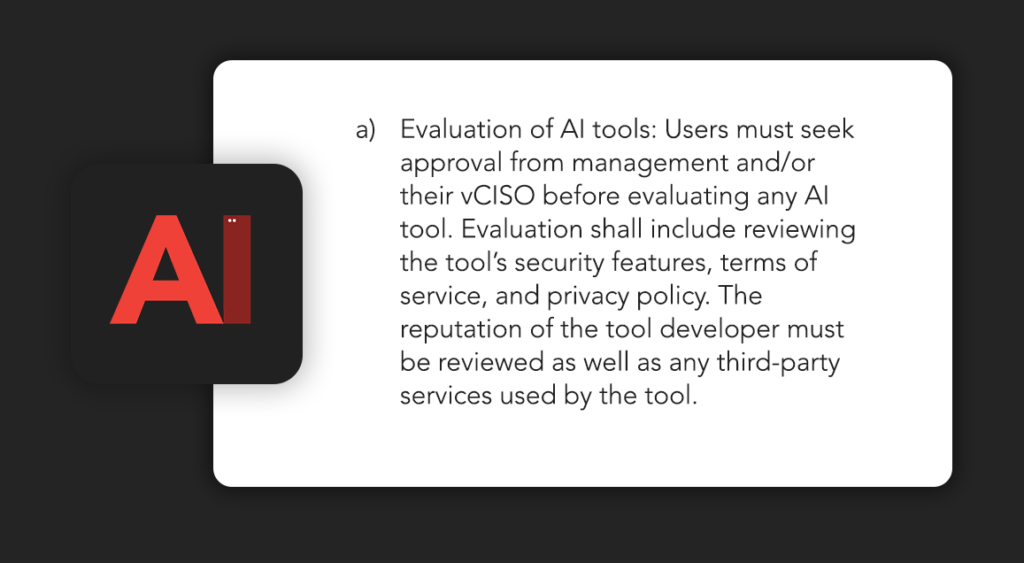
| 3. Approve | Vet AI vendors and assemble an approved tool list | A vendor evaluation record and an approved AI tool catalog |
| 4. Govern | Build the AI acceptable use policy and training program | A signed AUP and a training completion record |
| 5. Monitor | Log AI tool usage and review for policy violations | A monitoring report and incident response procedure |
Each stage builds on the last. Skipping inventory means you cannot classify data correctly. Skipping classification means your approval process has no criteria. The framework only works in order, which is why our team walks businesses through it sequentially as a strategic plan, not a one-time project.

Step 1: Discover shadow AI in your environment
Shadow AI, the use of unsanctioned AI tools by employees through personal accounts on company devices, is the single biggest blind spot in most SMB environments. The risk of system or data loss compounds quickly when leadership has no visibility into which tools touch which data.
A practical shadow AI discovery process looks like this:
- Review browser and SaaS activity: Pull logs from your endpoint protection, DNS filtering, or identity platform to identify traffic to known AI domains. ChatGPT, Claude, Gemini, Perplexity, Copilot, and the long tail of niche AI tools all show up here.
- Survey employees directly: Ask, in writing, what AI tools they currently use for work and what they use them for. Anonymity often produces more honest answers than a manager survey.
- Audit browser extensions: AI browser extensions are common and frequently request broad permissions, including the ability to read the contents of every page a user visits.
- Check Microsoft 365 and Google Workspace: Look at which AI features have been enabled at the tenant level, especially Copilot, Gemini for Workspace, and any third-party AI add-ons connected to your environment.
The output is a single document listing every AI tool in use, who uses it, what they use it for, and whether the company has any visibility or contractual relationship with the vendor. CMIT Solutions uses continuous monitoring and threat visibility to surface shadow AI before it becomes an incident.
Complete our free AI self assessment to identify gaps in security, tools, automation, productivity, and employee adoption. You will receive a personalized score and practical recommendations for your business.
Step 2: Classify the data your business cannot put into AI tools
Once you know what AI tools are in use, the next question is what data should never reach them. Most AI security incidents are not about the tool itself. They are about the data the tool was fed, which is why classification has to happen before approval.
A workable SMB data classification model uses three tiers:
- Public: Information that already exists outside your business, such as published marketing copy, public pricing, or content on your website. Safe for any approved AI tool.
- Internal: Information not meant for public release but not regulated. Internal memos, draft proposals, meeting notes. Safe only for AI tools with a business agreement and no training on customer data.
- Restricted: Information governed by a regulatory framework or contractual obligation. Patient records, payment data, controlled unclassified information, financial reporting data, personal data covered by GDPR or CPRA. Not permitted in any AI tool unless the vendor has been formally evaluated and contracted for that data type.
Mapping your data tiers to AI tools is the document that protects you in an audit. It is also the document most SMBs do not have, and one our team builds with you as part of a layered protection approach.
Step 3: Evaluate AI vendors before approving them
Vendor evaluation for AI tools follows the same logic as any other vendor due diligence, but with additional questions about how AI handles data. Multiple AI vendors operating without consistent evaluation create the kind of accountability gap that turns into a finding the first time you face an audit.
Use the checklist below before approving any AI tool for business use:
| Evaluation area | Questions to ask the vendor |
| Data handling | Is customer data used to train models? Can training be disabled? Where is data stored geographically? |
| Retention | How long is prompt and output data retained? Can retention be set to zero? |
| Access controls | Does the tool support SSO, MFA, and role-based access? |
| Compliance | Does the vendor hold SOC 2 Type II, ISO 27001, HIPAA BAA, or other relevant attestations? |
| Audit logging | Can administrators access logs of who used the tool, when, and what data was submitted? |
| Subprocessors | Which third parties does the vendor share data with, and under what terms? |
| Incident response | What is the vendor’s notification timeline if a breach affects customer data? |
| Contract terms | Does the master agreement contain indemnification and data protection clauses appropriate to your industry? |
Consumer AI tools rarely pass this checklist. Business and enterprise tiers of the same products usually do. From a security standpoint, the free version of an AI assistant and the paid business version are often completely different products, and our cybersecurity-informed recommendations help you pick the right tier for the data involved.
💡 Additional reading: AI automation
Step 4: Build an AI acceptable use policy
An AI acceptable use policy, or AUP, is the document that translates your data classification model into rules employees can actually follow. Most SMB AI incidents happen because no policy exists, not because a policy was violated, and writing one is rarely at the top of an internal IT to-do list.
A workable SMB AI AUP covers eight sections:
- Purpose and scope: What the policy applies to, including company devices, personal devices used for work, and contractor access.
- Approved tools: The current list of sanctioned AI tools and the business cases they cover.
- Prohibited tools: Tools explicitly not permitted, including any free or personal-account version of an approved business tool.
- Approved data inputs: What employees may put into AI tools, mapped to the public and internal tiers from your classification model.
- Prohibited data inputs: What employees may never put into AI tools, including any restricted data or anything they would not put in an email to an outside vendor.
- Review and approval workflow: How an employee requests a new AI tool, who reviews it, and how long approval takes.
- Training requirement: Mandatory AI security training on hire and annually, with completion tracked.
- Enforcement: Consequences for policy violations, including disciplinary action and tool access revocation.
The policy should be one document, signed by every employee, and reviewed at least annually as the AI tool landscape changes. Our team drafts and maintains these policies for clients as part of strategic technology guidance aligned with how the business actually operates.
Protect company data and help employees use approved AI tools appropriately. Download our ready-to-use AI acceptable use policy and adapt it to your business requirements.
Step 5: Monitor AI usage and respond to incidents
A policy without monitoring is a policy in name only. Many SMBs treat AI policy as a one-time document rather than an ongoing governance process. That gap often creates a false sense of security while AI usage continues to evolve across the organization.
For most SMBs, AI monitoring lives inside tools that are already deployed:
- Endpoint protection platforms increasingly flag AI tool usage
- DNS filtering can block unsanctioned AI domains
- Microsoft 365 and Google Workspace provide audit logs for Copilot and Gemini activity at the tenant level
- Identity providers log SSO events into approved AI platforms
When a policy violation is detected, the response process should follow the same pattern as any other security incident:
- Contain the exposure
- Assess what data was involved
- Document the event
- Notify the appropriate stakeholders
- Update the policy or training if the incident points to a systemic gap
The first time an AI incident happens, the question your insurer, auditor, or regulator will ask is whether you had a documented response process. CMIT Solutions builds that process with you and runs the continuous monitoring and threat response that helps you answer the question with confidence.
Approved vs. prohibited AI use cases by industry
Different industries have different acceptable use boundaries because their data is governed by different frameworks. Inconsistent rules across departments, locations, or remote teams create the kind of compliance drift that surfaces during an audit rather than before one.
The table below shows examples of how the same AI use case looks across regulated industries.
| Industry | Approved use case | Prohibited use case |
| Healthcare | Drafting general patient education content with no PHI | Summarizing patient notes containing PHI in a consumer AI tool |
| Government contracting | Researching public regulations and policy guidance | Drafting proposals containing CUI in any non-FedRAMP AI tool |
| Finance | Generating market commentary from public data | Pasting client account data into an AI assistant for analysis |
| Retail | Writing product descriptions and marketing copy | Inputting cardholder data or full customer PII into an AI tool |
| Hospitality | Drafting guest communications using general booking context | Inputting guest payment information or full reservation records |
These boundaries are not theoretical. The HIPAA Security Rule, the CMMC framework, and the PCI Data Security Standard each define what counts as restricted data and what controls must protect it. An AI tool that does not meet those controls cannot lawfully handle that data, regardless of how productive it is, and our team helps you set the rules consistently across every site and team you operate.
How AI security overlaps with the compliance work you already do
For businesses already operating under a compliance framework, secure AI is not a separate project. It is an extension of the controls you already maintain, and treating it as a separate workstream creates duplication, vendor gaps, and policy contradictions.
- Under HIPAA, an AI tool processing PHI is a business associate and requires a Business Associate Agreement.
- Under CMMC, an AI tool handling controlled unclassified information must meet the same access control, logging, and incident response requirements as any other system in scope.
- Defense contractors working with CUI should review their AI usage against the same baseline that governs the rest of their IT environment, and our CMMC compliance services help businesses align both.
- Under PCI-DSS, an AI tool that touches cardholder data sits inside your cardholder data environment.
- Under GDPR and CPRA, an AI tool processing personal data is a processor and must be governed by a data processing agreement.
In every case, the question is the same. Does the AI tool meet the security and governance standards already required of your other systems? If it does not, it should not be handling that data.
The U.S. National Institute of Standards and Technology has published the AI Risk Management Framework, which provides a structured approach to identifying, measuring, and managing AI risk. It is widely referenced by insurers, regulators, and auditors and is a useful starting point when building your own AI governance program alongside the compliance work CMIT Solutions already supports.
A realistic AI incident scenario, and how it could have been prevented
A 40-person specialty medical practice rolls out a free consumer AI assistant to help clinical staff summarize visit notes. No policy is in place. Over six months, staff paste portions of dozens of patient charts into the tool to speed up documentation. The data is retained by the AI vendor and used to train future models.
A patient files a complaint about how their record was handled. The practice’s compliance officer investigates and discovers the AI usage. The Office for Civil Rights opens an inquiry. The practice has no business associate agreement with the AI vendor, no audit log of which records were submitted, and no acceptable use policy on file.
What the practice needed, in order, was:
- A discovery process that would have surfaced the shadow AI in week one
- A data classification policy that would have flagged PHI as restricted
- A vendor evaluation that would have rejected a consumer-tier AI tool for clinical use
- An AUP that would have prohibited the practice that occurred
- Monitoring that would have caught the policy violation before it became an incident.
Each of the five stages in the framework above corresponds to a control that would have prevented this outcome, which is exactly the kind of security-first IT we build by default.
What a healthy SMB AI program looks like
The signs of a healthy AI program are not flashy, but they are observable:
- Leadership knows which AI tools are in use.
- There is a current acceptable use policy on file.
- Employees have completed AI security training in the last twelve months.
- The approved tool list has been reviewed in the last quarter.
- Audit logs exist for the AI tools that handle sensitive data.
- There is a documented process for what happens when an employee wants to use a new AI tool.
None of these items are complicated. They are the same controls applied to every other category of business technology, adapted to AI. Businesses that get this right are the ones treating AI like any other vendor category rather than a special case, and our role is to bring the strategic technology guidance and layered protection that make those controls stick.
Partner with CMIT Solutions to adopt AI with confidence
Secure AI adoption is rarely about a single tool or a single policy. It is about putting the right framework, the right controls, and the right oversight in place so your business can use AI productively without inheriting risks you do not see until it is too late. CMIT Solutions builds that foundation by design, combining security-first managed IT services, layered cybersecurity protection, and strategic technology guidance aligned with your business goals.
Whether you are starting from scratch or tightening up an AI program that grew faster than your controls, our team brings the experience, the nationwide network of cybersecurity professionals, and the local responsiveness to make AI adoption work for your business rather than against it.
You can see what that consistent, secure foundation looks like in practice in our Optyx case study, where CMIT helped a multi-location optical retailer unify and secure IT across every store. Their experience shows how the same principles behind secure AI adoption, consistent controls, centralized visibility, and trusted local support translate into reliable day-to-day operations for businesses with complex environments.
Call us at (800) 399-2648 or contact our team to start adopting AI with confidence.
FAQs
How often should employees be retrained on AI security?
Annually at minimum, with a refresher whenever the approved tool list changes. AI vendors update features and data handling practices frequently, and a tool that was safe six months ago may behave differently today. New hires should complete AI training within their first 30 days as part of standard onboarding.
Can my business use ChatGPT safely at work?
Yes, in most cases. ChatGPT Business and Enterprise tiers can be configured with data training disabled, SSO, and audit logging, which makes them safe for non-restricted data. The free consumer version is the version that usually needs to be blocked, since prompt data cannot be controlled.
What is the difference between AI governance and AI security?
AI security is the technical layer protecting AI tools and the data they touch. AI governance is the policy and oversight layer that defines who can use AI, how, and with what data. Most SMB AI incidents trace back to governance failures, not technical security failures.
Does cyber insurance cover AI-related data breaches?
Coverage varies by carrier. Some policies treat AI-related incidents the same as any other data breach, while others exclude AI usage that violates documented controls. Insurers increasingly ask whether you have an AI acceptable use policy in place at renewal, and the answer affects both eligibility and premium cost.
How do we handle AI tools that employees use on personal devices?
Your bring-your-own-device policy should explicitly cover AI tools. Personal-account access to consumer AI from personal devices used for work is one of the largest SMB AI blind spots. The cleanest approach is to require all work-related AI usage on company-managed devices through approved business accounts.