In our experience at CMIT Solutions, some of the best ways to use AI to increase productivity are:
- Audit where employee time is being spent
- Pick two or three approved, business-tier AI tools
- Match each tool to specific tasks, not departments
- Define what data can and cannot be entered
- Run a 30-minute team training session
- Set up productivity benchmarks before rollout
- Roll out to a small pilot group first
- Review usage and outcomes every quarter
The catch is that productivity gains evaporate quickly when AI tools are adopted without guardrails. Sensitive data ends up in consumer chatbots, shadow AI tools spread across departments, and businesses end up carrying more risk than they gained in time savings.
At CMIT Solutions, we help small and mid-sized businesses use AI to increase productivity at work without giving up control over their data, workflows, or security posture. AI productivity is the measurable output gains from using artificial intelligence to draft, summarize, analyze, and automate routine tasks that used to consume hours of employee time.
Talk to our team about managed AI services built around your business.
Why AI productivity matters for small and mid-sized businesses
AI productivity matters for SMBs because it gives smaller teams capabilities that used to require additional headcount. Tasks that consumed a full day of administrative time can be compressed into a fraction of that, freeing employees to focus on customer-facing and strategic work that actually moves the business forward.
Most SMBs do not have a dedicated AI research team, an in-house data scientist, or an unlimited budget for emerging technology. That means AI adoption has to be practical, security-conscious, and tied to operational outcomes from day one.
Federal guidance reinforces the need for structure here. The NIST AI Risk Management Framework lays out a voluntary framework for managing the risks that come with AI adoption, including governance, mapping, measurement, and management of AI-related risk.
How to use AI to increase productivity in your business: step by step
The most effective way to use AI to increase productivity in your business is to follow a sequenced rollout that pairs quick wins with the right guardrails. The steps below give SMB teams a practical path from no AI program to measurable productivity gains in weeks rather than months.
- Audit where employee time is being spent. Spend a week mapping the repetitive tasks your team performs daily, focusing on email drafting, scheduling, document review, data entry, and meeting notes. These are the highest-payoff targets for AI.
- Pick two or three approved, business-tier AI tools. Choose tools your business has reviewed for data handling, such as Microsoft 365 Copilot, ChatGPT Business, or Google Workspace AI. Limit the list so usage stays consistent and trackable.
- Match each tool to specific tasks, not departments. Assign Copilot to document and email work, an AI meeting tool to calls, and a chatbot to tier-one customer questions. Tools tied to tasks get adopted; tools tied to vague goals do not.
- Define what data can and cannot be entered. Spell out which information stays out of AI tools, including customer data, payment information, employee records, and any regulated data covered by HIPAA, CMMC, PCI-DSS, or similar frameworks.
- Run a 30-minute team training session. Cover the approved tools, the prohibited data list, two or three example use cases, and the process for flagging incidents. This single session prevents most shadow AI problems.
- Set up productivity benchmarks before rollout. Track current time spent on the tasks identified in step one. Without a baseline, you cannot tell whether AI is actually delivering gains.
- Roll out to a small pilot group first. Pick five to ten employees across functions, run for three to four weeks, gather feedback, and adjust before expanding to the full team.
- Review usage and outcomes every quarter. Check which tools are being used, which workflows have improved, and where shadow AI has crept in despite the approved list. Quarterly review is enough cadence for most SMBs.
The mistake most SMBs make is treating step two as the whole project. Tool selection only delivers productivity when paired with task mapping, training, and measurement. Skipping any of these steps is usually why AI rollouts stall.
Help employees use AI efficiently without exposing sensitive business information. Download our ready-to-use AI acceptable use policy and adapt it to your organization.
Where AI delivers the biggest productivity gains for SMBs
AI delivers the biggest productivity gains in functions where employees spend significant time on repetitive, structured, or document-heavy work. Areas with the highest payoff for SMBs include administrative work, customer service, marketing and sales, finance operations, and internal knowledge retrieval.
The table below maps common SMB functions to AI use cases and the type of productivity gain each one tends to produce.
| Business function | Common AI use cases | Type of productivity gain |
| Administrative work | Email drafting, scheduling, document formatting, meeting notes | Time savings |
| Customer service | Chatbots, ticket routing, response drafting, FAQ generation | Faster response times |
| Marketing | Content drafting, social media planning, campaign ideation | Output volume |
| Sales | Lead scoring, outreach personalization, call summarization | Pipeline coverage |
| Finance and operations | Invoice processing, expense categorization, forecasting | Reduced manual work |
| Internal knowledge | Document summarization, policy lookup, onboarding support | Faster decision-making |
The pattern across all of these is the same. AI handles the structured, repetitive layer of the work so your team can spend more time on judgment, relationships, and decisions.
💡 Additional reading: AI automation for SMBs
Practical AI use cases for SMBs
Below are concrete use cases that small and mid-sized businesses are already implementing successfully. These are realistic for teams without dedicated AI staff.
- Drafting customer communications. Sales and support teams use AI assistants to draft first versions of customer emails, then edit for tone and accuracy. This typically cuts drafting time in half.
- Summarizing meetings and calls. AI meeting tools transcribe conversations and produce action items and summaries automatically. This is especially valuable for teams with frequent client calls.
- Generating first-draft marketing content. Blog post outlines, social captions, and ad variations come together faster when AI handles the structural drafting layer.
- Internal knowledge retrieval. Businesses are training AI assistants on their own SOPs, policies, and product documentation so staff can find answers without interrupting colleagues.
- Processing routine documents. Invoice data extraction, expense categorization, and contract review get faster with AI tools designed for these specific document types.
- Customer-facing chatbots. SMBs are deploying chatbots that handle tier-one inquiries around the clock, freeing human agents for complex issues.
💡 Additional reading: AI vs automation
The security and governance side of AI productivity
Productivity gains from AI are only sustainable when paired with appropriate security and governance controls. The biggest risk for SMBs is not the AI itself but how employees use it. Sensitive information pasted into a public AI tool does not come back, and most employees do not realize the data is now training a third-party model.
Consider a healthcare practice where a staff member uses a free AI chatbot to summarize patient notes. The summary is useful, but protected health information has now been shared outside the practice’s controlled environment, creating a potential HIPAA exposure. Or a government contractor where an employee pastes proposal text containing controlled unclassified information into a consumer AI tool, creating an exposure under CMMC compliance services requirements.
These scenarios are not theoretical. They are happening regularly at SMBs across every industry. The fix is not to ban AI; it is to define what is approved, what is prohibited, and what monitoring is in place. The Cybersecurity and Infrastructure Security Agency has flagged shadow AI and data exposure as growing concerns for organizations of every size.
Many businesses also assume their cyber insurance will respond if an AI-related incident causes a data breach, but insurers increasingly require specific security controls, including governance over how staff uses AI tools, before issuing or renewing coverage.
Use our insurance readiness assessment to see whether your current security environment aligns with modern insurer expectations.
What a basic SMB AI acceptable use policy should cover
A good acceptable use policy for AI does not need to be long. For most SMBs, it needs to cover the following:
- Approved tools. A short list of business-grade AI tools the company has reviewed and authorized.
- Prohibited data types. Customer data, payment data, employee records, health information, financial records, proprietary information, and any regulated data.
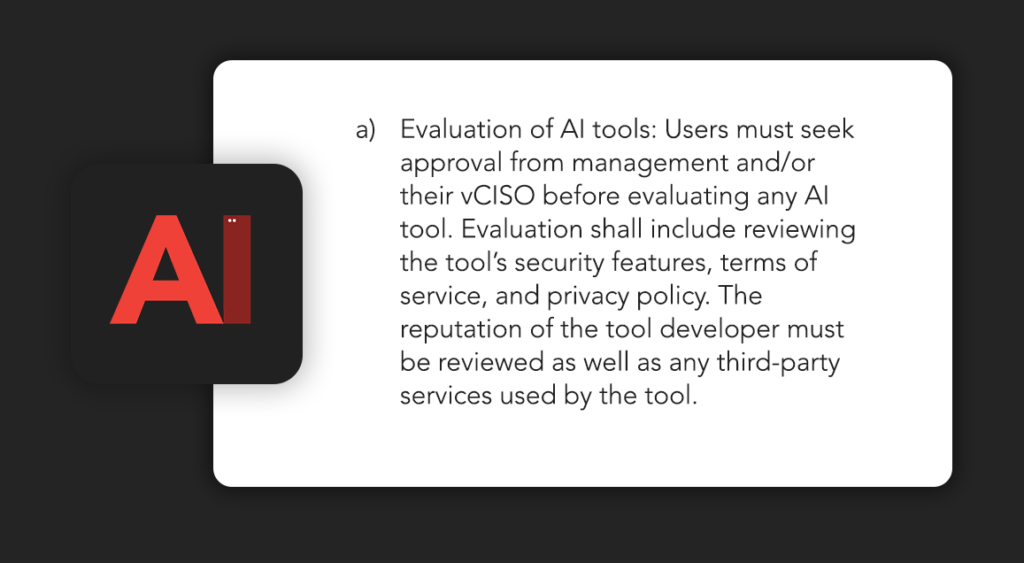
- Review and approval workflow. Who can approve adding a new AI tool to the approved list, and how that decision gets made.
- Required training. What staff need to complete before using AI tools at work.
- Incident reporting. What to do if sensitive information was entered into an unapproved tool.
- Monitoring expectations. What logging and oversight is in place across the AI tools the business uses.

Common AI adoption mistakes SMBs should avoid
The most common mistakes SMBs make when adopting AI are predictable. Each one is preventable with a small amount of upfront planning.
- Treating AI as a side experiment. Productivity gains only compound when AI is integrated into core workflows, not running parallel to them.
- Skipping the policy step. Without an acceptable use policy, every employee is making their own judgment calls about what data to share with AI tools.
- Letting shadow AI spread. When approved tools are not provided, employees use free consumer tools, and the business loses visibility into where data is going.
- Over-automating. Some tasks need human judgment. Removing the human review step for high-stakes work creates errors that are hard to catch.
- No measurement. If you cannot point to which workflows have improved, you cannot tell whether the AI investment is paying off.
Measurement also depends on knowing what poor IT performance costs the business in the first place. Use our IT downtime calculator to see the financial impact of disruption on your business. Results are estimates and do not guarantee specific outcomes.
Side-by-side: good vs. poor AI adoption for an SMB
The contrast between good and poor AI adoption is usually obvious in hindsight. The table below shows what each looks like in practice.
| Dimension | Poor AI adoption | Good AI adoption |
| Tool selection | Whatever individual employees find online | A short approved list reviewed for security and data handling |
| Data inputs | No clear rules; sensitive data ends up in public tools | Clear list of prohibited data types staff are trained on |
| Training | None; staff figure it out themselves | Brief practical training on approved use cases |
| Oversight | None; no idea who is using what | Periodic review of usage, outcomes, and emerging tools |
| Integration | Side experiments parallel to actual work | Layered into existing workflows and IT environment |
| Outcomes | Hard to measure; risk grows | Time savings tracked; security posture maintained |
How AI fits with your existing IT environment
AI delivers the strongest productivity gains when it sits inside a managed IT environment with appropriate security controls already in place. This is where SMBs working with a managed IT partner have a real advantage over those adopting AI in isolation.
When your IT environment already includes endpoint protection, identity management, monitoring, and backup, layering AI on top of that infrastructure is straightforward. The same governance discipline that secures your systems and data extends naturally to your AI tools, supported by consistent tools, standards, and best practices across every location your business operates from.
Without that foundation, AI tools introduce new risks faster than they deliver gains. Data flows out of the business in ways that are hard to track, and there is no monitoring layer in place to catch problems early.
Help your team get more from AI without the security risks
Getting real productivity from AI without creating new security gaps takes the right combination of tool selection, governance, training, and infrastructure. CMIT Solutions helps small and mid-sized businesses adopt AI safely by building the security and governance scaffolding that lets productivity gains stick.
With more than 30 years of experience and a nationwide network of 900+ IT and cybersecurity professionals, our team works alongside yours to roll out AI tools with the security controls and policies that protect your data, your customers, and your bottom line.
Our Optyx case study shows how we helped a multi-location optical retailer unify and secure their IT environment across locations. The result was consistent, secure infrastructure that supported the business as it grew.
Complete our free AI self assessment to evaluate your productivity opportunities, security, tools, automation, and team readiness.
FAQs
How long does it take to roll out AI tools at a small business?
A typical SMB rollout takes four to eight weeks from approval to active use. The timeline scales with how many tools you select, how much team training is needed, and how deeply the tools connect to your existing systems. CMIT Solutions helps compress this by handling tool evaluation and security review in parallel.
Do small businesses need enterprise AI software to see real productivity gains?
No, SMBs do not need enterprise AI software. Business-tier versions of mainstream tools like Microsoft 365 Copilot, ChatGPT Business, and Google Workspace AI are built for SMB budgets and include the data protections most small businesses need. The critical step is selecting the business tier, never the free consumer version.
What happens to company data when employees paste it into AI tools?
It depends on the tool tier. Consumer-grade AI tools typically retain submitted data and may use it to train future models, meaning sensitive information persists outside your control. Business-tier AI tools usually contractually exclude your data from training, which is why approved-tool selection is the single most important governance decision.
How can a business detect shadow AI use among employees?
Shadow AI use is usually detected through browser activity reviews, expense report audits, and direct conversations with staff. Most SMBs are surprised by how much unsanctioned AI usage already exists across their teams. A short anonymous internal survey often surfaces tools the business did not realize were being used daily.
Does AI usage need to be part of employee training?
Yes, AI usage should be part of standard employee training. A brief, practical session covering approved tools, prohibited data inputs, and incident reporting is enough for most SMB teams, with annual refreshers as new tools emerge. Training is the single biggest factor in whether AI adoption succeeds or creates security gaps.